


May 4, 2026
75 Best Facetune Alternatives That Look More Natural
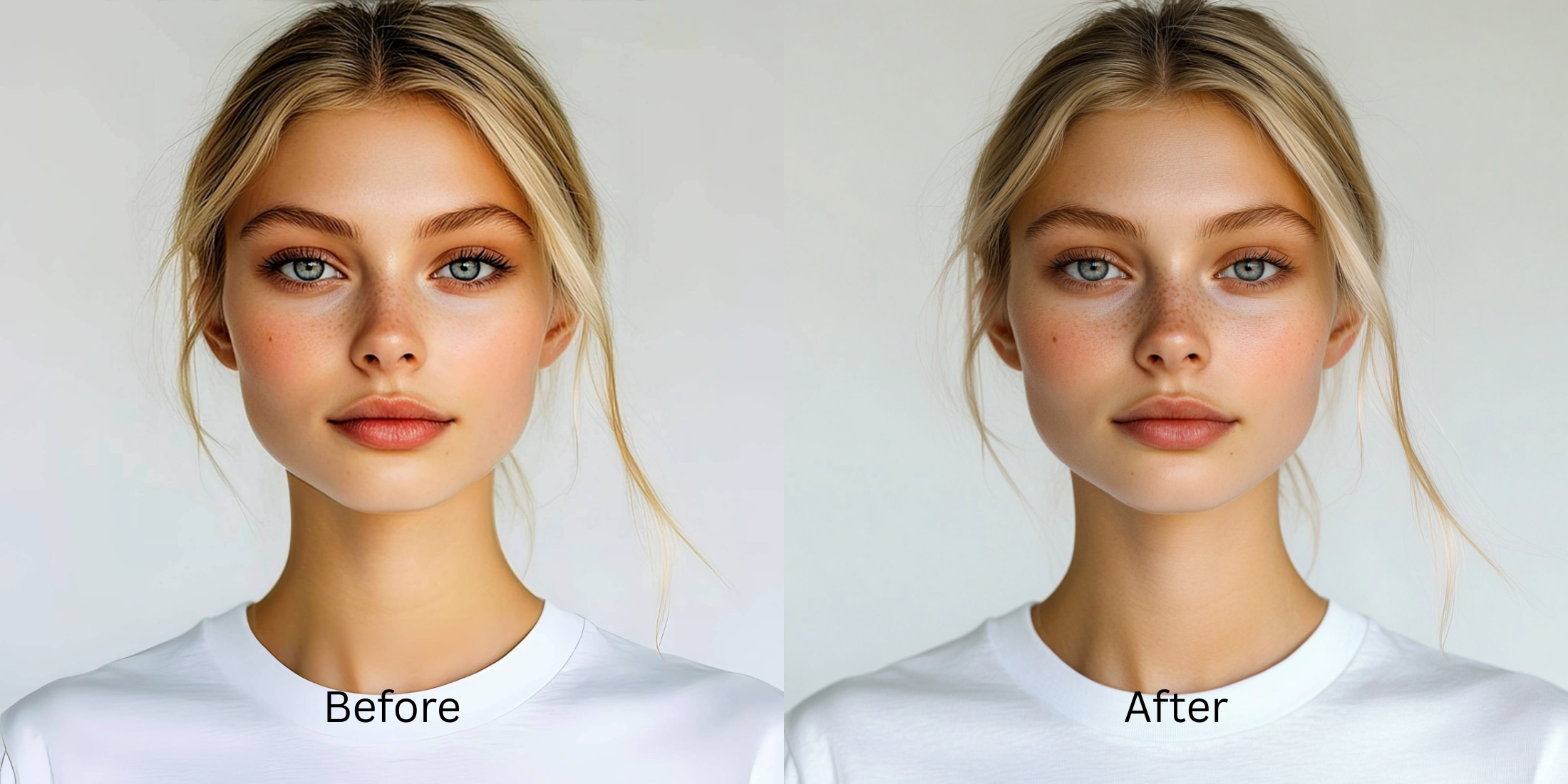

75 Best Facetune Alternatives That Look More Natural
Editing a selfie should not mean sacrificing your identity. When apps push you to manually stretch your jaw, expand your eyes, and erase every pore, the result is a mannequin, not a human. A heavily altered photo screams "fake" to anyone looking at it. If you are tired of the plastic aesthetic, you need an editor that knows how to subtly correct poor lighting and harsh shadows while leaving your actual anatomy completely untouched.
To edit naturally without looking like a plastic filter, stop trying to manually warp your features. In Citrus, use Enhance > Colors & Lighting to correct the bad shadows the camera created. If you still need a touch-up, move to Face > Skin Tone. This provides a clean, even complexion without morphing the structure of your face.
A natural result comes from fixing the flat lighting before blurring the skin. Some apps excel at correcting ambient light. Some are better for precise, manual retouching. Some are better left for people who want an obvious beauty edit.
| # | App | Best for | What to watch for |
|---|---|---|---|
| 1 | TouchRetouch | Removing small under-eye distractions or creases with manual healing | Better for tiny fixes than broader overall correction |
| 2 | Adobe Lightroom | Fixing exposure, shadows, and color so harsh lines soften naturally | Not an automated selfie specialist on its own |
| 3 | VSCO | Improving tone and softness so the face looks less tired overall | Light and color alone will not fully solve specific blemishes |
| 4 | Citrus - 1 tap photo enhancerEditor’s pick | Natural-looking fixes by starting with overall balance, then using Face only if needed | Works best when you match the path to the real problem instead of tapping every option |
| 5 | Snapseed | Selective brightness and healing around the eye area | Manual edits need care to avoid obvious patching |
| 6 | EPIK | Massively popular for trending social edits and quick polish | Can easily wipe away skin texture if default settings are applied |
| 7 | Hypic | Advanced facial structure tweaks and localized corrections | Automated blurring tools tend to be very heavy |
| 8 | Darkroom | Pro-level color and exposure correction for dull photos | Requires manual sliding rather than instant AI recognition |
| 9 | Tezza | Fixing flat lighting with high-end aesthetic film textures | Color grading will not fix severe facial shadows on its own |
| 10 | Remini | Restoring genuinely soft or damaged files before face-specific cleanup | Can look stronger than needed when the original file is already decent |
| 11 | AirBrush | Quick dark-circle and eye-bag touch-ups on phone | Best results come from restrained brushwork |
| 12 | YouCam Makeup | One-tap eye bag and dark-circle cleanup with beauty retouch tools | Can get overly polished if you stack too many face effects |
| 13 | BeautyPlus | Selfie retouching when the under-eye area needs soft correction | Keep the edit light so skin texture still reads like skin |
| 14 | Picsart | Layer-based cleanup when you want manual retouch and masking | Takes more time and can look edited fast |
| 15 | PhotoDirector | AI portrait cleanup plus broader photo correction | Strong settings can start changing the whole portrait feel |
| 16 | Fotor | Quick portrait polish with light retouching | Watch for a generic beauty-filter finish |
| 17 | Adobe Photoshop Express | Spot healing and selective cleanup for small distractions | Better for controlled edits than fast one-tap beauty changes |
| 18 | PrettyUp | Dedicated face and body retouching across photos and videos | Skin presets are tuned for extreme smoothness |
| 19 | FaceApp | Fast face cleanup when you want a polished social-ready result | The finish can stop looking like you if overused |
| 20 | B612 | Live selfie enhancement and quick retouching | Camera effects can become the whole look |
| 21 | LINE Camera | Classic selfie filters and soft beauty modifications | Older aesthetic that leans heavily into full-face blurring |
| 22 | Meitu | Beauty edits with detailed face controls | Easy to drift into a beautified look |
| 23 | MakeupPlus | Concealing tired under-eyes when makeup-style correction helps | Best when the goal is a makeup finish, not pure realism |
| 24 | Peachy | Small face refinements and under-eye cleanup | Minor slider changes look best |
| 25 | Wuta Camera | Customizable facial adjustments directly from the viewfinder | Live camera edits are difficult to undo after saving |
| 26 | Perfect365 | Under-eye brightening with makeup-oriented editing | Can read as cosmetic rather than naturally rested |
| 27 | Facelab | Feature-by-feature retouching with under-eye tools | Needs restraint to stay believable |
| 28 | RetouchMe | Outsourced retouch requests when you want someone else to handle cleanup | Results depend on the requested intensity and style |
| 29 | Evoto | Studio-style portrait cleanup for creators and photographers | Powerful tools can oversimplify natural skin if pushed |
| 30 | Polarr | Applying custom community filters and localized lighting adjustments | Overwhelming interface if you just want a quick fix |
| 31 | Polish | General portrait editing with beauty tools on Android | Strong presets can flatten individuality |
| 32 | PicWish | Quick face cleanup and AI polish | Best for convenience, not always for the most nuanced portrait realism |
| 33 | Pixelup | Bringing life back to older or softer portraits | Restoration strength can outpace realism |
| 34 | Photoleap | Creative portrait correction with flexible retouch tools | Easy to go from fix to effect |
| 35 | BeautyCam | Creating a highly polished, stylized selfie aesthetic | Not designed to keep natural pores visible |
| 36 | Pixl | Simple face retouching including under-eye cleanup | Manual control matters because defaults can look strong |
| 37 | Visage Lab | Fast beauty cleanup for selfies | Its style can feel processed if you want subtlety |
| 38 | Sweet Selfie | Beauty-camera edits and quick under-eye softening | Best for casual social posts, not always for realism |
| 39 | Camera360 | Selfie capture plus beauty correction in one app | Built-in beauty looks can stack up quickly |
| 40 | Bazaart | Isolating the subject from a messy or distracting background | Lacks sophisticated, nuanced skin retouching |
| 41 | Cymera | Beauty camera with retouch options for portraits | Older-style beauty effects can feel obvious |
| 42 | SODA | Cleaner selfie-camera polish with face enhancement | Use lightly so the face still has character |
| 43 | Ulike | Beauty-camera selfies with face and skin refinement | Often tuned toward a stylized finish |
| 44 | SNOW | Selfie edits with strong beauty and camera tools | Great for playful polish, less ideal for invisible retouch |
| 45 | Relens | Adding realistic DSLR depth and soft portrait background blur | Heavy focus on the background rather than face texture |
| 46 | Retrica | Filters and selfie finishing when the image mainly needs mood | Filters can hide the real issue instead of fixing it |
| 47 | Prequel | Beauty and style edits when you want more than simple cleanup | Effects can overpower a natural face fix |
| 48 | LightX | Manual retouching and selective face work | Takes more effort to keep edits invisible |
| 49 | Lensa | AI portrait polish and skin cleanup | Can make people look too uniformly perfected |
| 50 | Luminar Mobile | Advanced AI lighting modifications and smart skin enhancement | Can sometimes look over-processed if sliders are pushed |
| 51 | Photo Editor Pro | General face cleanup with accessible tools | Results vary depending on how aggressively the tools are used |
| 52 | YouCam Perfect | Easy portrait retouching with strong beauty toolkit | Good range, but stacking tools can make the face look synthetic |
| 53 | Facetune Video | Retouching capabilities expanded for moving footage | Prone to glitching or looking heavily softened in motion |
| 54 | PhotoRoom | Cleaning the overall image presentation before sharing | Not built around under-eye correction specifically |
| 55 | Foodie | Soft, pleasing filters originally meant for food photography | Filters shift entire color palettes aggressively |
| 56 | Canva | Light portrait cleanup inside a broader design workflow | Limited for nuanced face retouching |
| 57 | PicMonkey | Basic portrait touch-up plus design-friendly editing | Works better for simple cleanup than deep face correction |
| 58 | BeFunky | Quick portrait polish and light retouch | Watch for a generic softened finish |
| 59 | Prisma | Stylized looks when realism is not the main goal | Art filters are the opposite of natural under-eye cleanup |
| 60 | InstaSize | Quick formatting and simple touch-up features | Basic tools don't respect facial depth completely |
| 61 | piZap | Easy edits and quick beauty-style cleanup | More casual than precision-focused |
| 62 | A Color Story | Color correction that helps tired photos feel fresher overall | Does not directly fix eye bags by itself |
| 63 | Afterlight | Tone and texture correction when the photo mostly needs better balance | Not a dedicated under-eye editor |
| 64 | FixThePhoto | Human retouch service for custom under-eye cleanup | Slower workflow and the final style depends on the brief |
| 65 | Makaron | AI-driven face and body tuning with subject separation | Structural edits often degrade the actual image quality |
| 66 | Mextures | Fixing flat photos using light leaks and analog contrast | Does not have tools specifically built for face repair |
| 67 | PhotoGrid | Collages that contain a surprising amount of solid retouch tools | Skin smoothing is very basic and flat |
| 68 | Dazz Cam | Adding retro depth and organic grain to dead photos | Fake grain will not restore lost skin texture |
| 69 | Pixomatic | Great for clean background cleanup and object removal | Facial tools are an afterthought |
| 70 | Filto | Trending vintage filters to add a specific vibe to photos | Will cast a heavy hue over your true skin tone |
| 71 | KUNI Cam | Aesthetic light processing to rescue flat indoor lighting | Not suitable for precise under-eye or spot corrections |
| 72 | Toolwiz Photos | A massive toolkit including a dedicated face tuning module | Can feel very clunky to navigate for a fast fix |
| 73 | RNI Films | High-end film presets to recover dull digital selfies | Color correction alone rarely fixes severe puffiness |
| 74 | Lens Distortions (LD) | Adding natural light rays to dark, flat indoor pictures | Only solves environmental lighting issues |
| 75 | VITA | Robust suite of trending portrait and filter tools | Geared heavily toward a young, highly edited aesthetic |
If your picture feels entirely over-processed already, adding another filter will not help. Before looking at extreme face tuning, comparing facetune vs one tap natural enhancers reveals that real quality begins by restoring the image foundation rather than erasing it.
Why manual warping ruins your natural proportions
When you drag a slider to push or pull a specific feature, you are warping the pixels around it. The app is guessing what the background should look like. This creates bent doors, wavy walls, and a completely synthetic face shape. A true, reliable alternative to overprocessed beauty editors fixes the optical illusions caused by bad lighting, preventing the need to stretch your features in the first place.
- Using push/pull tools that distort the walls behind you
- Shrinking your nose until it loses all natural contour
- Smoothing out all the micro-shadows that define your bone structure
- Ending up with an image that looks nothing like you
- Correcting the camera lens distortion via smart lighting fixes
- Leaving your actual anatomical structure completely alone
- Using targeted tools only for temporary blemishes
- Preserving the authentic reality of the photograph
If you are trying to make your nose look smaller in photos without weird distortion, the answer is proper light balance, not aggressive finger smudging.
Perfect your photos without erasing your identity. A smart edit keeps reality intact.
How to enhance your photo without over-editing in 5 steps
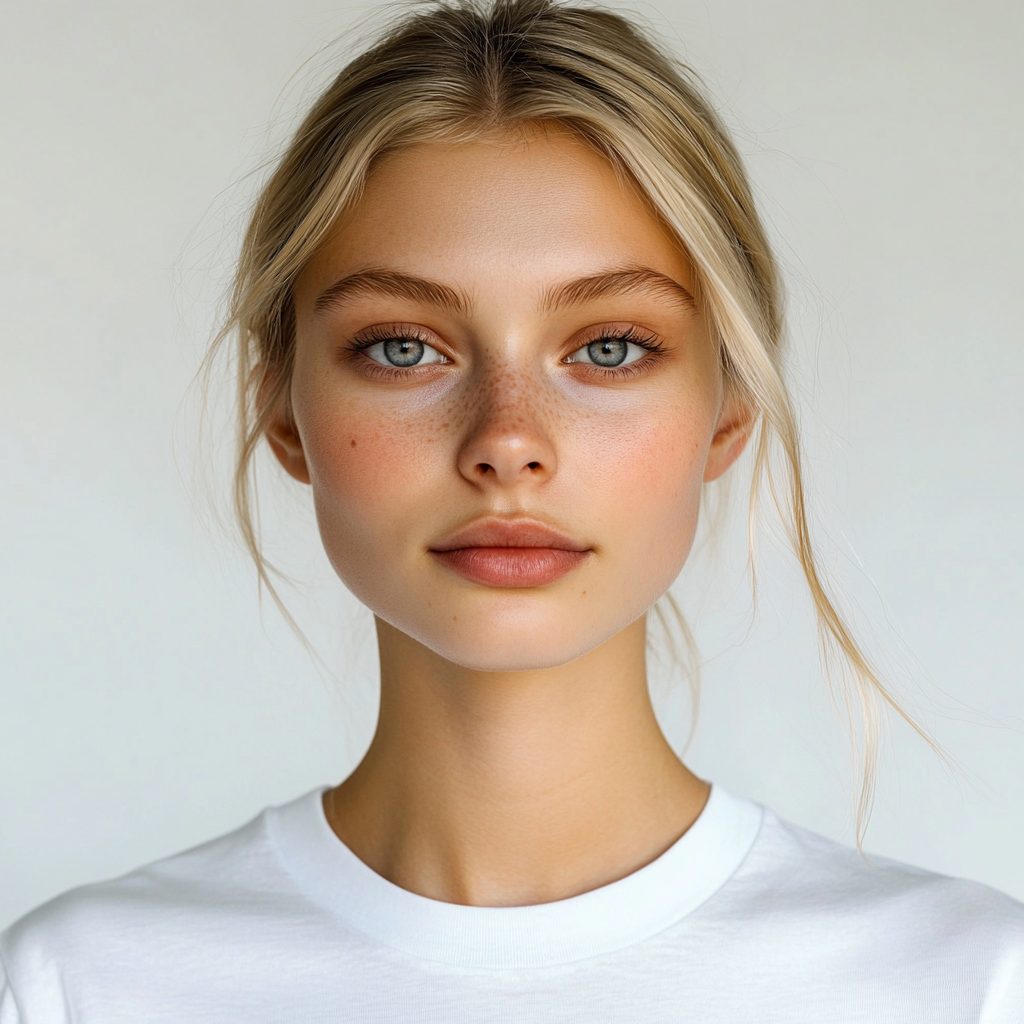
Choose an image where you look like yourself
Start with a selfie that just needs a little help. You want to enhance the memory, not rewrite it. Knowing how to make your face look better in pictures without the fake filter look begins by avoiding severe manual interventions.
Let the instant preview process the overall light
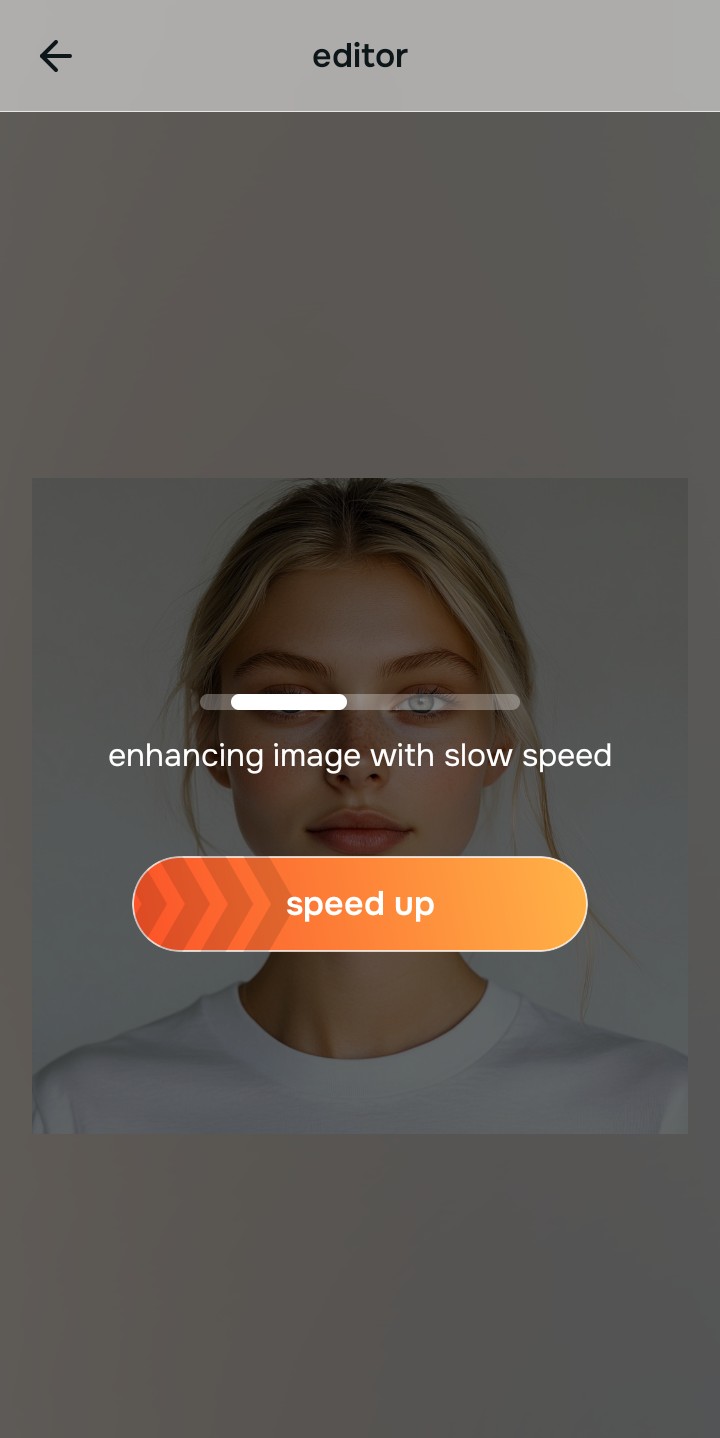
Citrus provides a first correction immediately. This prevents you from making unnecessary edits. Before you try to thin your face or enlarge your eyes, see what correcting the exposure does to the image first.
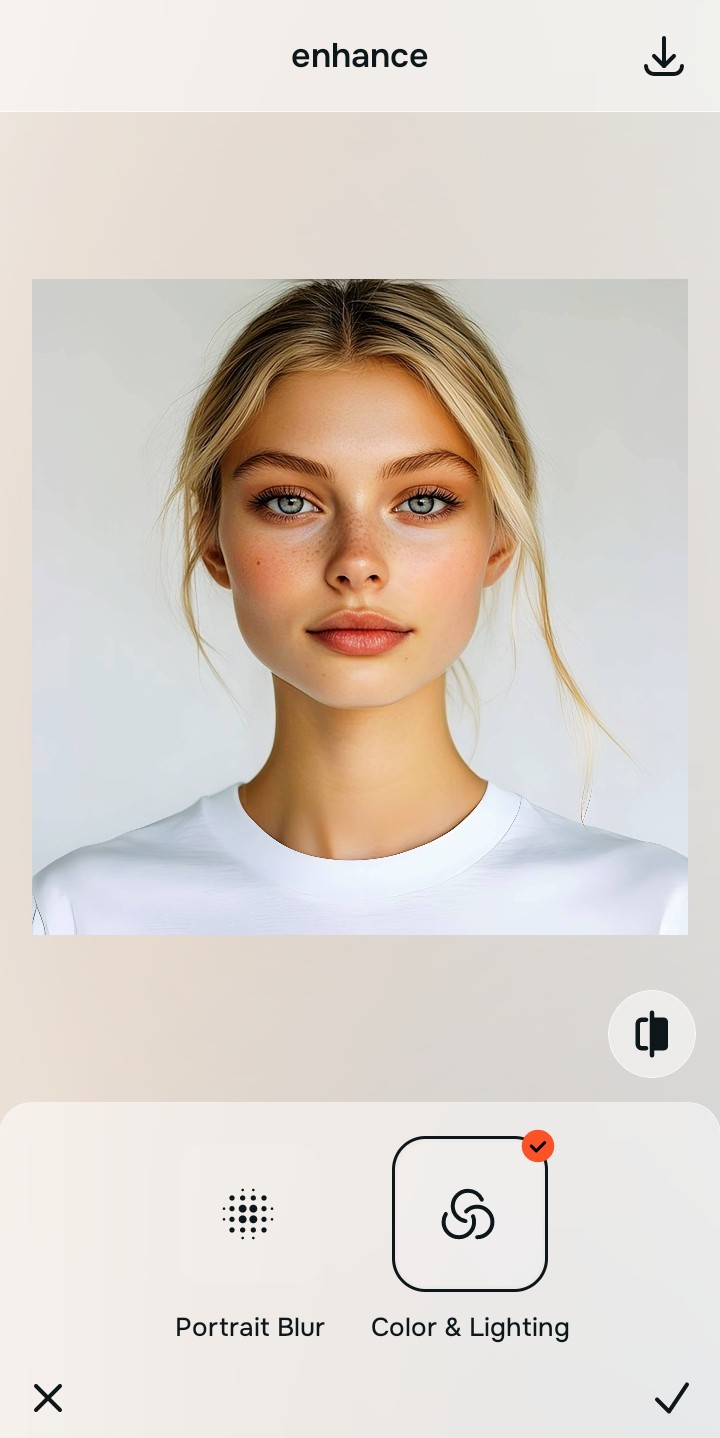
Use Enhance to fix Colors & Lighting
Because harsh shadows create optical illusions, start with Enhance > Colors & Lighting. This strips away the muddy wash and restores softness to the scene. If you need to make blurry photos clear again without making them look fake, rebuilding the contrast here is your only reliable option.

Always fix the flat lighting before using a beauty tool. Use the Enhance options to restore image depth first.
Apply Face tools gently for targeted fixes
Once the lighting is corrected, you can address the physical texture safely. Navigate directly to Face and use Skin Tone or Glass Skin. Doing this last allows you to hydrate your appearance without over-blurring the rest of your healthy skin.
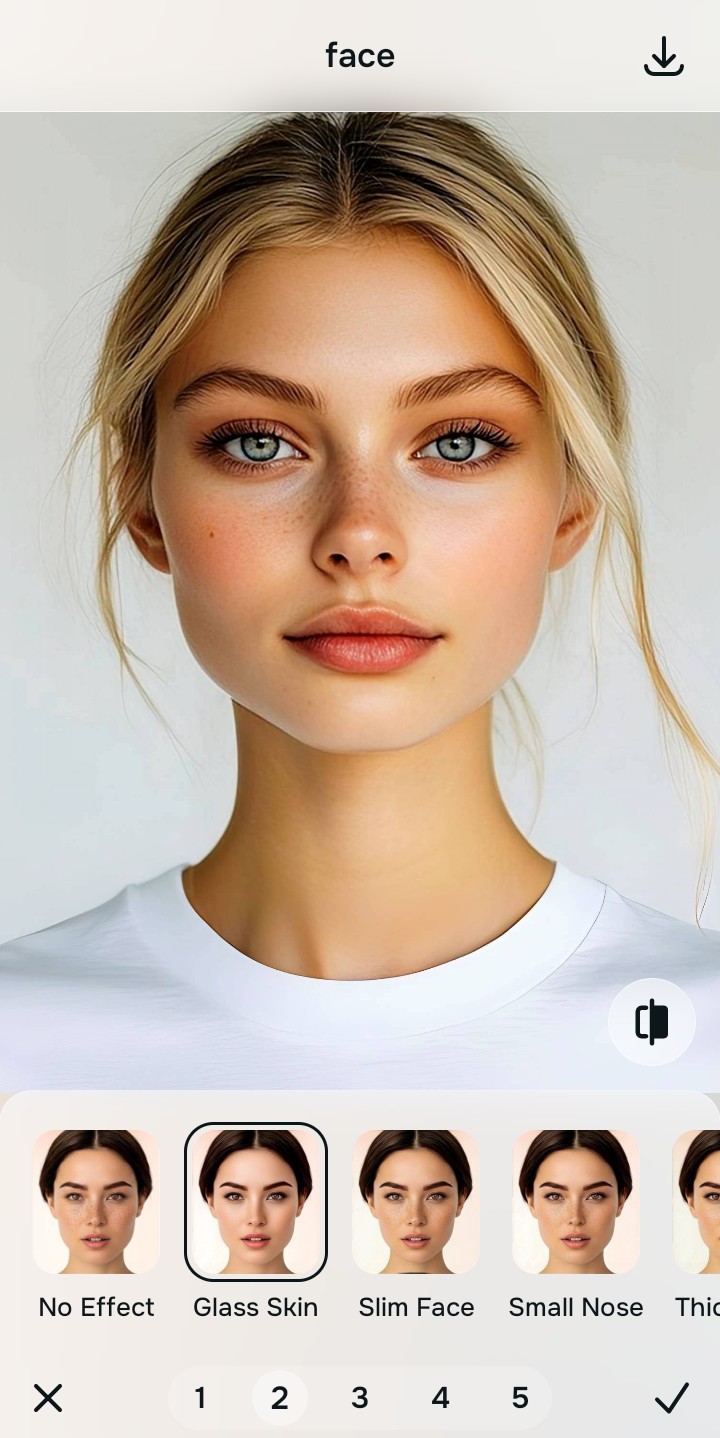
Save the photo when it still looks completely real
The true test of a good edit is whether your friends can see your real face. The best ai photo enhancer for natural looking results stops you from overcooking the image. Save the photo before the picture begins to look heavily filtered.
Why does your photo need editing?
Choose the description that fits best. Your starting point changes depending on what is actually bringing the picture down.
Which Citrus tool keeps your face looking authentic
Different problems require entirely different tools. The goal is to get the best possible result by matching the tool to the actual error. This stops you from warping the entire picture just to fix one small area.
| Tool | What it helps fix | When to use it |
|---|---|---|
| Enhance Start here | Overall softness, weak light, muddy contrast, and harsh shadows | Use this first when the whole image feels lifeless. Choose Colors & Lighting to restore depth so you do not need to warp anything. |
| Looks | Photos that are technically balanced but still need a healthy overall impression | Use this after Enhance when you want a beautiful, unified vibe without deleting any skin texture. |
| Face | Specific dry patches, harsh eye bags, or matte areas | Use this last, applying targeted tools like Skin Tone to hydrate your appearance while leaving your real face intact. |
“The most realistic selfie edit leaves your facial proportions completely untouched while fixing the lighting that made them look harsh.”
Why intelligent contrast correction beats global face smoothing
There is a massive difference between adding dimension and erasing reality. When you use aggressive blurring tools to hide imperfections, you turn the face into a plastic canvas. The human brain instantly recognizes this loss of detail as a heavily manipulated edit.
Real quality comes from correcting the underlying light data first. If you want to improve a photo without changing your real face, restoring true contrast provides a professional, believable foundation that manual warping simply cannot achieve.