


May 2, 2026
How to Improve a Photo Without Changing Your Real Face
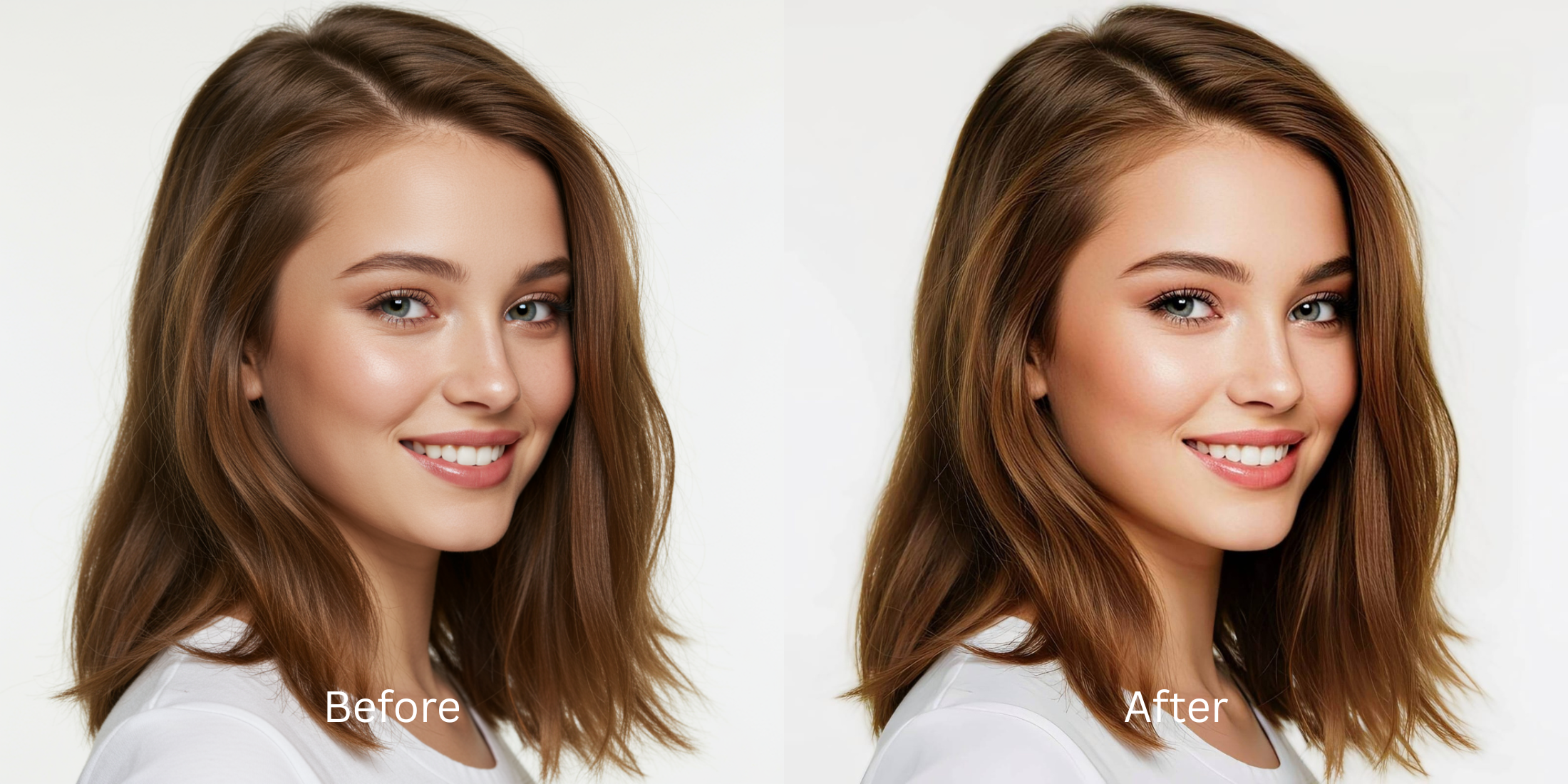

How to Improve a Photo Without Changing Your Real Face
Nothing is more frustrating than editing a picture only to end up looking like a complete stranger. Aggressive editing algorithms often shrink your nose, enlarge your eyes, and erase your jawline automatically. When you just want to look healthy and well rested, these extreme changes ruin the memory entirely. A beautiful result requires adding a cohesive, polished impression while leaving your actual anatomy completely untouched.
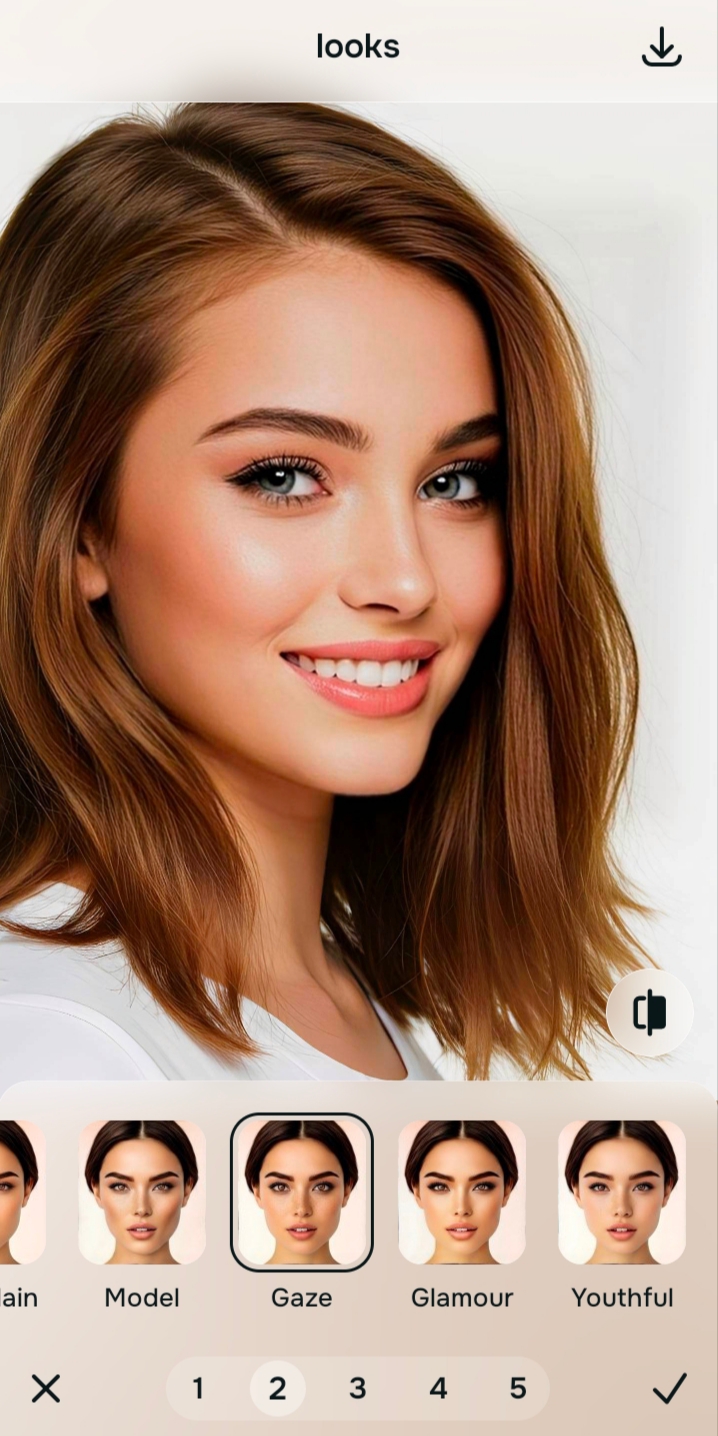
To improve your photo without warping your features, avoid specific anatomy sliders entirely. Using Citrus, navigate directly to the Looks tab and choose a subtle finish like Glaze. This enhances the overall impression of your face without morphing your actual bone structure.
Standard editors force you into a template. They assume everyone wants the exact same face shape. If you want to make your face look better in pictures without the fake filter look, you must stop trying to fix every tiny pore and start focusing on the overall vibe of the portrait.
Why standard beauty filters destroy your unique features
People edit their selfies because the camera caught them in bad lighting or at a bad angle. Unfortunately, poorly designed tools overcorrect the problem. They smear the skin texture away and apply digital makeup that completely changes your identity. This is why so many people are searching for the best alternative to overprocessed beauty editors. You want to look like yourself, just on your very best day.
- Morphing the jawline aggressively to fit a trend
- Expanding the eyes to unnatural, cartoonish proportions
- Blurring away pores entirely until the skin looks like plastic
- Losing the unique character lines that make you recognizable
- Keeping exact facial proportions perfectly intact
- Softening harsh shadows without deleting texture
- Applying a healthy, cohesive impression across the face
- Stopping the edit while you still look like your true self
If your face looks incredibly smooth but you do not recognize the person in the picture, you missed the mark. True improvement demands a gentle touch. Finding an ai selfie enhancer for better-looking photos should mean protecting your natural beauty, not deleting it.
Add a polished glow without changing your anatomy. A smart edit keeps reality intact.
How to gently enhance your photo in 5 easy steps
Choose a photo where you like your natural expression
Find the picture where you feel the vibe is just a bit off or the camera captured a dull moment. You do not need to understand complex editing to rescue it. Knowing how to make your selfies look better without learning photoshop starts entirely with picking an image where your basic expression is authentic.
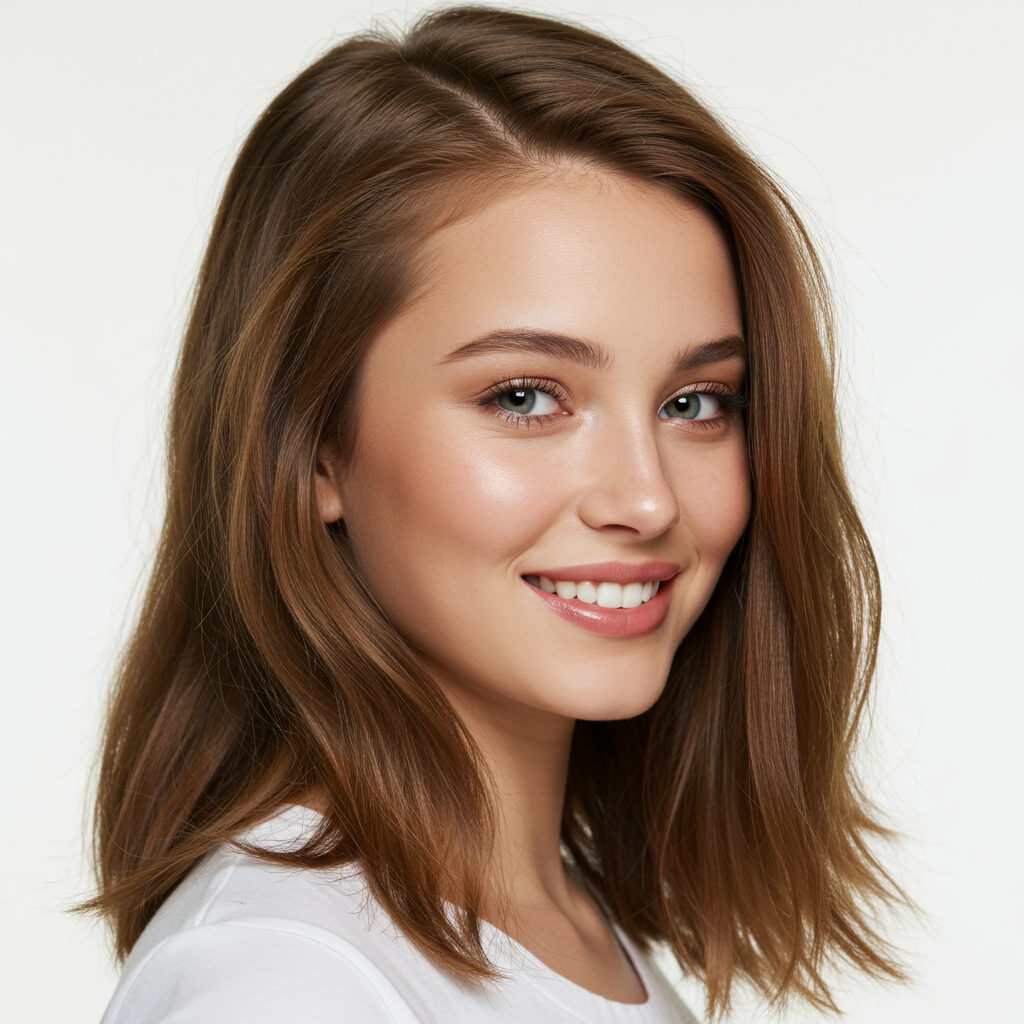
Let the instant preview process the baseline quality
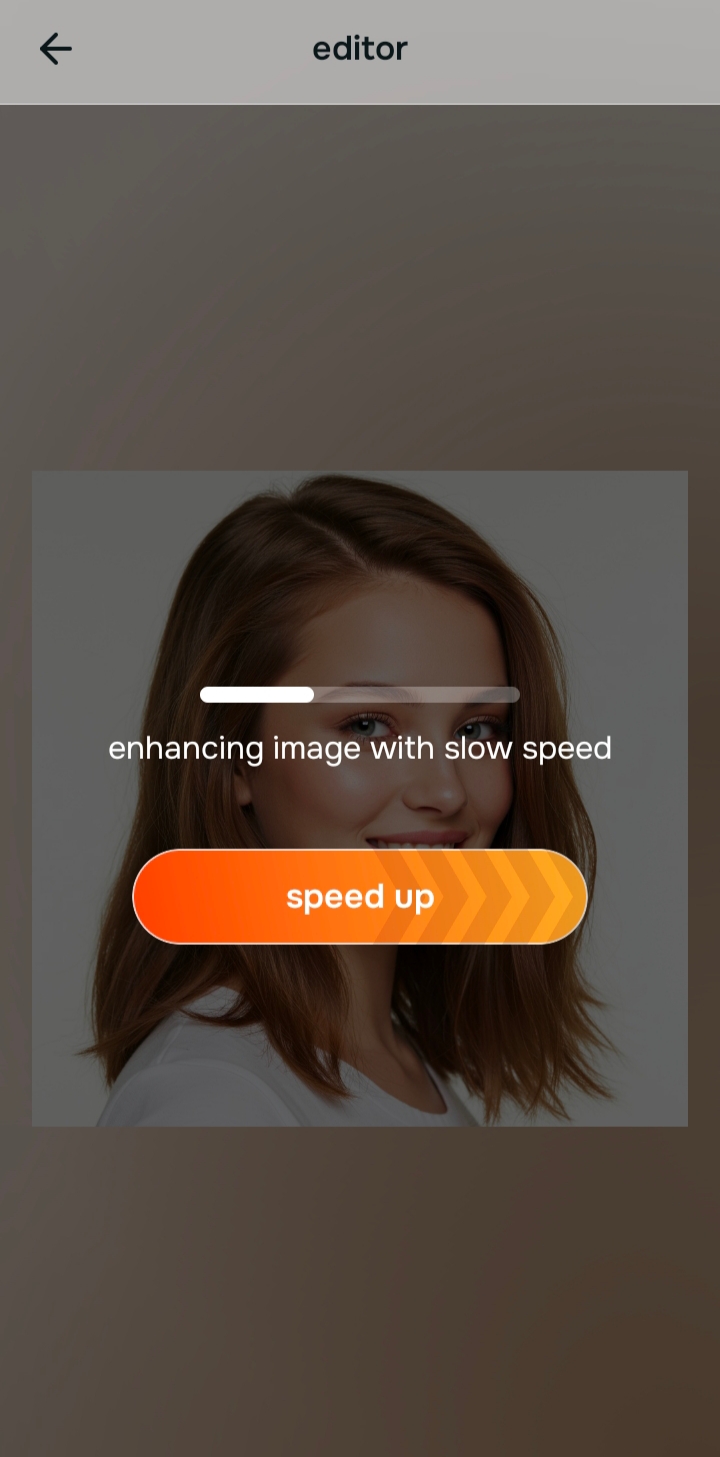
Citrus gives you a first correction immediately. This matters because lifting the ambient exposure often reveals that the photo simply lacked a good impression. Let the software read the environment first.
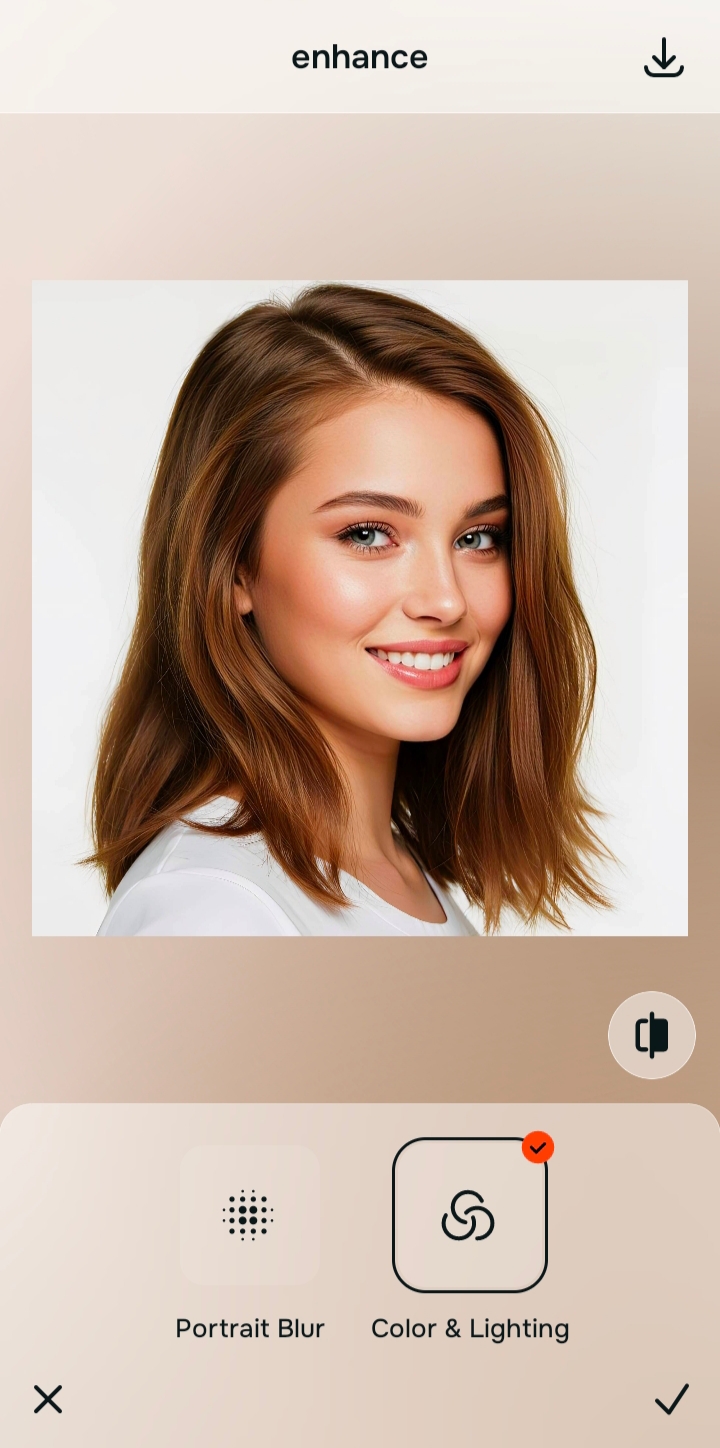
Use Enhance first if the lighting is completely broken
If the entire picture is dark or muddy, start with Enhance and select Colors & Lighting. You cannot apply a beautiful finish to a photograph that is buried in shadow. Fix the foundation before you attempt to add any kind of glow.

Always fix dark shadows before applying any overall impressions. Use the Enhance options to rescue the exposure first.
Navigate to Looks and choose a subtle finish like Glaze
Once the foundation is solid, you can focus on the vibe. Do not use the Face tab. Instead, go to Looks and select an option like Glaze or Soft Glow. These tools act as a cohesive polish. They apply a beautiful, unified impression across your entire face without warping a single bone structure. This is the definition of an ai face enhancer that still looks real.
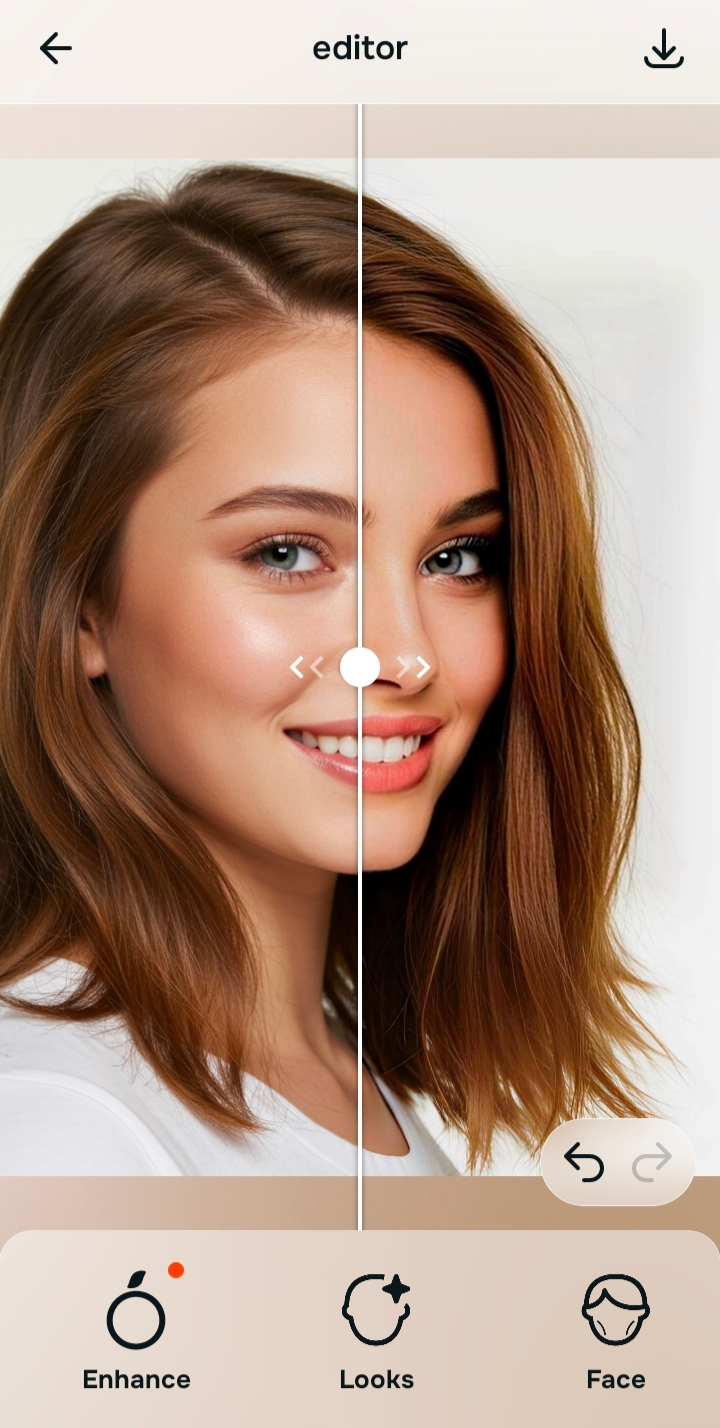
Compare and save the version that feels like you
The ultimate test is whether you recognize yourself in the final image. Does it look like you on a great day? If the vibe feels clean and true to life, save the photo immediately. Stop adjusting before the image starts to look heavily processed.
Why are you trying to edit this specific picture?
Choose the description that fits best. Your starting point changes depending on what is actually bothering you about the original shot.
Which Citrus tool improves your image without morphing it
Different editing needs require entirely different tools. The goal is to avoid heavy anatomical changes by matching the right tool to your actual intention. This keeps the workflow simple and stops you from accidentally ruining your face.
| Tool | What it helps fix | When to use it |
|---|---|---|
| Enhance | Overall darkness, weak light, muddy shadows, low-energy image quality | Use this first when the whole photo feels badly lit. Choose Colors & Lighting to restore contrast before anything else. |
| Looks Start here | Photos that are exposed okay but need a stronger, prettier overall impression | Use this when the real issue is just a dull vibe. Options like Glaze or Soft Glow add a beautiful finish without warping features. |
| Face | One specific distraction such as harsh shadows under the eyes or thin lips | Use this last, only if a specific feature demands a targeted fix. Avoid this tab if you want to keep your exact natural proportions. |
“The most natural edit applies a cohesive vibe across the entire image rather than isolating and morphing individual features.”
Why a cohesive overall impression beats targeted facial warping
There is a massive difference between adding a healthy glow and completely changing the shape of your jaw. When you start pulling individual sliders to shrink a nose or widen eyes, the human brain instantly recognizes the artificial distortion. You lose the character that makes you who you are.
Real quality comes from softening the harsh effects of the camera lens while leaving your actual anatomy alone. When exploring debates like facetune vs one-tap natural enhancers whats the difference, the core answer is always preservation. The best tools give you an overall polished vibe without requiring you to sacrifice your reality.