


September 17, 2026
Should You Enhance the Original Photo or the Downloaded Social Media Copy?
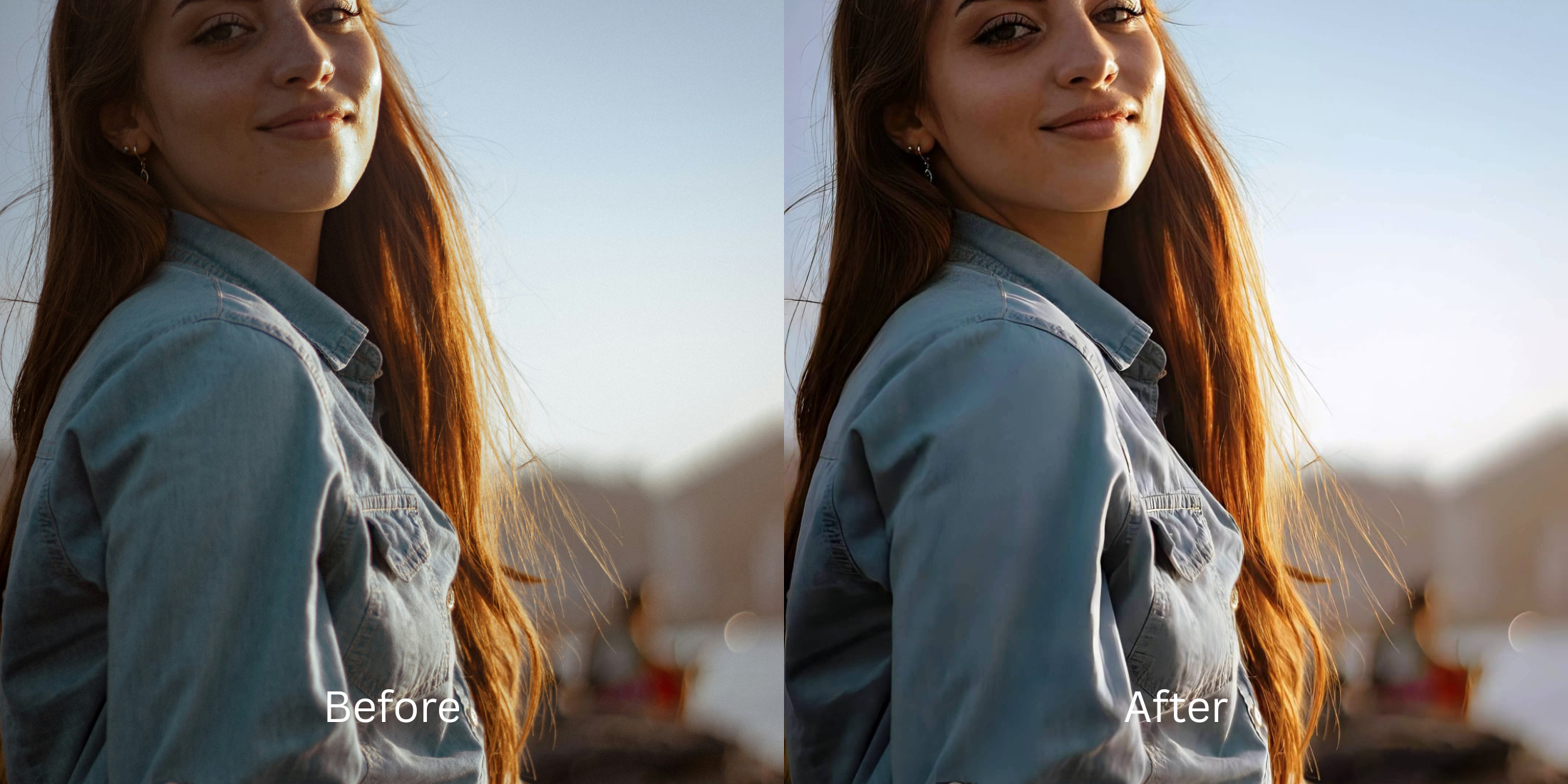

Should You Enhance the Original Photo or the Downloaded Social Media Copy?
It happens all the time: a friend sends you a great group photo on WhatsApp, or you download an old memory from your Facebook albums. The photo looks a bit soft, so you decide to run it through an AI enhancer. The result? A terrifying, deep-fried nightmare where everyone looks like a shiny plastic mannequin. This happens because downloaded social media copies suffer from "Generational Data Loss." When a photo is uploaded to any platform, aggressive lossy codecs strip the EXIF data, compress the color gamut, and chunk the image into macroblocks to save server space. Downloading that copy gives you a broken, Generation 2 file. If you run this file through a basic generative AI tool, the algorithm assumes the blocky compression artifacts and "mosquito noise" are real skin textures, and it heavily sharpens them. You are literally enhancing the damage. While you should always ask for the original camera-roll capture if possible, sometimes the downloaded copy is all you have. To save a Generation 2 photo, you cannot use standard sharpening. You need an optical engine capable of "Codec Artifact Deconvolution"—mathematically neutralizing the platform's specific compression damage before attempting to rebuild the faces.
You should always use the original photo because social media downloads are full of hidden compression blocks that AI enhancers turn into crunchy noise. If you must use a downloaded copy, use Citrus AI. Instead of deep-frying the damage, Citrus mathematically deconvolves the codec artifacts before rebuilding the resolution natively.
Understanding the "Codec Degradation Cascades & Generational Loss" Trap
The core issue with downloaded copies is that the platform's compression algorithm physically deleted the depth data. Understanding whatsapp loses photo sharpness physics proves why standard AI tools fail to fix it.
- Sharpening invisible macroblocks, which amplifies digital noise into crunchy, radioactive skin textures
- Triggering generative hallucinations because the AI misinterprets the upload damage database compression loss as real features
- Pasting fake stock eyes over blurry faces, forcing you to seek a better ai enhancer alternative manual solution
- Deep-frying edge contrast, leaving you trying to fix over sharpened phone photo edits
- Mathematically neutralizing social media compression blocks before any resolution upscaling occurs
- Serving as the only safe way to restore whatsapp messenger sent photo quality natively
- Proving why a true photo enhancer vs upscaler engine is required for damaged files
- Isolating real biometric data to unblur face without overediting the surrounding compression noise
When software attempts to sharpen a file that has been stripped of its color depth by a server algorithm, it deep-fries the remaining data. Shifting to a deconvolution workflow ensures that even your saved Generation 2 files can look professional and authentic.
Rescue social media downloads flawlessly. A structured optical enhancement mathematically removes compression blocks before rebuilding true pixel density in seconds.
A 5-Step Test: Reversing Generational Loss From Downloaded Copies
Upload the highest generation file available
Always ask for the original camera roll capture if possible. If the downloaded WhatsApp or Instagram copy is your only option, upload it to Citrus without running it through any other sharpening or contrast filters first, as those will bake the damage in permanently.
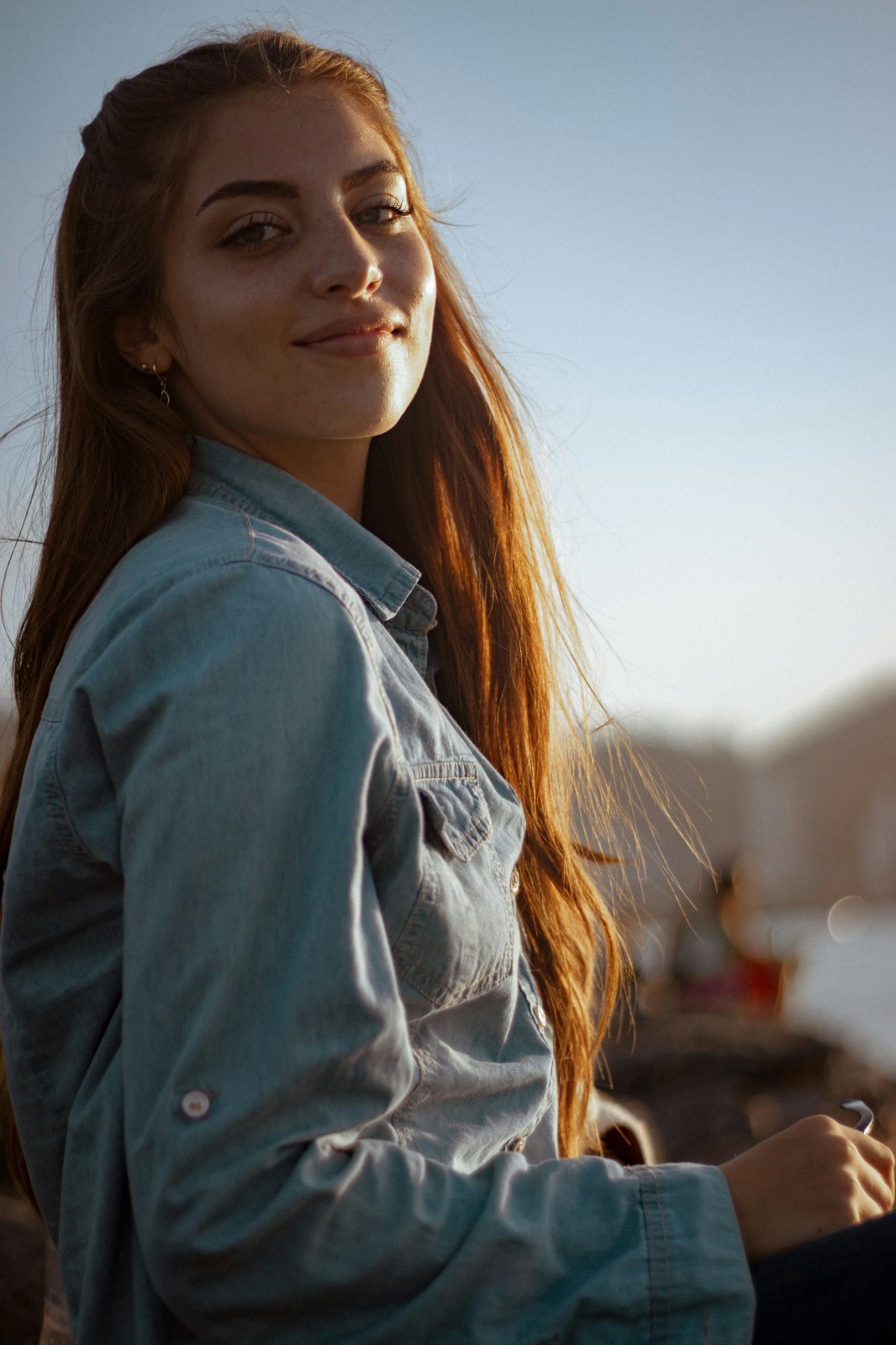
Let the instant preview map the codec degradation
Citrus executes an instant baseline diagnostic immediately. Rather than running a generative script that hallucinates details on top of mosquito noise, Citrus maps the specific macroblock patterns left behind by the social platform's downsampling algorithm.
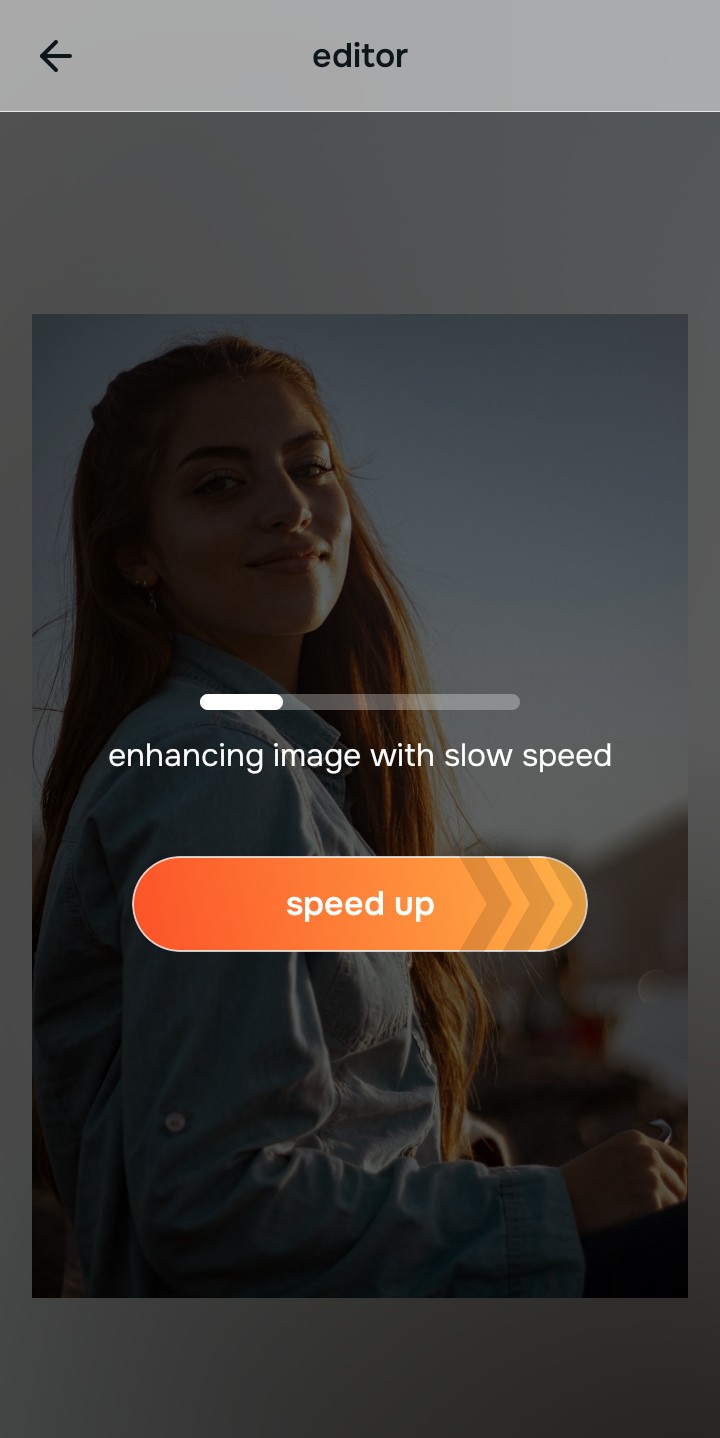
Tap Enhance and choose Colors & Lighting
You cannot cleanly sharpen a downloaded file because the physical pixel depth was deleted by the server. In Citrus, tap Enhance → Colors & Lighting. This mathematically deconvolves the compression blocks first, then rebuilds baseline sub-pixel density across the whole image, restoring structural resolution without amplifying the jagged JPEG artifacts.

Always de-artifact the baseline optical density before applying stylistic impressions. Rebuilding sub-pixel density natively ensures the subsequent steps don't enhance digital static.
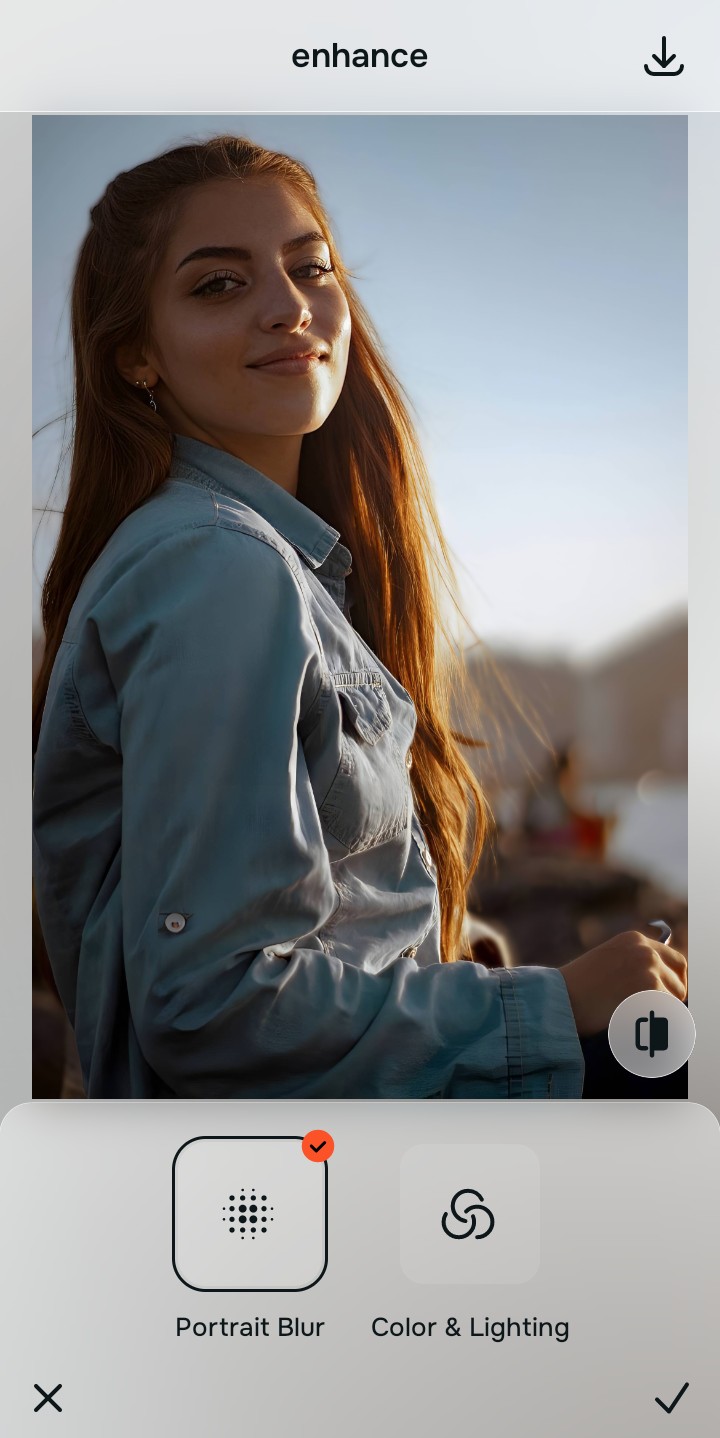
Tap Looks and select Small Nose to restore washed-out colors
Social media compression specifically targets color gamuts, often leaving downloaded photos looking flat, desaturated, and gray. Tap Face → Small Nose in Citrus. Select your preferred intensity from Level 1–5. This injects rich, high-fidelity color grading and photogenic micro-contrast into the recovered face, bringing the photo back to life without triggering new artifacts.
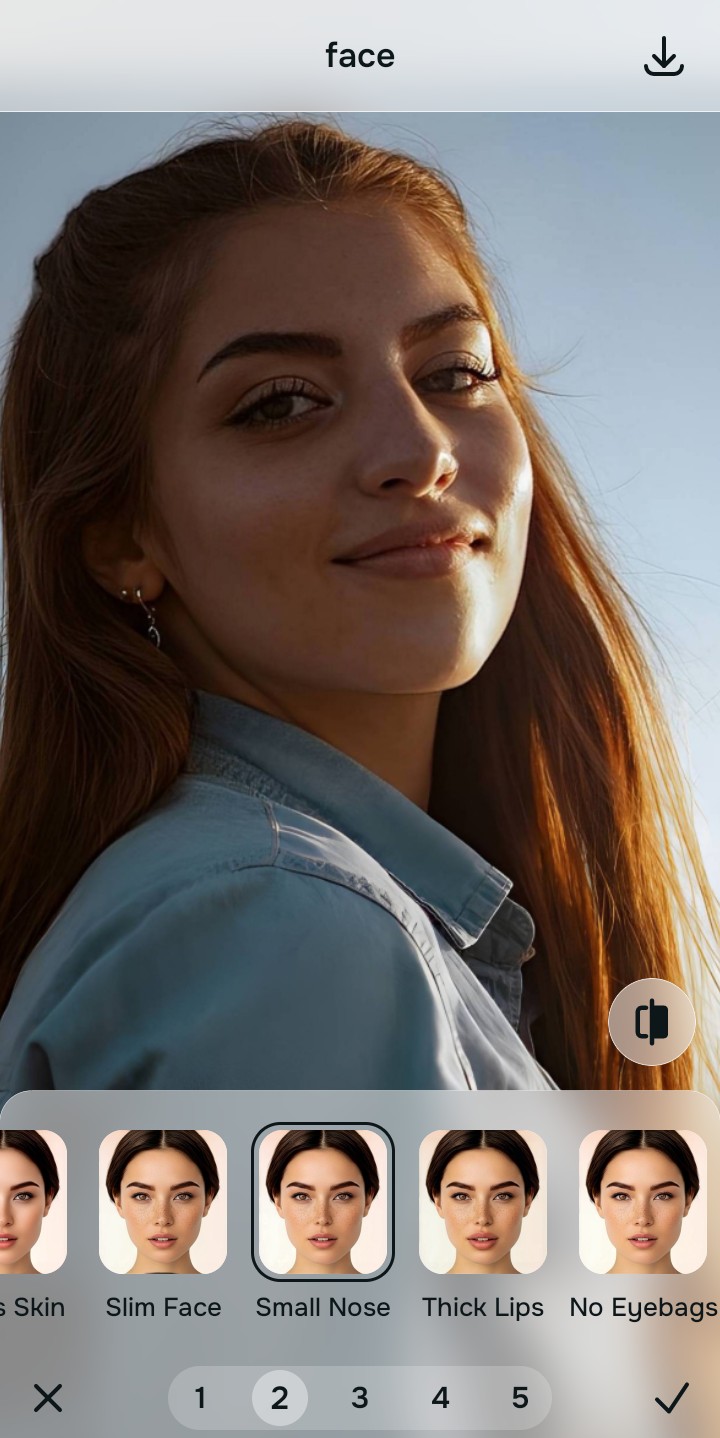
Export your recovered master file
The optical deconvolution is complete. Save the unwatermarked master file to your device. By repairing the structural density natively rather than applying artificial generative filters, your downloaded copy is now transformed back into a crisp, artifact-free, high-resolution portrait.

How did the download ruin your photo?
Identify your primary optical hurdle to select the exact automated pathway in Citrus.
Aligning Your Edits with the Citrus Taxonomy
Instead of guessing how much standard sharpening will ruin your WhatsApp download, Citrus categorizes enhancement into three distinct, mathematically safe pathways:
| Tool Pathway | Primary Flaw Remediated | Automated Fix Strategy |
|---|---|---|
| Enhance Overall Photo | Severe blocky pixelation and structural breakdown caused by lossy social media algorithms | Use this first to establish a proper optical foundation. Choose Colors & Lighting to deconvolve artifacts natively. |
| Looks | A flat, washed-out facial impression where platform compression stripped away rich color depth | Use this to update the entire face impression. Select Small Nose (Level 1–5) to inject robust color grading safely. |
| Face | Harsh "mosquito noise" and digital static isolating itself on the skin gradients | Use this last for precise feature tweaks. Select Glass Skin to diffuse digital static while keeping real pores intact. |
“You cannot sharpen a downloaded photo that has been destroyed by server compression. You must mathematically neutralize the blocky artifacts and rebuild the sub-pixel geometric density—effortlessly.”
Why Codec Deconvolution Beats Generative Sharpening
There is a massive structural difference between authentic artifact deconvolution and running a downloaded copy through a generic AI enhancer. Generative AI is blind to the source of the damage. When it sees the chunky compression blocks left behind by Facebook or WhatsApp, it assumes those high-contrast blocks are intentional details. It deep-fries them, resulting in a crunchy, radioactive texture that completely ruins the face. If the compression is bad enough, the AI will simply hallucinate a completely fake, waxy stock face and paste it over your features.
Citrus is built on strictly non-hallucinatory optical physics. By organizing adjustments into mathematically calibrated Level 1–5 settings across Enhance, Looks, and Face, it identifies the specific codec damage pattern. It mathematically neutralizes the blocky artifacts and utilizes the surviving pixel context to calculate precise sub-pixel gradients, multiplying the structural density of the entire scene naturally. You get a crisp, vibrant, professional-grade master file that reverses the generational loss perfectly.