


May 28, 2026
How to Restore a Photo Sent Through WhatsApp or Messenger

How to Restore a Photo Sent Through WhatsApp or Messenger
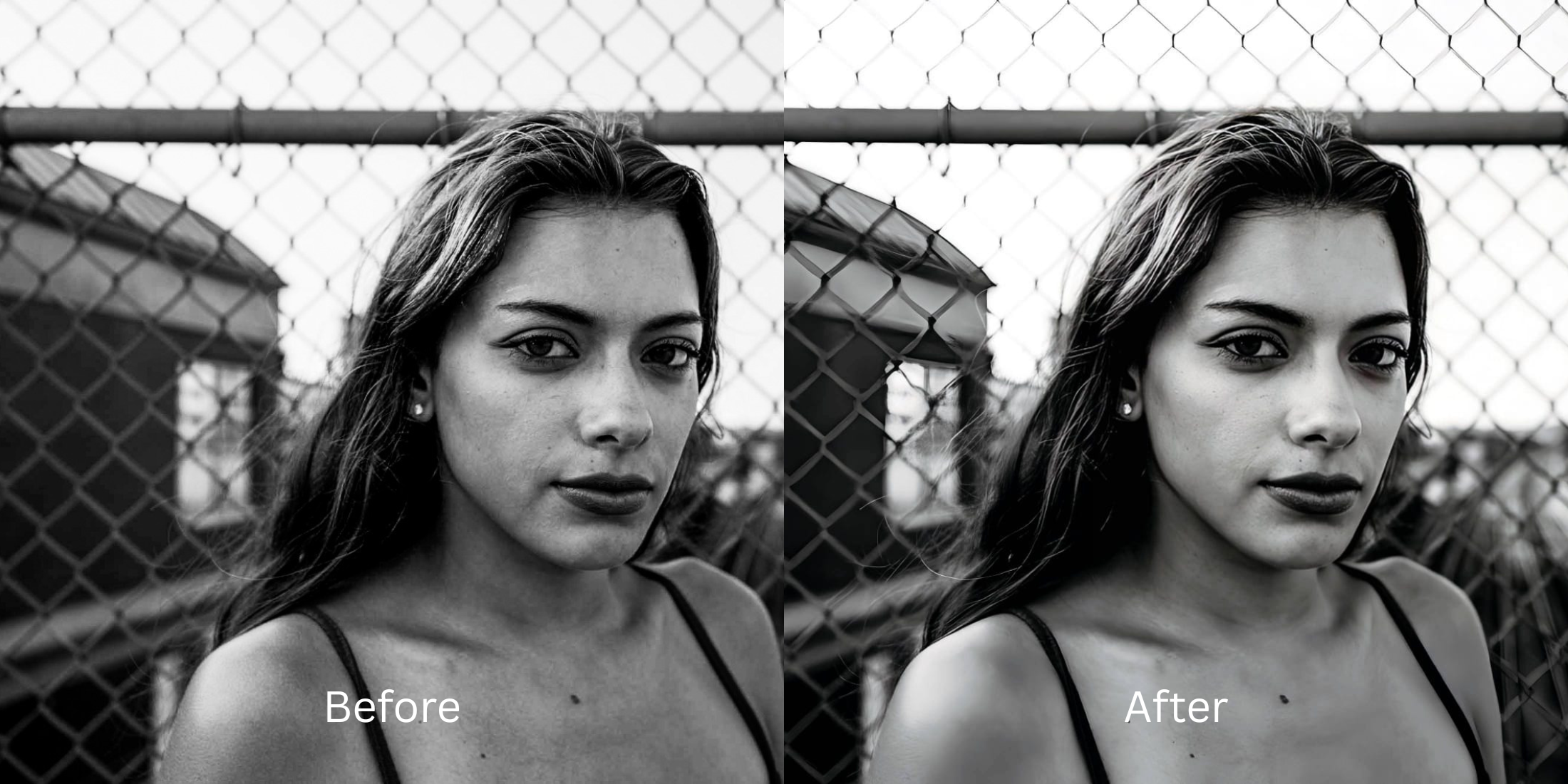
Messaging platforms like WhatsApp and Messenger are built for speed, not quality. When you send or receive a memory through these apps, their backend algorithms aggressively compress the file size by up to 80% to save bandwidth. This destroys the image's micro-contrast, introduces heavy digital grain, and washes out vibrant colors. The result is a blurry, pixelated photo that looks terrible on social media feeds. Attempting to fix this by applying standard filters only makes the pixelation more obvious. To truly rescue the photo, you must restore the crushed baseline lighting and contrast data natively.
The premium way to fix compressed messaging photos for free is by restoring the lost lighting baseline first. Open your compressed image in Citrus and avoid manual sharpening sliders. Tap Enhance -> Colors & Lighting to immediately recover crushed shadows and balance the flat exposure. Once the core quality is restored, select Looks -> Glow Up to breathe life and vibrancy back into your face before exporting completely for free.
Why messaging apps ruin your high-definition memories
Data compression works by throwing away subtle color gradients and shadow details that your smartphone originally captured. This leaves behind blocky compression artifacts and muddy, flat skin tones. Using an alternative to overprocessed beauty editors is essential here, because heavy beauty apps will just blur the pixelated mess into a soft, plastic-looking smear. You need a tool that intelligently reconstructs the lost lighting values to bring the photo back to its original state.
- Using basic sharpening sliders that highlight heavy, blocky pixel artifacts
- Paying exorbitant subscription tier premiums just to save a recovered image
- Having massive watermarks stamped across your restored photo on free apps
- Leaving flat, muddy, and gray lighting uncalibrated on your final save
- Accessing high-end exposure calibration engines entirely free of paywalls
- Lifting flat ambient shadows to recover native contrast and crisp definitions
- Saving your high-definition restored assets instantly with zero watermark blocks
- Refining your overall face impression to inject vibrant life back into the photo
If your final image remains dull, you cannot post it confidently. Discovering a reliable tool to fix bad selfies means you can retrieve the authentic vibe that was lost during the data transfer.
Fix flat compression lighting instantly. A smart calibration restores quality.
How to restore a compressed photo for free in 5 steps
Select an image ruined by WhatsApp or Messenger
Choose a photo from your camera roll that looks flat, grainy, or compressed due to messaging app transfers. Exploring a top-tier enhancer for old selfies begins by isolating baseline exposure drops first.

Let the instant preview balance your canvas depth
Citrus launches a high-definition rendering immediately with no credit card entries. This lets you observe how the software reads your compressed image highlights before selecting manual corrections.
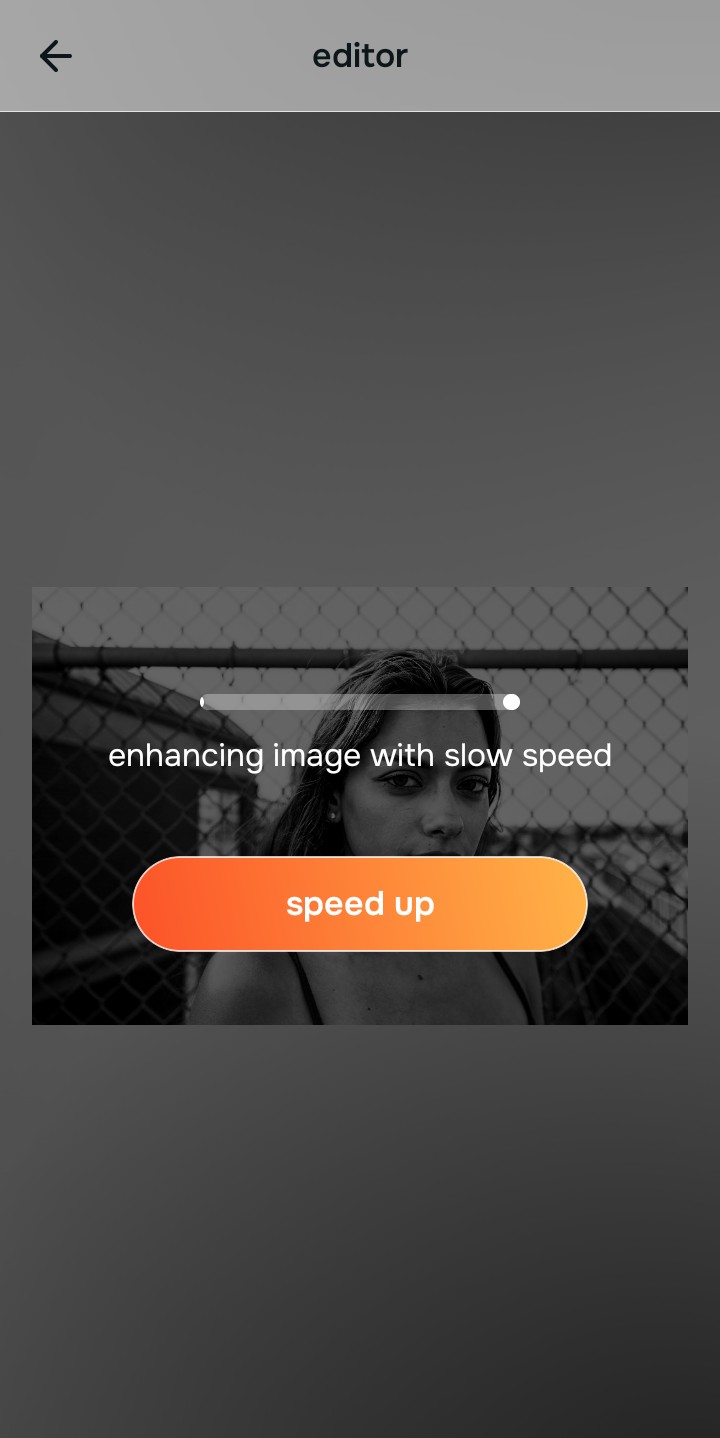
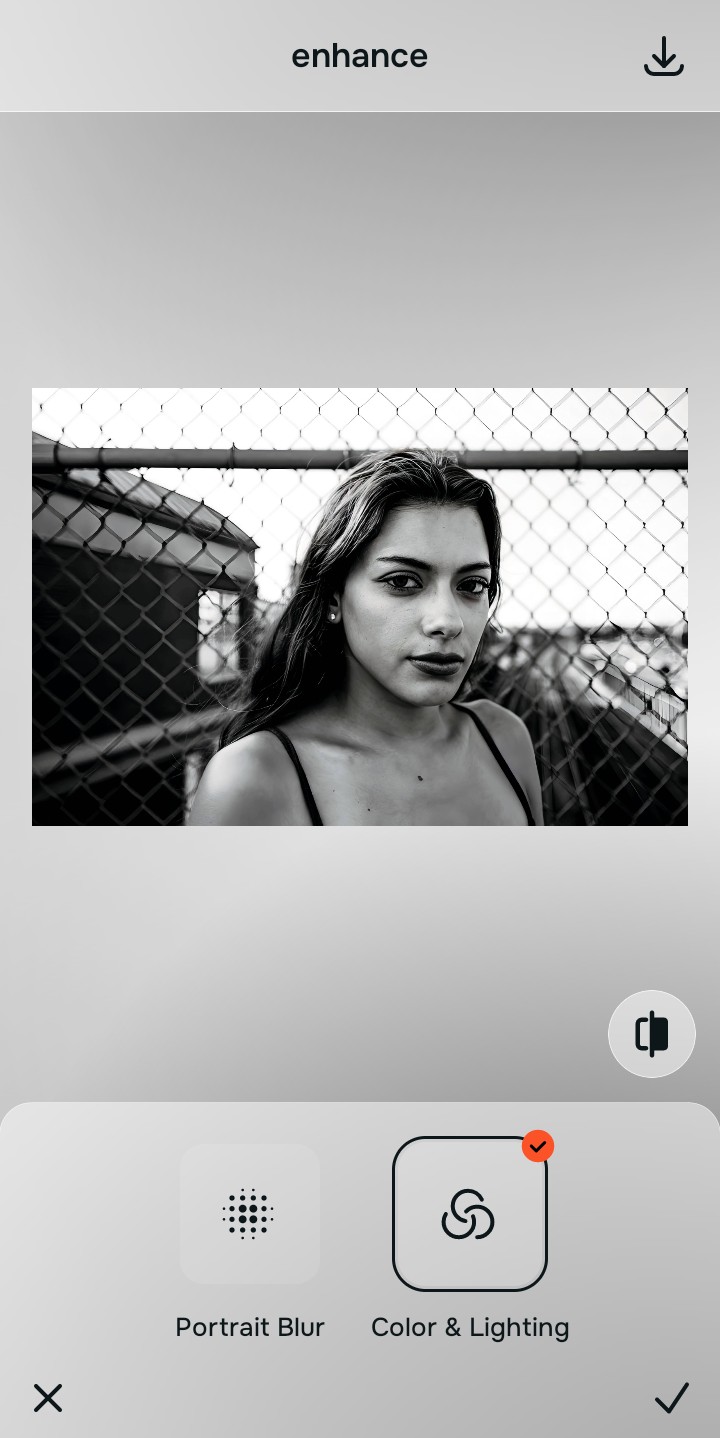
Use Enhance to select the Colors & Lighting path
Because dull, compressed images stem from missing contrast data, tap Enhance -> Colors & Lighting. This strips away muddy sensor noise to recover structural dimensions natively. If you need an app to fix blurry face artifacts, you must fix this baseline contrast before applying filters.

Always correct base light fields before applying aesthetic look menus. Stabilizing your shadow drops and clipped highlights guarantees that your recovered image feels structurally sound.
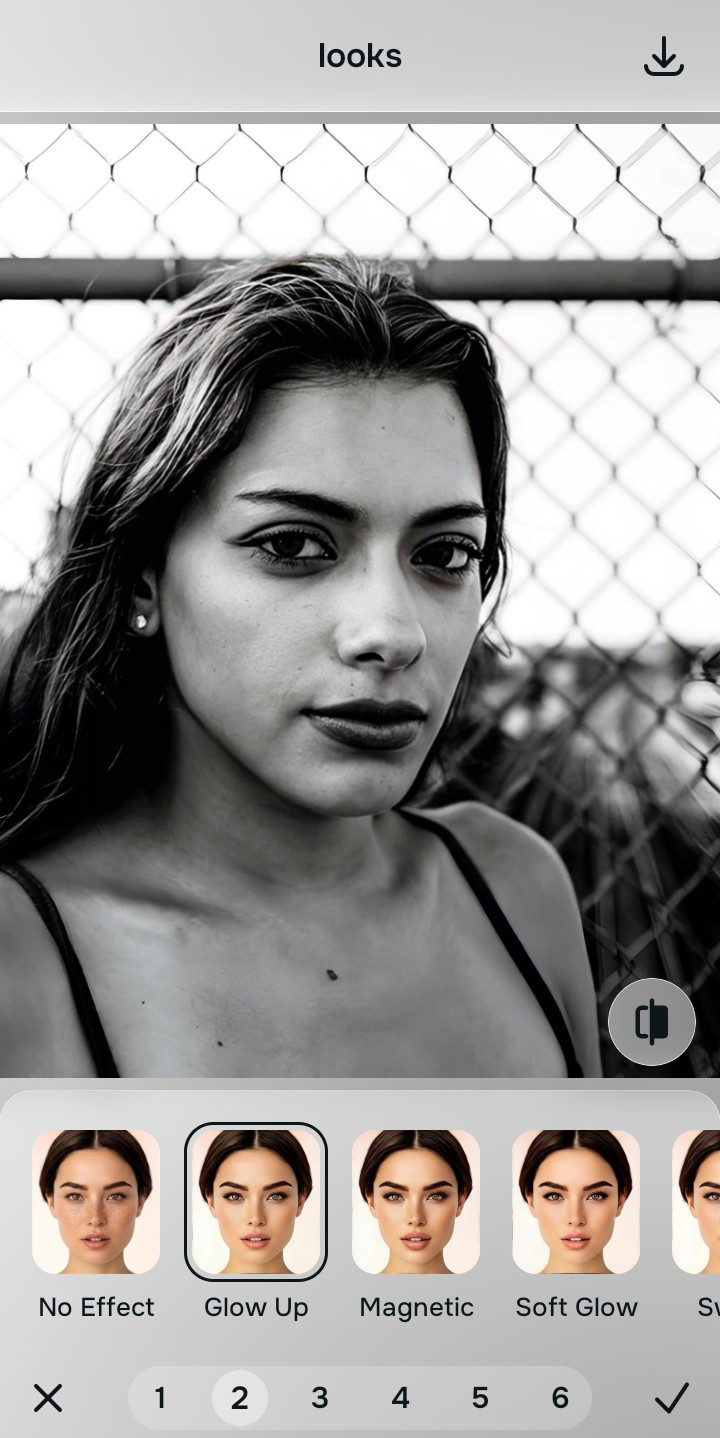
Apply Looks options to restore facial vibrancy
Once your exposure values are normalized, reintroduce life back into the photo. Tap Looks -> Glow Up to add a cohesive, healthy energy safely. Utilizing a dedicated fixer for grainy night selfies ensures your final output looks pristine and vibrant.
Save your unwatermarked asset instantly
Unlike standard programs that trap your files behind monthly fee structures, your high-resolution export is direct. Using an intelligent tool to fix pixelated face artifacts allows you to save your recovered design instantly.

What is lowering your current photo quality?
Select the option that matches your photo's current limitation. Your correct calibration approach depends on the issue.
Which free Citrus tool upgrades your file best
Separate image limitations necessitate distinct menu paths. Aligning the accurate workspace choice to your explicit compression problem preserves high quality metrics across platforms.
| Tool Pathway | Primary Flaw Remediated | File Restoration Strategy |
|---|---|---|
| Enhance Start here | Crushed shadow details, bad interior light balance, and heavy app compression | Use this first to eliminate flat lighting fields. Select Colors & Lighting to restore contrast completely for free. |
| Looks | Dull expressions, low facial color warmth, and flat overall presentation tones | Use this to update the entire face tone field at once. Select Glow Up to heighten features natively for a polished aesthetic. |
| Face | Targeted anatomical limitations like heavy eye shadows or narrow lens distortion | Use this last for precise feature tweaks. Select tools like No Eyebags to eliminate dark circles safely. |
“A great file recovery tool shouldn't hide your compression artifacts behind synthetic blur layers. It must simply rebuild the baseline contrast so your expressions convey natural clarity.”
Why exposure restoration beats generic filters
There is a massive physical distinction between balancing existing pixel data and plastering a flat filter over a ruined photo. When you use Instagram-style filters to try and hide pixelation, it merely changes the color of the blur, making the overall image look artificial and heavily edited.
True photo restoration relies on rebuilding the missing data natively. Utilizing a smart platform to make a bad photo good delivers premium, high-contrast assets with no cost hoops. This ensures your online uploads stay sharp, reliable, and completely clean.