


September 16, 2026
RAW vs JPEG for One-Tap AI Enhancement: When the Simple File Is Enough
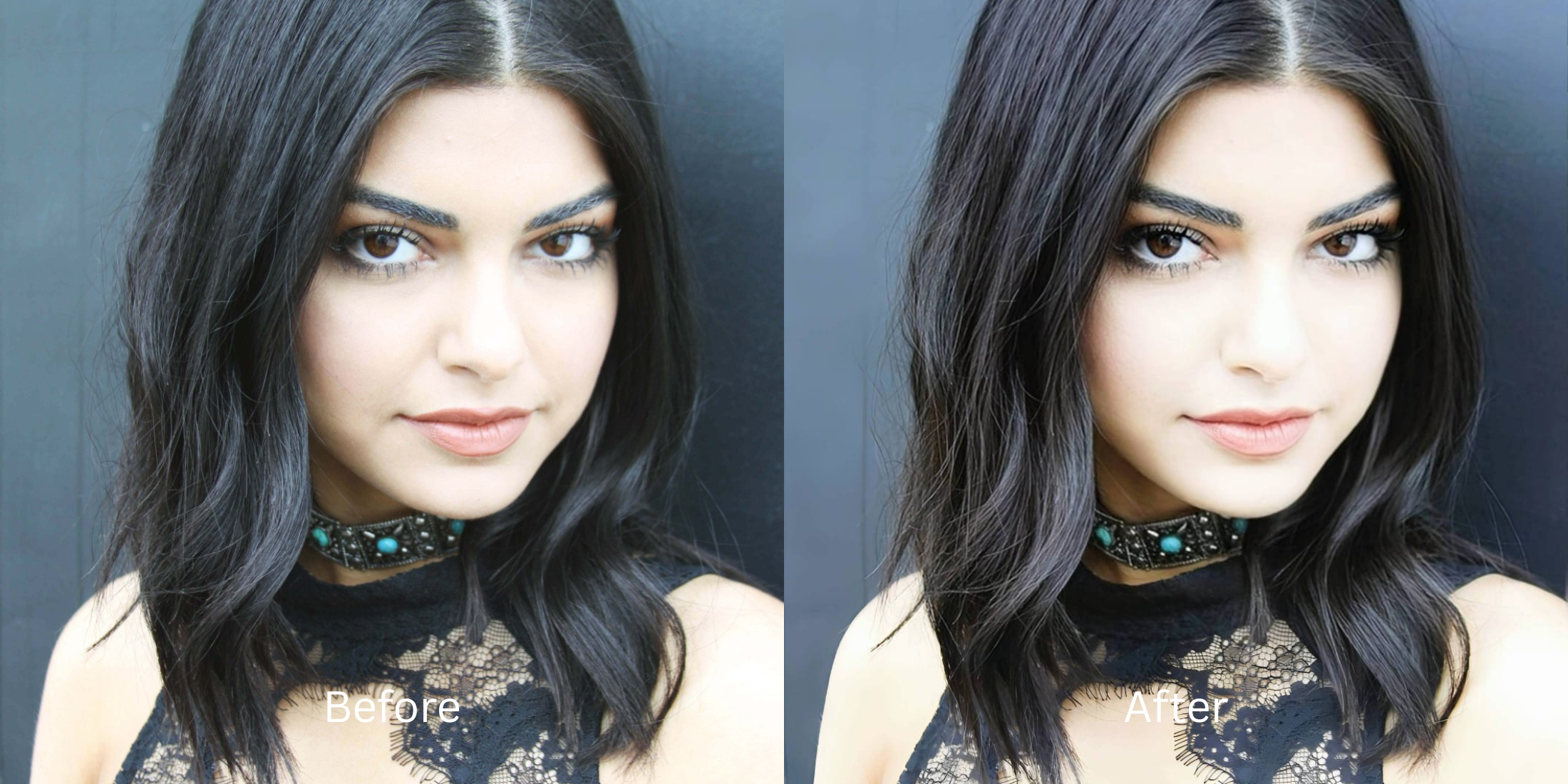

RAW vs JPEG for One-Tap AI Enhancement: When the Simple File Is Enough
Photography purists will always tell you to "shoot in RAW." The logic seems flawless: RAW files contain massive amounts of uncompressed sensor data, giving you the ultimate flexibility to edit in professional software like Lightroom. However, when it comes to one-tap AI enhancement, relying on RAW files is a massive trap. RAW files are literally just raw sensor dumps—they look completely gray, flat, and are flooded with unfiltered luminance noise because they lack the camera's Image Signal Processor (ISP) baseline corrections. When you feed an unedited RAW file (or a flat RAW-to-JPEG conversion) into a standard generative AI enhancer, the AI panics. It expects the baseline contrast, noise reduction, and color grading that your phone normally bakes into a standard JPEG. As a result, the AI hallucinates weird color shifts or aggressively sharpens the raw sensor grain into crunchy static. The truth is, modern standard JPEGs already contain the ISP's intelligent baseline. To achieve professional, RAW-level dynamic range effortlessly, you don't need a massive, noisy 50MB file. You just need an optical engine capable of Pre-Bake Deconvolution—taking a simple JPEG and mathematically lifting its exposure and clarity without amplifying compression artifacts.
Feeding flat, unedited RAW files into AI enhancers often results in amplified digital noise and weird color shifts. For the best one-tap results, use a standard JPEG with Citrus AI. Instead of battling raw sensor noise, Citrus uses the JPEG's baseline lighting to mathematically rebuild dynamic range and sharpness natively.
Understanding the "Unprocessed Flatness & Sensor Noise" Trap
The core issue with AI enhancement is that generative models do not understand how to develop a photo; they only know how to slap filters on top of existing data. Choosing an ai enhancer vs manual editor requires feeding the engine files that actually help it succeed.
- Forcing the AI to enhance raw sensor grain, which amplifies digital noise into crunchy facial artifacts
- Working with flat, desaturated profiles that make it impossible to recover from low resolution photo physics smoothly
- Creating jagged, bright halos because the AI tries to fix over sharpened phone photo edges that don't exist yet
- Resulting in dull, lifeless colors that mimic the pixel selfies too hdr gray phenomenon
- Utilizing the camera's built-in ISP baseline to reconstruct deep dynamic range without revealing raw noise
- Acting as the perfect automatic enhancer vs retouch app solution for simple, lightweight files
- Ensuring your final image can improve photo without changing face geometry or hallucinating
- Providing the clean data needed to remove photo grain without smoothing away real pores
When software attempts to enhance a massive, unprocessed RAW file, it simply deep-fries the raw sensor data. Shifting to an optical workflow using standard JPEGs ensures your enhanced portraits stay remarkably defined, effortlessly graded, and authentic.
Get RAW-level quality from standard files. A structured optical enhancement leverages your camera's baseline JPEG to restore true dynamic range natively in seconds.
A 5-Step Test: Achieving RAW-Level Quality From a Simple JPEG
Upload the standard JPEG capture
You don't need a massive, unedited DNG or RAW file. Select the standard JPEG photo directly from your camera roll. Working with the ISP's processed baseline ensures the optical engine has a color-corrected foundation to start from.
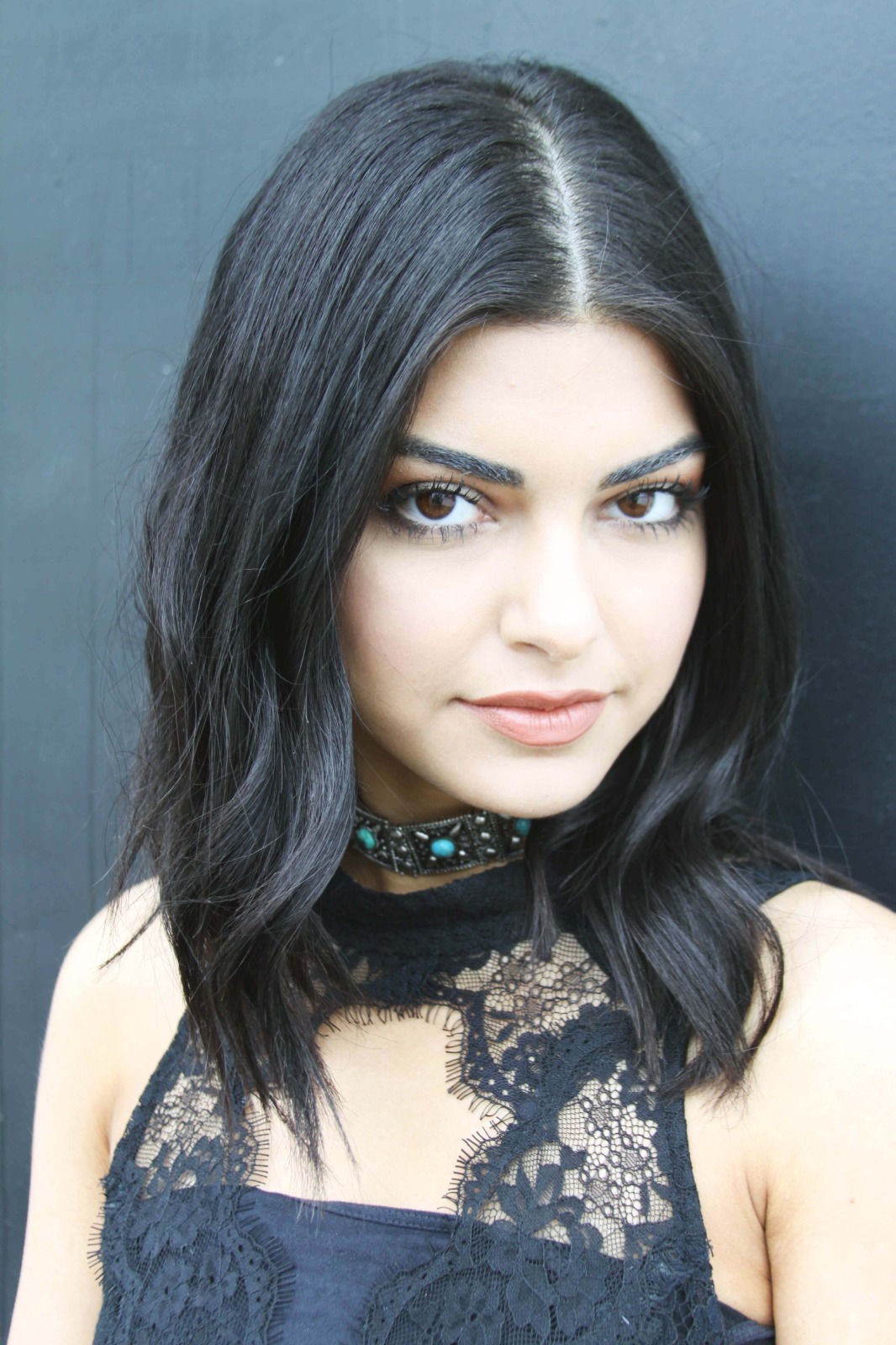
Let the instant preview map baseline chromatic density
Citrus provides an instant baseline diagnostic immediately. Rather than running a generative script that hallucinates features, Citrus maps the JPEG's baked-in light matrix to separate authentic structural edges from any remaining digital compression.
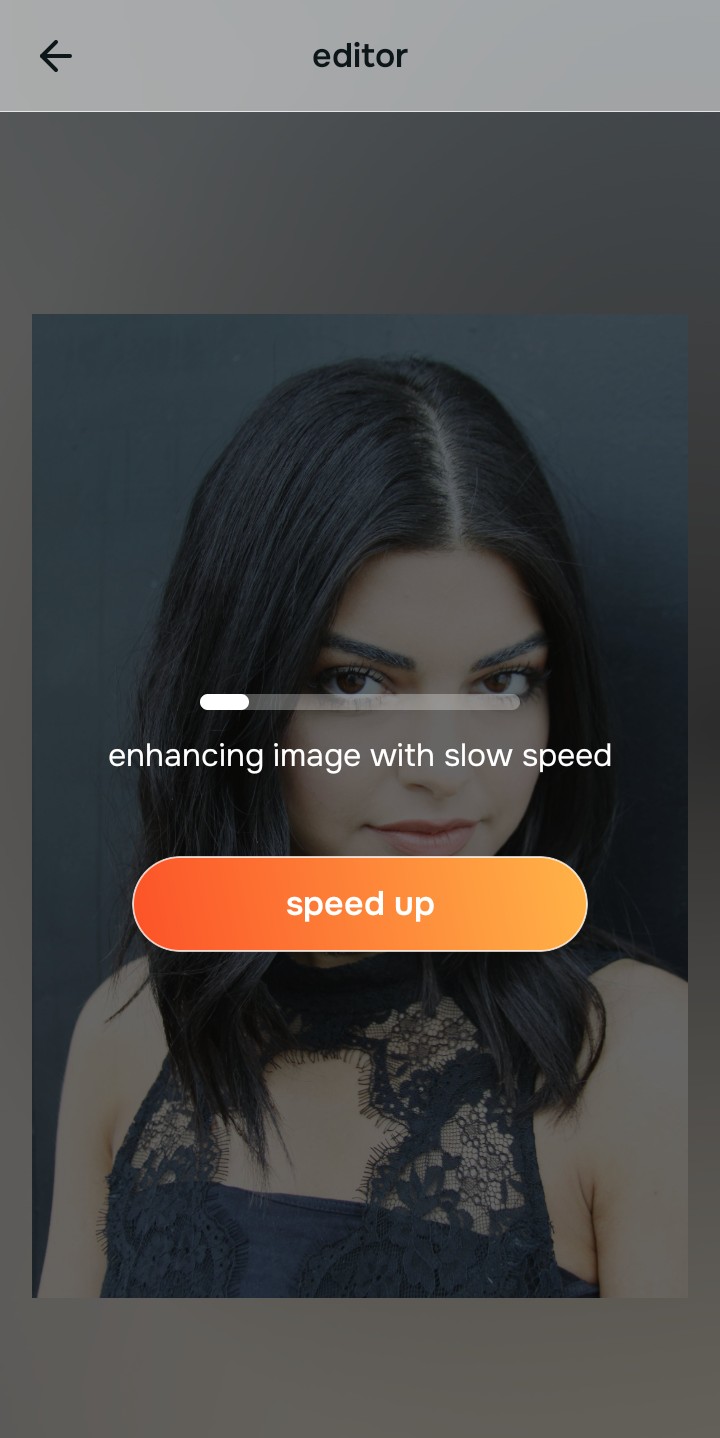
Tap Enhance and choose Colors & Lighting
RAW files are completely flat, but even JPEGs can have crushed shadows or poor contrast depending on the lighting. In Citrus, tap Enhance → Colors & Lighting. Citrus mathematically rebuilds the dynamic range directly from the JPEG's data, lifting shadows and balancing the exposure curve to a professional tier instantly without the raw sensor noise.

Always structure the baseline optical exposure before adding color grading. Rebuilding the dynamic range mathematically ensures subsequent enhancements have professional depth to work with.
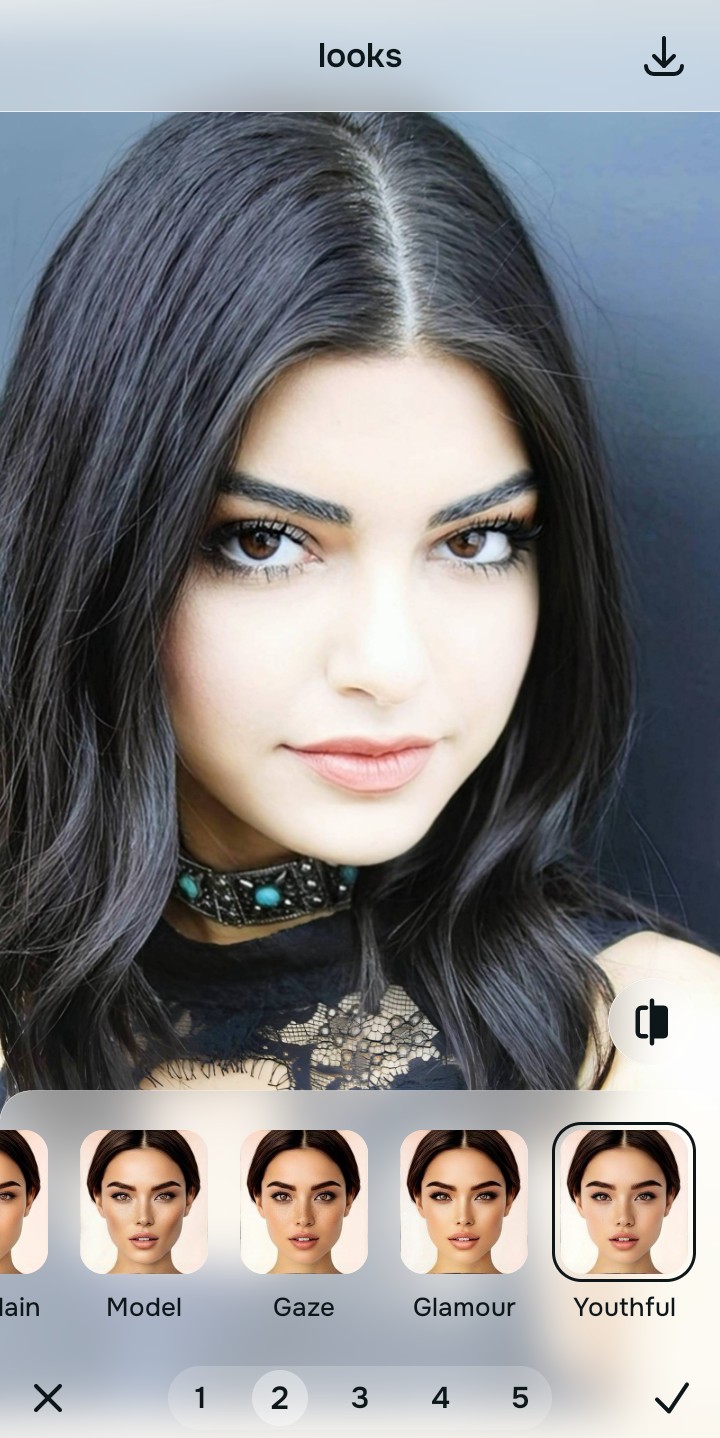
Tap Looks and select YouthFul for rich color grading
People shoot RAW to achieve high-end, editorial color grading. Instead of spending 20 minutes in Lightroom, tap Looks → YouthFul in Citrus. Select your preferred intensity from Level 1–5. This biometrically injects rich, photogenic micro-contrast and vitality into your JPEG natively, giving you that premium edited look instantly.
Tap Face and select Glass Skin to diffuse JPEG artifacts
While JPEGs lack raw sensor noise, they can have slight 8-bit compression artifacts. Tap Face → Glass Skin. Citrus isolates the biometric epidermis to smooth out those artifacts cleanly while keeping your real pore structure 100% intact, achieving a polished, high-end finish.
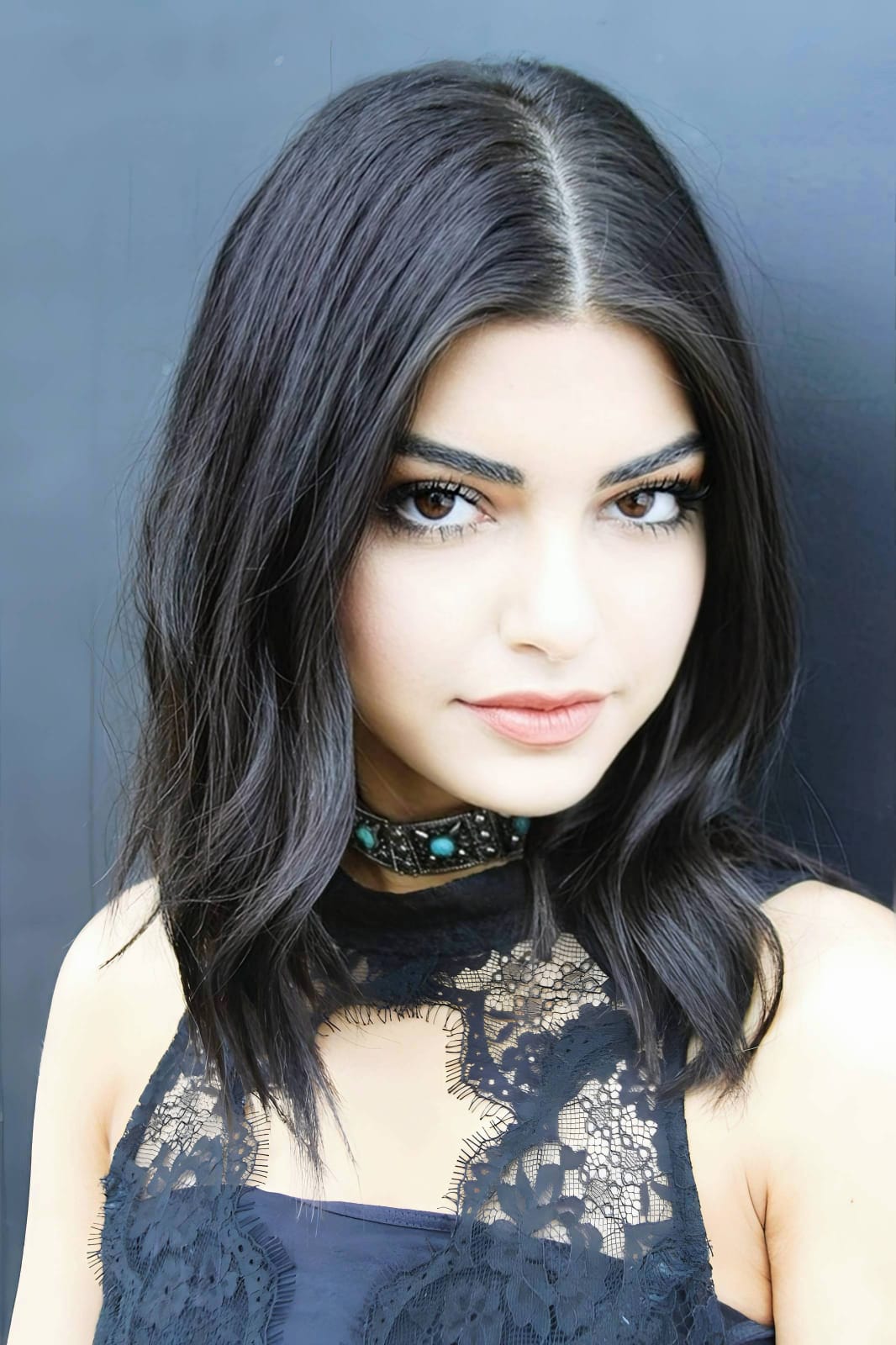
What is wrong with your current photo edit?
Identify your primary optical hurdle to select the exact automated pathway in Citrus.
Aligning Your Edits with the Citrus Taxonomy
Instead of struggling to process a massive 50MB flat file manually, Citrus categorizes enhancement into three distinct, mathematically safe pathways for your simple JPEG:
| Tool Pathway | Primary Flaw Remediated | Automated Fix Strategy |
|---|---|---|
| Enhance Overall Photo | Flat dynamic range and crushed lighting that usually require RAW editing to fix manually | Use this first to establish a proper optical foundation. Choose Colors & Lighting to restore depth natively. |
| Looks | A dull, unedited impression that lacks professional, editorial color grading | Use this to update the entire face impression. Select YouthFul (Level 1–5) to inject rich, photogenic contrast safely. |
| Face | Minor 8-bit JPEG compression artifacts affecting the smoothness of the skin gradient | Use this last for precise feature tweaks. Select Glass Skin to hydrate texture biometrically and cleanly. |
“AI photo enhancement should never force you to shoot in massive RAW formats just to get good lighting. It must mathematically leverage the baked-in strengths of a simple JPEG to reconstruct professional dynamic range—effortlessly.”
Why JPEG Pre-Bake Deconvolution Beats RAW Processing
There is a fundamental misunderstanding about what AI enhancers actually need to function. While manual editors in Photoshop need RAW data to pull sliders without breaking the image, generative AI enhancers are completely different. If you feed a RAW file into a generic AI enhancer, the algorithm assesses the massive amount of raw sensor grain. Because generative AI lacks contextual awareness, it assumes those noise pixels are intentional textures. It then sharpens them aggressively, resulting in a crunchy, "deep-fried" look that completely ruins the portrait.
Citrus is built on strictly non-hallucinatory optical physics. By organizing adjustments into mathematically calibrated Level 1–5 settings across Enhance, Looks, and Face, it thrives on the baseline structure provided by JPEGs. It utilizes the camera's initial processing as a guide, calculating precise sub-pixel gradients to separate true structural lines from digital noise. You get a crisp, vibrant, professional-grade portrait with RAW-level dynamic range in one tap, all from a simple file.