


September 8, 2026
How to Improve a Black Dog or Cat Photo Taken in Low Light

How to Improve a Black Dog or Cat Photo Taken in Low Light
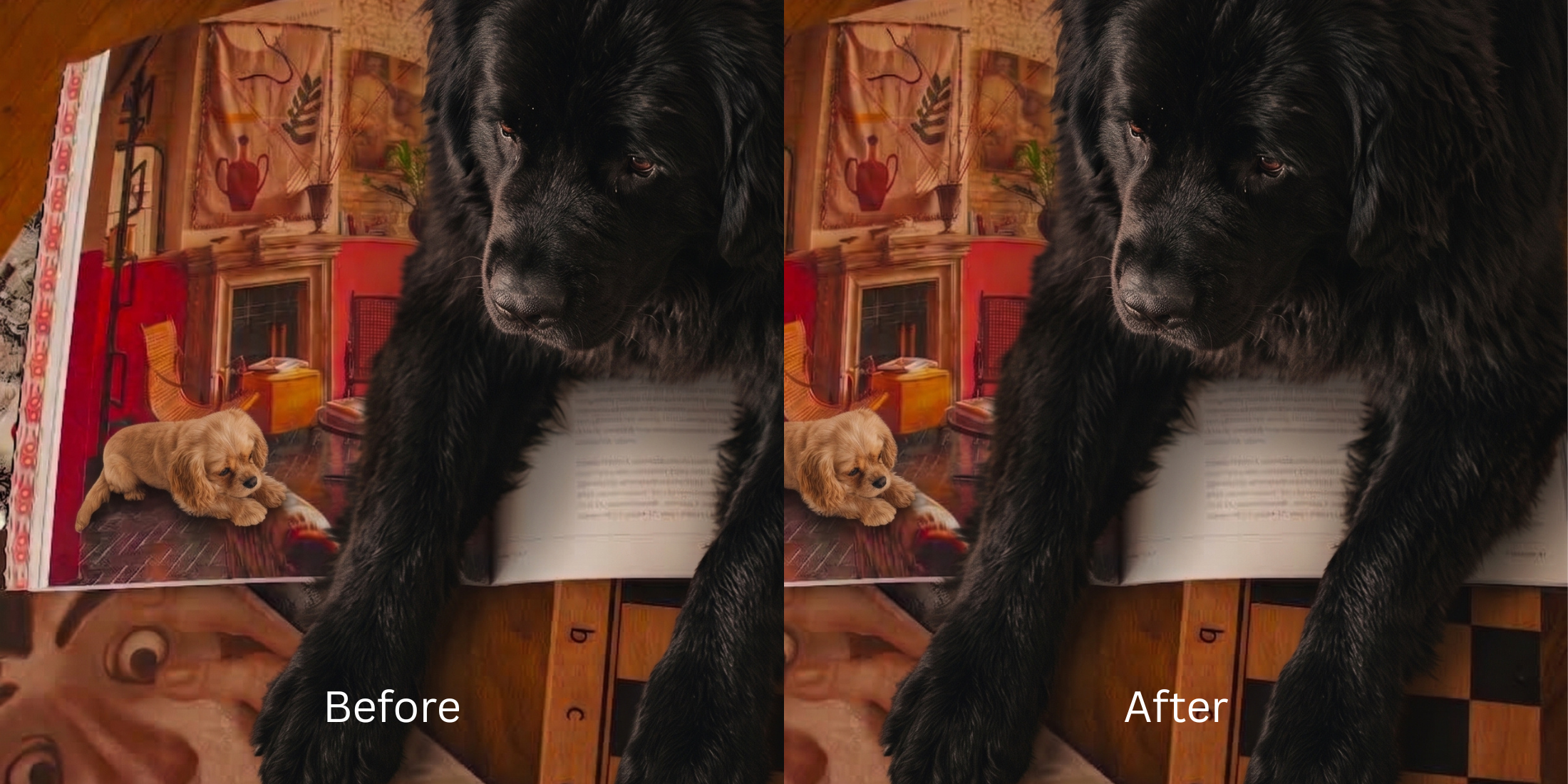
Trying to photograph a black dog or cat indoors is notoriously frustrating. In perfect sunlight, their coat looks majestic, but the moment you take a picture of them inside your house, the photo is ruined. The camera sees a dark subject in a dim room and panics. To compensate for the lack of light, your phone's Image Signal Processor (ISP) aggressively cranks up the ISO (sensor sensitivity). This floods the image with heavy digital noise (grain) and crushes the dark fur into a flat, textureless black void known as "shadow clipping." Your pet becomes an indistinguishable silhouette, often with glowing, terrifying flash-eyes. Standard photo editing apps advise you to drag the "Brightness" or "Shadows" slider up to fix it. This is a massive trap. Globally lifting the shadows simply illuminates the ISO noise, turning your beautiful black pet into a grainy, gray, washed-out mess. To recover the true texture of a dark coat, you need an optical engine capable of separating the biometric fur density from the ambient shadows, lifting the dynamic range while actively suppressing the digital grain.
Black pets look like flat silhouettes indoors because the camera cranks the ISO, crushing dark fur textures and flooding the image with grain. To fix this cleanly, use Citrus AI. Instead of dragging a brightness slider that exposes ugly gray noise, Citrus recalculates the optical exposure curve to lift the fur's true dimensional color.
Understanding the "ISO Noise & Shadow Clipping" Trap
The core issue with photographing dark fur is that smartphone sensors simply cannot gather enough light to separate the coat from the background shadows. To improve dark hair portraits or pet photos, you cannot rely on global brightness sliders, which only expose the flaws of a struggling camera sensor.
- Lifting the shadows globally, which turns a rich black coat into a dull, flat, washed-out gray
- Illuminating the digital ISO grain, making you search for a fixer grainy night selfies tool out of frustration
- Failing to remove photo grain without smoothing, leaving the fur looking like plastic
- Leaving the eyes looking like terrifying lasers or disappearing completely into the dark coat
- Using advanced optical models to mathematically rebuild the exposure curve, separating fur from shadow
- Acting as the ultimate ai photo enhancers low light tool by suppressing ISO noise cleanly
- Biometrically isolating the ocular planes to recover the exact shape of the pupil and natural catchlights
- Helping you rescue dark concert photo equivalents without creating a gray, noisy mess
When a camera sensor crushes shadows to compensate for low light, adding raw brightness guarantees a terrible photo. Shifting to an optical workflow helps you fix photo missed focus and exposure natively, ensuring your black pet portraits stay defined, dimensional, and incredibly crisp.
Restore dark fur texture from low light natively. A structured optical enhancement rebuilds crushed dynamic range and suppresses grain in seconds.
A 5-Step Test: Recovering Black Fur Texture From Low Light
Upload the raw, unedited camera roll photo
Find the exact photo where your black pet looks like an indistinguishable blob of shadow. Starting with clean sensor data is essential to allow the engine to map the exact exposure drop-off without interference.
Let the instant preview map shadow clipping
Citrus provides an instant baseline correction immediately. Instead of just cranking the exposure and exposing the noise, Citrus analyzes the structural geometry of the image, separating the pet's coat from the ambient background darkness.
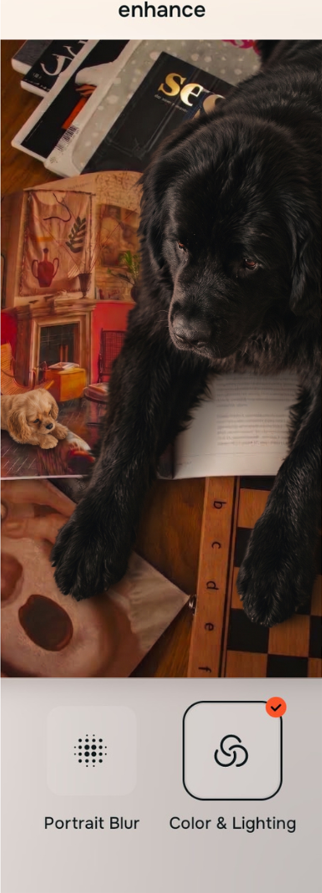
Tap Enhance and choose Colors & Lighting
You cannot fix shadow clipping with a brightness slider. In Citrus, tap Enhance → Colors & Lighting. This mathematically recalculates the global exposure curve. It lifts the crushed shadows natively, restoring the underlying structural density of the dark fur while simultaneously suppressing the heavy low-light ISO grain.

Always fix global dynamic range before attempting to refine fur color. Lifting the exposure curve mathematically ensures subsequent enhancements don't turn into a gray, noisy mess.
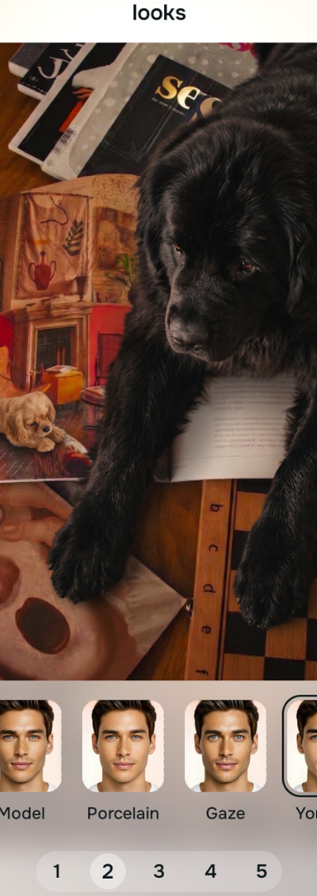
Tap Looks and select Gaze to restore true black color
Because high ISO noise and generic camera processing wash out dark colors, black fur often looks dull, flat, and gray in low light. Tap Looks → Gaze in Citrus. Select your preferred value from Level 1–5. This biometrically injects rich, high-fidelity contrast back into the coat, returning the authentic, dimensional darkness of your pet.
Tap Face and select Brighten Eyes to rescue their expression
In low light, a black pet's eyes either disappear entirely or suffer from terrifying "laser eye" reflections from the flash. Tap Face → Brighten Eyes. Citrus isolates the high-frequency boundaries to recover the exact shape of the pupil and restore natural catchlights, allowing you to make eyes look bigger pictures authentically.
How did the camera ruin your pet's photo?
Identify your primary optical hurdle to select the exact automated pathway in Citrus.
Aligning Your Edits with the Citrus Taxonomy
Instead of guessing how much a brightness slider will ruin your photo, Citrus categorizes enhancement into three distinct, mathematically safe pathways:
“Low light enhancement should never require you to drag a brightness slider until your photo turns into a grainy gray mess. It must mathematically recalculate exposure to separate black fur from dark shadows—effortlessly.”
Why Dynamic Range Recovery Beats Brightness Sliders
There is a massive structural difference between authentic optical exposure mapping and dragging the "Brightness" or "Shadows" slider in a basic photo editor. When you turn up the shadows globally on a dark photo, the software indiscriminately lightens everything. Because the camera used high ISO to shoot in the dark, the shadows are full of digital noise. Lifting them turns your sleek black pet into a flat, grainy, gray catastrophe that looks highly amateur.
Citrus is built specifically to prevent this. By constraining adjustments to mathematically calibrated Level 1–5 settings across Enhance, Looks, and Face, it physically maps the geometric density of the image. It separates the dark fur from the dark background, lifting the texture of the coat while actively suppressing the ISO noise. You get a crisp, dimensional, authentically dark portrait in one tap without the gray wash.