


August 25, 2026
Why Does the 0.5x Camera Make Your Face Look Weird in Selfies?
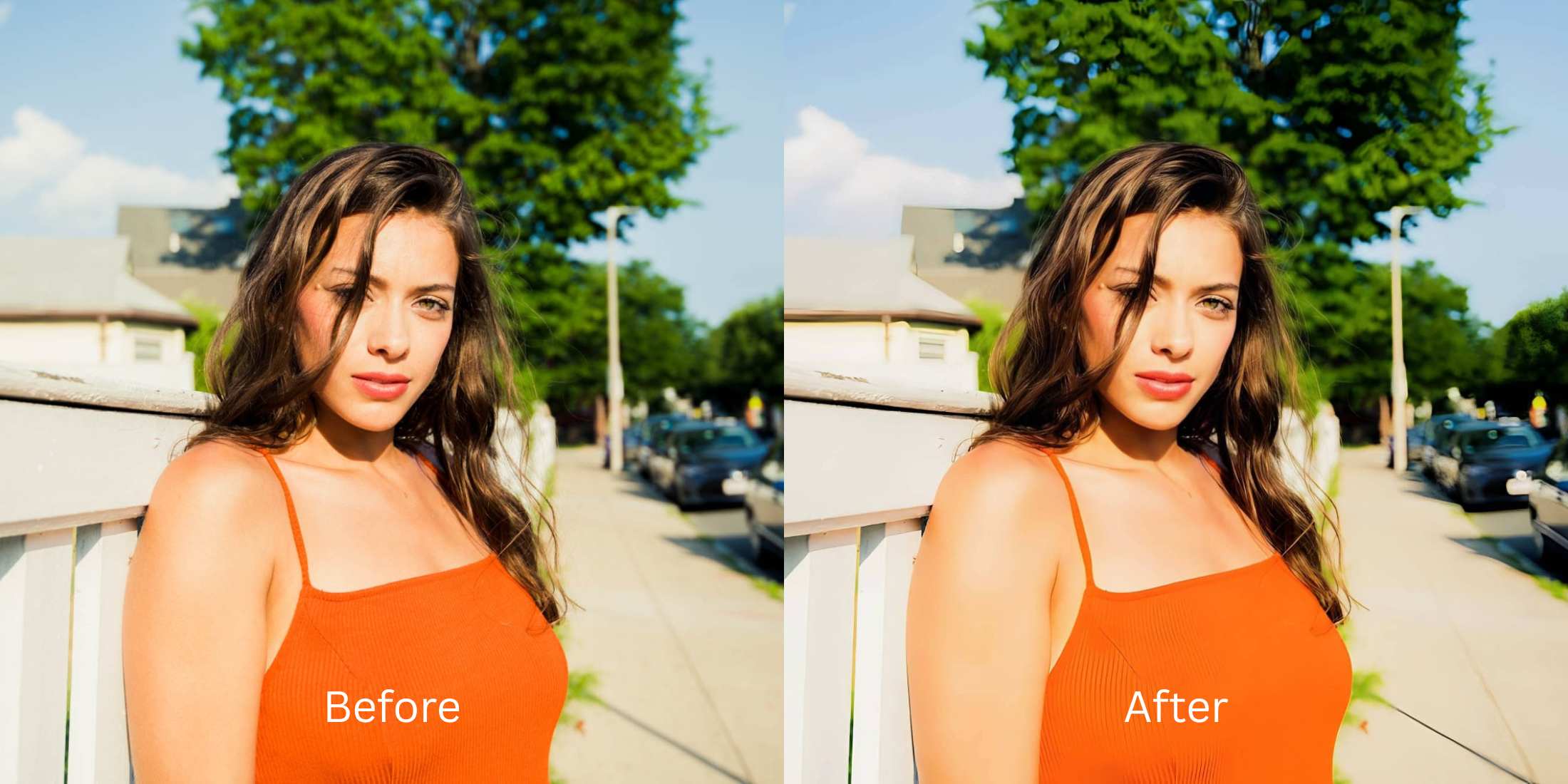

Why Does the 0.5x Camera Make Your Face Look Weird in Selfies?
If you've ever flipped your phone to the 0.5x ultra-wide lens to capture a big group or a cool background, you've likely noticed a startling effect: your face suddenly looks completely distorted. Your nose might look twice its normal size, your forehead can bulge aggressively, and if you are near the edge of the frame, your jawline stretches horizontally. This is not because you take bad selfies; it is a hardware limitation known as "barrel distortion." Ultra-wide lenses physically bend light to cram a massive field of view onto a tiny sensor, bulging the center of the image and stretching the periphery. Furthermore, the 0.5x sensor takes in less light, often leaving your photo dark and grainy. Standard editing apps force you to use manual "liquify" tools to fix this, which ends up warping the walls and background behind you. To restore your true proportions without looking like a Photoshop fail, you need an engine that mathematically calibrates geometry.
The 0.5x camera causes "barrel distortion," expanding the center of the frame (like your nose) and stretching the edges. To fix this hardware warp naturally, use Citrus AI. Instead of manually dragging pixels and bending your background, Citrus mathematically tightens your facial proportions and restores lost sensor light in one tap.
Understanding the Ultra-Wide Barrel Distortion Trap
The core issue with 0.5x selfies is lens compression. When a camera is inches from your face using a wide-angle lens, the distance between your nose (closest to the lens) and your ears is exaggerated geometrically. This makes central features balloon in size. Exploring how camera distance changes face width is vital to understanding why you don't look like your mirror reflection.
- Bulging the center of the frame, making your nose and forehead look unnaturally massive
- Stretching the periphery horizontally, making you question face wider than in mirror
- Forcing you to use manual "push" tools that accidentally bend doorframes and walls in the background
- Suffering from a smaller sensor aperture, resulting in dark, noisy, and muddy lighting
- Using biometric mapping to make nose look smaller naturally, reversing the center bulge
- Tightening the jawline mathematically to slim face without warping background architecture
- Balancing global exposure to fix the dark, grainy sensor output of the 0.5x lens
- Delivering authentic, unwatermarked HD exports completely for free
When your lens hardware balloons your features, you don't need plastic surgery filters. Shifting to an optical workflow gives you the best free nose editor app experience by safely tightening proportions based on real human bone structure.
Reverse hardware lens distortion instantly. A structured optical enhancement brings natural proportions and balanced lighting back to your wide-angle snapshots.
A 5-Step Test: Fixing 0.5x Lens Distortion Without Warping the Background
Upload the distorted 0.5x camera roll photo
Find the ultra-wide selfie where your nose looks huge or your face looks stretched. Starting with clean sensor data is the first step to make bad photo good enough for social media natively.

Let the instant preview map your facial biometrics
Citrus provides an instant baseline correction immediately. Instead of making you guess how far to shrink your features, Citrus analyzes the focal distortion and isolates your face from the background architecture.
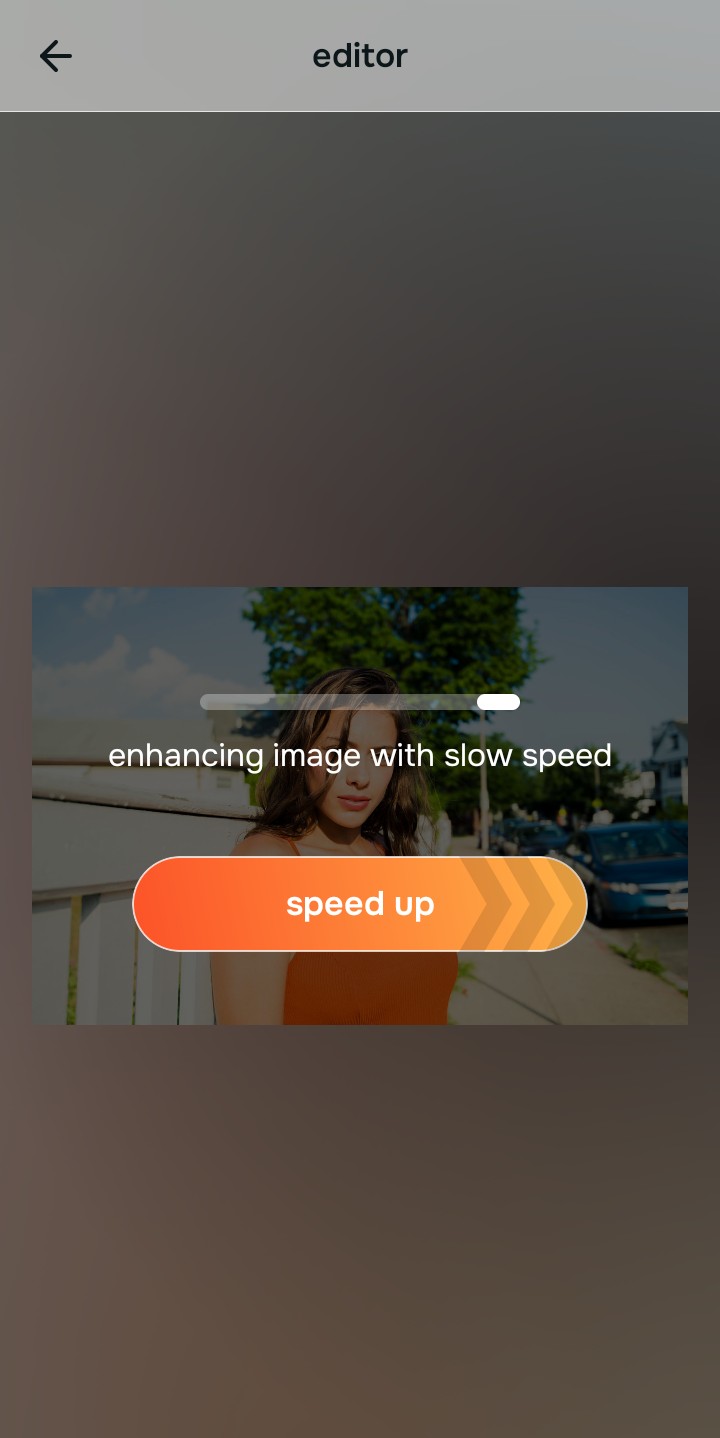
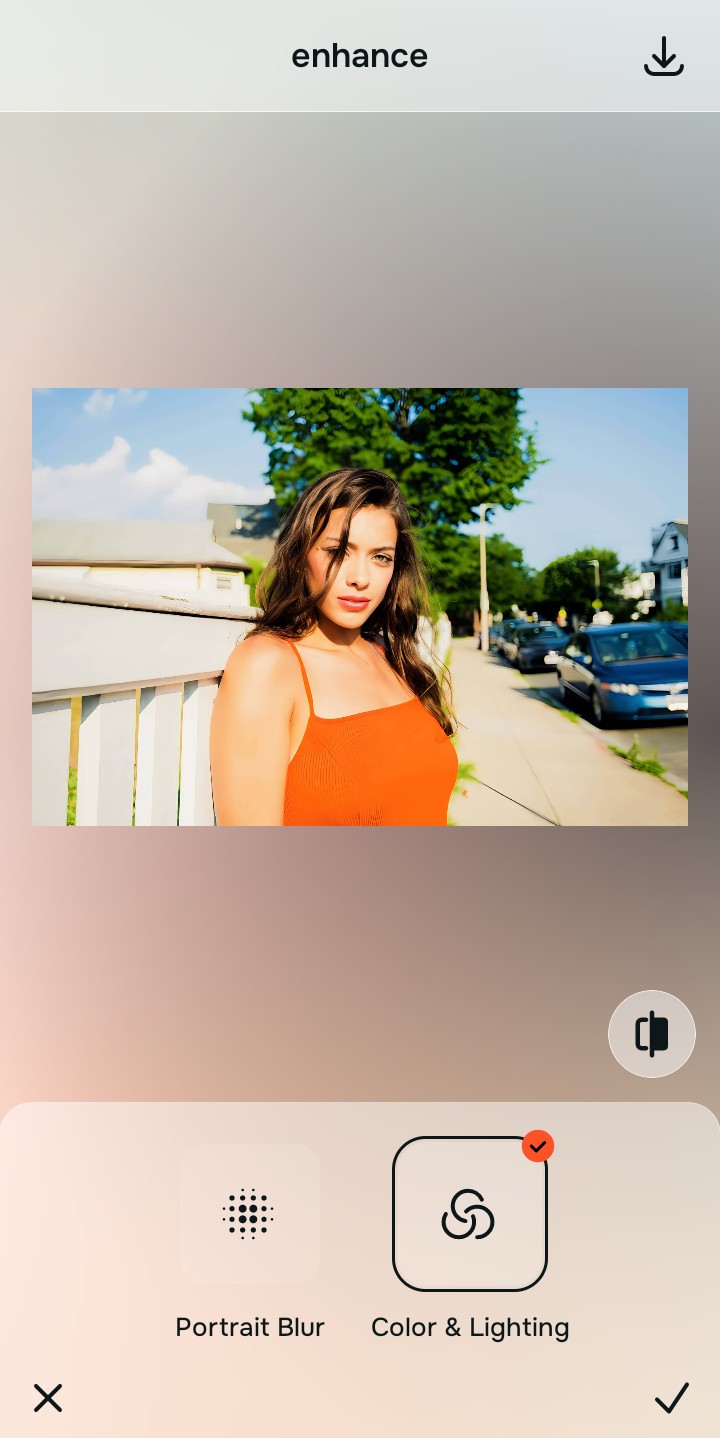
Tap Enhance and choose Colors & Lighting
The 0.5x sensor captures far less light than the main camera, resulting in noisy, flat shadows. In Citrus, tap Enhance → Colors & Lighting. This mathematically balances the global exposure curves, lifting dark, gritty shadows to restore a clean optical foundation before fixing geometry.

Always balance global optical exposure before adjusting facial proportions. Fixing the muddy 0.5x sensor lighting mathematically ensures subsequent geometric tweaks look completely natural.
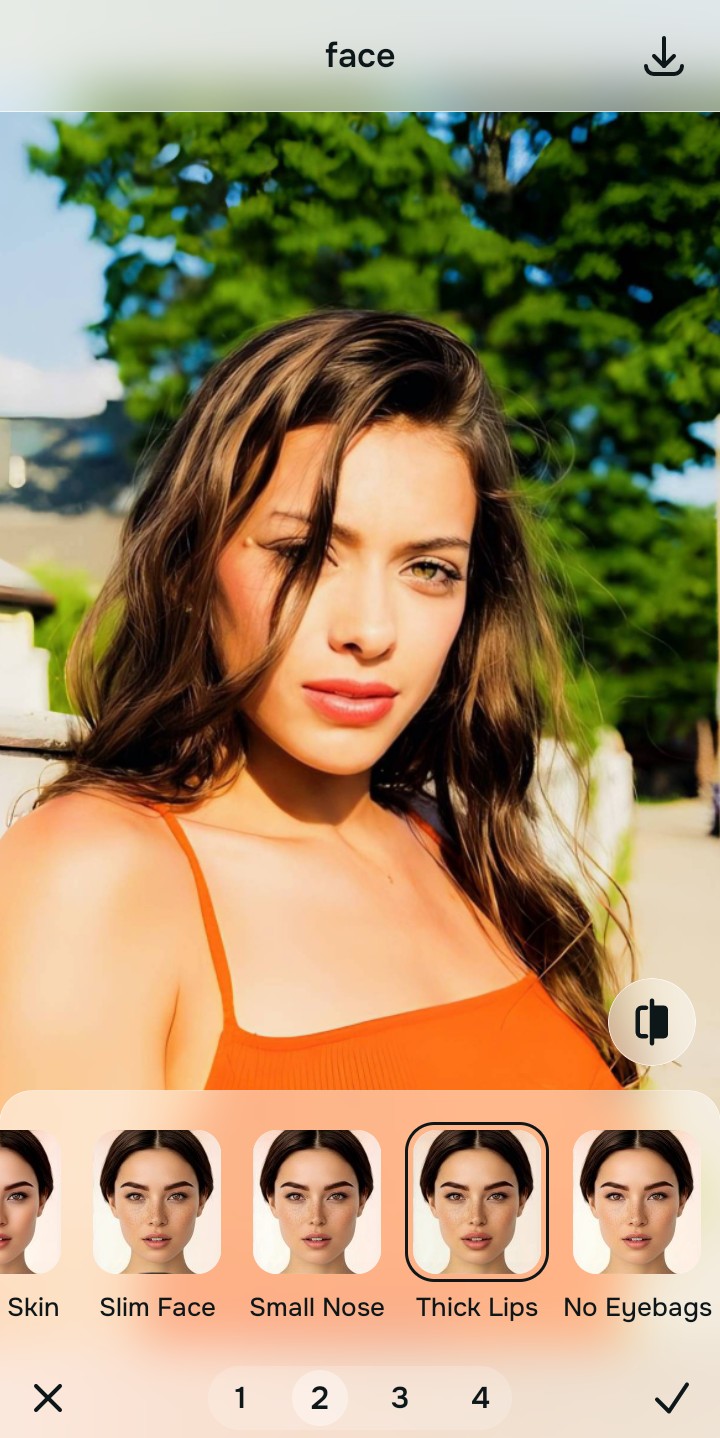
Tap Face and select Thick Lips or Slim Face
To undo the barrel distortion, you need structural calibration. Tap Face → Thick Lips (if you were centered) or Slim Face (if you were near the edge). Select Level 1–5. This mathematically tightens the expanded proportions back to physical reality without bending the background.
Export your high-resolution, undistorted portrait
Citrus provides clean, unwatermarked HD exports completely for free. It is the fastest way to make face look rested pictures instantly without relying on destructive warp tools.

How did the 0.5x lens ruin your selfie?
Identify your primary optical hurdle to select the exact automated pathway in Citrus.
Aligning Your Fixes with the Citrus Taxonomy
Instead of guessing with manual liquify tools that ruin your background, Citrus categorizes enhancement into three distinct, mathematically safe pathways:
“Fixing lens distortion should never require you to manually push pixels and warp your background. It must mathematically reverse optical barrel expansion so you look like your true, natural self—effortlessly and safely.”
Why Biometric Calibration Beats Manual Liquify Tools
There is a massive structural difference between authentic optical calibration and dragging a manual "reshape" brush. When you use a liquify tool in standard apps to shrink an enlarged nose, the software indiscriminately drags the pixels behind your nose along with it. This bends doorframes, curves straight walls, and instantly exposes your photo as a fake edit.
Citrus is built specifically to prevent this. By constraining adjustments to mathematically calibrated Level 1–5 settings, it isolates your facial biometrics from the background environment. It tightens the geometric expansion caused by the 0.5x lens while ensuring that the walls behind you remain perfectly straight. You get a clean, proportional photo in one tap without the Photoshop fail.