


August 16, 2026
Snapseed vs Citrus: Manual Control or One-Tap AI Enhancement for Better Everyday Photos?
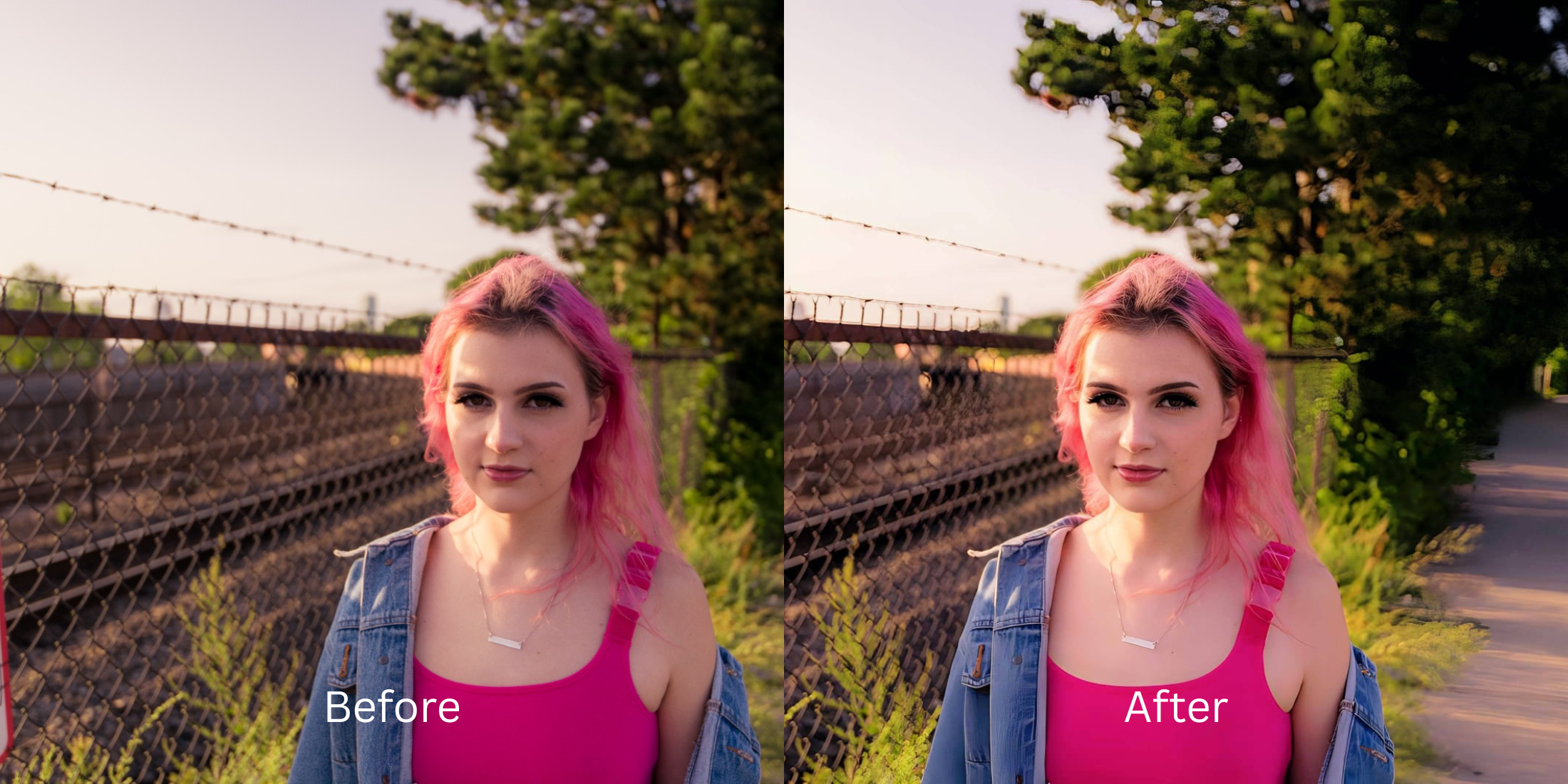

Snapseed vs Citrus: Manual Control or One-Tap AI Enhancement for Better Everyday Photos?
If you browse mobile photography and editing communities, you'll find a massive ongoing debate: complete manual control versus one-tap automated enhancement. Snapseed has long been Google's powerhouse for granular adjustments, offering 28+ professional tools including Tone Curves, Selective Control Points, and Tune Image sliders. For dedicated photographers editing uncompressed RAW files, that control is unmatched. But for everyday selfies, portrait snapshots, and quick camera roll memories, Snapseed often leads to severe slider fatigue. Manually dragging Ambiance, Shadows, and Highlights back and forth on compressed phone JPEGs usually results in deep-fried contrast, crunchy skin, and cloned healing smudges. To get clean, magazine-grade everyday photo fixes in seconds without learning pro curve mechanics, you need an optical engine that automates the color math while protecting your real skin.
Snapseed is ideal for manual RAW adjustments, but Citrus is significantly faster and more natural for everyday portraits and selfies. While Snapseed forces you through 28+ complex tools that risk over-processing, Citrus AI uses calibrated optical models to balance scene lighting and elevate facial radiance in one tap—keeping your human texture 100% authentic.
Why Manual Slider Guesswork in Snapseed Often Over-Processes Everyday Snaps
The primary challenge with using Snapseed for everyday phone photos is that manual sliders lack biometric context. When you push the "Structure" slider to sharpen hair, it simultaneously sharpens pores, making skin look like rough sandpaper. If you try to remove a blemish with the manual Healing tool, it frequently clones nearby background pixels, leaving a blurry, discolored smudge. Choosing a proper alternative to snapseed one tap workflow prevents these amateur artifacts entirely.
- Spending 10–15 minutes fine-tuning Curves, Ambiance, and Highlights just for a single everyday snapshot
- Manual "Structure" and "Sharpening" tools that turn natural skin into crunchy, deep-fried sandpaper
- Healing brush tools that leave noticeable, blurry cloned smudges across facial planes
- Requiring complex selective masking just to prevent your skin from turning radioactive orange
- Accessing the premier ai enhancer vs manual retouching solution in one tap
- Balancing lighting and dynamic range automatically without blowing out natural highlights
- Diffusing harsh camera glare while keeping real human skin texture 100% visible and un-blurred
- Acting as an ai face enhancer looks real and human
When complex manual tools drain your time and ruin your skin, you don't need professional software to get a good result. Shifting to an optical workflow that allows you to selfies without learning photoshop ensures your portraits stay soft, highly attractive, and completely effortless.
Optimize everyday photos beyond manual sliders. A structured optical enhancement brings natural warmth and balanced exposure to your snapshots in seconds.
A 5-Step Test: Precision Results Without Manual Slider Guesswork
Upload the raw, unedited camera roll photo
Find the photo with flat indoor lighting, slight blur, or dark shadows that would normally take 15 minutes to adjust in Snapseed. Using an alternative to photoshop portrait fixes requires starting with uncompressed raw data to protect your pixel integrity.
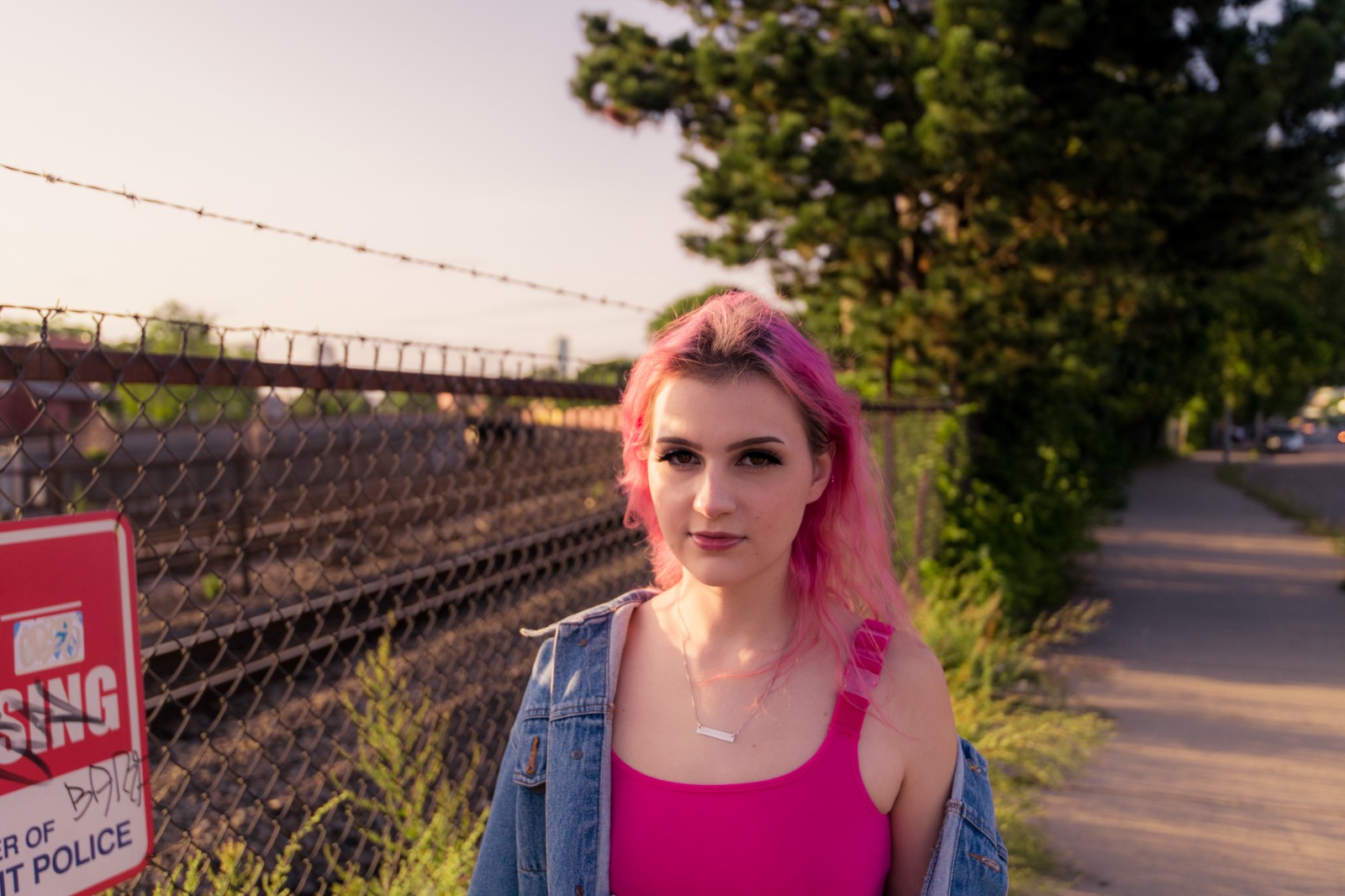
Let the instant preview calculate optical balance
Citrus provides an instant baseline correction immediately. Instead of making you manually test Tone Curves and Selective pins, Citrus calculates global exposure and facial biometrics simultaneously.
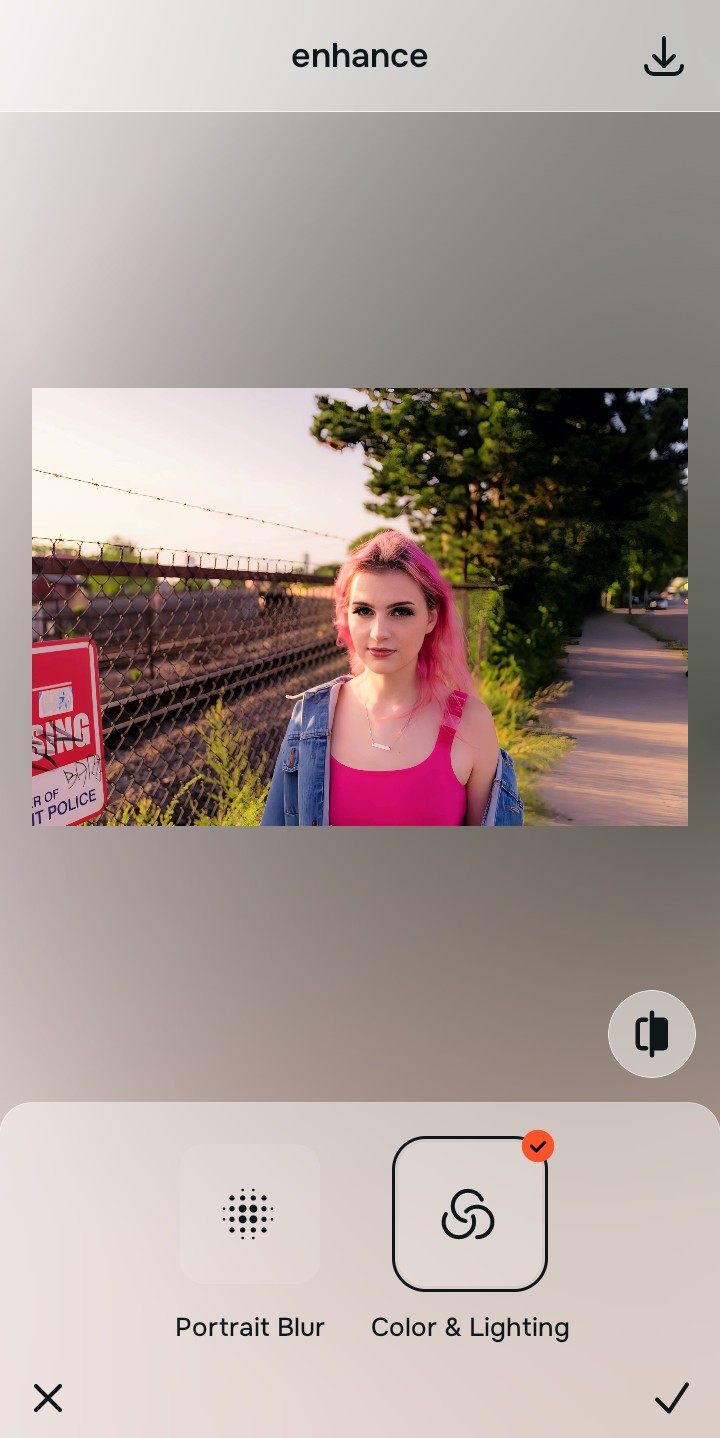
Tap Enhance and choose Colors & Lighting
In Snapseed, fixing dynamic range requires manually balancing Shadows, Highlights, and Ambiance sliders. In Citrus, tap Enhance → Colors & Lighting. This mathematically balances the global exposure curves, lifting dark under-eye shadows and correcting color temperature without oversaturating your skin. It is the cleanest way to make flat photos look alive natively.

Always balance global optical lighting before applying face impressions. Fixing the base exposure mathematically ensures subsequent aesthetic enhancements sit naturally on real skin.
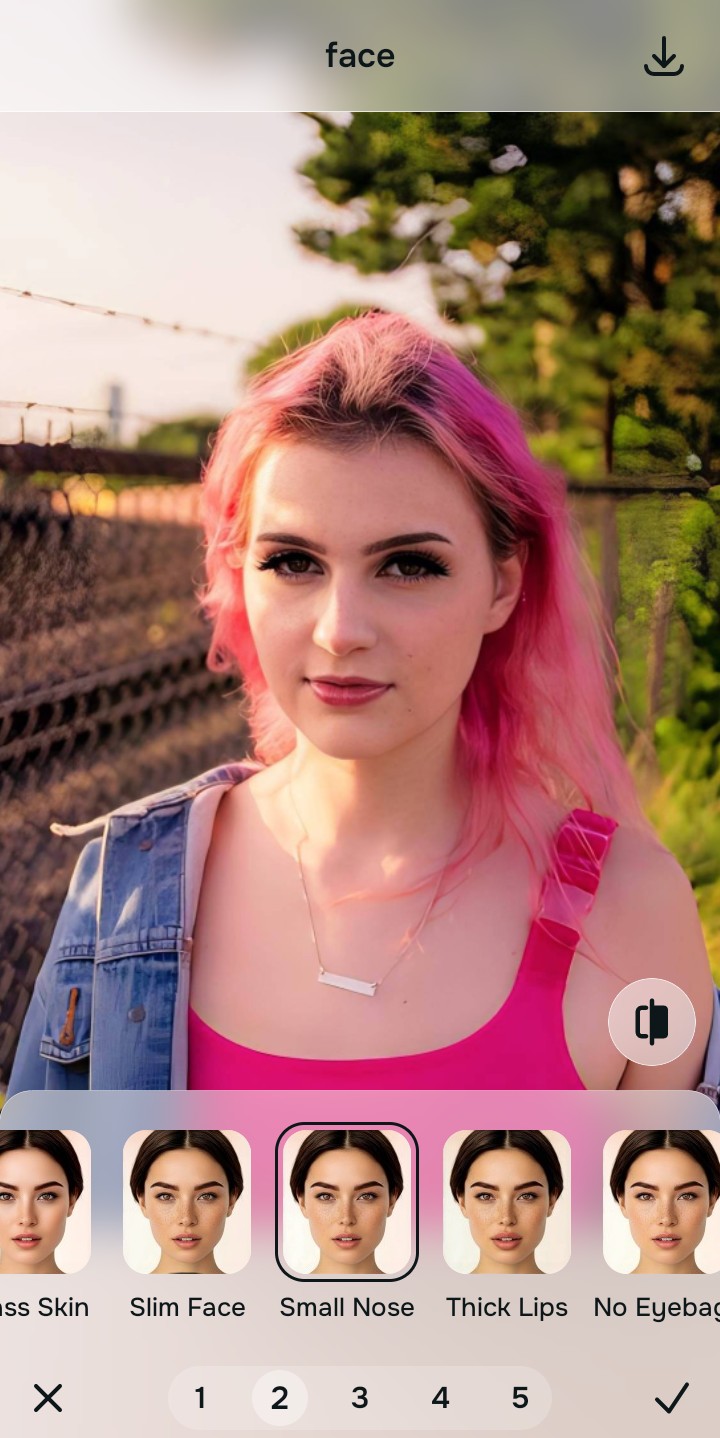
Tap Looks and select Small Nose for natural radiance
Snapseed has no dedicated intelligent portrait impression model. With your baseline light perfected in Citrus, tap Face → Small Nose. Select your preferred value from Level 1–5. This elevates the overall photogenic vibe, gently diffusing imperfections while keeping your natural pores and facial contours 100% intact.
Export your high-resolution, uncompressed portrait
Citrus provides clean, unwatermarked HD exports completely for free. It proves that learning how to make photo better 10 seconds flat doesn't require juggling 28 separate manual settings.
What is your biggest frustration with manual photo editing?
Identify your primary editing hurdle to select the exact automated optical pathway in Citrus.
Aligning Your Editing Workflow with the Citrus Taxonomy
Instead of cluttering your screen with dozens of manual sliders that overlap and ruin photo quality, Citrus categorizes enhancement into three distinct, mathematically safe pathways:
| Tool Pathway | Primary Flaw Remediated | Automated Fix Strategy |
|---|---|---|
| Enhance Overall Photo | Bad ambient lighting, flat contrast, or harsh shadows that manual sliders struggle to balance cleanly | Use this first to establish a proper optical foundation. Choose Colors & Lighting to balance exposure natively. |
| Looks | A dull, unphotogenic facial impression caused by flat smartphone sensors | Use this to update the entire face impression. Select Small Nose (Level 1–5) to inject natural radiance safely. |
| Face | Targeted facial texture concerns where manual healing tools leave cloned smudges | Use this last for precise feature tweaks. Select Glass Skin to hydrate pores biometrically and cleanly. |
“Everyday photo editing should never force you to spend 15 minutes guessing how a tone curve works. It must mathematically balance optical lighting and skin texture in one tap so you look naturally radiant—effortlessly and authentically.”
Why Automated Optical Calibration Beats Manual Guesswork
There is a massive structural difference between manual slider manipulation and biometric optical calibration. When you manually push sliders in Snapseed, you are adjusting compressed pixel values without depth context. Dragging "Ambiance" up brightens dark areas, but it also desaturates skin midtones. Pushing "Structure" sharpens hair, but it exaggerates dry patches on your forehead.
Citrus is built specifically with human portrait optics in mind. By constraining adjustments to mathematically calibrated Level 1–5 settings across Enhance, Looks, and Face, it corrects environmental exposure while strictly protecting your natural skin tones, freckles, and bone structure. You get a clean, social-ready photo in one tap without slider fatigue.