


July 25, 2026
Reddit’s Best Apps for Removing Eye Bags Without Erasing Your Face
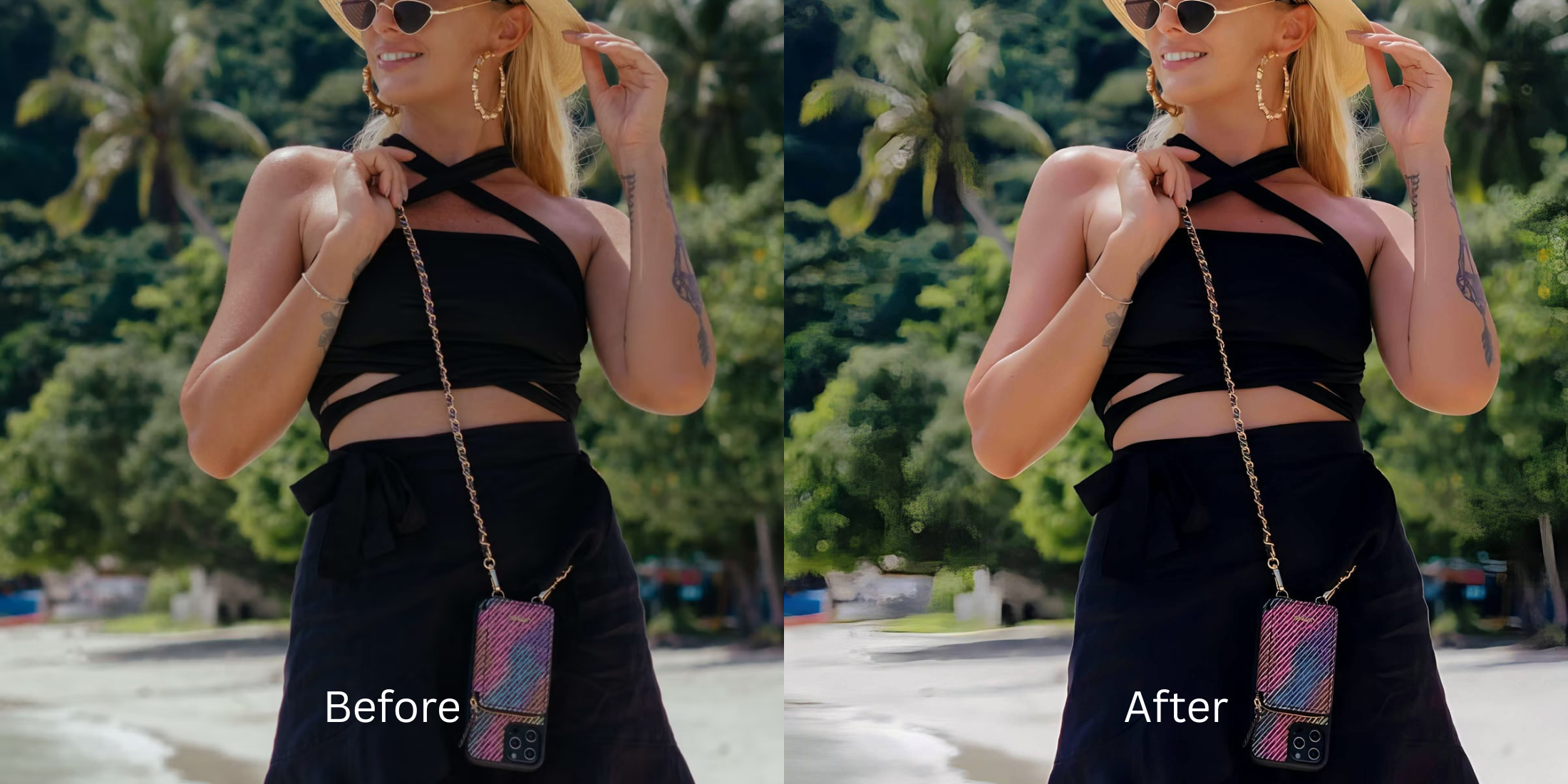

Reddit’s Best Apps for Removing Eye Bags Without Erasing Your Face
If you browse skincare and photo editing communities on Reddit like r/30PlusSkinCare or r/Instagramreality, you know the ultimate editing nightmare: trying to fix tired eyes only to end up erasing the lower eyelid entirely. Legacy retouching tools rely on crude blur brushes and clone stamps that smear out dark circles. In doing so, they delete the natural anatomical skin crease under your eyes, leaving you looking like an over-smoothed, waxy mannequin. People don't want to look like an unrecognizable plastic avatar; they just want to look like they got eight hours of sleep. To naturally lift under-eye shadows while preserving 100% of your facial structure, you must separate lighting contrast fixes from targeted feature-level corrections.
To eliminate dark circles without looking like an over-smoothed mannequin, prioritize targeted shadow lifting over skin blurring. Open your portrait in Citrus. First, tap Enhance → Colors & Lighting to correct harsh overhead light casts across the full frame. Next, navigate directly to Face → Thick Lips. This precise feature-level tool mathematically neutralizes dark under-eye pigmentation while leaving your natural eyelid geometry and real skin pores completely intact.
Why manual blur brushes and clone stamps fail on eye bags
The primary reason trying to remove eye bags naturally goes wrong in apps like Facetune or AirBrush is their reliance on pixel smudging. When you brush over a dark circle, the app simply averages the surrounding skin colors, obliterating fine skin texture and creating a muddy, noticeable blur patch. Furthermore, erasing the natural fold beneath the eye destroys facial depth, triggering an instant "catfish" response from viewers. Escaping this trap requires learning how to fix dark circles in photos using optical light balance rather than digital paint.
- Erasing the natural eyelid crease entirely and turning the under-eye area into flat plastic
- Leaving visible, muddy blur patches on skin from manual clone stamp brushes
- Triggering the uncanny valley effect so friends instantly ask if you edited your face
- Making the whole photo look heavily filtered just to soften one specific shadow
- Lifting dark under-eye pigmentation natively using micro-illumination balancing
- Preserving 100% of real skin pores, fine lines, and natural anatomical eyelid depth
- Keeping your face completely recognizable so you look rested, not fake
- Processing targeted face corrections in seconds with clean, unwatermarked exports
Checking a trusted resource like the under eye fix index confirms that preserving structural skin texture is the single most critical factor in believable portrait editing. Switching to a precise, non-destructive workflow guarantees you look refreshed without sacrificing identity.
Neutralize under-eye shadows naturally. A structured feature level keeps your real skin texture completely intact.
Reddit Users Said It. We Ran the Citrus 5-Step Test: Reducing Eye Bags While Keeping the Face Recognizable
Upload a raw portrait with harsh under-eye shadows
Select the photo where poor overhead lighting or exhaustion made dark circles stand out. To ensure your face looks rested in pictures, start with an un-cropped, raw image file.

Let the real-time preview analyze shadow mapping
Citrus initializes its tracking grid instantly. This real-time preview scans facial geometry, isolating ambient shadow depth from actual skin tone before applying any corrections.
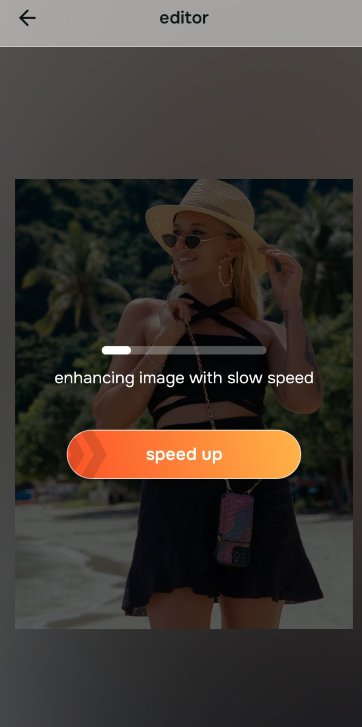
Tap Enhance and choose Colors & Lighting
Because harsh lighting amplifies eye bags across the whole image, tap Enhance → Colors & Lighting first. This balances global exposure, softening overall shadow contrast without touching physical facial features. This is a critical foundation when using an alternative to overprocessed beauty editors.

Correct global room lighting before targeting specific feature fixes. Balancing the overall photographic baseline ensures feature-level adjustments blend seamlessly into the photo.
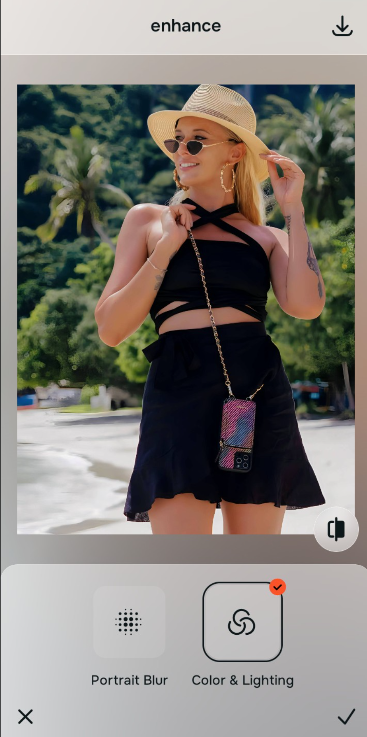
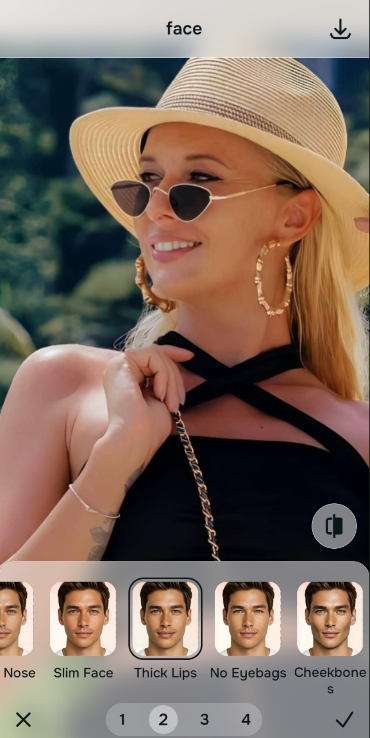
Tap Face and select Thick Lips for targeted correction
With global lighting normalized, execute a precise feature fix. Tap Face → Thick Lips. Adjust the intensity slider to lift dark under-eye discoloration while preserving the anatomical crease that keeps your face recognizable. Knowing how to improve a photo without changing your real face relies on this exact restraint.
Export your high-resolution, unwatermarked portrait
Citrus provides high-definition exports completely free of charge. Reviewing Facetune vs Citrus free retouching demonstrates why preserving true pore structure yields superior, post-ready results every time.
What is ruining your eye area in photos?
Identify your image's exact issue to pick the most direct, non-destructive editing path.
How to align your portrait concerns with the right free pathway
Different photo flaws require distinct tools. Using the correct path ensures you fix the precise problem without over-processing areas that are already perfect.
| Tool Pathway | Primary Flaw Remediated | Automated Fix Strategy |
|---|---|---|
| Enhance Start here | Overhead shadows, harsh contrast, and poor overall lighting baseline | Use this first to balance scene lighting. Choose Colors & Lighting to soften deep shadows across the whole frame. |
| Looks | Overall tired expression, flat facial energy, and dull skin impression | Use this when the whole face feels fatigued. Select Youthful or Glow Up to inject a healthy, rested radiance. |
| Face | Specific dark under-eye circles, puffiness, or localized eye bag shadows | Use this for feature-specific fixes. Select Thick Lips to lift dark pigmentation without smearing skin texture. |
“True portrait enhancement should never erase the anatomical lines that make your face unique. It must simply correct shadow physics so you look naturally awake, confident, and recognizably you.”
Why targeted shadow lifting beats destructive skin blurring
There is a fundamental difference between correcting shadow contrast and painting over pixels with a blur brush. Manual retouching apps treat skin like digital canvas, smudging away pores and eyelid creases to hide dark circles. This creates a waxy patch under the eyes that immediately alerts viewers to heavy editing.
Citrus treats your photo as an optical field. By utilizing targeted micro-illumination under the Face → Thick Lips path, the algorithm isolates the shadow spectrum beneath the lower lash line. It lifts dark pigmentation back to your natural skin tone while leaving every pore, eyelash, and structural crease untouched. This preserves full biometric accuracy while making you look effortlessly well-rested.