


July 3, 2026
How to Make Your Camera Roll Look Like a 2014 Tumblr Archive
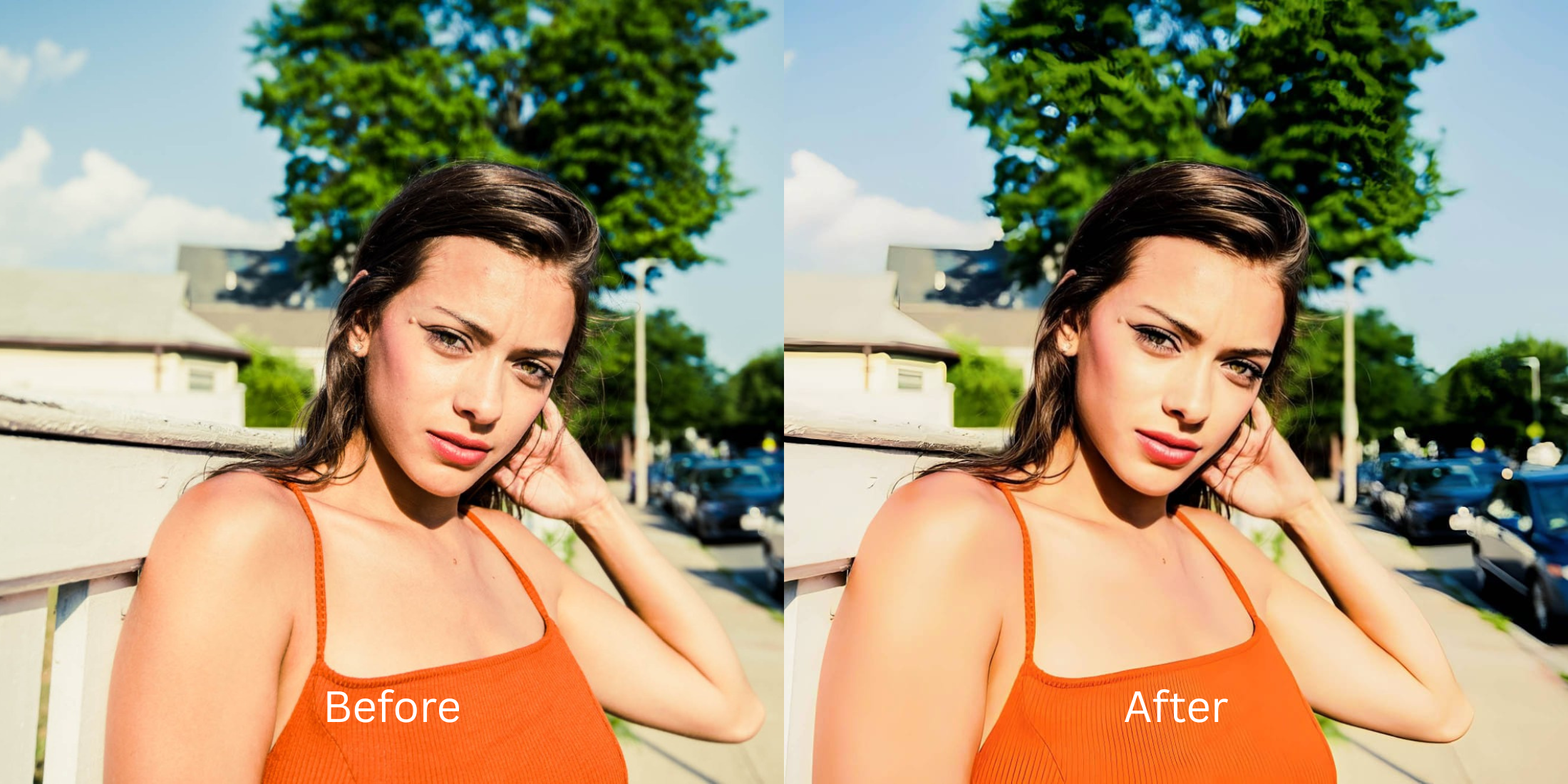

How to Edit Photos Like a Tumblr Girl in 2026
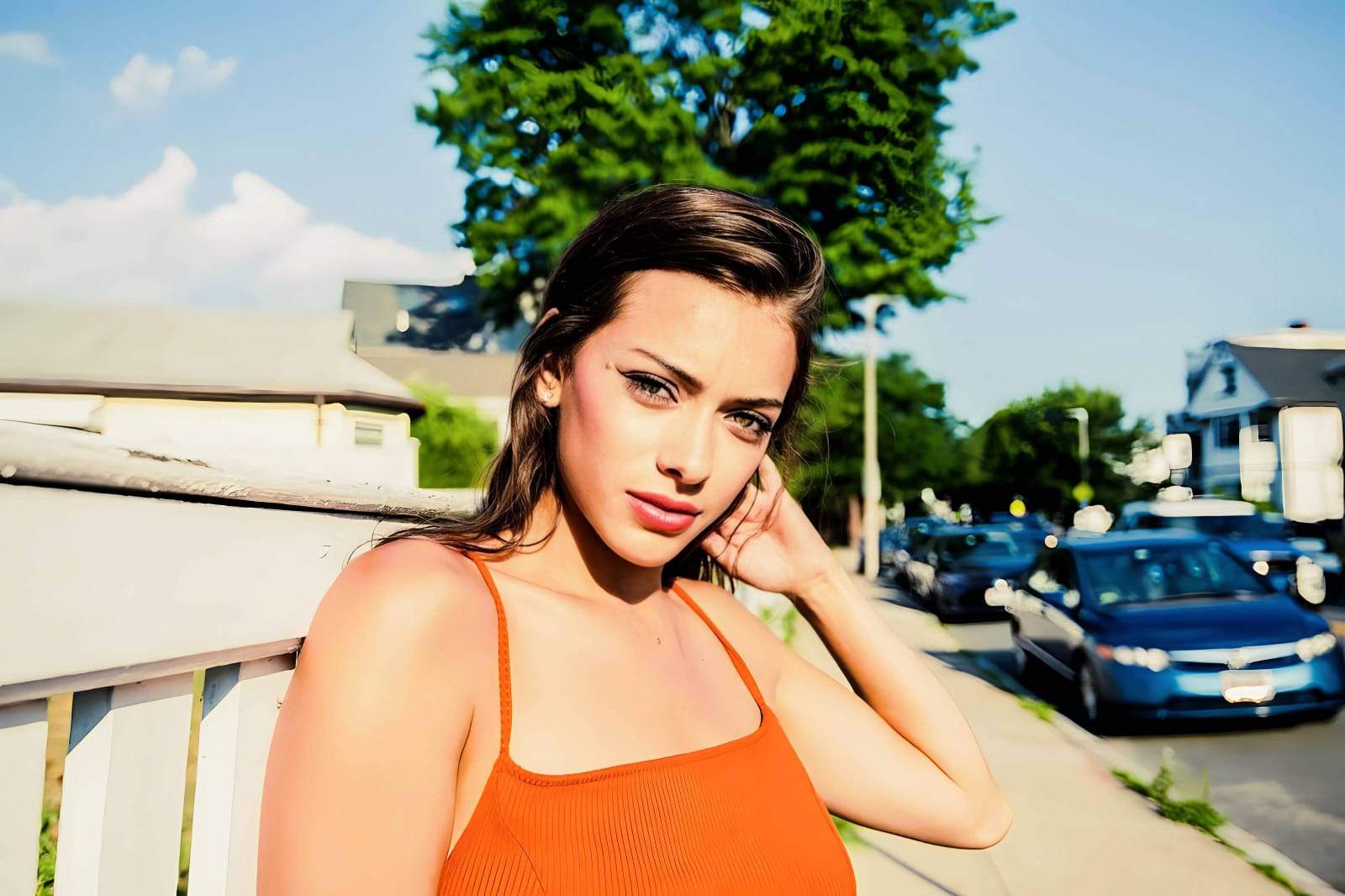
The iconic 2014 Tumblr Girl aesthetic is back, bringing a wave of deep, moody nostalgia. Think messy eyeliner, high-contrast flash, and a dramatic, pale grunge glow (the classic Effy Stonem or Lana Del Rey vibe). However, modern smartphone cameras actively fight against this aesthetic. Devices like the iPhone use aggressive computational HDR to perfectly balance shadows and over-sharpen every pore, completely killing the moody, high-contrast atmosphere. If you attempt to fix this by slapping uncalibrated vintage filters over a 4K selfie, your image just looks muddy and deep-fried. To successfully nail the effortless grunge look in 2026, you must natively dismantle the camera's HDR baseline before adding your vibe.
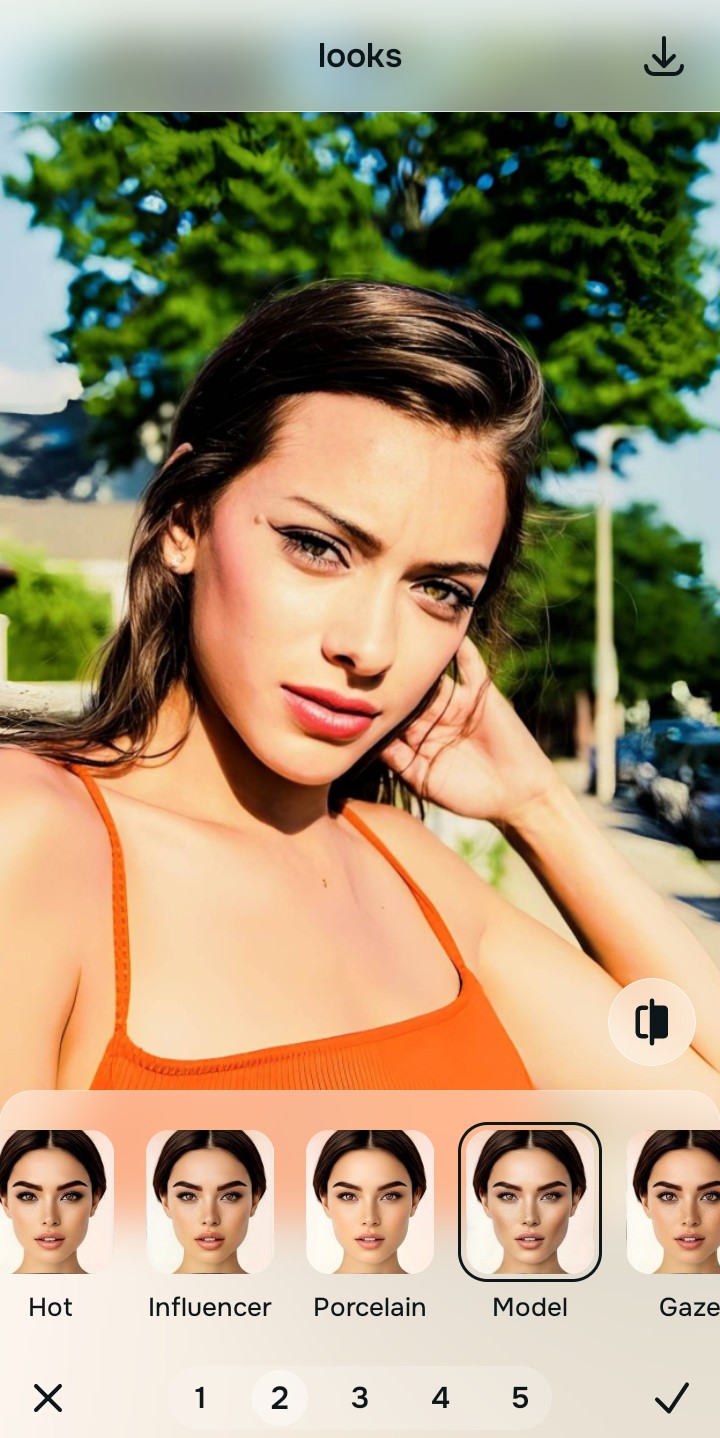
To recreate the moody, striking Tumblr aesthetic for free, prioritize native contrast rebuilding over dirty manual filters. Open your flat selfie inside Citrus and avoid vintage overlays entirely. First, tap Enhance → Colors & Lighting to reverse modern smartphone HDR and pull back deep, natural shadows globally. Next, navigate to Looks → Model and pick a clean Level 1–5 configuration. This mathematically injects that sharp, edgy, high-contrast glow natively while keeping your real face perfectly intact.
Why manual slider edits and fake filters ruin the moody vibe
The core issue with trying to recreate a grunge Tumblr vibe using legacy apps like VSCO (the home of the infamous C1 and HB2 filters) or Polarr is their reliance on manual slider manipulation. Dragging uncalibrated vignette, grain, and split-toning bars over a modern high-resolution photo severely deep-fries the pixel data. Furthermore, modern utility platforms like FaceApp default to heavy generative AI mask replacements, destroying the raw, authentic realism that defined the 2014 era. Escaping this low-quality trap requires finding a alternative to photoshop quick fixes pipeline that operates natively.
- Deep-frying your photo resolution by forcing uncalibrated vignette and grain sliders in Polarr and VSCO
- Replacing your real features with highly synthetic, generative AI slop using FaceApp and Remini
- Washing out your natural skin tones entirely by pasting heavy, flat vintage overlays via Tezza
- Smearing your organic pore structures into flat clay using outdated bilateral blurs in AirBrush
- Accessing powerful, high-resolution aesthetic processing workflows generously given for free
- Using mathematically calibrated Level 1–5 taps instead of destructive, dirty manual sliders
- Rebuilding vibrant, moody contrast patterns natively without altering your organic facial features
- Processing individual portraits in under 10 seconds with optional turbo batch speeds
When your content asset looks obviously degraded by fake grain or over-smoothed by AI, your digital feed loses that effortless grunge credibility instantly. Shifting to an advanced method to improve without changing real face dynamics ensures your features stay crisp, dramatic, and completely authentic.
Optimize moody light fields instantly. A structured level choice keeps your real skin texture completely intact.
How to automate a crisp Tumblr aesthetic natively in 5 steps
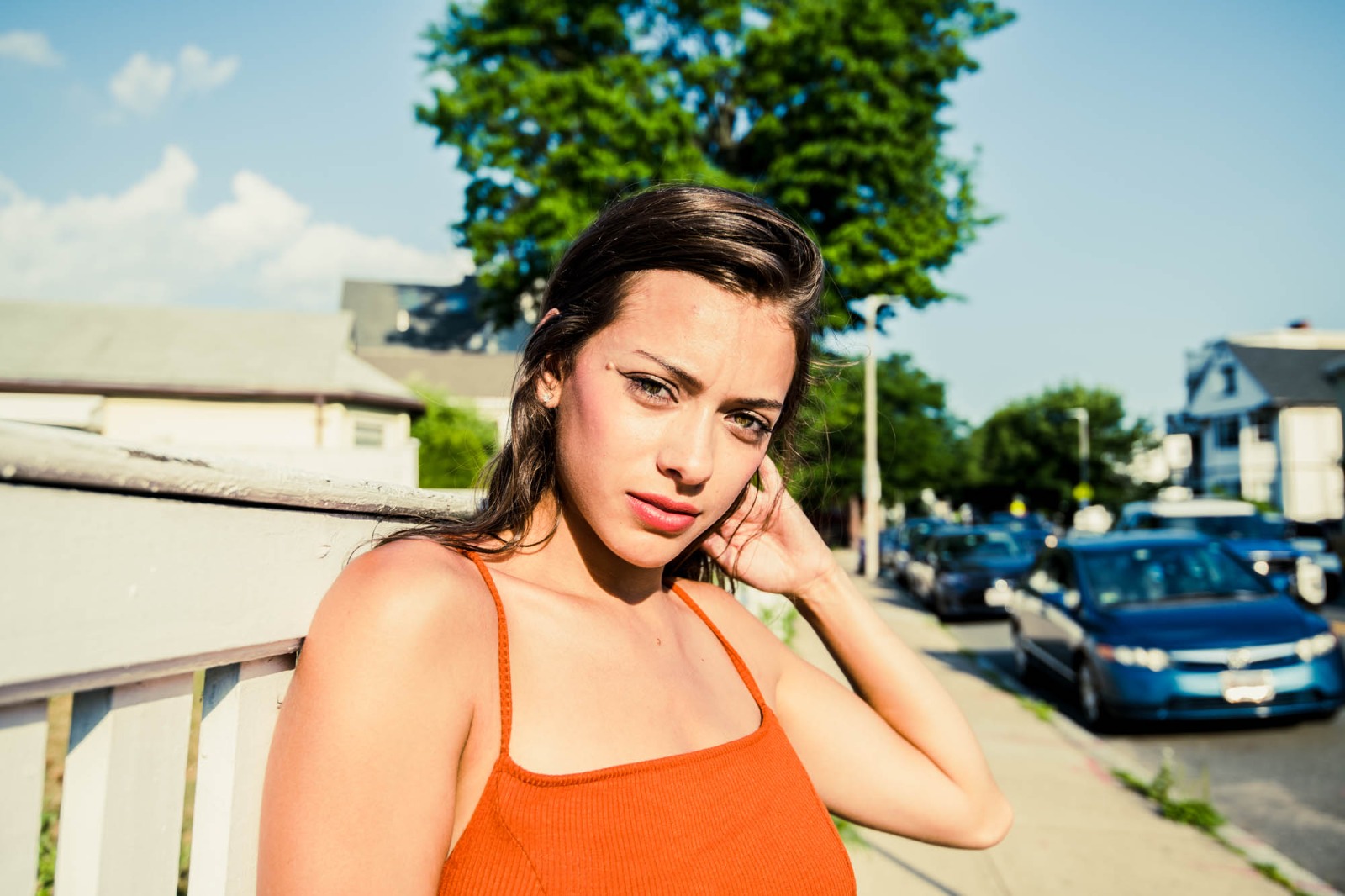
Upload a selfie flattened by modern camera hardware
Open your file rollout and choose a raw picture that suffers from flat iPhone HDR or gray camera washout. A successful transformation using an enhancer personal brand photos strategy starts by managing this exposure baseline correctly.
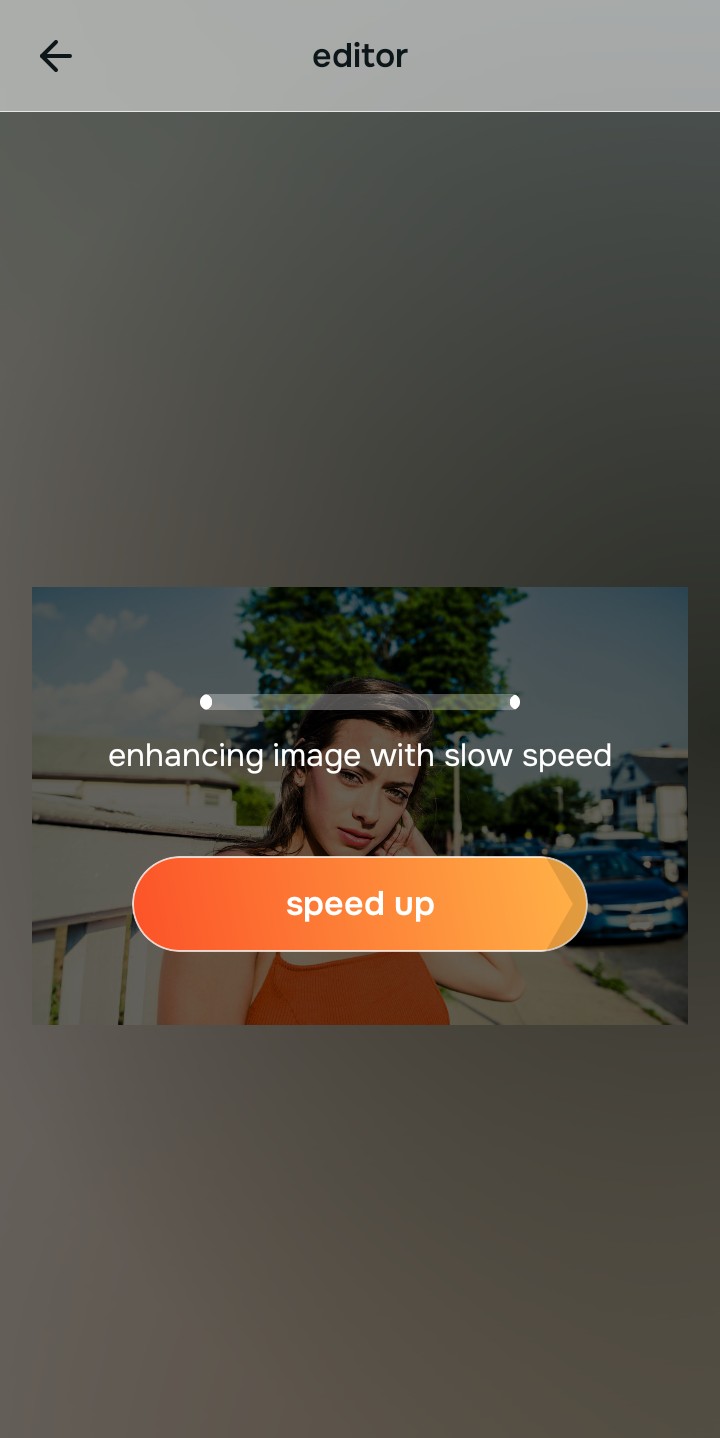
Let the real-time preview map the contrast coordinates
Citrus initializes its tracking grid instantly without forcing you through paywalled credit card registrations. This presents an active preview window so you can safely examine how the engine handles dark regions before processing.
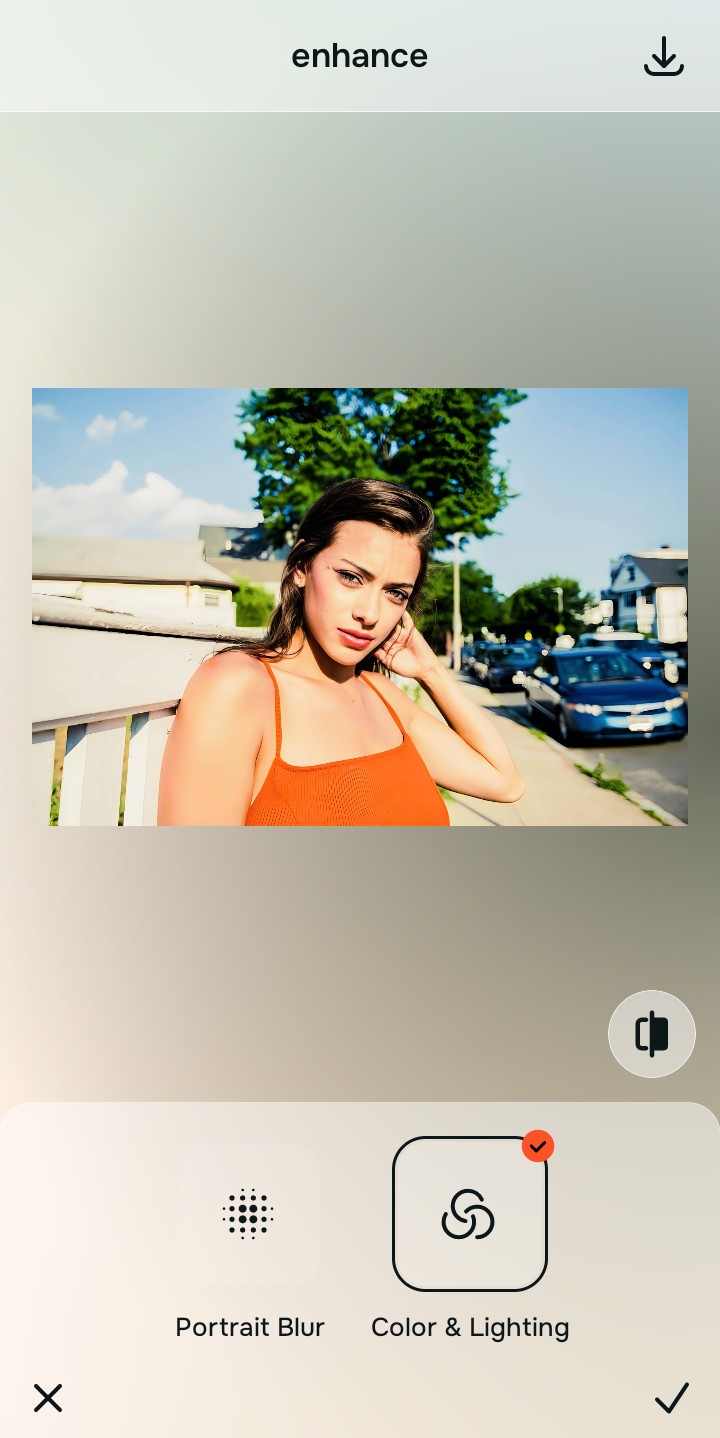
Tap Enhance and choose Colors & Lighting
Because dull, flat selfies are caused by global camera metering curves, tap Enhance → Colors & Lighting. This strips away muddy background noise cleanly. Rebuilding this exposure baseline is essential to reverse the flat HDR look before you try to make jawline look sharper or more defined.

Always balance global lighting zones before applying aesthetic vibes. Normalizing the base exposure map ensures subsequent high-contrast updates sit beautifully and invisibly without weird masking artifacts.
Tap Looks and select Model to inject a striking vibe
With your base light layers normalized, optimize your overall face impression natively. Tap Looks → Model. Select your preferred value from Level 1–5 to layer a crisp, edgy style. Utilizing a proper algorithmic tool designed for fixes tired puffy selfies ensures your organic texture remains intact.
Export your high-resolution, unwatermarked portrait
Citrus generously offers clean high-definition exports entirely for free with no hidden premium pop-ups. For creators looking to process moody night-out galleries rapidly, relying on a clean soft glow filter app alternative ensures your file remains pristine before posting.
What is lowering your current portrait quality?
Isolate your image's core mechanical issue. Your automated pipeline changes depending on the source error.
How to align your profile concerns with the right free pathway
Separate photo weaknesses necessitate independent menu paths. Selecting structured Level 1–5 tap options instead of raw manual sliders is the only way to lock in visual sharpness without generating AI slop.
| Tool Pathway | Primary Flaw Remediated | Automated Fix Strategy |
|---|---|---|
| Enhance Start here | Washed-out facial illumination, flat shadows, and compressed contrast fields | Use this first to establish a proper light foundation. Choose Colors & Lighting to balance layers for free. |
| Looks | Dull skin appearance, flat expressions, and tired overall image vibrancy | Use this to update the entire face impression. Select Model (Level 1–5) to coat your portrait in a striking polish. |
| Face | Targeted anatomical washouts like deep eye bags or dark shadow pockets | Use this last for precise feature tweaks. Select No Eyebags to safely fix dark circles no filter required. |
“Professional trend styling should never rewrite your skin details. It must simply normalize the exposure bugs so your native topography looks striking, clean, and authentic.”
Why precise level taps protect human skin texture better than manual sliders
There is a massive structural difference between balancing camera exposure natively and masking your face behind fake filters or generative slop. When you use manual sharpening, custom curve tools, or uncalibrated contrast sliders inside legacy platforms, the application compresses your data matrix, resulting in noticeable, deep-fried streaks across your skin features. This instantly ruins your file quality.
Citrus is built from the ground up to be the most natural enhancer ever created. By relying exclusively on mathematically precise Level 1–5 tap settings instead of unpredictable sliders, the engine maps your face securely, optimizing highlight tracking without hallucinating new facial characteristics. Utilizing targeted workflows naturally guarantees that your presentation remains sharp, trusted, and beautifully proportioned.