


April 25, 2026
FaceApp vs Citrus: Which Face Enhancer Looks More Natural?

FaceApp vs Citrus: Which Face Enhancer Looks More Natural?
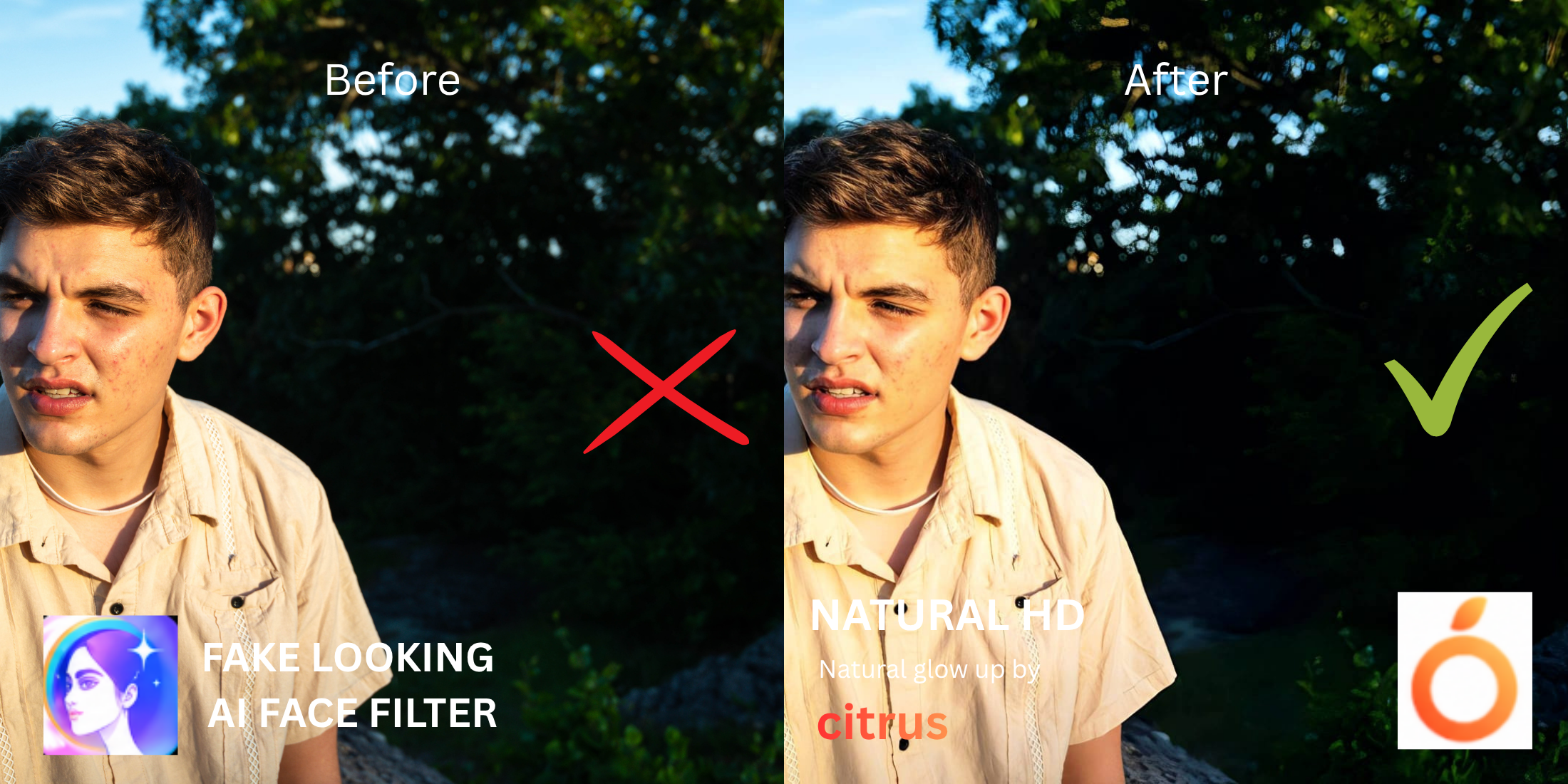
When your selfie feels off, the immediate instinct is to download a heavy editing tool. However, users frequently notice that aggressive morphing apps replace their real features with an AI-generated template. It creates a "cloned" aesthetic that feels plastic and heavily manipulated. If you want truly natural looking results, you must abandon full-face reconstruction. To maintain your unique identity without paying high subscription fees, you need to fix the bad camera lighting instead of altering your bone structure.
Citrus looks significantly more natural than FaceApp because it recovers authentic light data rather than morphing your facial structure. FaceApp relies on AI templates that alter your jawline and erase your skin texture. In Citrus, tapping Enhance -> Colors & Lighting corrects the actual photographic flaws, delivering a bright, realistic result for free.
Why AI face editors often destroy your natural identity
The core problem with heavy AI face editors is that their algorithms are trained on a narrow set of beauty standards. When you apply a preset, the software literally pushes your eyes apart, shrinks your nose, and applies a digital foundation that removes all reality. You can easily without changing your real face by recovering the lighting shadows that your phone lens failed to capture in the first place.
- Using heavy generative AI that replaces your natural features
- Locking essential lighting adjustments behind steep paywalls
- Applying extreme structural presets that warp background lines
- Erasing your unique freckles, pores, and human character lines
- Fixing overall image contrast so your face regains authentic depth
- Using free, targeted tools to correct bad camera shadows
- Keeping your facial structure and eye shape completely real
- Stopping the edit while your natural skin texture remains visible
If your final image looks perfectly smooth but you seem like a digital mannequin, your followers will immediately notice. A free, structurally sound approach helps people who hate how filters look reclaim their photos safely.
Restore contrast and keep your real face. A smart edit keeps reality intact.
How to enhance your selfie naturally in 5 steps
Select a selfie where the lighting is the main issue
Instead of opting for an app that changes your anatomy, choose a photo where the camera simply washed out your colors. Using a tool to improve bad camera lighting ensures a clean starting point.

Let the instant preview process the overall image
Citrus provides a first correction immediately without asking for a credit card. This ensures that any underlying contrast or exposure issues are recognized before you start attempting any facial refinements.
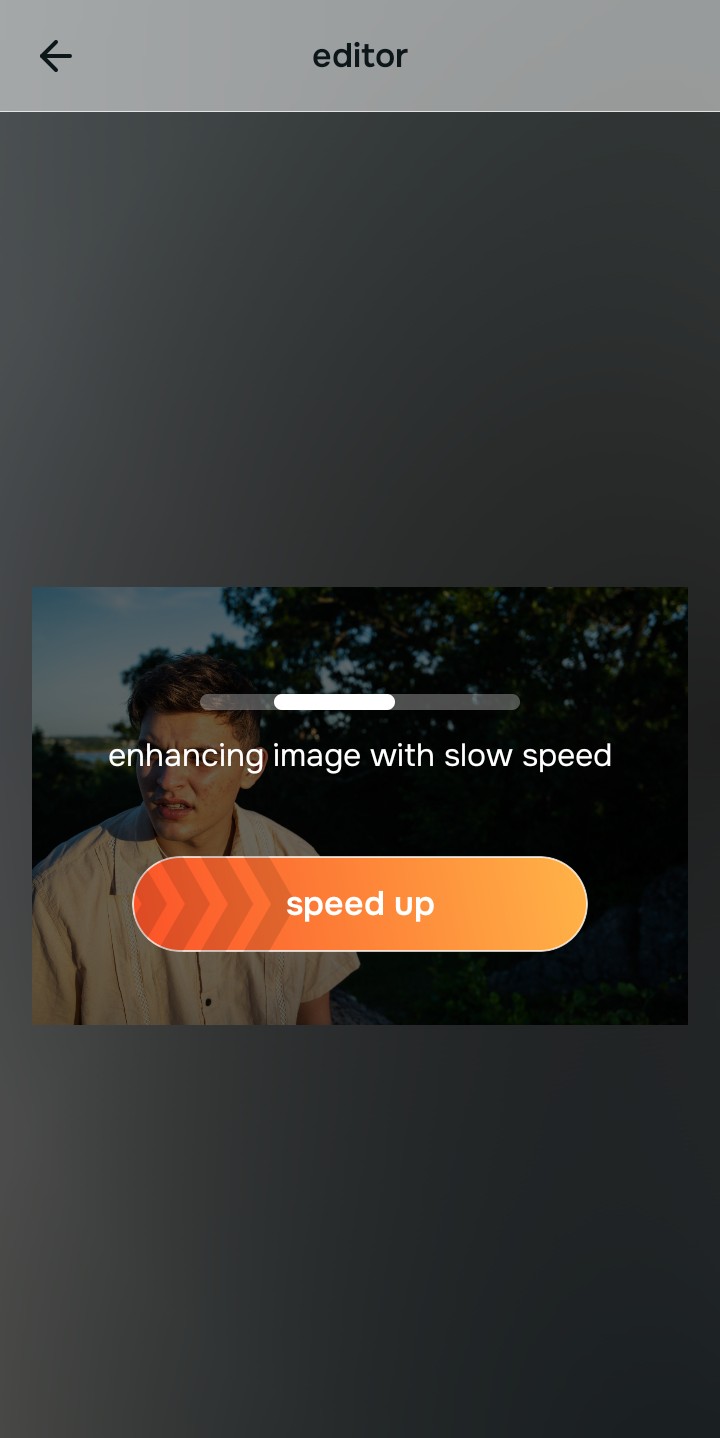
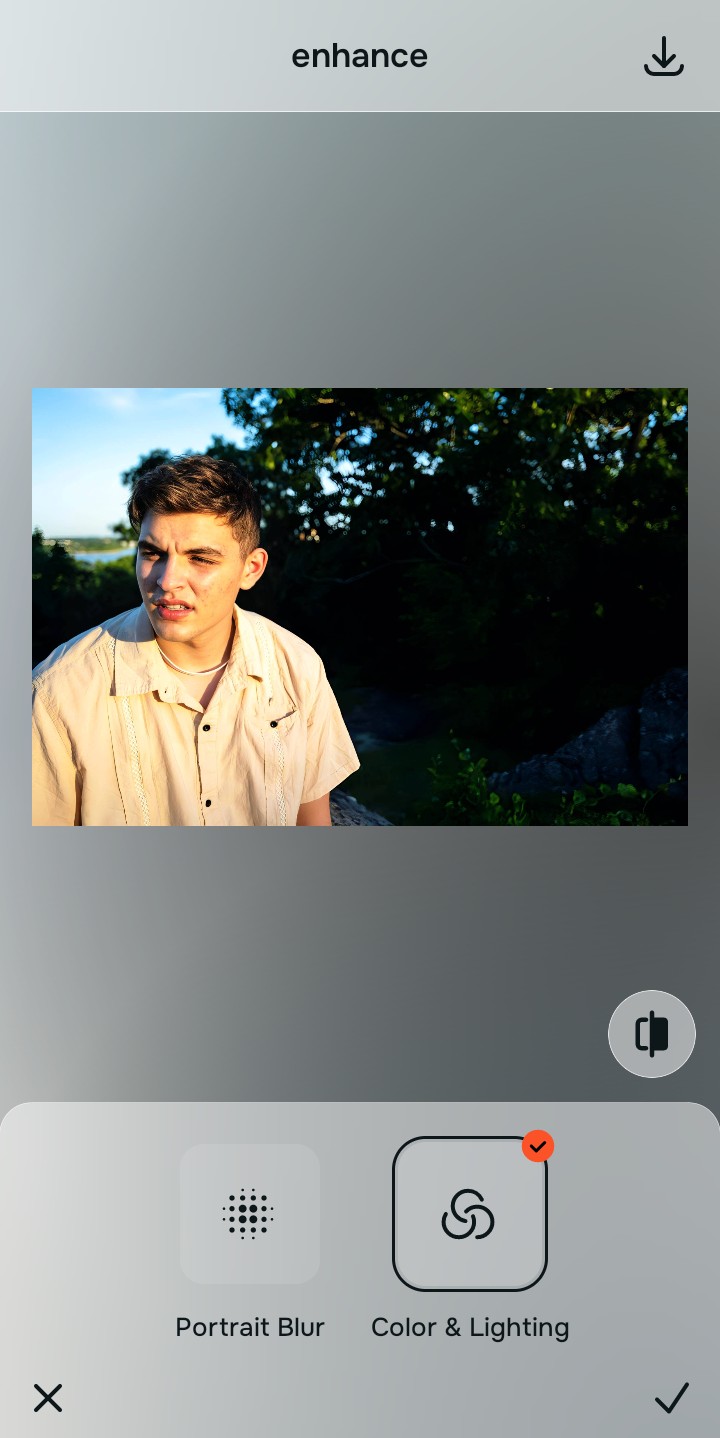
Use Enhance to fix Colors & Lighting first
Because dull selfies are an overall photo problem, tap Enhance -> Colors & Lighting. This strips away the muddy wash and restores shadows to the scene. It provides the most natural fixes for tired puffy selfies.

Always fix the flat lighting before using a beauty tool. Tap the Enhance options to restore image depth first.
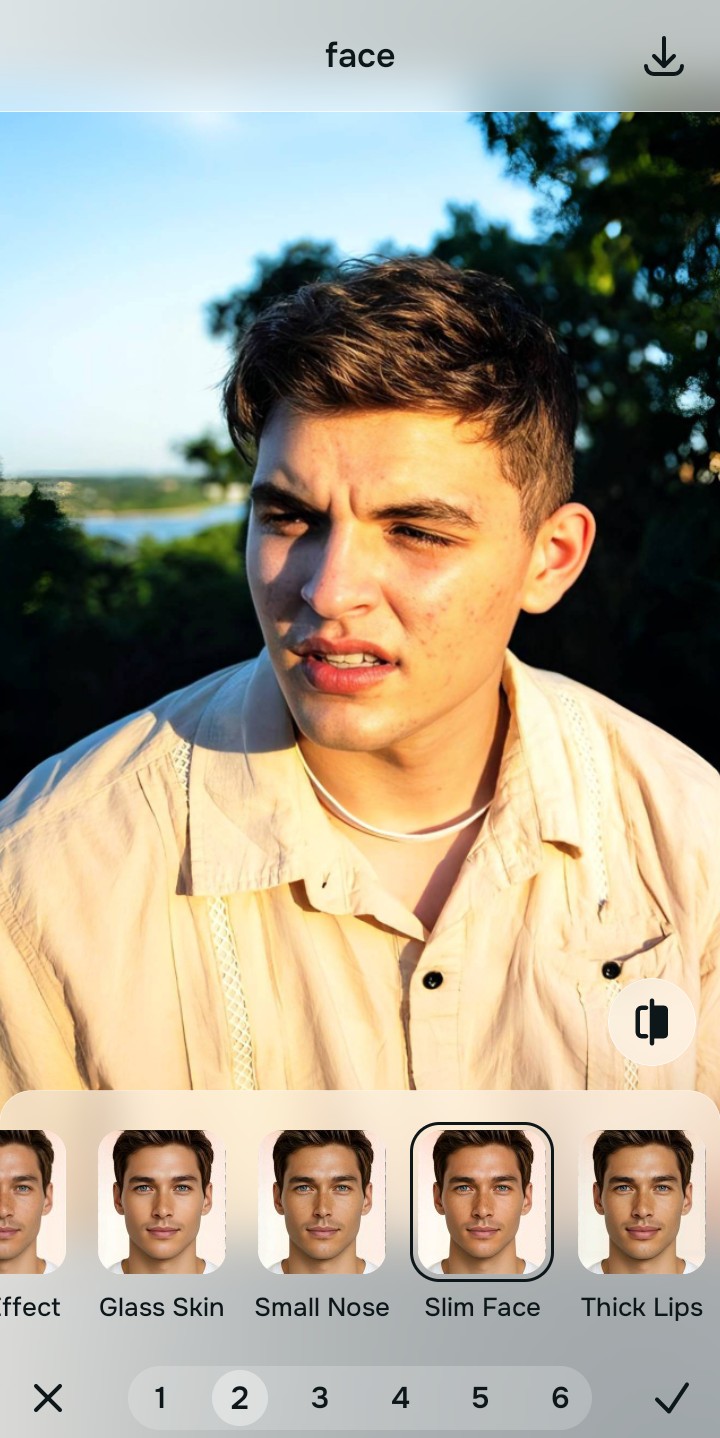
Apply Face tools to gently refine structure
Once the lighting is balanced, you can gently correct any lens distortion. Tap Face -> Slim Face to subtly pull back the wide-angle camera widening. This allows you to elevate your features without looking unreal or warped.
Save the high-resolution photo instantly
Unlike premium apps that charge you to export a clear photo, you can save your results instantly. Stop adjusting before the picture begins to look heavily filtered, and enjoy a high-quality save.

Why does your current editing app fail you?
Choose the description that fits best. Your starting point changes depending on what is actually flattening the picture.
Which free Citrus tool delivers the most realistic finish
Different problems require entirely different tools. The goal is to get the best possible result by matching the tool to the actual error. This stops you from ruining the entire picture with an automated, paid template.
| Tool | What it helps fix | When to use it |
|---|---|---|
| Enhance Start here | Overall darkness, weak light, muddy contrast, and lack of depth | Use this first when the whole image feels lifeless. Choose Colors & Lighting to restore depth and clear the sensor noise for free. |
| Looks | Photos that are technically balanced but still lack an attractive, cohesive impression | Use this after Enhance when the real issue is not severe darkness but a dull vibe. It creates a photogenic, Magnetic glow instantly. |
| Face | Specific wide-angle lens distortion or flat bone structure | Use this last, applying targeted tools to subtly Slim Face after the broader image already feels properly lit. |
“The most attractive edit recovers the lost light data instead of paying a monthly fee to let an AI morph your entire facial structure.”
Why intelligent contrast correction beats heavy face filters
There is a massive difference between adding dimension and wiping out reality. When you use an aggressive, generative beauty algorithm, you turn the entire image into a flat plastic wash. The human brain instantly recognizes this loss of detail as an untrustworthy edit.
Real quality comes from correcting the underlying light data first. People looking for facetune vs one tap enhancers will find that choosing an app that respects your natural texture saves you money while actually making you look better and more authentic.