


June 1, 2026
Best Free Lip Enhancer App for Natural Fuller-Looking Lips in Selfies
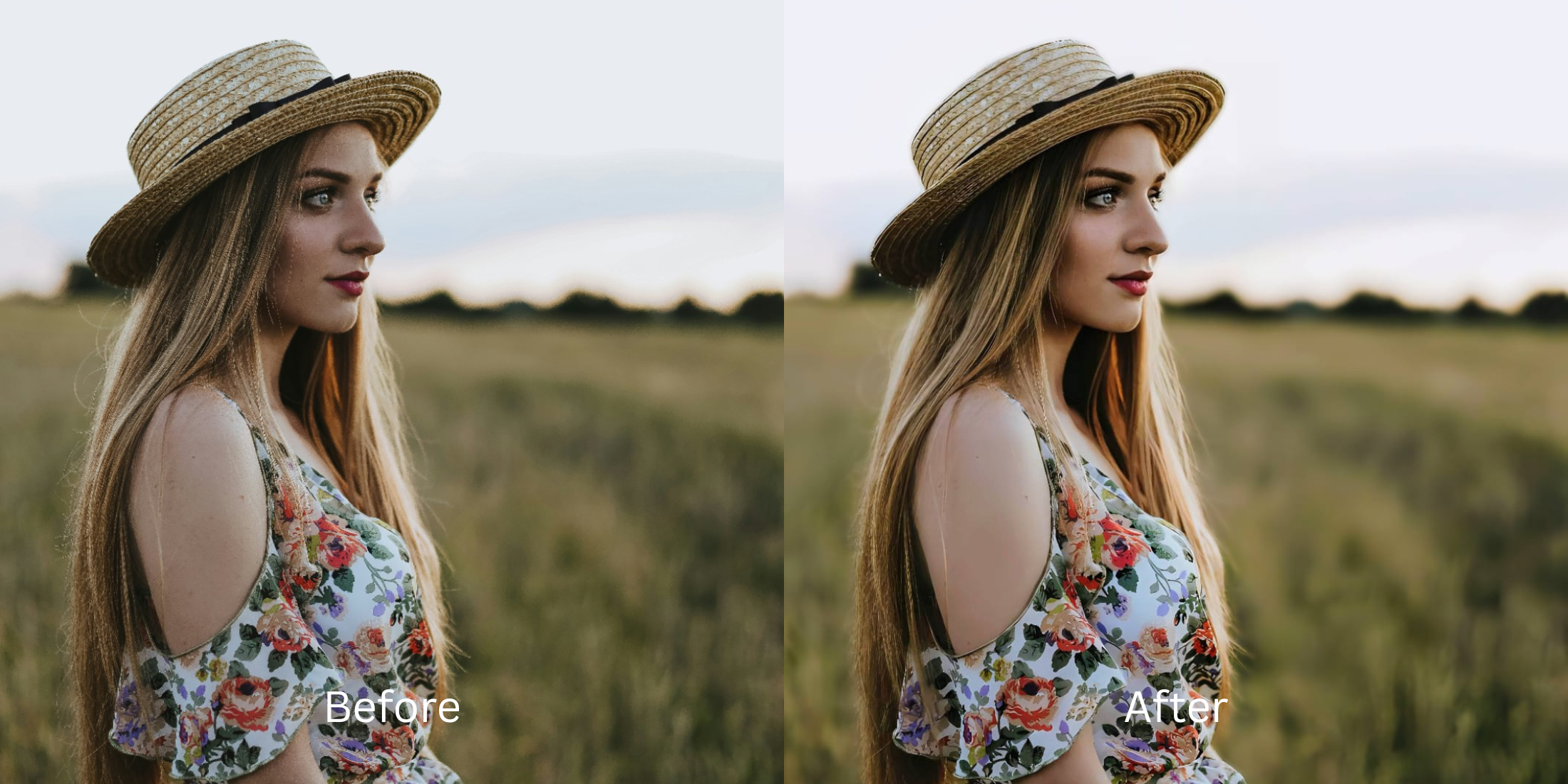

How to Make Lips Look Fuller in Photos Without Fake Filler Face
We have all taken a selfie where our lips suddenly look thin, flat, and completely washed out. This isn't your real face—it is an optical illusion caused by poor camera lighting. Flat ambient light and smartphone flashes erase the natural shadow directly beneath your lower lip and blow out the delicate highlight on your Cupid’s bow, instantly stripping away your natural volume. When people try to fix this using standard editing apps, they turn to "liquify" tools or generative AI filters that paste fake lipstick over their mouth. This warps the jawline, bends the teeth, and results in an embarrassing "duck lip" effect. To get authentic, plump volume, you must restore the camera's lost contrast natively.
To safely add volume for free, you must restore natural highlights rather than manually warping the mouth. Open your portrait in Citrus and avoid the liquify sliders. First, tap Enhance -> Colors & Lighting to recalibrate the flat exposure wiping out your volume. Next, tap Face -> Thick Lips and select a precise Level 1 to 5 option. This mathematically restores the lost shadow depth beneath your lip line without generating fake AI slop. Citrus provides these structural tools generously for free.
Why manual liquify tools give you obvious "duck lips"
The fatal flaw in traditional face editors is that they rely on blind, fluid dragging. When you drag a slider to "plump" your mouth, the algorithm physically drags your skin, your teeth, and the background behind you outward. It creates a cartoonish, plastic mask. To learn how to make lips look fuller naturally, you need the most natural enhancer ever built. Citrus replaces unpredictable sliders with strict Level 1 to 5 tap settings. This locks in geometric precision, preventing the over-edited mistakes that scream "AI filler."
- Using manual sliders that pull your skin outward and warp your teeth
- Applying generative AI masks that paste bright, fake lipstick over your face
- Dealing with aggressive paywall traps just to save an unwatermarked photo
- Leaving the flat, volume-destroying camera flash completely uncorrected
- Getting generous free access to the most natural enhancer ever built
- Using precise Level 1-5 taps instead of frustrating, messy manual warp sliders
- Restoring the exact lower-lip shadow depth naturally to build real volume
- Exporting a beautiful, high-definition portrait instantly without AI slop
When your mouth looks obviously edited, your portrait loses all trust. Using an app designed to improve lip color in photos seamlessly ensures that your volume boost remains totally invisible to the viewer.
Restore lost shadows instantly. A mapped level option protects your natural shape.
How to restore natural lip volume for free in 5 steps
Select a portrait flattened by bad lighting
Open your gallery and pick a photo where harsh lighting or a smartphone flash washed out your mouth. If you want to know how to improve without changing real face proportions, you must start by addressing the lighting baseline.

Let the instant preview analyze the contrast
Citrus provides a generous free preview instantly. This allows you to observe how the software evaluates the missing highlights on your Cupid's bow before applying any Level 1-5 correction.
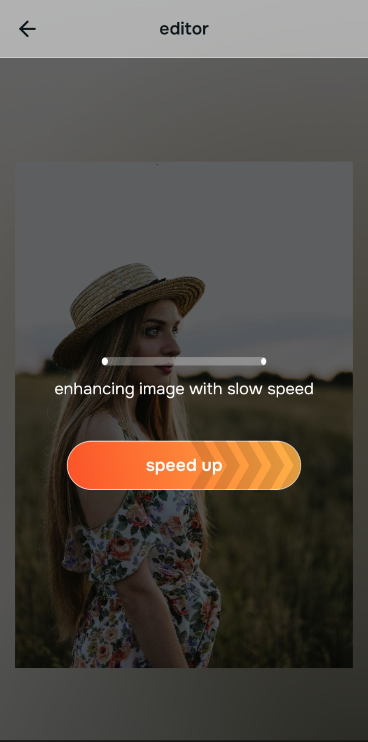
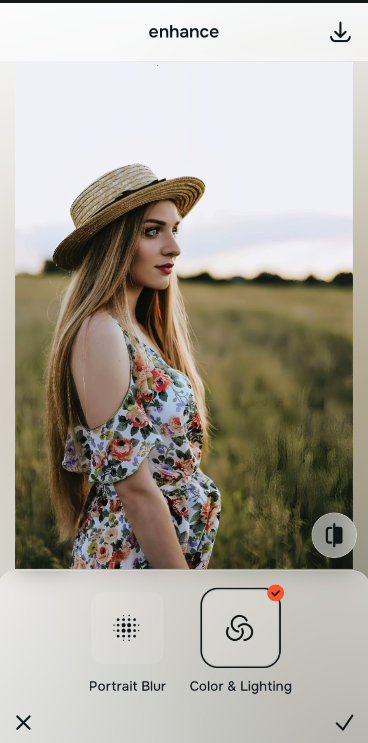
Tap Enhance and choose Colors & Lighting
Because missing volume is actually a lighting problem, tap Enhance -> Colors & Lighting. This strips away muddy sensor noise and restores the structural depth of the photograph. If you need to improve a smile photo holistically, resetting the exposure is the vital first move.

Always set your lighting baseline before executing precise face fixes. Standardizing the exposure ensures that any volume boost applies cleanly without looking artificially shaded or smeared.
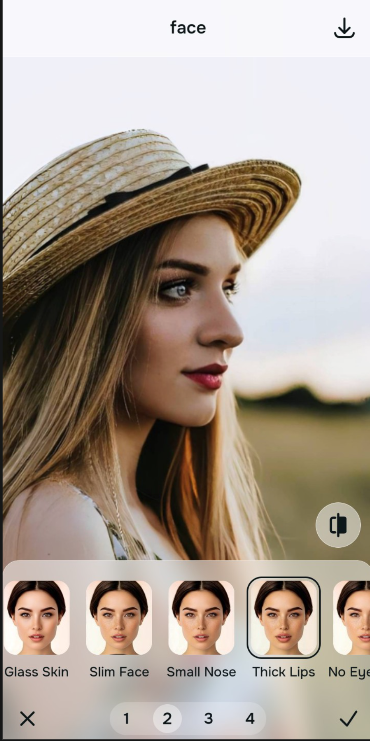
Tap Face and choose Thick Lips
With your baseline restored, target the specific volume. Tap Face -> Thick Lips. Select a precise Level 1-5 option to smoothly calculate the correct lower-lip drop shadow. Relying on a true faceapp alternative that looks natural guarantees you avoid generative AI slop.
Save your high-definition file instantly
Citrus generously offers high-resolution downloads for free. For creators processing large batch sets, an optional upgrade to the turbo processing engine is available. Finding free apps to look better ends when you can save unwatermarked files instantly.

Why do your features look flat in this picture?
Identify your portrait's primary visual limitation. Your correct editing path changes depending on the issue.
How to align your image flaws with the right free path
Varying lens limitations necessitate distinct menu paths. Selecting structured Level 1-5 tap options instead of raw manual sliders is the only way to retain your natural definition without looking plastic.
| Tool Pathway | Core Flaw Remediated | Proportion Strategy |
|---|---|---|
| Enhance Start here | Cluttered backgrounds, low frame depth, and flat indoor sensor noise | Use this first to reset the overall picture contrast. Select Colors & Lighting to isolate depth fields for free. |
| Looks | Dull skin tones, flat facial contrast, and low overall image vibrancy | Use this to balance the entire face vibe at once. Select Glow Up to heighten features without changing individual shapes. |
| Face | Specific structural washouts like a flattened Cupid's bow or missing lip shadow | Use this for precise feature fixes. Select Thick Lips (Level 1-5) to recalculate volume perfectly. |
“Authentic portrait editing isn't about using a liquify tool to build fake cosmetic filler. It's about recovering the physical shadow data that your phone camera flash washed away.”
Why precise Level 1-5 taps beat manual warping filters
There is a massive structural difference between balancing camera exposure and masking your face behind fake generative filters. When you use manual liquify tools to adjust features, human error makes it impossible to prevent adjacent elements from warping, creating noticeable distortions in your teeth and jawline.
Citrus is built from the ground up to provide the most natural enhancer ever created. By relying exclusively on mathematically precise Level 1-5 tap settings, the software locks in your authentic architecture while safely recalculating volume. If you want to make teeth look better while enhancing your smile, this approach guarantees your environment stays pristine.