


August 24, 2026
Why Does Portrait Mode Blur Hair, Glasses, or Ears Instead of the Background?
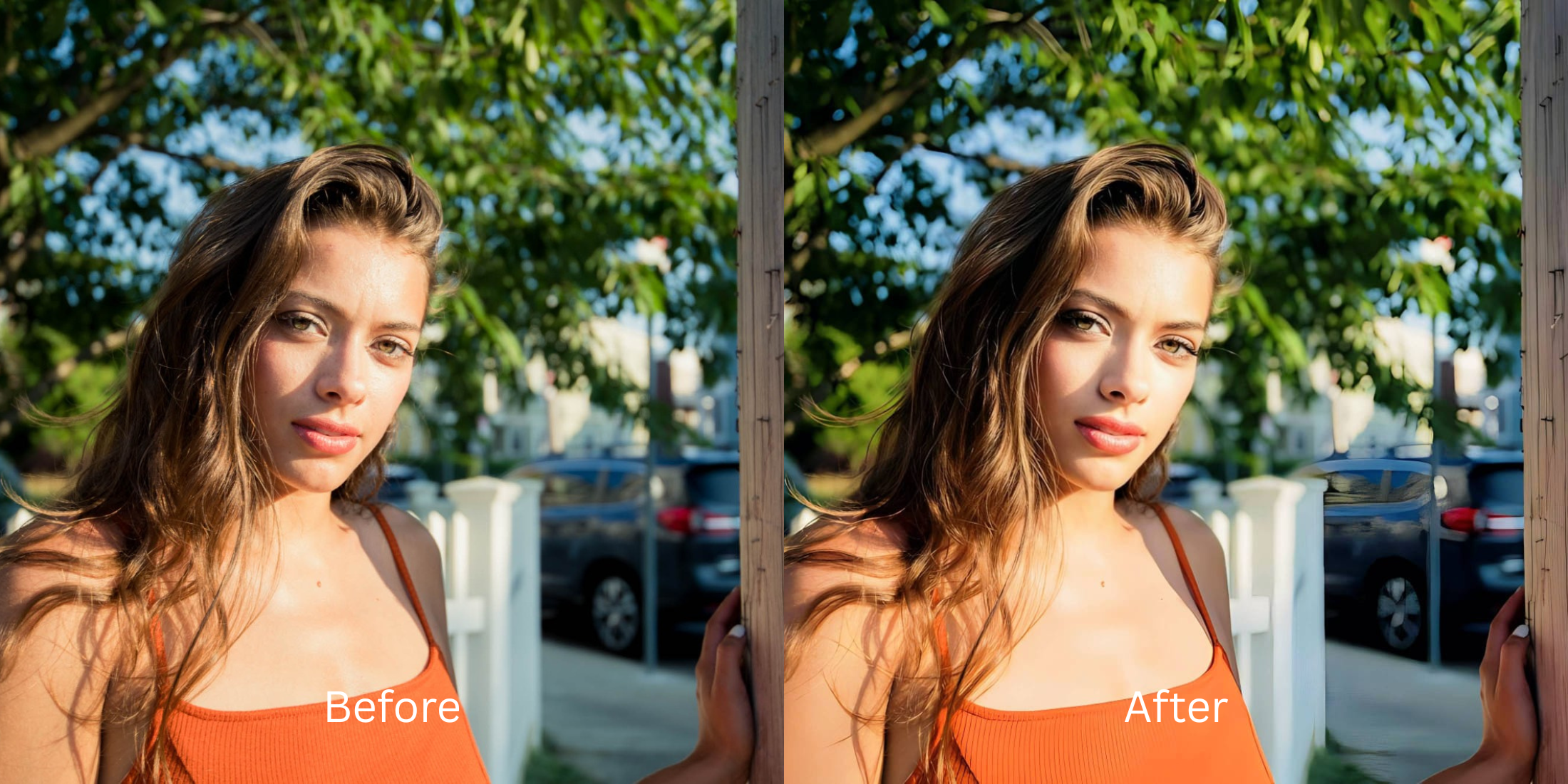

Why Does Portrait Mode Blur Hair, Glasses, or Ears Instead of the Background?
We've all taken a fantastic portrait mode shot, only to realize later that the software accidentally chopped off half of our ear, blurred our glasses frames, or turned loose hair into a jagged digital mess. This happens because modern smartphones do not use real optical glass to create that blurry background (bokeh). Instead, they use a combination of LiDAR sensors and AI algorithms to guess what constitutes the "foreground" and what belongs to the "background." When the software encounters thin, transparent, or complex geometry—like wireframe glasses or curly hair—it fails to categorize them correctly. It clips them off, leaving you with an unnatural "Photoshop cutout" look. To fix this without ruining the photo, you need an optical engine that replaces binary software cutouts with authentic, physical lens simulation.
Portrait Mode blurs hair and glasses because its software depth-map makes incorrect, binary guesses about complex edges. To restore these blurred features naturally, use Citrus AI. Instead of applying harsh cutouts, Citrus mathematically simulates true optical depth, recovering fine facial coordinates and rolling off the background smoothly.
Understanding the "Depth-Map Edge Clipping" Trap
The core issue with native smartphone portrait modes is that they treat depth as a hard line, rather than a gradient. A real DSLR camera gradually shifts out of focus, gracefully wrapping around complex edges. A phone camera uses a binary mask—if an object is not 100% recognized as part of your face, it gets aggressively blurred. Escaping this requires a workflow designed to out of focus blur physically, rebuilding the 3D space.
- Applying a harsh, jagged cutout line around your head that makes you look like a pasted sticker
- Failing to recognize transparent objects, completely blurring out the edges of your glasses
- Melting fine, curly, or flyaway hair into the background, destroying natural volume
- Forcing you to fix one blurry face manually because the AI misjudged the focal plane
- Simulating true DSLR lens physics to gradually soften the background without hard clipping
- Isolating high-frequency details to sharpen hair without pores becoming exaggerated
- Recovering structural clarity on glasses, ears, and facial edges seamlessly
- Allowing you to safely unblur a face without overediting or generating fake pixels
When your camera's software accidentally erases your glasses or hair, basic sharpening sliders won't bring them back. Shifting to an optical workflow helps you recover that better frame in live photo memory, ensuring your portrait stays defined and completely human.
Optimize portraits beyond artificial cutouts. A structured optical enhancement brings natural depth and recovers clipped edges instantly.
A 5-Step Test: Restoring Blurred Hair and Glasses with Optical Depth-Mapping
Upload the raw, unedited camera roll photo
If possible, turn off the native Portrait Mode effect in your phone's gallery to reveal the original image, or upload the flawed photo directly. Starting with clean sensor data is essential to recover low resolution photo details correctly.

Let the instant preview calculate optical balance
Citrus provides an instant baseline correction immediately. Instead of applying a binary cutout mask, Citrus analyzes the continuous depth gradient of the environment and your facial biometrics simultaneously.

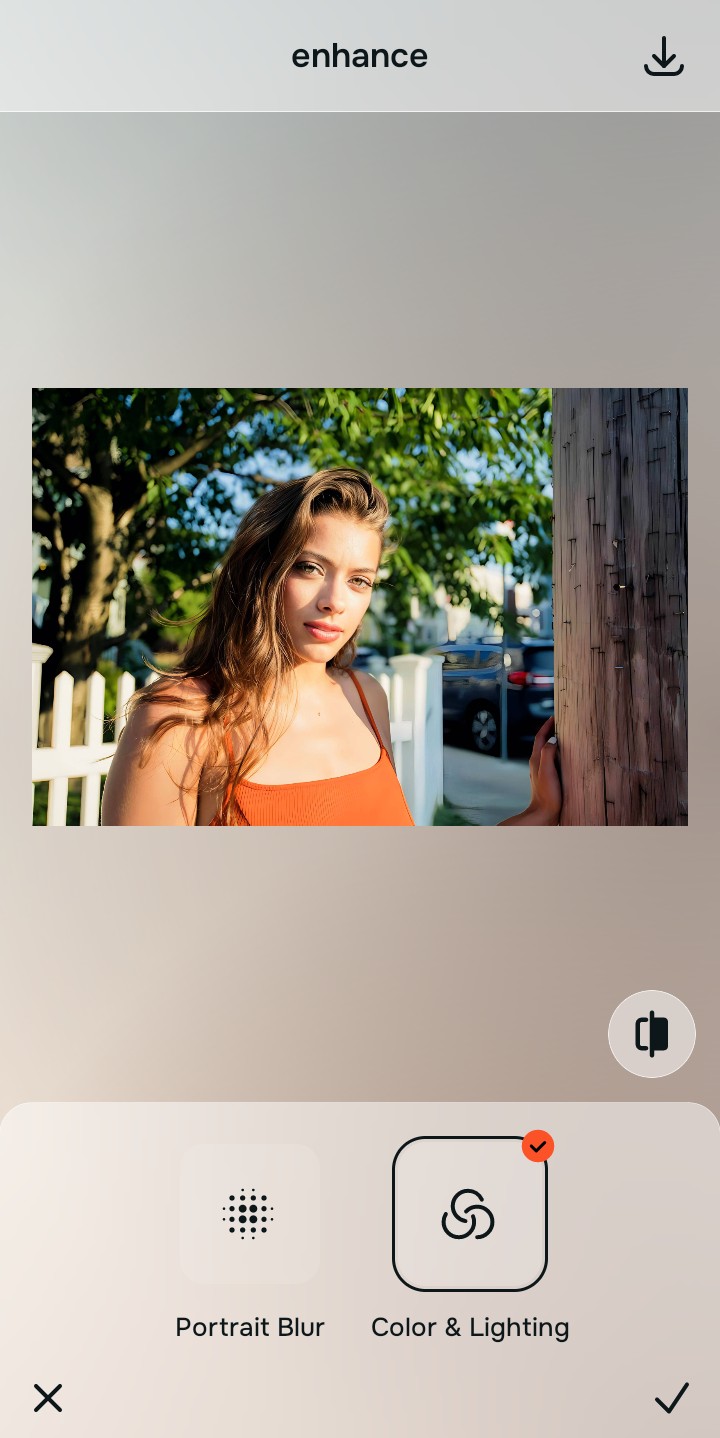
Tap Enhance and choose Portrait Blur for natural depth
Native camera software clips your edges. In Citrus, tap Enhance → Portrait Blur. This mathematically simulates a fast aperture lens, softening the background naturally. It allows fine details like loose hair, ears, and glasses frames to safely transition into the focal plane without being aggressively chopped off.

Always correct global optical depth before recovering facial sharpness. Fixing the base background blur mathematically ensures that subsequent focal enhancements sit naturally on real structural geometry.
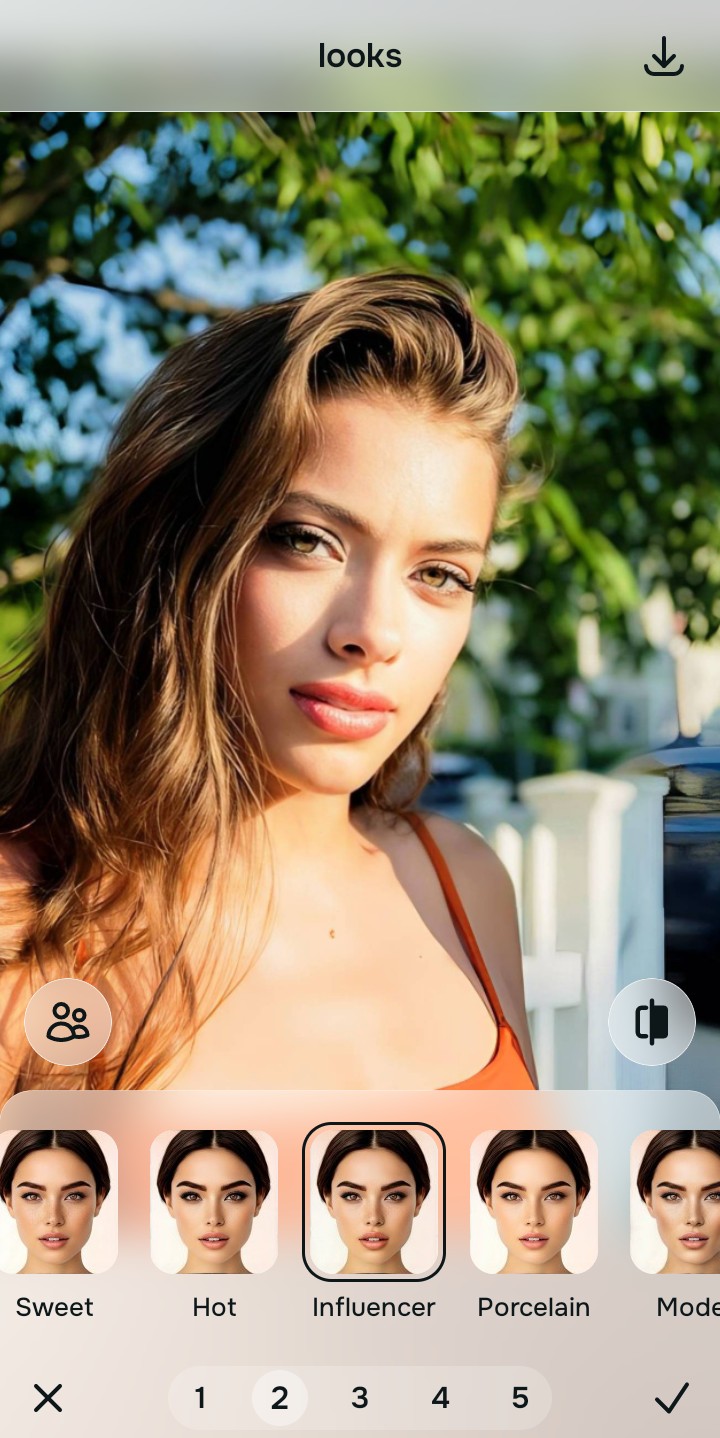
Tap Face and select Influencer to recover clipped edges
Because the original camera blurred your glasses or hair, you must restore their sharpness. Tap Looks → Influencer in Citrus. Select your preferred value from Level 1–5. This precisely targets high-frequency geometric structures, recovering the clarity of your glasses, ears, and hair without applying a noisy, global sharpening filter.
Export your high-resolution, uncompressed portrait
Citrus provides clean, unwatermarked HD exports completely for free. You achieve true DSLR-like optical depth, successfully able to remove grain without smoothing skin or losing your peripheral features.

How did Portrait Mode fail your photo?
Identify your primary optical hurdle to select the exact automated pathway in Citrus.
Aligning Your Edits with the Citrus Taxonomy
Instead of fighting against your phone's faulty depth-map, Citrus categorizes enhancement into three distinct, mathematically safe pathways:
“Portrait photography should never make you look like a sticker pasted onto a blurry background. It must mathematically simulate true lens physics so your hair, glasses, and ears remain naturally integrated with your environment.”
Why Optical Depth Simulation Beats Software Depth Maps
There is a massive structural difference between authentic optical depth and software-driven depth masks. When a modern phone applies Portrait Mode, it uses a neural network to draw a line around what it thinks is a human. If you have curly hair or transparent glasses, the software gets confused, draws the line inside your actual perimeter, and smears the rest into the background.
Citrus is built specifically to reverse this. By constraining adjustments to mathematically calibrated Level 1–5 settings across Enhance, Looks, and Face, it simulates true optical depth gradients, restoring natural sharpness to your edges while strictly protecting your true facial identity. You get a clean, DSLR-quality photo in one tap without the cutout artifacts.