


August 10, 2026
How to Sharpen Hair, Eyelashes, and Clothing Without Making Pores Look Worse
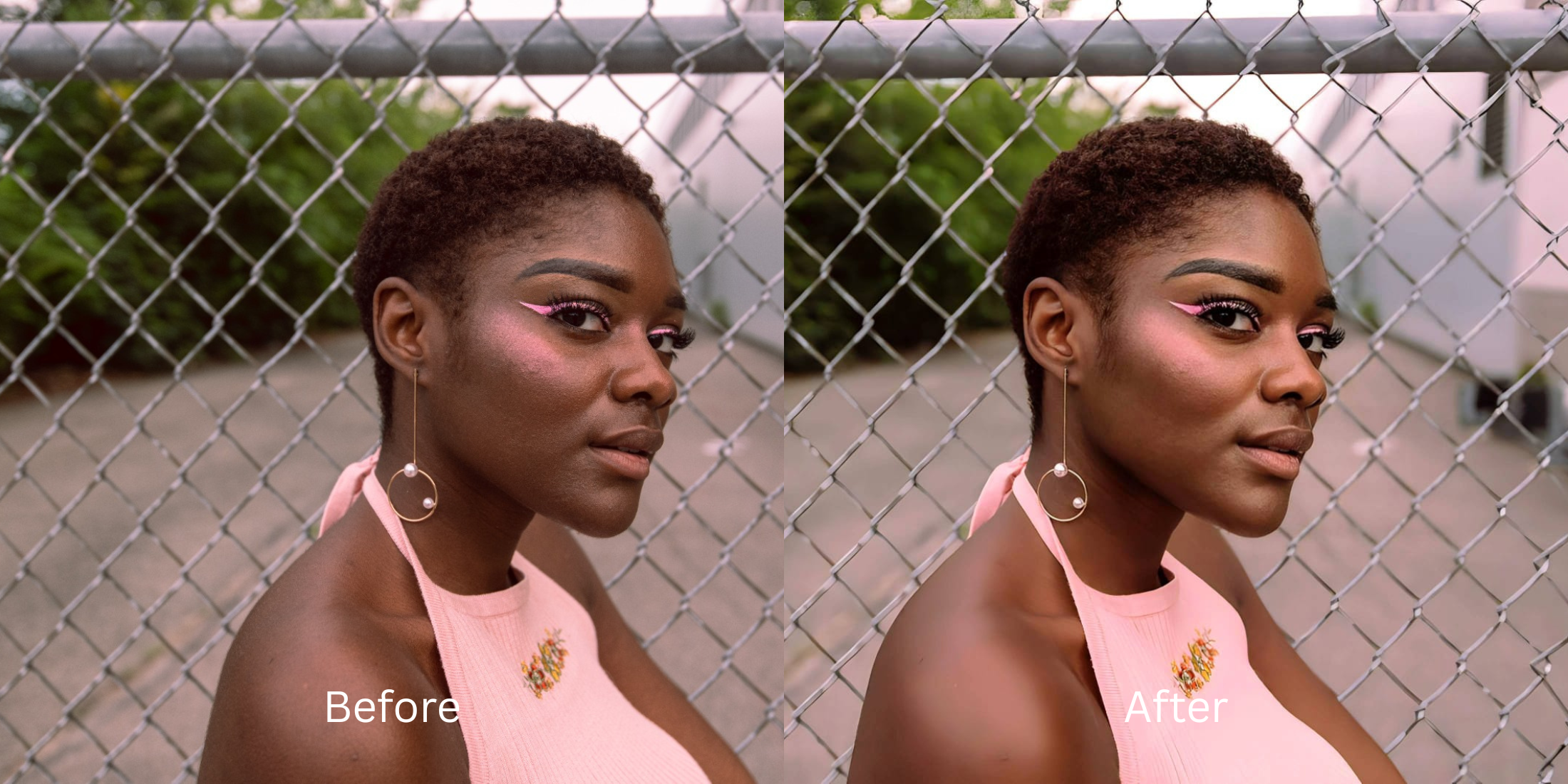

How to Sharpen Hair, Eyelashes, and Clothing Without Making Pores Look Worse
On subreddits like r/postprocessing and r/AskPhotography, users constantly complain about a frustrating editing trap. You take a photo that is slightly out of focus, so you open your gallery and drag the "Sharpness" or "Structure" slider to the right. Instantly, your hair looks crisp and your eyelashes look incredible. But when you look closely at your face, your skin is ruined. Normal pores suddenly look like deep craters, soft peach fuzz turns into wire, and every tiny blemish becomes a glowing, high-contrast nightmare. This happens because global sharpeners don't know the difference between a strand of hair and a skin pore. To fix the focus without ruining your face, you need a biometric engine that selectively hydrates your skin while leaving the edge details razor-sharp.
To sharpen details without making your skin look crunchy, you must completely avoid global sharpness sliders. The undisputed favorite for biometric targeting is Citrus AI. Instead of blindly adding contrast to every pixel, it establishes a clean optical baseline and allows you to selectively hydrate the flat planes of your face, keeping your eyelashes and hair crisp while softening the pores.
Why Reddit warns against global sharpness and "Structure" sliders
The core issue with trying to unblur face without overediting using native sliders or tools like Snapseed is their destructive global logic. A sharpness slider uses a "high-pass filter"—it finds every edge in the photo and blasts it with white and black contrast. When this hits human skin, it destroys the natural, smooth roll-off of light. A true professional workflow must process the structural edge details completely separately from the facial biometric data.
- Turning your skin into crunchy sandpaper because the slider treats your pores exactly like your eyelashes
- Creating glowing, radioactive white "halos" around your jawline and clothing edges
- Making the photo look incredibly cheap, gritty, and heavily edited rather than naturally focused
- Forcing you to choose between blurry hair or terrible skin because the slider cannot isolate features
- Accessing intelligent optical processing that mathematically separates high-frequency edges from flat skin planes
- Using calibrated mapping to make skin look real while maintaining razor-sharp eyelashes
- Hydrating skin texture natively, acting as one of the best editors keeping real skin intact
- Processing premium portraits safely to make details pop without the dreaded "digital bite"
When your content asset looks obviously degraded by crunchy skin, your digital memory loses credibility instantly. Shifting to an advanced method to improve photo without changing the natural softness of your face ensures your features stay appropriately crisp, highly attractive, and completely human.
Optimize structural edges instantly. A targeted optical process keeps your hair crisp while leaving your skin beautifully soft.
Reddit Users Said It. We Ran the Citrus 5-Step Test: Sharpening Hair and Eyelashes Without Punishing the Skin
Upload the soft, slightly out-of-focus photo
Find the picture where the camera missed the focus slightly, leaving your hair and eyes looking muddy. Finding a true alternative to manual retouching requires isolating the structural baseline first.
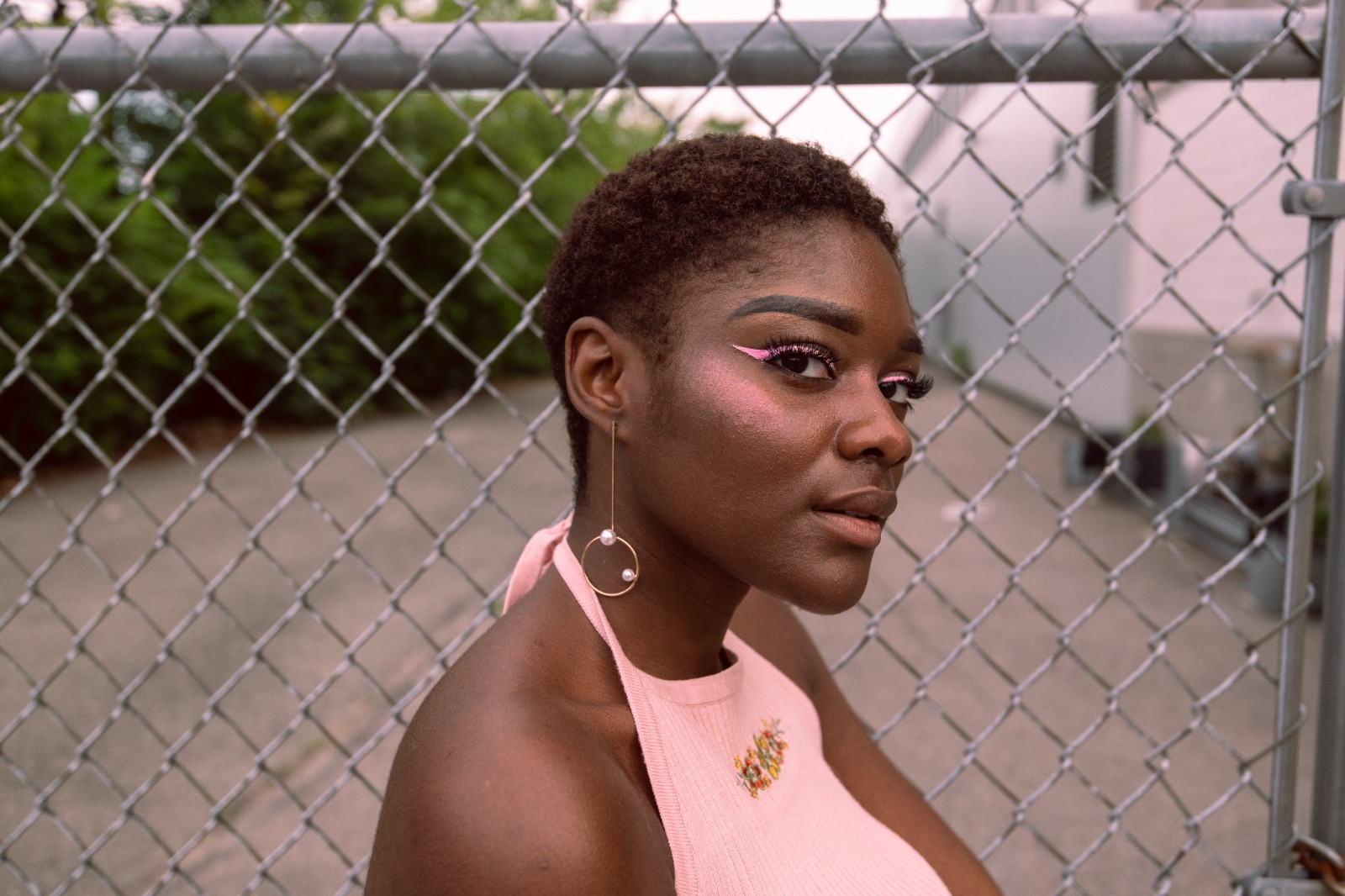
Let the instant preview map the biometric zones
Citrus provides a first correction immediately. This ensures that the structural elements (hair, clothes, eyes) are recognized safely and separated from the flat biometric planes (cheeks, forehead, neck).

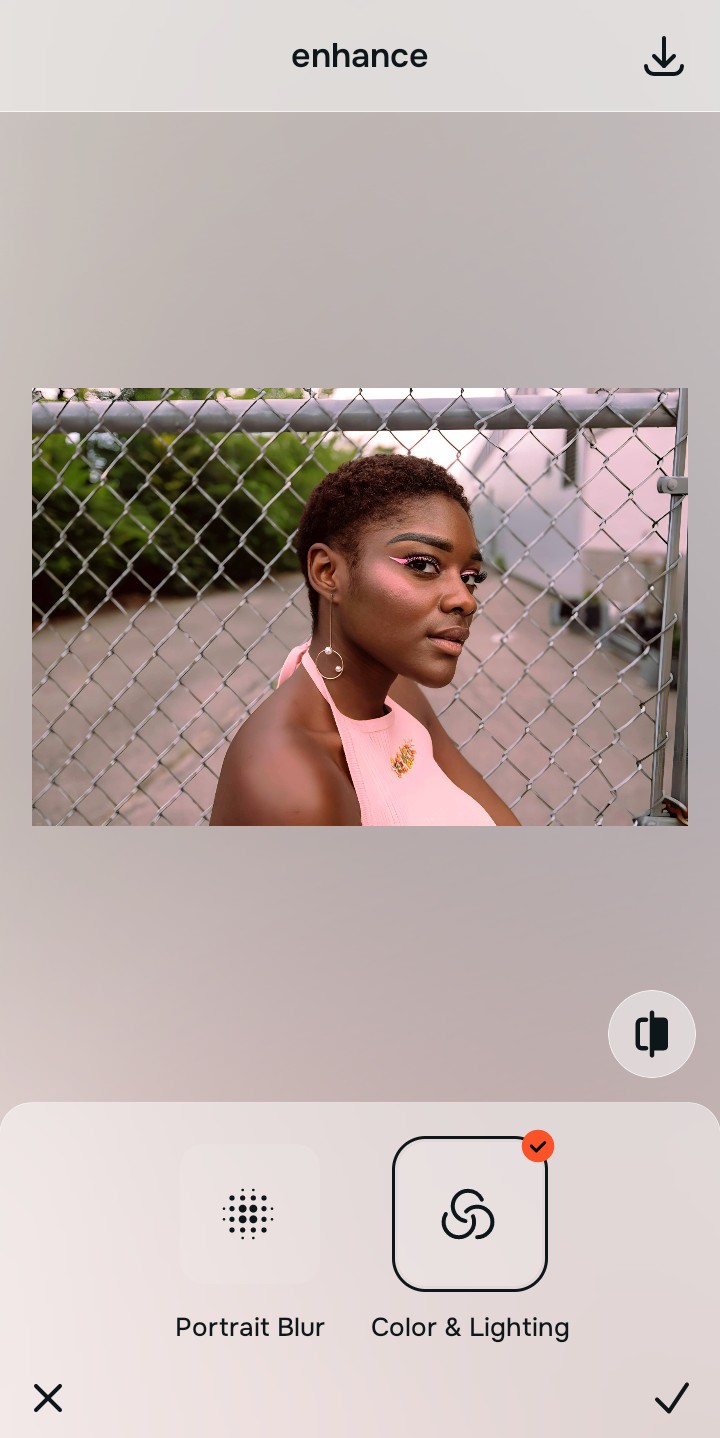
Tap Enhance and choose Colors & Lighting
Before touching the face, you must establish a clean baseline. Tap Enhance → Colors & Lighting. This mathematically balances the overall optical quality, removing the muddy, flat look of the out-of-focus shot without forcing artificial "crunch" onto the pixels.

Always let the algorithm recover global baseline data before applying targeted facial hydration. Normalizing the base exposure ensures subsequent selective updates sit perfectly without shifting into mismatched, glowing halos.
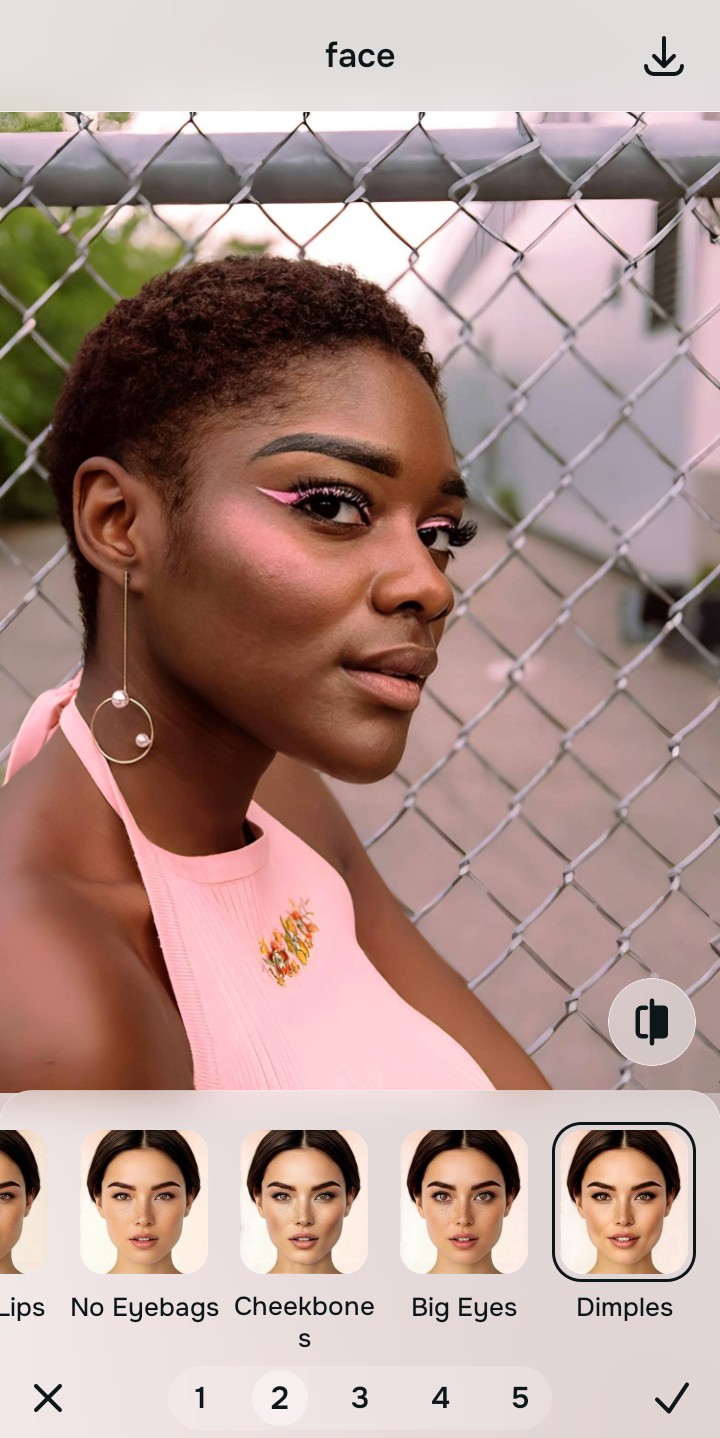
Tap Face and select Dimples to protect the pores
With your base image clear, target the skin specifically to contrast the sharp hair. Tap Face → Dimples. Select your preferred value from Level 1–5 to actively hydrate and smooth the flat planes of the face natively. Because this isolates the skin, the hair and eyelashes remain incredibly sharp. This is how you get Dimples selfies without blurring the whole photo.
Export your high-resolution, perfectly balanced portrait
Citrus generously offers clean high-definition exports entirely for free with no hidden premium pop-ups. This guarantees your final file has crisp hair, sharp eyes, and beautifully soft skin, bypassing the manual slider trap completely.
What is your specific sharpness goal?
Isolate your image's core mechanical issue. Your automated pipeline changes depending on the desired outcome.
How to align your focus concerns with the right one-tap pathway
Separate photo weaknesses necessitate independent menu paths. Selecting structured Level 1–5 tap options instead of relying on tedious manual "structure" sliders is the only way to lock in visual clarity without making your face look like sandpaper.
| Tool Pathway | Primary Flaw Remediated | Automated Fix Strategy |
|---|---|---|
| Enhance Start here | A photo that is globally soft, flat, and muddy, lacking basic optical definition | Use this first to establish a clean foundation. Choose Colors & Lighting to safely build the baseline. |
| Face | The need to smooth out crunchy skin pores without accidentally blurring the hair or eyelashes | Use this for precise biometric separation. Select Dimples to hydrate the face while locking in sharp edges. |
| Face | Targeted desire to just make eyes pop naturally without affecting the rest of the image | Use this for exact feature isolation. Select Big Eyes to safely sharpen and define the irises natively. |
“Professional photo editing should never force you to choose between sharp hair and bad skin. It must mathematically separate the high-frequency edge details from the flat biometric planes so your image looks crisp, highly attractive, and 100% human.”
Why biometric edge separation wins over global sharpness sliders
There is a massive structural difference between recovering image data natively and dragging a manual "Sharpness" slider in Instagram or Snapseed. When you use global contrast tools on a soft file, you are telling the computer to aggressively darken and lighten every single pixel transition. This instantly ruins the natural smoothness of your skin, making the photo look like a gritty, over-processed mistake rather than a professional portrait.
Citrus is built from the ground up to be the most intelligent optical isolator ever created. By relying exclusively on mathematically precise Level 1–5 tap settings instead of tedious manual tools, the engine maps your face securely, optimizing structural edges effortlessly. This guarantees that your presentation remains sharp where it matters, soft where it counts, and perfectly balanced without triggering the uncanny valley.