


September 22, 2026
Should You Enhance a LinkedIn Headshot? Recruiter Trust, Realism, and What to Avoid
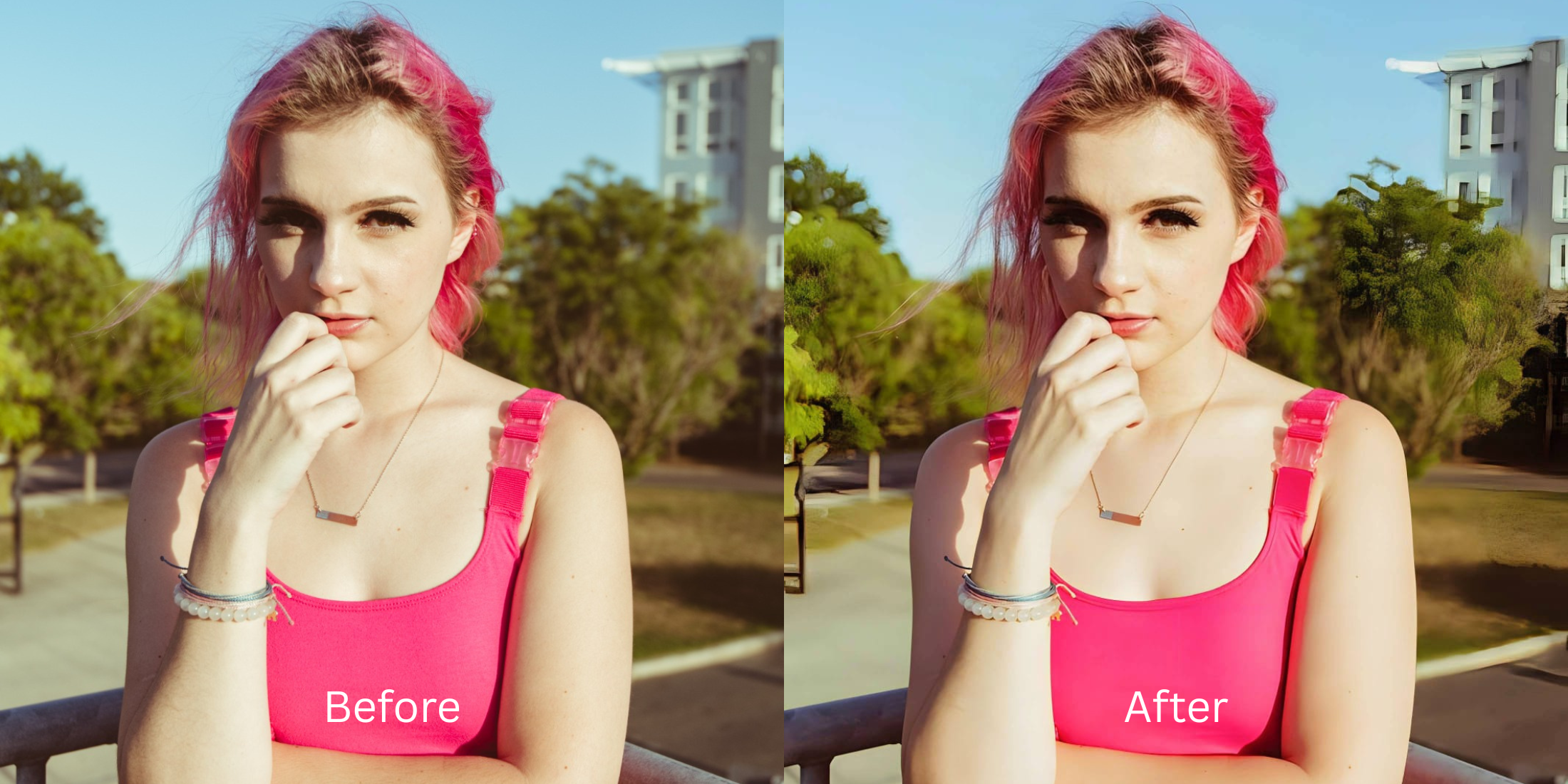

Should You Enhance a LinkedIn Headshot? Recruiter Trust, Realism, and What to Avoid
Your LinkedIn headshot is often your first impression with a recruiter, and the pressure to look flawless is immense. So, you take a casual selfie and run it through a standard AI enhancer to make it look "professional." Suddenly, your face looks completely unrecognizable. This is the trap of the "Plastic Professional" caused by Generative Diffusion Models. When these models try to clean up a low-quality photo, they aggressively apply "Subsurface Scattering Erasure." In reality, human skin is slightly translucent; light penetrates the surface, bounces around the pores, and scatters back out, giving skin its lifelike texture. Generative AI destroys this physics completely, erasing the micro-texture and leaving you with an opaque, waxy, mannequin-like mask. In a professional networking environment, this triggers a subconscious "uncanny valley" response from recruiters. Even if they don't know exactly what's wrong, their brain flags the image as fake—and by extension, flags *you* as untrustworthy. Enhancing your headshot is highly recommended, but you cannot use generative airbrushing. You need an optical engine capable of Biometric Micro-Texture Retention—mathematically creating a professional depth of field and removing fatigue while locking your authentic skin pores strictly in place.
Generative AI airbrushing destroys real skin texture, making you look like a waxy mannequin and destroying recruiter trust. To look professional and authentic, use Citrus AI. Instead of erasing your pores, Citrus isolates your face to create professional depth and removes under-eye shadows natively.
Understanding the "Subsurface Scattering Erasure" Trap
The core issue with trying to look professional via AI is that generative models prioritize generic smoothness over physical reality. Knowing how to improve headshots linkedin without photographer fees requires an engine that respects human texture.
- Destroying subsurface light scattering, turning your skin into a flat, opaque, waxy mask
- Triggering subconscious mistrust by failing the profile photo trust test edits severely
- Over-whitening teeth and eyes until you look like a terrifying CGI video game character
- Failing to separate you from a messy background, missing the goal to make casual portraits look professional
- Mathematically locking the true geometric pore structure of your face while isolating the background
- Providing the ultimate workflow to make face look rested apps strive for naturally
- Serving as the best ai enhancer profile pictures engine by refusing to hallucinate fake features
- Allowing professionals to make skin look real edited flawlessly without losing their identity
When software attempts to make you look employable by erasing your actual face, you fail the authenticity check. Shifting to an optical workflow helps you gracefully remove eye bags photos naturally, ensuring your headshot commands immediate trust.
Upgrade your headshot without the plastic look. A structured optical enhancement isolates your face and removes fatigue while locking your true identity in seconds.
A 5-Step Test: Upgrading a Casual Selfie to a Trusted Headshot
Upload the raw, unedited casual selfie
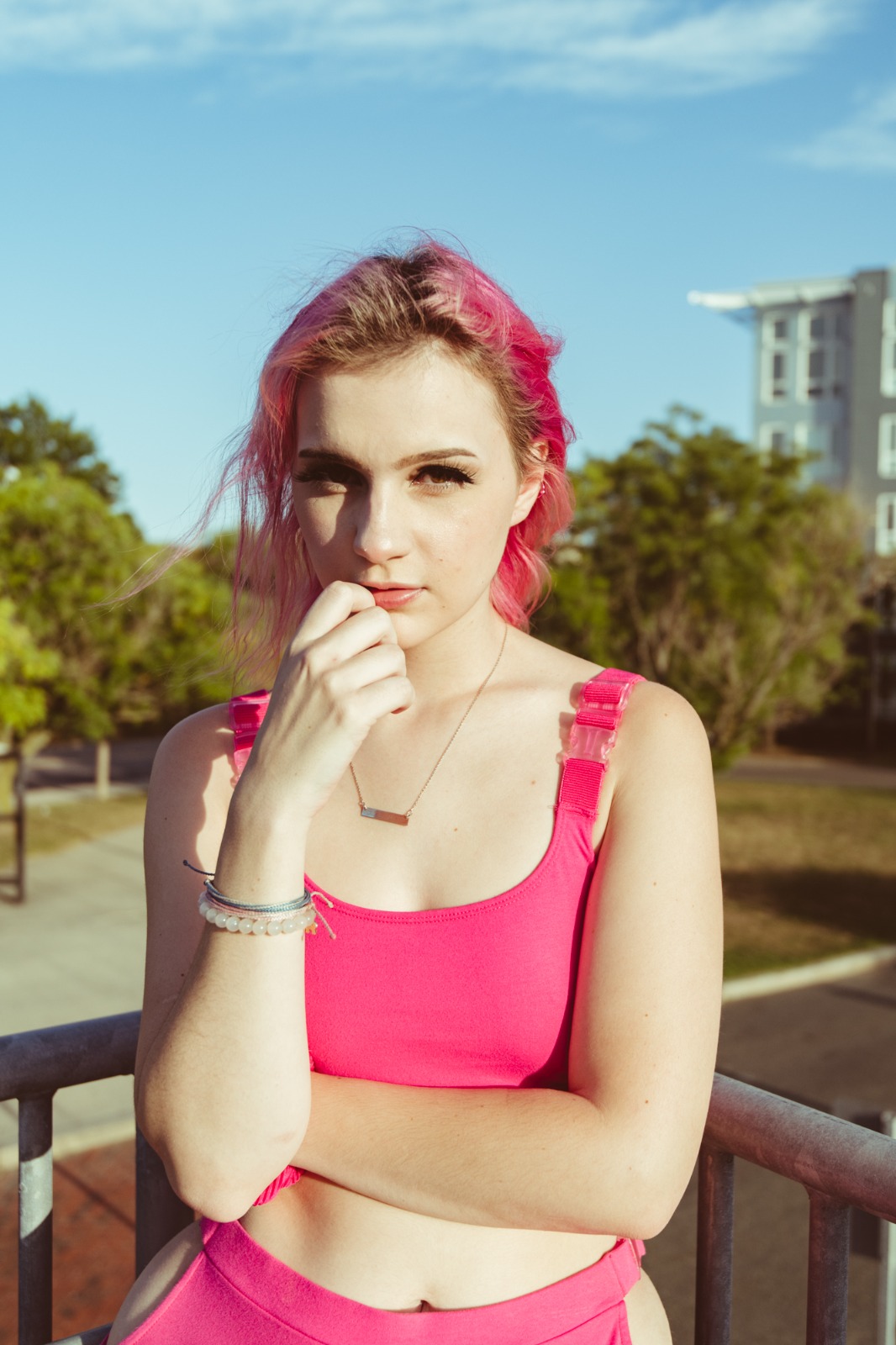
Go directly to your camera roll and select a well-lit, unedited selfie. Do not run it through a standard beauty app or an Instagram filter first. Providing the optical engine with the untouched sensor data is the only way it can accurately map the natural micro-texture of your skin.
Let the instant preview map baseline focal depth
Citrus executes an instant baseline diagnostic immediately. Rather than running a blind generative script that paints a synthetic face over yours, Citrus physically maps the mathematical limits of the original photon data, distinguishing your sharp features from the background.
Tap Enhance and choose Portrait Blur
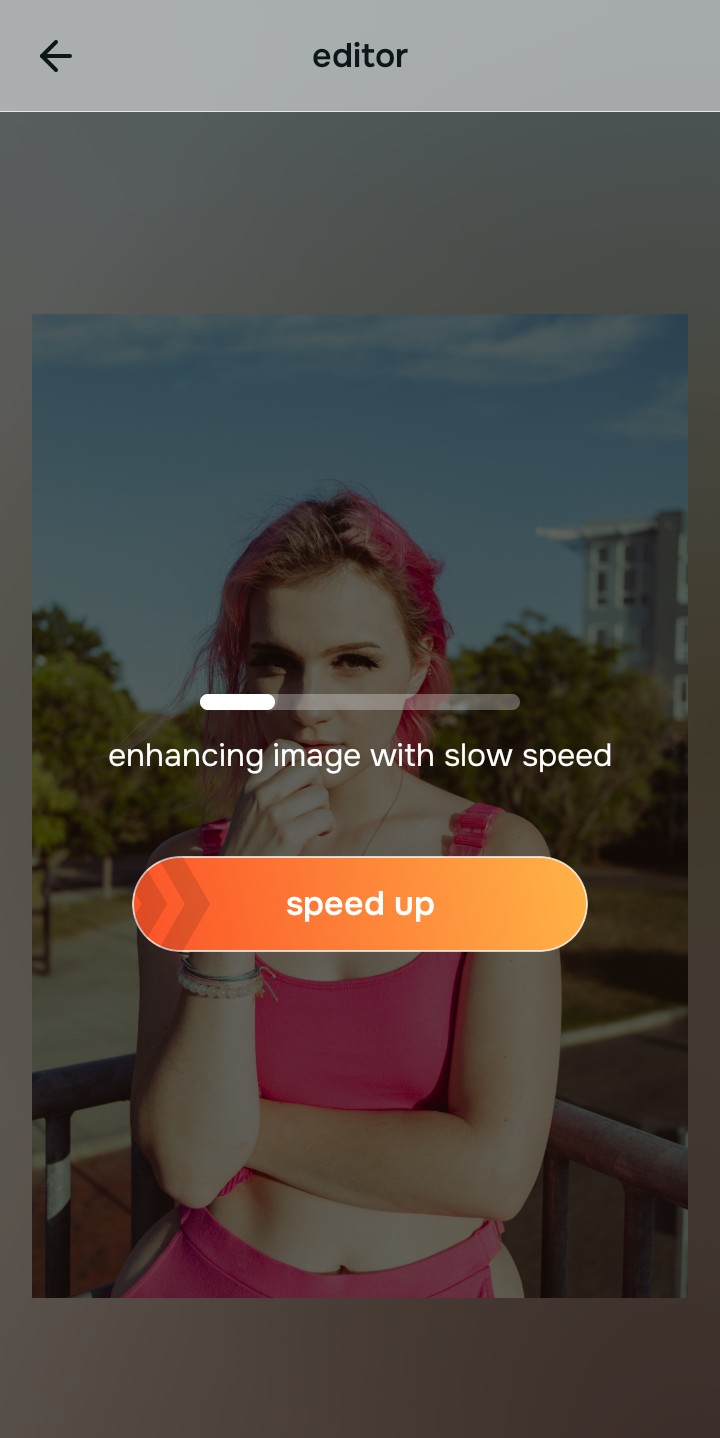
A casual selfie often looks unprofessional because the background is distracting or messy. In Citrus, tap Enhance → Portrait Blur. This mathematically calculates the 3D focal depth of the image, applying a creamy, DSLR-quality bokeh to the background while keeping the crisp edges of your hair and face perfectly isolated. This instantly elevates the shot from "selfie" to "headshot."

Always structure the optical depth before tweaking your face. Creating professional separation between you and the background ensures the final crop feels like a studio portrait.
Tap Face and select Big Eyes to look rested, not plastic
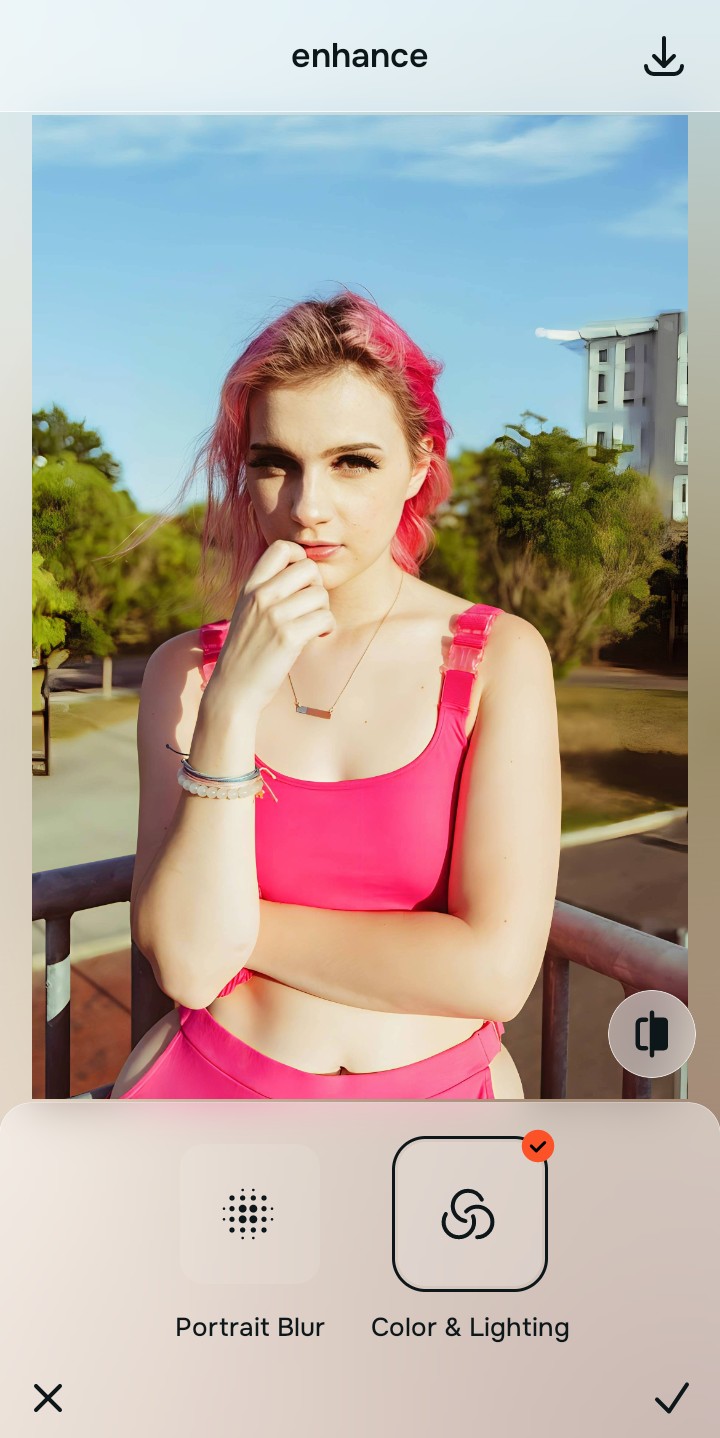
The number one flaw in casual headshots is fatigue showing under the eyes, but erasing the skin completely ruins trust. Tap Face → Big Eyes in Citrus. Citrus biometrically targets the exact shadow vectors of exhaustion, lifting the dark circles optically while leaving the delicate micro-texture of the under-eye skin 100% genuine. You look alert and capable, not airbrushed.
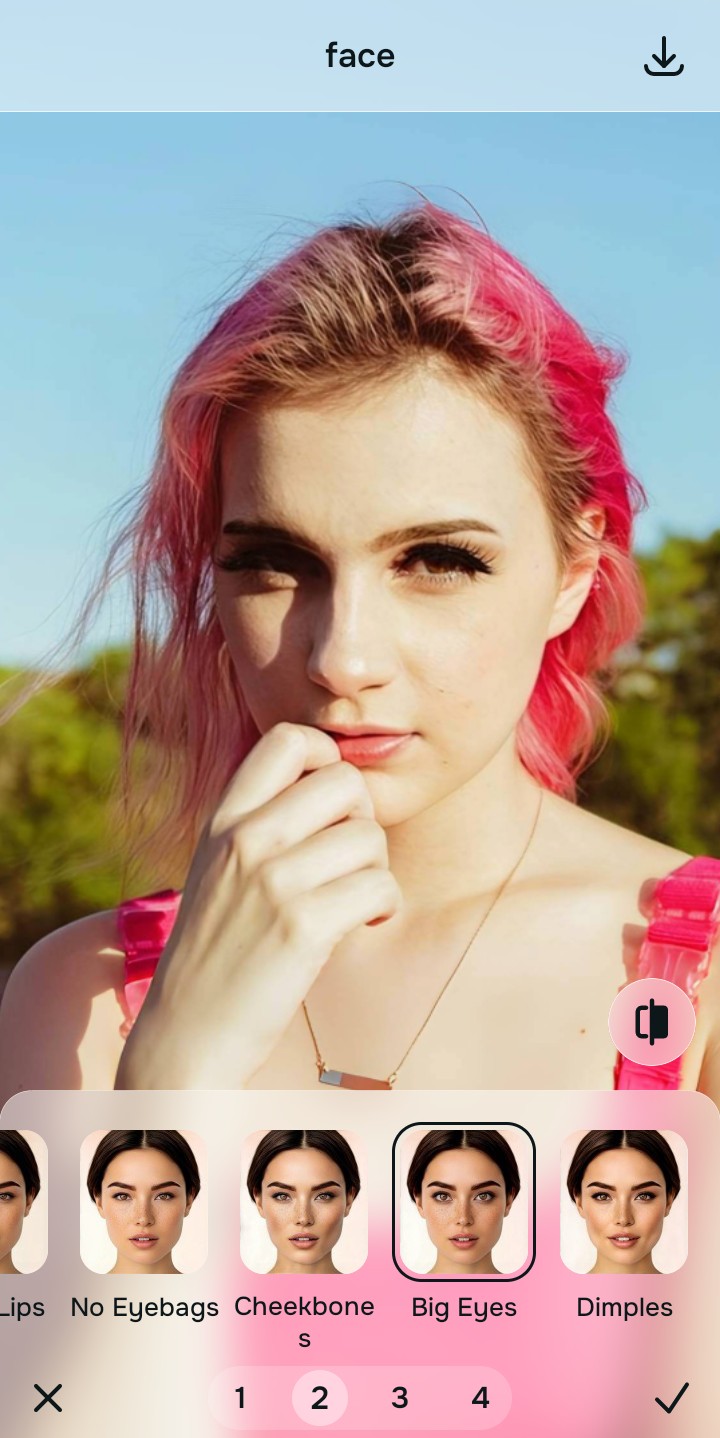
Export your trusted, professional master file
The optical optimization is complete. Save the unwatermarked master file to your device. Because you rebuilt the focal depth and corrected shadows mathematically rather than applying a blanket generative airbrush, your LinkedIn headshot commands absolute recruiter trust.
How is your casual photo holding you back?
Identify your primary optical hurdle to select the exact automated pathway in Citrus.
Aligning Your Edits with the Citrus Taxonomy
Instead of gambling with generative apps that plunge you into the uncanny valley of professionalism, Citrus categorizes enhancement into three distinct, mathematically safe pathways based on preserving real data:
| Tool Pathway | Primary Flaw Remediated | Automated Fix Strategy |
|---|---|---|
| Enhance Overall Photo | Distracting, casual backgrounds that ruin the professional framing of the subject | Use this first to establish a proper optical foundation. Choose Portrait Blur to isolate the face with DSLR depth. |
| Looks | A flat, unpolished facial impression resulting from harsh overhead office or car lighting | Use this to update the entire face impression. Select Model (Level 1–5) to inject authoritative, balanced radiance. |
| Face | Exhaustion shadows and under-eye bags that generative apps normally melt into plastic | Use this last for precise feature tweaks. Select Big Eyes to lift shadows while keeping real pores strictly intact. |
“LinkedIn headshots cross the line the second an algorithm deletes your real facial geometry to paste a synthetic waxy filter. It must mathematically separate you from the background and lift shadows—effortlessly.”
Why Biometric Retention Beats Generative Airbrushing
There is a massive psychological difference between looking "well-rested" and looking "AI-generated." Generative AI tools literally destroy subsurface scattering. When they see shadows under your eyes or texture on your cheeks, they don't fix the lighting; they blur the skin entirely into an opaque, plastic gradient. Because the human brain is highly evolved to recognize real human skin, recruiters looking at a waxy, highly-filtered profile picture experience a subconscious drop in trust. If you fake your face, what else are you faking on your resume?
Citrus is built on strictly non-hallucinatory optical physics. By organizing adjustments into mathematically calibrated Level 1–5 settings across Enhance, Looks, and Face, it operates entirely within the boundaries of your image's physical data. It calculates the 3D focal plane to blur the background perfectly, and it lifts the localized shadow vectors under your eyes while strictly retaining your natural pore structure. You get a crisp, vibrant, professional-grade headshot that commands absolute trust because it remains a true, authentic photograph.