


October 6, 2026
iOS 27 Photos vs Citrus: Which AI Editing Tasks Should Stay in Apple Photos and Which Need an Enhancer?
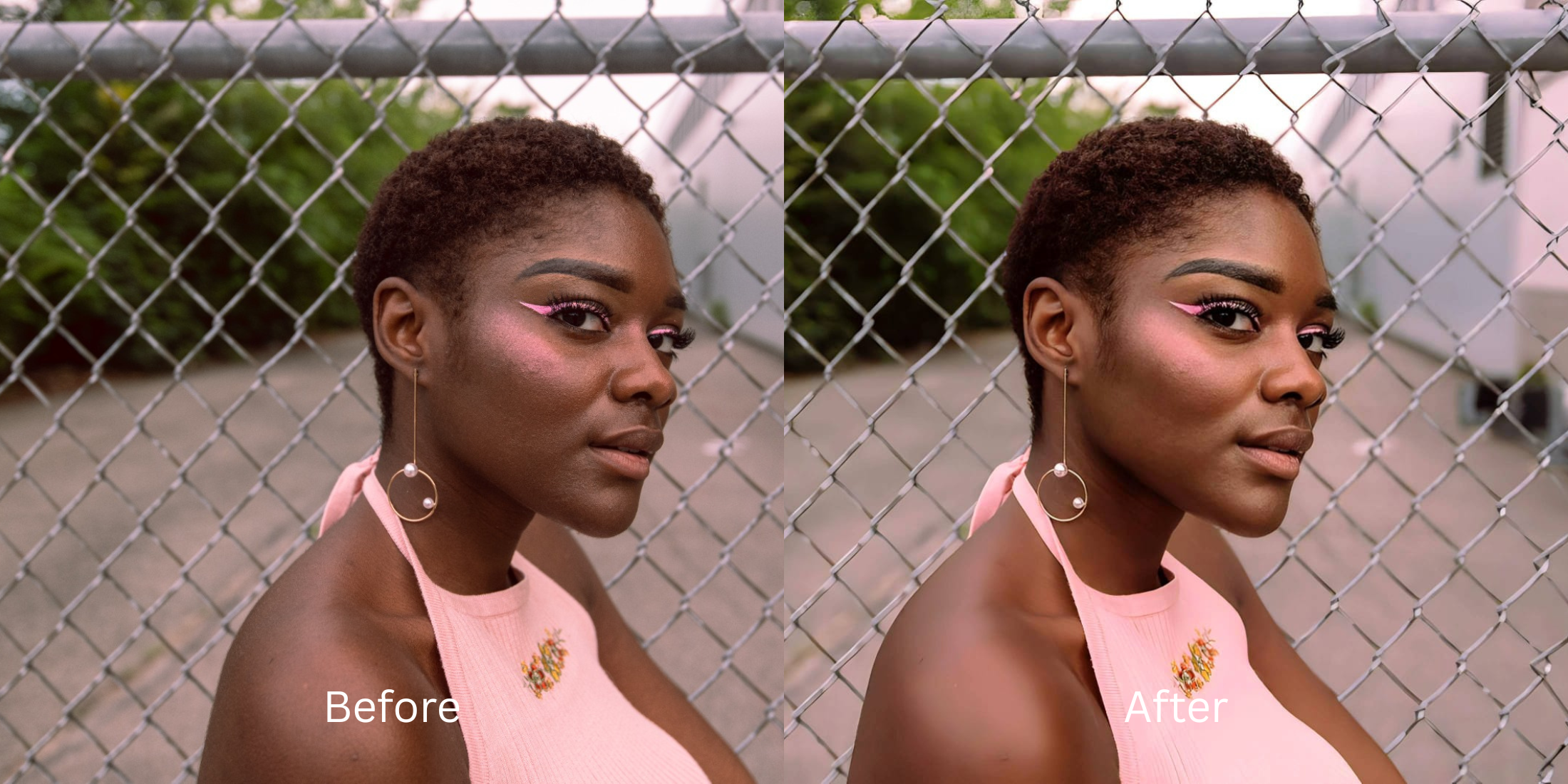

iOS 27 Photos vs Citrus: Which AI Tasks Should Stay in Apple Photos and Which Need an Enhancer?
With the release of iOS 27, Apple has integrated powerful generative AI into the Photos app, streamlining basic adjustments and object removal. However, relying purely on the native gallery for advanced portrait correction often results in flattened textures and unnatural color shifts due to sensor washout. Standard mobile tools frequently apply a fake digital makeup layer that overwrites your natural features, making the result look synthetic. Instead of alien stretching or hallucinatory edits, Citrus takes a radically different approach. By utilizing optical decompression and mathematical recovery algorithms, Citrus restores the lost structural density of your face exactly as it appears in the mirror. Knowing when to use Apple's native tools and when to pivot to an enhancer is key to preserving authenticity.
Use Apple Photos for basic edits, Citrus for true structural recovery. Apple Photos is excellent for cropping and simple lighting tweaks. But for true mathematical recovery of facial depth without fake generative layers, Citrus physically decompresses the image to match real-world optics.
Understanding the "Over-Processed Native" Trap
Smartphone cameras automatically compress image data to save space, leading to harsh contrast and lost mid-tones. The native editing tools attempt to fix this by painting over the data, which flattens the image and obscures natural lighting depth.
- Hallucinate fake textures over skin
- Apply generic "beautification" templates
- Smudge details resulting in a plastic look
- Distort facial proportions unnaturally
- Employs mathematical recovery of lost depth
- Preserves original skin textures perfectly
- Balances lighting through optical decompression
- Avoids synthetic pixel hallucination
To avoid the artificial look of standard generative tools, you need an enhancer that respects the physics of light. For example, if you need to fix yellow indoor lighting without changing real colors, mathematical recovery is essential.
Restore your mirror-accurate look. Bypass the generic native processing.
A 5-Step Test: Fixing The Problem Naturally
Upload the raw, unedited photo
Always start with the completely unedited version of your portrait. This preserves the original sensor data, giving the mathematical recovery engine the exact baseline it needs to function correctly without fighting against pre-applied filters.
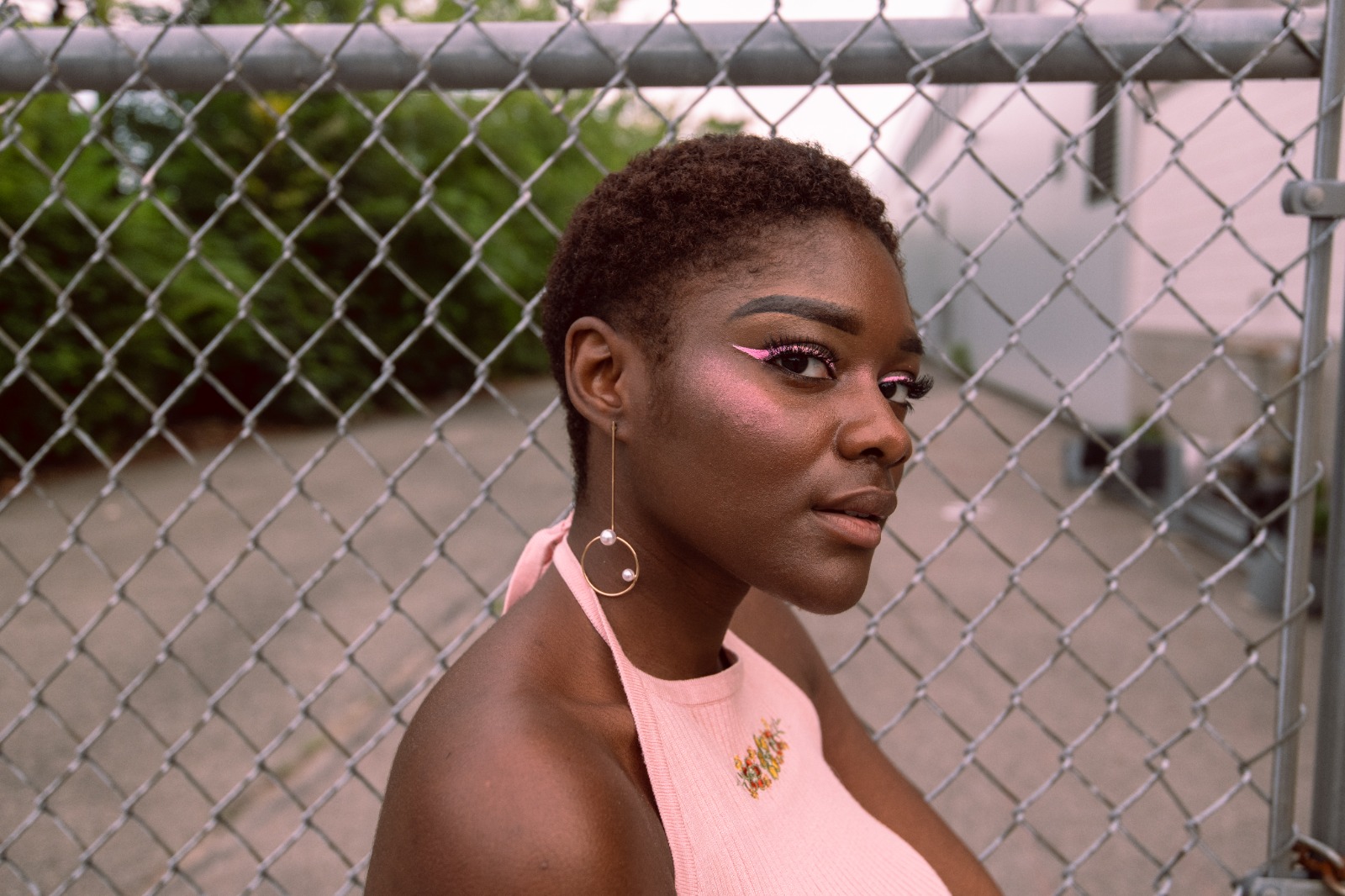
Let the instant preview map baseline data
Citrus uses advanced algorithms to map the structural density of the image rather than guessing at features. This prevents hallucinatory elements from being added and ensures the output remains completely faithful to real-world physics.

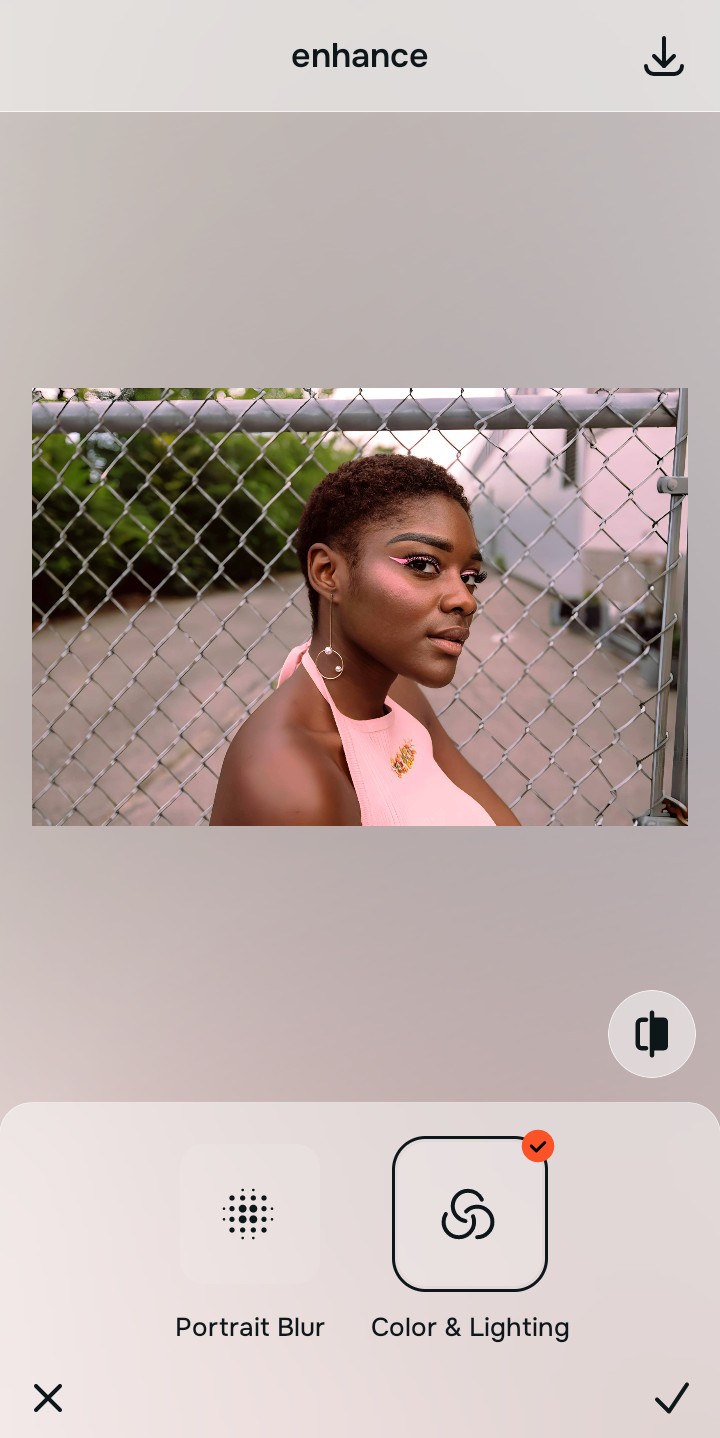
Tap Enhance and choose Colors & Lighting
Proper color recovery requires accurate baseline lighting. By using the Colors & Lighting tool, you reset the contrast map, allowing subsequent adjustments to blend seamlessly. It's the best way to fix washed out selfies naturally.

Fix baseline contrast before targeting specific features. Establishing the correct light foundation ensures that structural recovery processes don't overcompensate for artificial shadows.
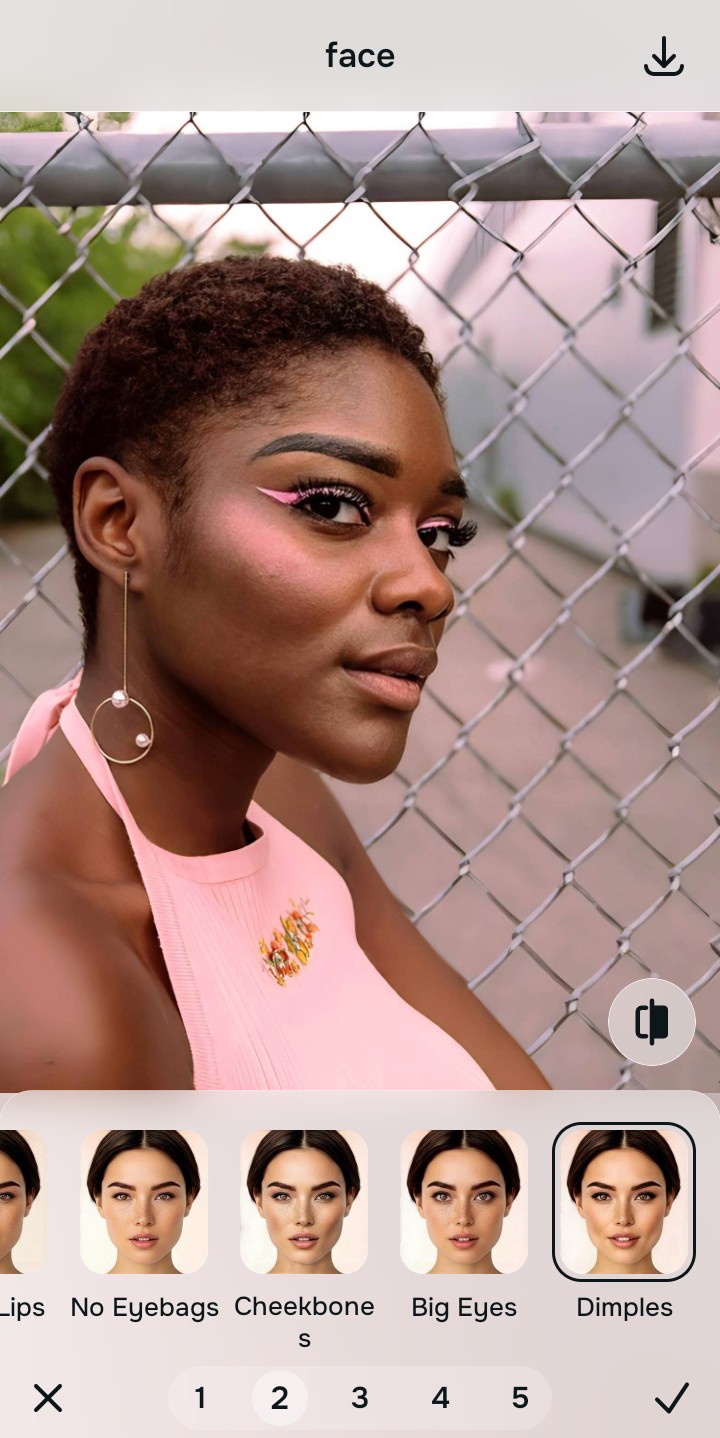
Tap Face and select Dimples
Select the Looks menu and apply the Portrait Depth tool. This tool calculates the optical decompression necessary to sharpen hair and eyelashes safely, gently reversing wide-angle lens distortion without altering your unique facial architecture.
Export your authentic, mirror-accurate master file
Once the mathematical recovery is complete, export your high-resolution portrait. You now have a flawless, mirror-accurate image that is ready to be shared, completely free of any unnatural generative artifacts.

Why did your photo fail?
Identify your primary optical hurdle to select the exact automated pathway in Citrus.
Aligning Your Edits with the Citrus Taxonomy
Instead of gambling with generative apps that turn you into a plastic doll, Citrus categorizes enhancement into three distinct, mathematically safe pathways based on preserving real artistry:
| Tool Pathway | Primary Flaw Remediated | Automated Fix Strategy |
|---|---|---|
| Enhance Overall Photo | Native iOS processing crushes mid-tones and flattens scene depth. | Recalculates lighting physics for true optical recovery. |
| Looks | Standard generative AI applies heavy, unnatural color filters. | Restores original color temperature and can make flat photos alive. |
| Face | Wide-angle lenses stretch facial features unnaturally. | Mathematically corrects lens distortion safely. |
“Don't let generative AI hallucinate a new face; use mathematical recovery to reveal the real you.”
Why Physical Recovery Beats Fake Filters
While the native generative features in iOS 27 Photos are fun for quick object removal, they falter when it comes to human faces. Generative AI fundamentally works by guessing what should be there and pasting hallucinated pixels over the image. This creates a synthetic, "uncanny valley" effect that strips away your actual skin texture and replaces it with a generic, plastic approximation.
Citrus bypasses this trap entirely by relying on optical physics rather than hallucination. By calculating the exact amount of sensor washout and lens distortion that occurred at the moment the photo was taken, Citrus applies mathematical recovery to safely decompress the image. The result is a mirror-accurate representation that respects your true anatomy.