


September 7, 2026
How to Rescue a Motion-Blurred Dog or Cat Photo Without Inventing Fur Detail
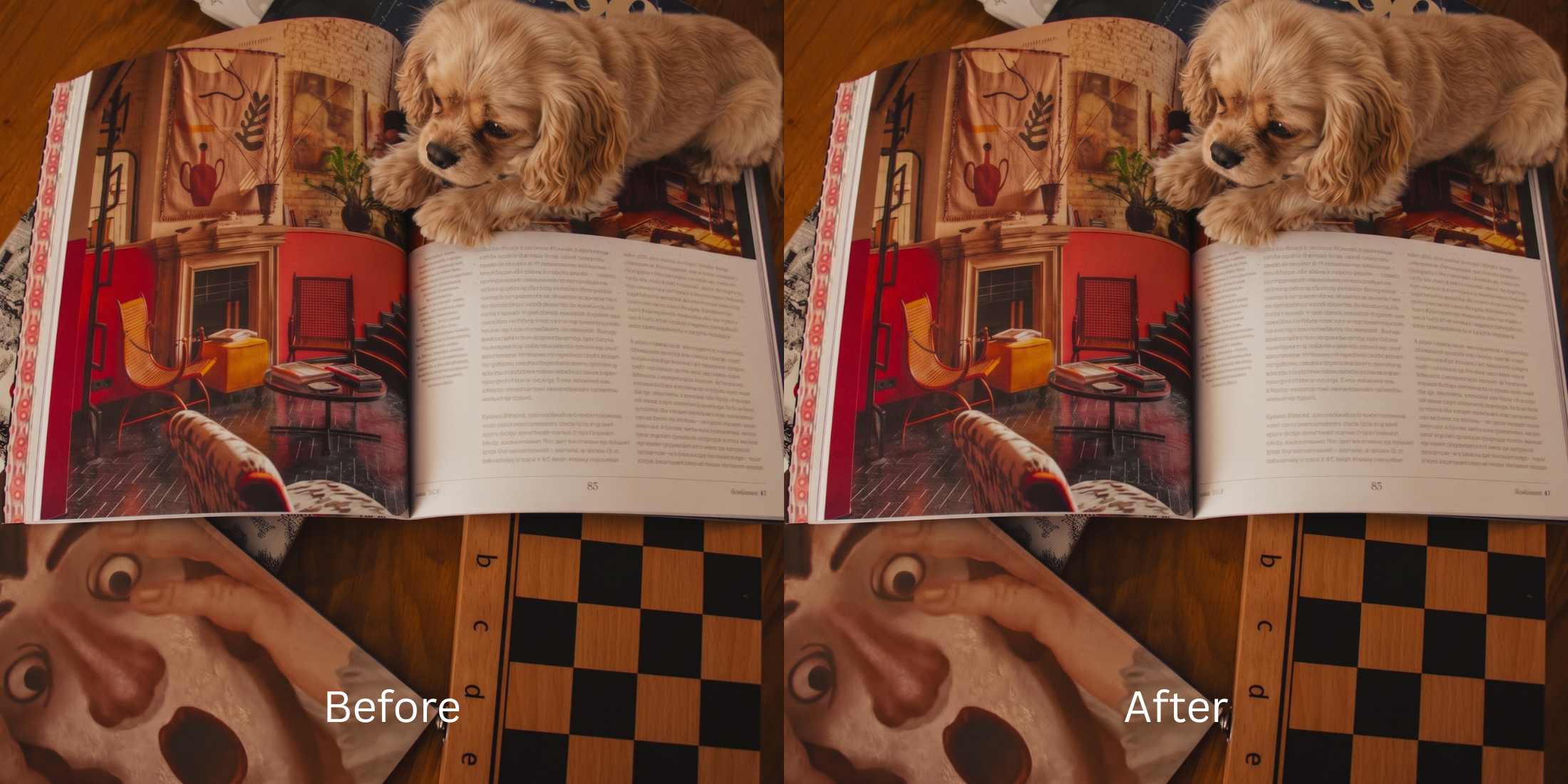

How to Rescue a Motion-Blurred Dog or Cat Photo Without Inventing Fur Detail
You finally caught your pet doing something hilarious, but when you check the photo, it is completely ruined. Your dog's head is a smeared, blurry streak, and the beautiful texture of your cat's fur looks like a muddy watercolor painting. This happens because pets move quickly, especially indoors where lighting is low. To let enough light into the lens, your smartphone automatically drops its shutter speed (often down to 1/30th of a second or slower). When your pet moves during this long exposure, their features literally drag across the camera sensor, creating what is known as "vector smearing"—directional motion blur. If you try to fix this in a basic editor, dragging a "Sharpen" slider simply turns those motion streaks into crunchy, jagged white noise. The trap gets worse with "Generative AI" photo enhancers. Because the algorithm cannot find the original high-frequency data in the blur, it panics and hallucinates completely new, fake fur textures. It will even paste generic, terrifying CGI animal eyes over your pet, completely erasing their actual identity. To save a pet photo authentically, you need an optical engine capable of reversing the exact vector of the motion smear without hallucinating fake details.
Pet photos blur indoors because slow camera shutter speeds create directional "vector smearing" when the animal moves. To reverse this naturally, use Citrus AI. Instead of using generative AI that pastes fake CGI eyes and synthetic fur over your pet, Citrus mathematically recalculates the motion vector to recover their true identity.
Understanding the "Shutter Drag & Vector Smear" Trap
The core issue with pet photography is that motion blur is fundamentally different from a camera simply missing focus. It is directional. If you don't understand motion blur vs out focus physics, applying generic sharpening tools will only amplify the damage instead of reversing the smear.
- Pasting generic, synthetic CGI dog or cat eyes over your pet, completely destroying their unique expression
- Proving exactly how ai enhancers invent facial details when faced with missing fur data
- Applying noisy contrast halos that make you search how to fix over sharpened phone photo artifacts
- Failing to sharpen hair eyelashes and clothing equivalents (like whiskers) without making them look clumpy
- Using advanced optical models to mathematically reverse the directional shutter drag, recovering true baseline density
- Serving as the superior photo enhancer alternative manual retouching tool for unpredictable pets
- Biometrically isolating the pet's true eye shape and nose texture to ensure they look exactly like themselves
- Knowing precisely what the engine can recover from low resolution photo data without faking it
When an algorithm prepares to fix a blurry moving animal, generating synthetic data is the ultimate dealbreaker. Shifting to an optical workflow helps you fix photo missed focus cleanly, ensuring your pet portraits stay authentic, recognizable, and incredibly Porcelain.
Reverse shutter drag without AI hallucinations. A structured optical enhancement recovers true geometric density and authentic fur clarity in seconds.
A 5-Step Test: Reversing Shutter Drag Without Hallucinating Details
Upload the raw, unedited camera roll photo
Find the exact photo where your pet moved and the camera smeared their features. Starting with clean sensor data is essential to allow the engine to map the exact trajectory of the motion blur without interference.
Let the instant preview map structural density
Citrus provides an instant baseline correction immediately. Instead of guessing what kind of animal you have, Citrus analyzes the structural geometry of the existing pixels, preparing to handle the severe directional smearing.
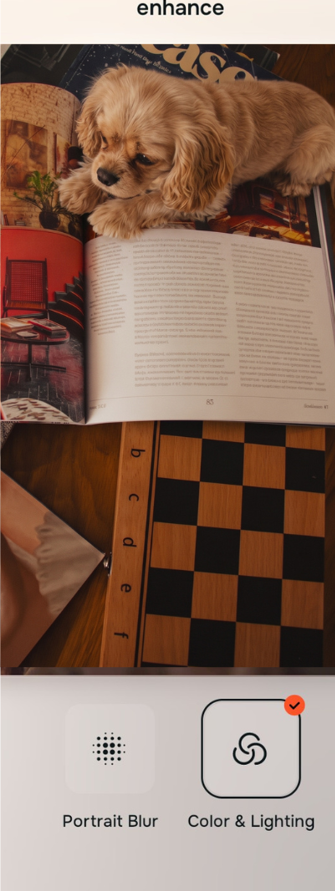
Tap Enhance and choose Colors & Lighting
You cannot fix a smeared motion vector without dense baseline data. In Citrus, tap Enhance → Colors & Lighting. This mathematically increases the structural resolution of the file. By restoring the pixel density that the slow shutter speed dragged across the frame, the image regains its foundational sharpness without relying on generative hallucinations.

Always structure the baseline resolution before attempting to refine fur. Increasing optical density mathematically ensures subsequent enhancements have real data to work with.
Tap Looks and select Porcelain to restore fur texture
Motion blur completely washes out micro-contrast, making fur look like a flat, muddy painting. Tap Looks → Porcelain in Citrus. Select your preferred value from Level 1–5. This biometrically injects clean, high-fidelity micro-contrast back into the coat and lighting, giving the pet a vibrant, distinct presence that pops off the screen.

Tap Face and select Micro Refine to rescue eyes and nose
Motion blur destroys the focal anchor of any pet portrait: the eyes and nose. This is where generic AI pastes a fake dog eye. Instead, tap Face → Micro Refine. Citrus isolates these high-frequency geometric boundaries to recover the exact shape of your pet's true pupil, catchlights, and nose texture cleanly.
How did motion degrade your pet's photo?
Identify your primary optical hurdle to select the exact automated pathway in Citrus.
Aligning Your Edits with the Citrus Taxonomy
Instead of guessing how much generative AI will ruin your pet's identity, Citrus categorizes enhancement into three distinct, mathematically safe pathways:
“Pet photo enhancement should never require you to paste a synthetic AI face over your dog or cat. It must mathematically rebuild the geometric density that the slow shutter speed smeared so they look Porcelain and authentic—effortlessly.”
Why Vector Reversal Beats Generative Hallucinations
There is a massive structural difference between authentic optical reconstruction and using a Generative AI upscaler. When you feed a motion-blurred pet photo into a generic AI app, the software realizes it does not have enough clean pixel data to sharpen the image. So, it invents new data. It searches its database and hallucinates a brand new eye, random fur patterns, and generic lighting, pasting it over your photo. You end up with a picture that looks sharp, but it completely erases the unique markings and expression that make your pet yours.
Citrus is built specifically to prevent this "uncanny valley" effect. By constraining adjustments to mathematically calibrated Level 1–5 settings across Enhance, Looks, and Face, it physically maps the direction of the camera smear and reverses it using *only* the pixel data provided. It rebuilds the clean, high-resolution structural baseline without inventing fake CGI features. You get a Porcelain, vibrant portrait in one tap that actually looks like your pet.