


September 30, 2026
How to Fix a Sunset Portrait Without Turning Skin Orange
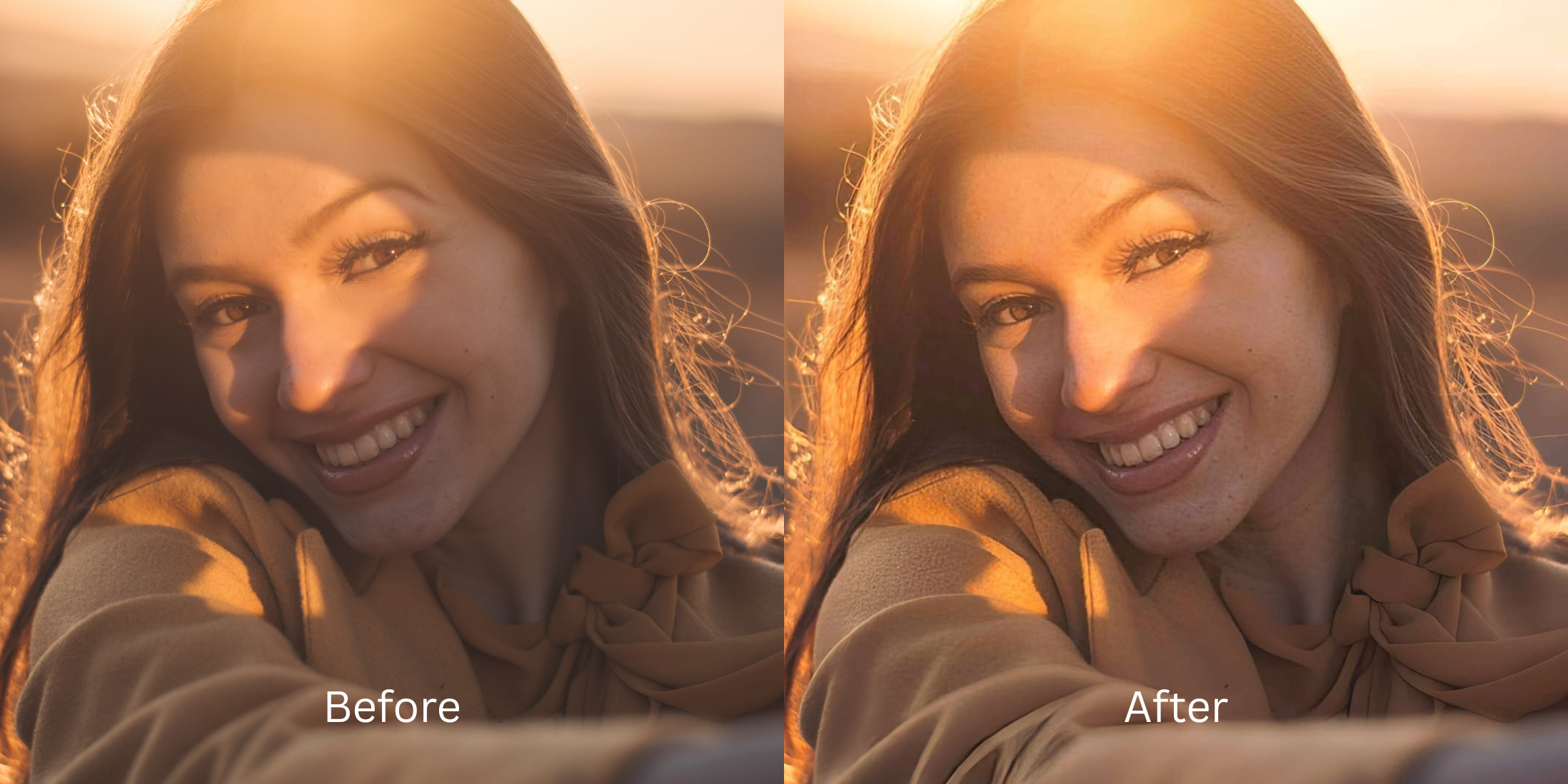

How to Fix a Sunset Portrait Without Turning Skin Orange
Shooting portraits during golden hour is beautiful in theory, but modern smartphone cameras often fail to balance the intense warm light. The result? A sensor washout where skin tones are entirely flooded with harsh orange, red, and yellow hues. When you attempt to fix this with standard editing apps, they typically apply a blanket color shift, essentially repainting your face with artificial pixels or flattening the lighting. These apps don't understand the difference between the sunset and your actual skin tone. Citrus approaches this completely differently. By utilizing mathematical recovery and optical physics, Citrus separates the environmental lighting from the physical density of your facial structure, restoring your true skin tone while preserving the authentic, beautiful sunset in the background. If you want to fix washed out selfies naturally, this is the solution.
Use Citrus's structural density mapping to separate golden hour lighting from your skin. Instead of using destructive global temperature sliders that turn everything blue or orange, Citrus relies on optical decompression to identify and isolate the light source. It mathematically recovers your natural skin tone beneath the harsh sunset glare, ensuring your portrait looks exactly like reality.
Understanding the "Radioactive Golden Hour" Trap
Your camera's white balance algorithm panics when confronted with overwhelming golden hour lighting. Instead of capturing the nuanced gradient of a sunset, it incorrectly averages the entire frame, baking an aggressive orange cast directly into your skin's sensor data.
- Applies blanket blue cooling filters
- Washes out background sunset colors
- Hallucinates fake skin tones
- Destroys natural lighting gradients
- Mathematical skin tone recovery
- Preserves authentic background warmth
- Optical decompression of light layers
- Rebuilds natural depth and contrast
You don't need to choose between a beautiful sunset and natural skin. By treating the image as a structural light map, we can easily recover the lost data. You can improve makeup photos without changing your actual aesthetic by using physical recovery tools.
Restore your mirror-accurate look. Recover natural skin tones from intense sunsets.
A 5-Step Test: Fixing the Orange Glow Naturally
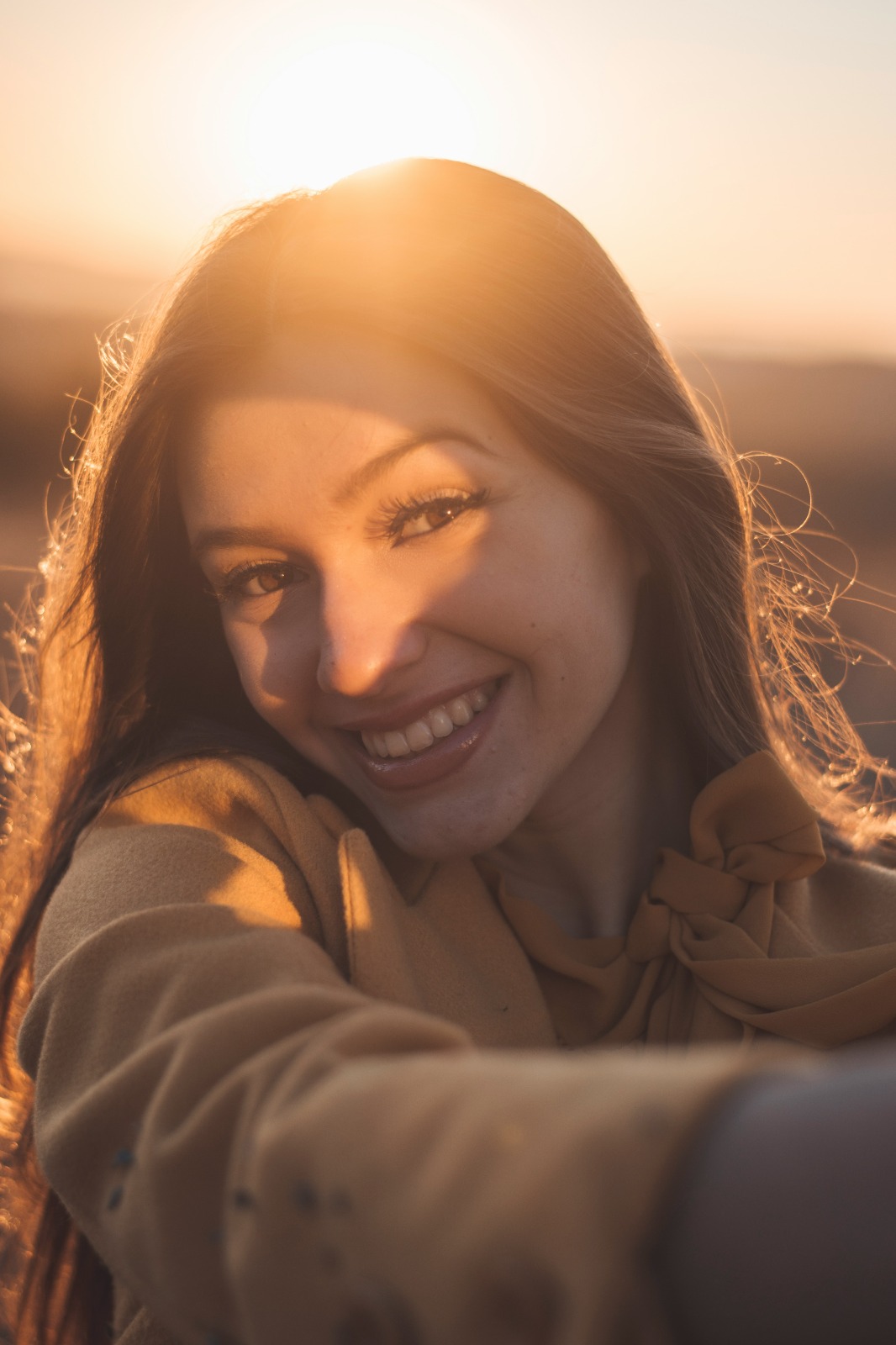
Upload the raw, unedited photo
Always start by uploading your raw, untouched original photo. Never use a compressed version that has already been run through other filters, as this destroys the underlying sensor data required for proper optical recovery.
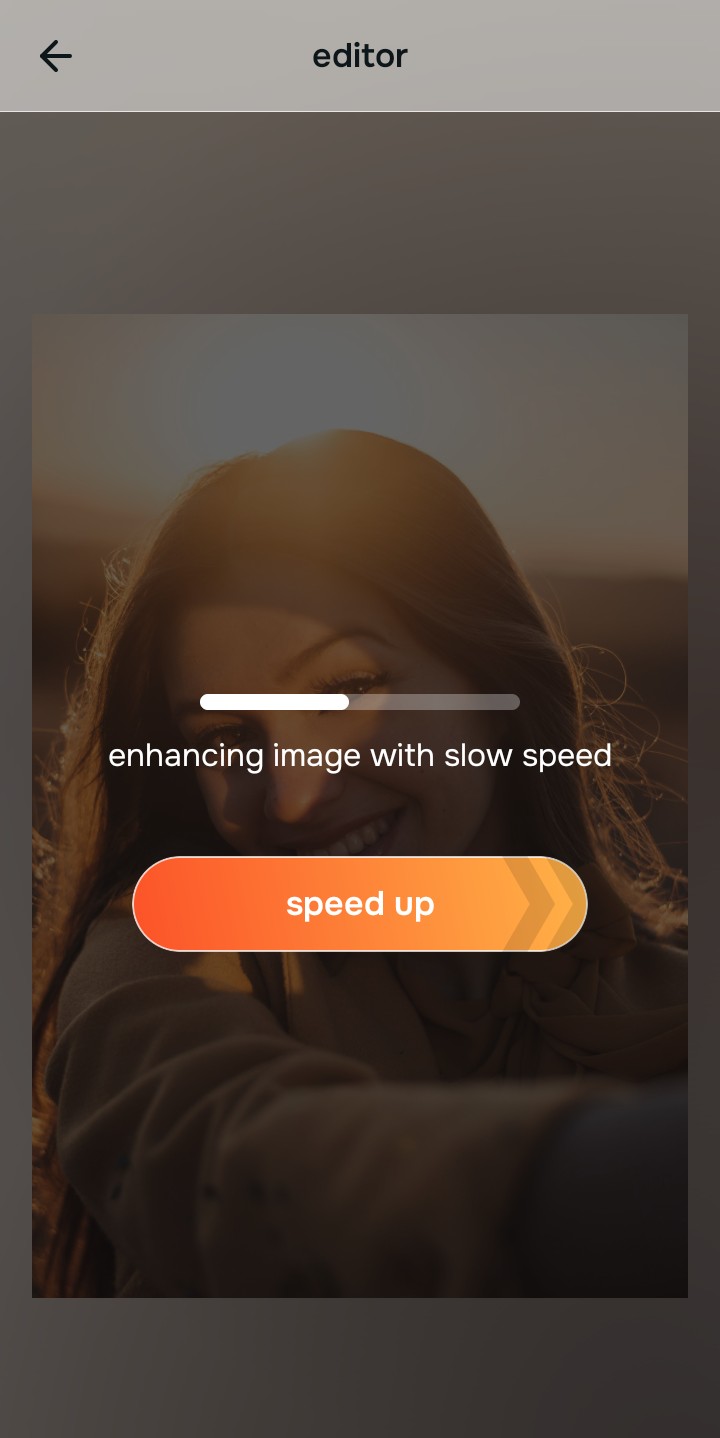
Let the instant preview map baseline data
Citrus will instantly begin to scan the image. Unlike apps that guess where your face is and paint over it, Citrus analyzes the structural density of the light, mapping out exactly where the sunset ends and your skin begins.
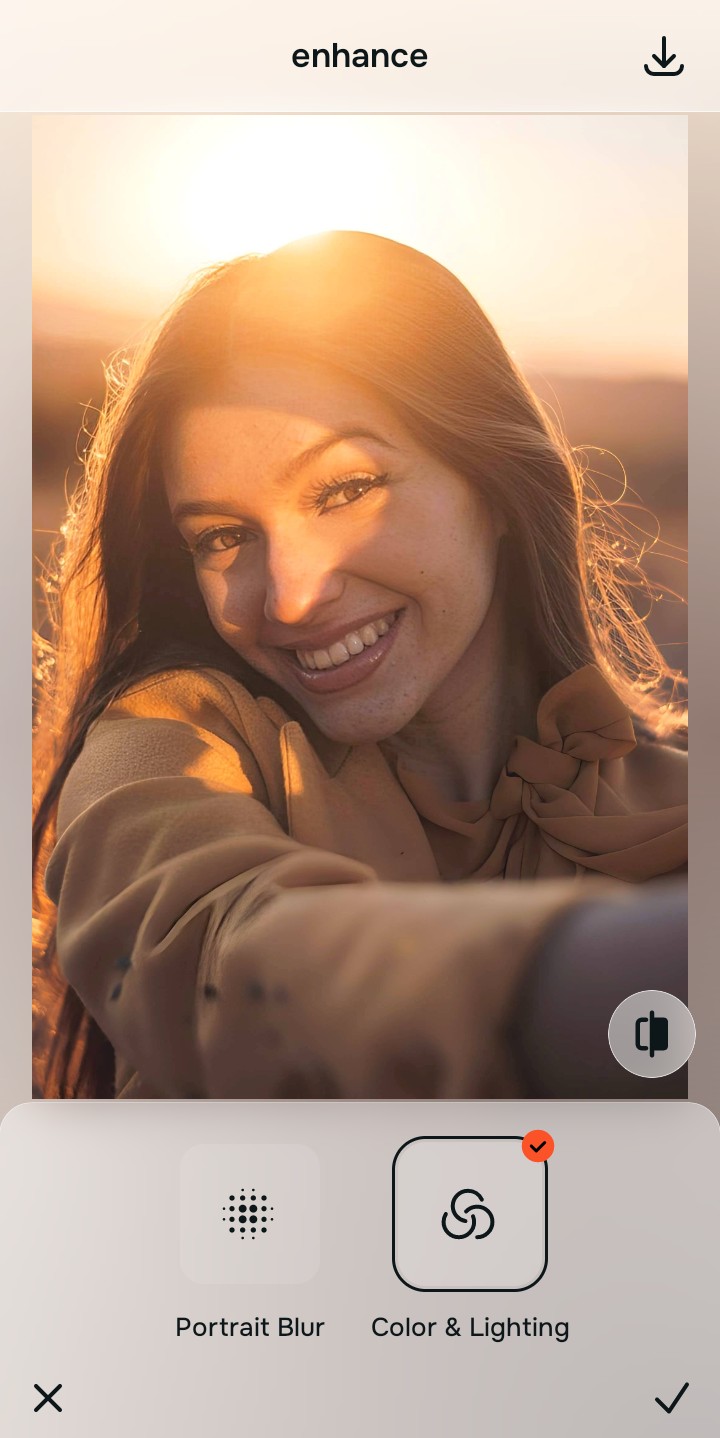
Tap Enhance and choose Colors & Lighting
Before adjusting specific colors, you must establish correct baseline lighting. Intense sunsets flatten depth, so we use structural contrast to bring back dimensional shadows. This helps to make flat photos more alive.

Structuring Baseline Density Properly structuring baseline density is critical. Without correcting the foundational light distribution first, any subsequent color corrections will appear unnatural.
Tap Tap Face and select No Eyebags
Navigate to the Enhance menu and select Colors & Lighting. This tool utilizes mathematical recovery to un-bake the aggressive orange cast from your skin while leaving the background sunset completely untouched. It works similarly to when you need to fix yellow indoor lighting, cleanly separating light from subject.
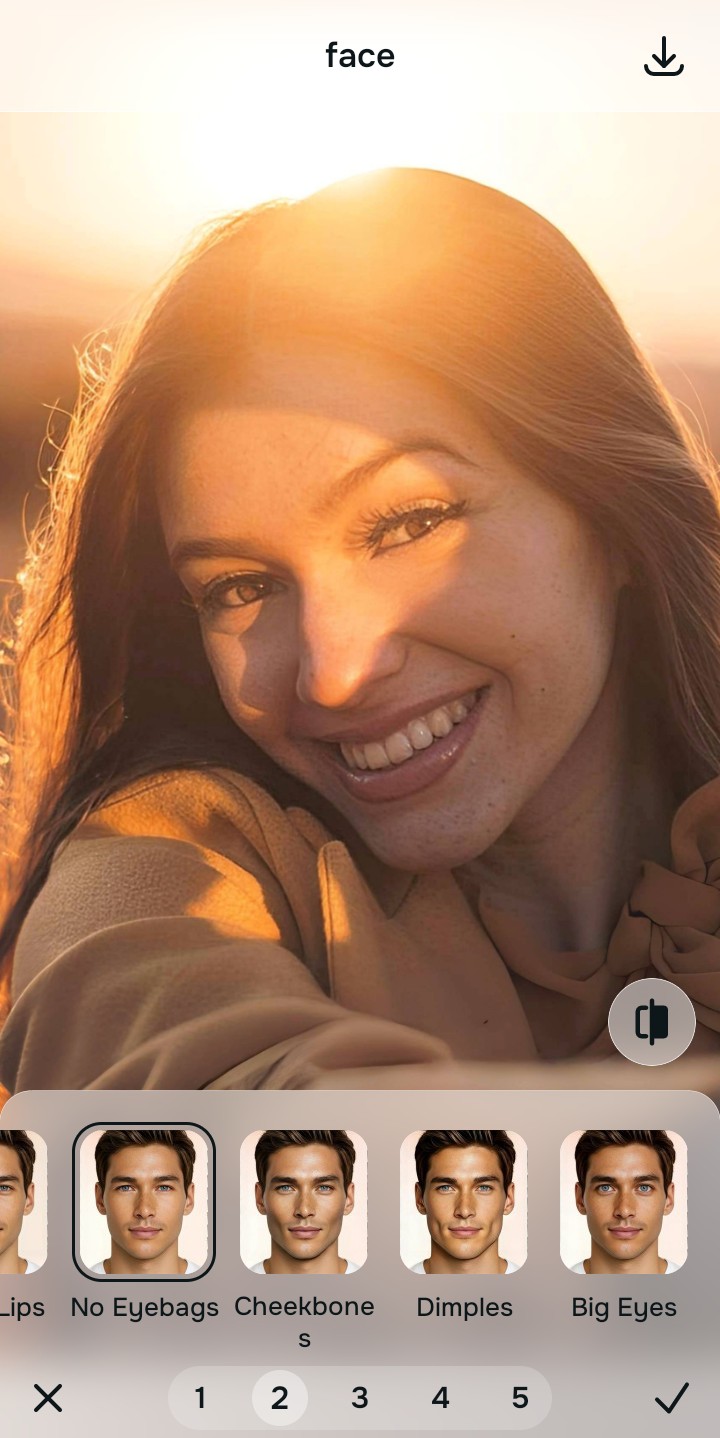
Export your authentic, mirror-accurate master file
Once the optical decompression is complete, your skin will look vibrant and accurate, framed by the beautiful sunset. Export your pristine, mirror-accurate master file directly to your camera roll.
Why did your photo fail?
Identify your primary optical hurdle to select the exact automated pathway in Citrus.
Aligning Your Edits with the Citrus Taxonomy
Instead of gambling with generative apps that turn you into a plastic doll, Citrus categorizes enhancement into three distinct, mathematically safe pathways based on preserving real artistry:
| Tool Pathway | Primary Flaw Remediated | Automated Fix Strategy |
|---|---|---|
| Enhance Overall Photo | Severe global orange color cast washing out all detail. | Mathematical separation of environmental light from subject density. |
| Looks | Skin tones specifically appear overly saturated and fake. | Optical decompression to reveal the natural skin hues underneath. |
| Face | Harsh, directional golden hour light creating severe shadows. | Physical recovery of facial geometry and balanced lighting. |
“Stop fighting the sun. By using optical physics instead of digital paint, we can rescue your skin tone without losing the magic of the golden hour.”
Why Physical Recovery Beats Fake Filters
When standard generative AI tools encounter the extreme color temperatures of a sunset, they lack the physical context to fix it correctly. Instead of adjusting the light, they hallucinate entirely new skin textures or slap a heavy blue filter over the entire image, which ruins the background and leaves you looking like a washed-out ghost.
Citrus avoids this trap by employing non-hallucinatory optical physics. It calculates the scene's dynamic range and applies mathematical recovery exclusively where the sensor was overwhelmed. By treating the orange cast as a separate layer of light rather than a permanent stain, Citrus safely decompresses the image, revealing your authentic, mirror-accurate skin.