


June 5, 2026
Best Free Glow Up App That Makes Selfies Look Better Without Changing Your Face
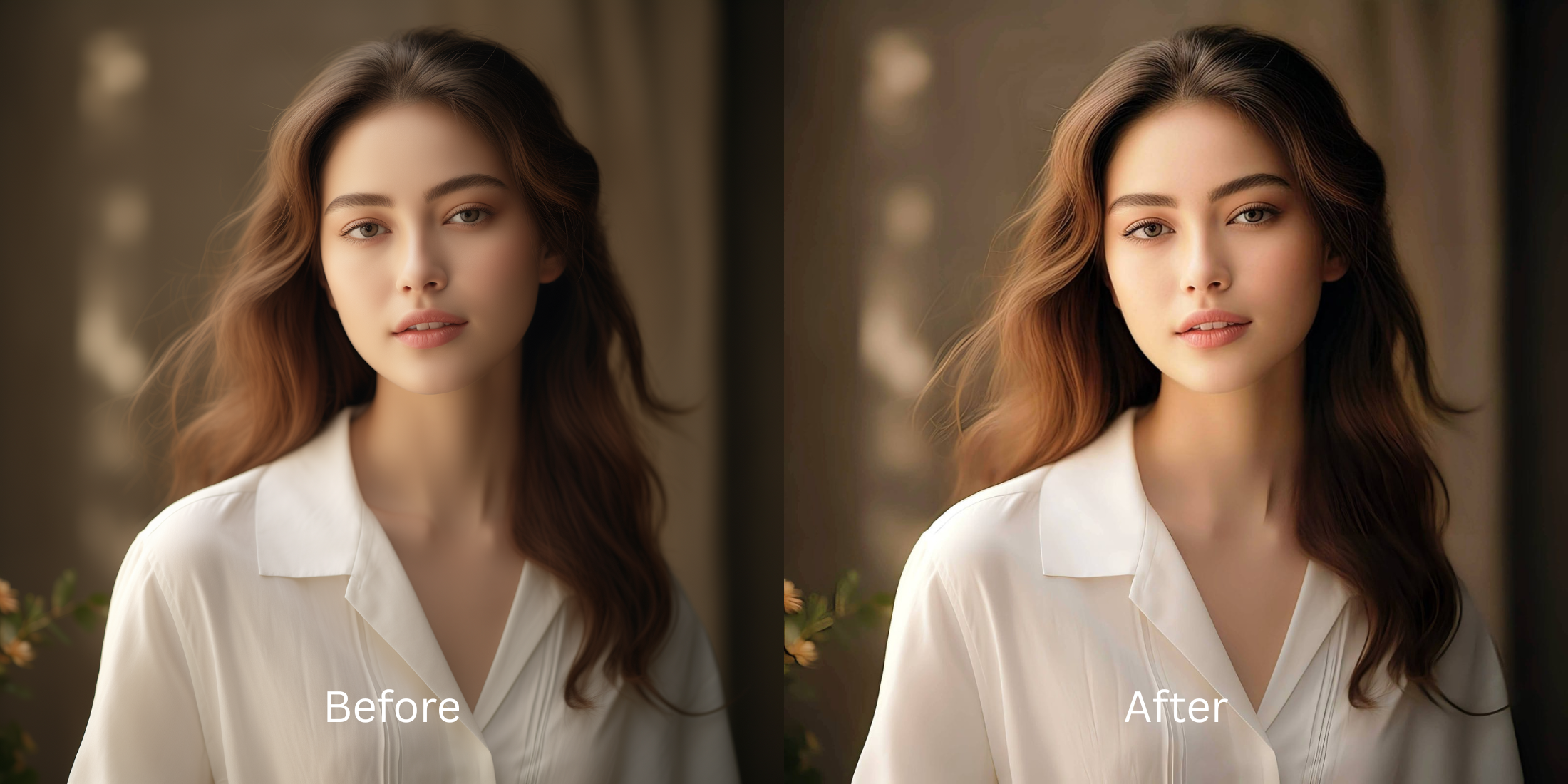

Best Free Glow Up App That Makes Selfies Look Better Without Changing Your Face
Most traditional photo editors fundamentally ruin the concept of a "glow up." When you use aggressive beauty utilities, the software automatically rewrites your bone structure, thins your nose artificially, and reshapes your eyes to fit a generic mannequin blueprint. This is modern AI slop, and it completely strips away your actual identity. In reality, a genuine visual upgrade should never alter your skeletal framework. A real glow up is about optimizing how light reflects off your natural contours while removing digital lens artifacts and sensor noise. To fix your portraits authentically, you must recalibrate the lighting foundation rather than distorting your human pixels.
To get an authentic glow up for free without changing your face shape, you must enhance structural lighting layers natively. Open your photo in Citrus and ignore the manual warping sliders. First, select Enhance -> Colors & Lighting to reverse harsh camera contrast and repair muddy shadows. Once the light baseline is clean, choose Looks -> Glow Up and tap a precise Level 1-5 configuration to give your portrait a radiant, professional finish entirely for free.
Why heavy morphing sliders create an uncanny, fake filter look
The human brain flags artificial facial manipulation instantly. When you use traditional editors and pull manual liquify or smoothing sliders, the software blindly distorts adjacent pixel lines—resulting in bent background walls and textureless, plastic skin. Achieving a true glow up means abandoning variable manual sliders for precise, discrete inputs. The most natural enhancer ever built focuses strictly on Level 1-5 tap levels to optimize exposure boundaries. This lets you access a high-end face enhancer that looks real, keeping your native features intact while polishing the presentation.
- Using manual sliders that warp your nose, chin, and background doorframes
- Pasting overdone generative filters that mask your real skin pores completely
- Forcing users into expensive monthly paywalls just to export a clean save
- Leaving flat camera exposures uncalibrated beneath a heavy blur mask
- Accessing high-end look optimization engines generously for free
- Using precise Level 1-5 taps instead of texture-destroying manual sliders
- Normalizing lighting first so your face retains its real-life mirror depth
- Offering optional turbo batch processing for rapid, seamless multi-photo dumps
When an edit changes your actual structure, your photos look cheap and untrustworthy. Choosing a smart workspace built to help you improve photo without changing face geometry ensures your feed stays premium, clean, and entirely organic.
Optimize facial light fields instantly. A structured level option protects your natural traits.
How to execute a natural glow up for free in 5 steps
Select a selfie flattened by poor lens contrast
Open your file gallery and pick a portrait where your expression is solid but flat lighting makes your face look dull. Testing an selfie enhancer for better looking photos starts by choosing a raw, unedited image baseline.

Let the instant preview map your facial contrast
Citrus provides a generous free preview instantly with zero card requirements. This lets you observe how the engine balances your native skin values before executing any custom adjustments.
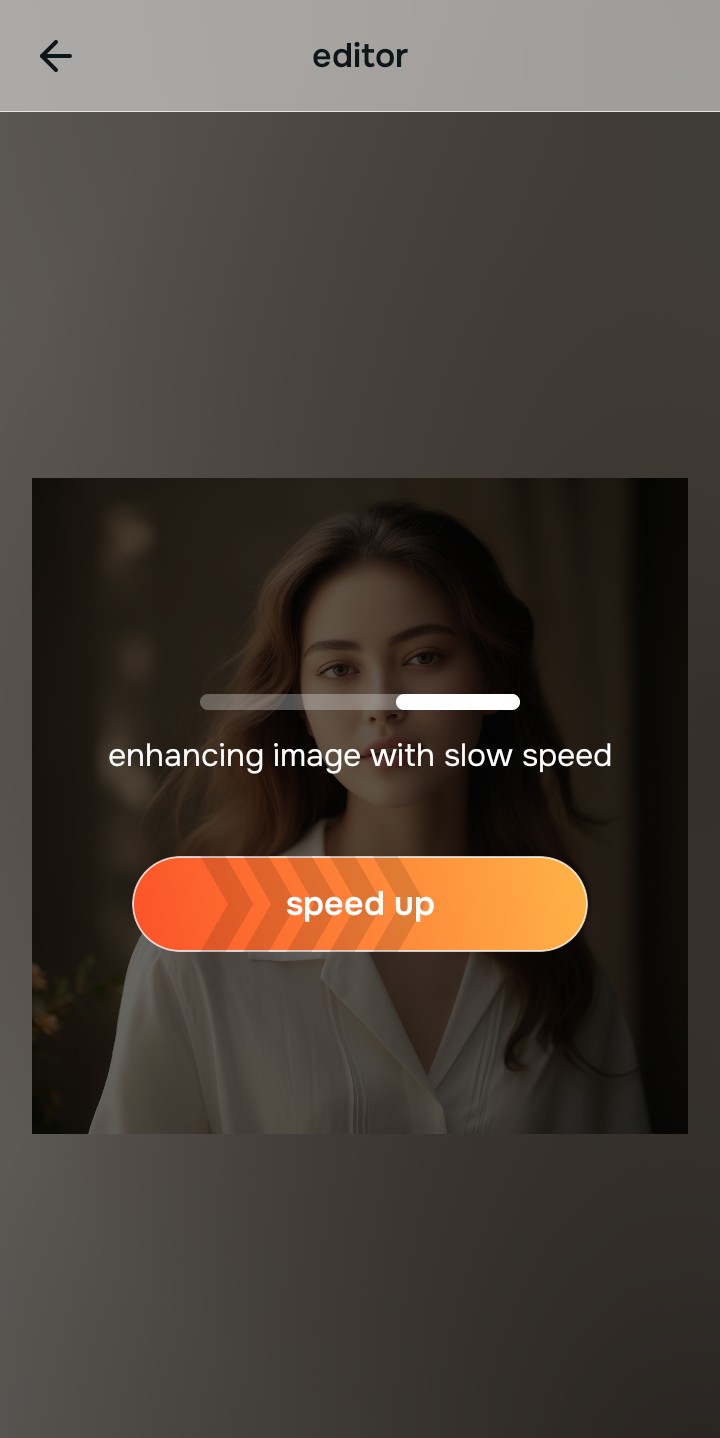
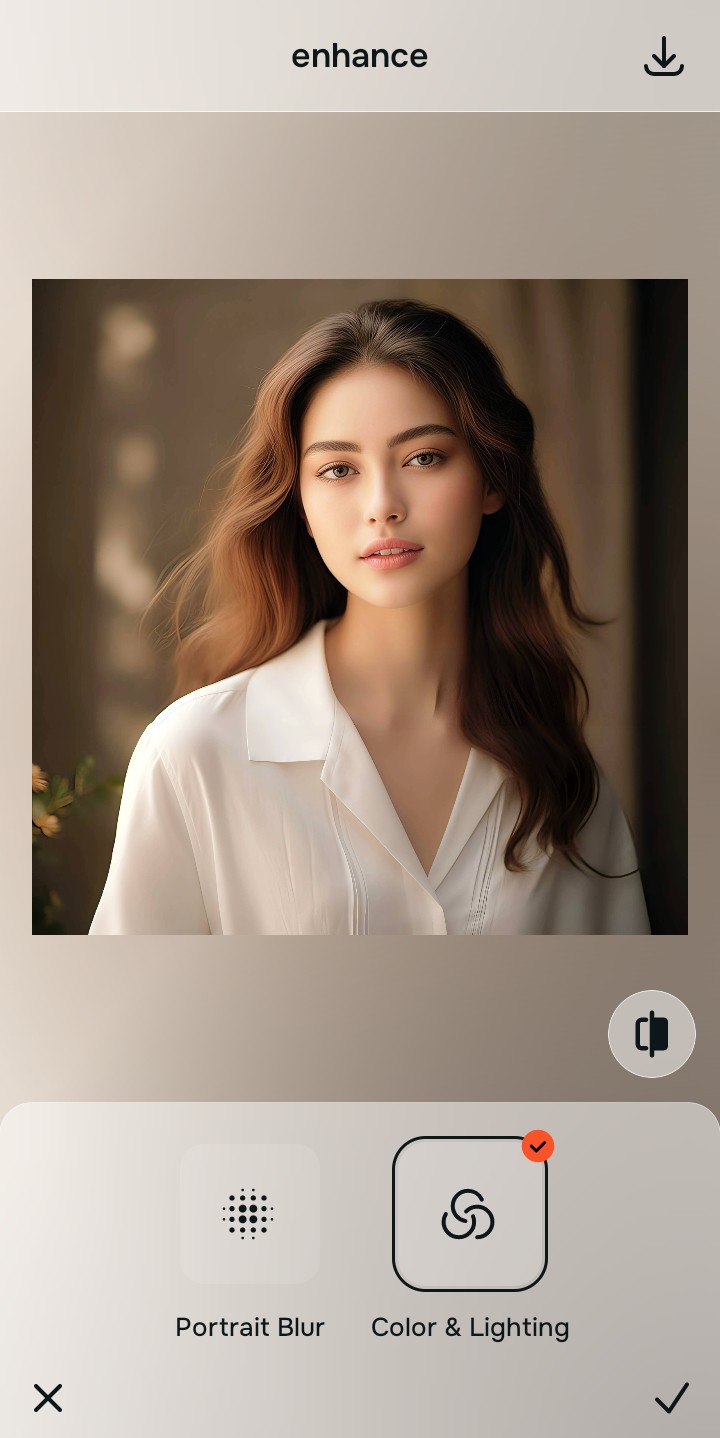
Tap Enhance and choose Colors & Lighting
Because flat selfies are caused by bad sensor metering, tap Enhance -> Colors & Lighting. This removes muddy noise and balances your ambient exposure lines natively. If you hate artificial filters, using a dedicated app without the fake filter look is crucial to keep your skin pore architecture crisp.

Always standardize your lighting baseline before using face impression menus. Correcting shadow drops first ensures that your aesthetic vibe adjustments map beautifully to your natural features.
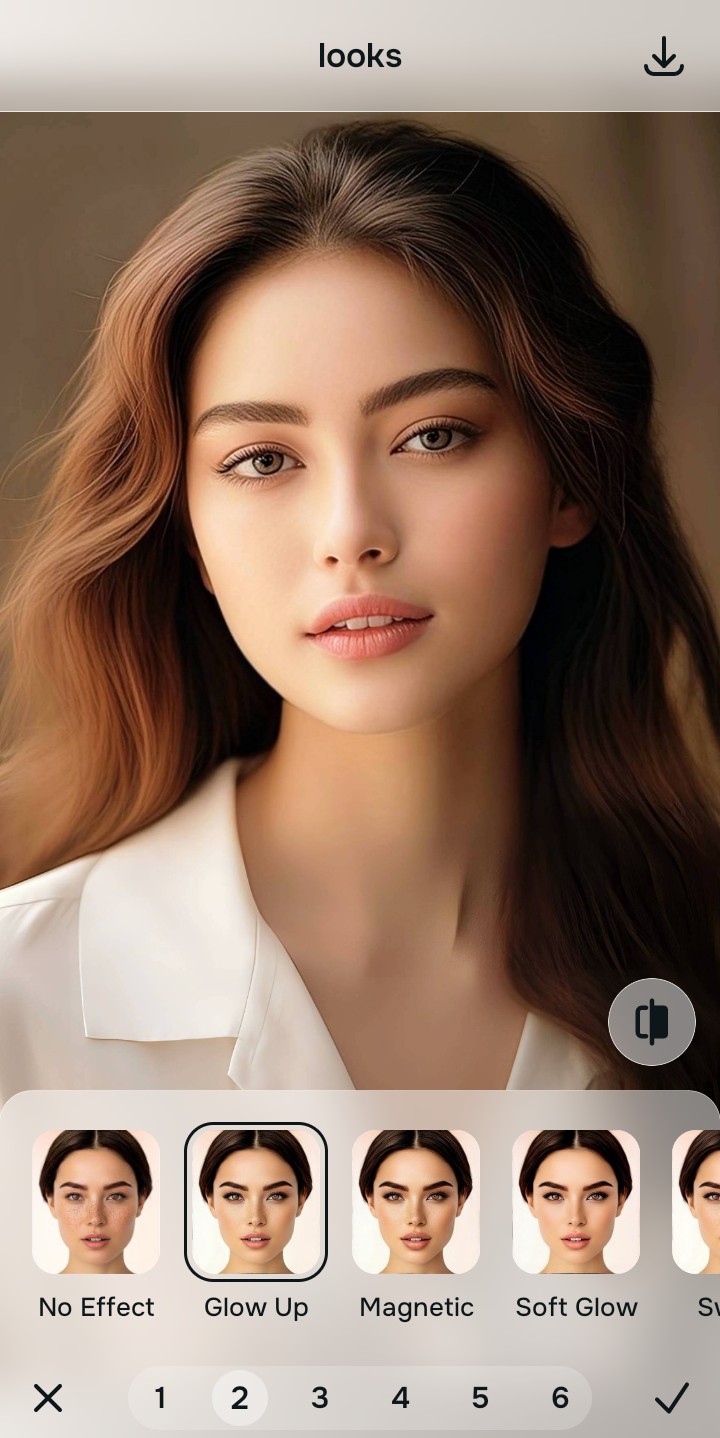
Tap Looks and select Glow Up to polish your vibe
With your baseline exposure balanced, apply an overall face polish. Tap Looks -> Glow Up. Choose your setting from Level 1-5 to give the face a radiant finish. Picking a platform built for one-tap selfie enhancers for natural results ensures you preserve your identity cleanly.
Download your high-definition profile asset for free
Citrus generously provides unwatermarked high-resolution exports for free. For users processing high-volume personal branding dumps, an optional premium Turbo processing upgrade is available. Enjoy a clean save that looks exactly like you.

What is lowering your current selfie quality?
Isolate your image's primary visual limitation. Your correct editing pathway changes depending on the issue.
How to align your photo weakness to the right free path
Different image flaws necessitate distinct menu paths. Selecting structured Level 1-5 tap options instead of raw manual sliders is the only way to lock in visual adjustments without adding fake filters.
| Tool Pathway | Primary Flaw Remediated | Glow Up Strategy |
|---|---|---|
| Enhance Start here | Washed-out facial illumination, sensor grain noise, and compressed contrast fields | Use this first to establish a clean lighting baseline. Choose Colors & Lighting to balance layers for free. |
| Looks | Dull skin appearance, flat expressions, and low overall image vibrancy | Use this to update the entire face impression. Select Glow Up (Level 1-5) to coat your portrait in a radiant polish. |
| Face | Targeted anatomical limitations like deep shadows settling under the eyes | Use this last for precise feature tweaks. Select No Eyebags to safely lift specific shadow areas without adding blur masks. |
“An authentic glow up adjustment should never reshape your face. It must simply correct the camera sensor errors so your real identity shines through clearly.”
Why precise Level 1-5 taps beat manual morphing sliders
There is a massive structural difference between balancing camera exposure and masking your face behind fake filters or generative slop. When you use manual liquify tools to adjust features, human error makes it easy to over-edit, creating noticeable distortions in your clothes and surrounding room details. This instantly breaks the realism of your content asset.
Citrus is built from the ground up to be the most natural enhancer ever created. By relying exclusively on mathematically precise Level 1-5 tap settings instead of unpredictable sliders, the engine maps your face securely, optimizing highlight tracking without changing your real face shapes. This approach ensures you can build a premium photo enhancer personal brand feed completely for free.