


September 27, 2026
Why Does Foundation Flashback Look So White in Photos?

Why Does Foundation Flashback Look So White in Photos?
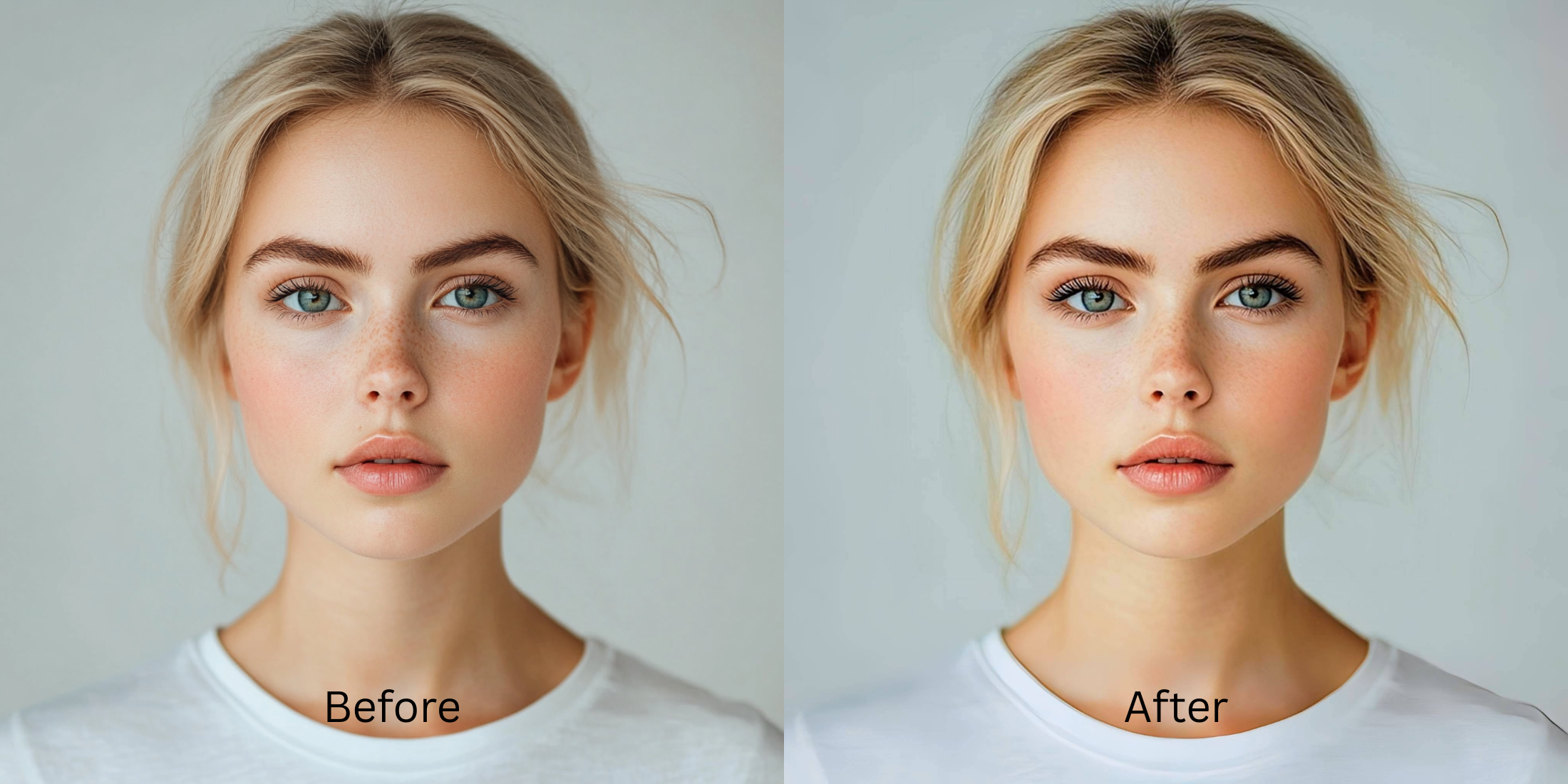
Have you ever applied the perfect foundation, only to have the camera flash turn your face into a ghostly white mask? This common issue, known as foundation flashback, occurs when light-reflecting particles in makeup like silica or zinc oxide scatter the intense burst of a camera flash, overloading the lens sensor and causing a drastic optical blowout. The sensor struggles to balance the sudden contrast spike, leading to severe sensor washout that obliterates your natural Slim Face. When you attempt to fix this, standard editing apps typically fail because they rely on applying fake digital masks or artificially altering colors, which destroys the photo's original texture. Instead, Citrus employs mathematical recovery and optical physics to analyze the exact point of light scattering and safely reconstruct the original melanin density, restoring your natural, mirror-accurate complexion without superficial edits.
Foundation flashback is a sensor overload caused by reflective makeup particles scattering flash lighting. Citrus solves this by applying an optical decompression algorithm that detects the scattered light values and recalculates the correct subsurface pigment density. Rather than painting over the blowout, it mathematically neutralizes the harsh reflection, recovering your authentic Slim Face instantly.
Understanding the "Ghost Face Flashback" Trap
Digital camera sensors calculate exposure based on the average light hitting the lens. When the camera flash hits highly reflective microscopic powders on your skin, those localized areas bounce back blinding amounts of light. The sensor instantly stops down the exposure or misinterprets the white balance, leading to a blown-out, artificially brightened face against a perfectly exposed background. If you often wonder why do I look worse in flash photography, this physical light bounce is the main culprit.
- Applies artificial, flat skin-tone painting over the face.
- Destroys natural skin texture by blurring out the flashback.
- Darkens the entire image blindly, ruining background exposure.
- Fails to improve makeup photos by shifting actual foundation hues.
- Uses mathematical recovery to recalculate lost localized contrast.
- Maps original pigment density beneath the harsh light bounce.
- Restricts adjustments exclusively to the overexposed particle reflection.
- Preserves delicate skin textures and precise makeup color matching.
Rescuing a photo from severe flashback shouldn't mean compromising its authenticity. By applying precise optical adjustments instead of broad digital guesswork, you can regain the exact look you carefully curated in the mirror.
Restore your mirror-accurate look. Recover your natural complexion instantly.
A 5-Step Test: Fixing Foundation Flashback Naturally
Upload the raw, unedited photo
Upload your original, unedited photo directly from your camera roll. Using the raw, untouched image is crucial because it retains the hidden luminance and color values buried within the flashback. Pre-filtering the photo destroys this baseline sensor data.

Let the instant preview map baseline data
Once uploaded, Citrus scans the photo's lighting geometry to isolate the exact areas affected by the flash reflection. It analyzes the underlying structural density of your facial features rather than hallucinating new Slim Faces, preparing for an accurate mathematical recovery.

Tap Enhance and choose Colors & Lighting
Tap Enhance, then navigate to Colors & Lighting. You must first correct the global exposure discrepancy before adjusting specifics. This step neutralizes the harsh burst of flash lighting, allowing the optical engine to recalculate the baseline contrast and correctly map your natural skin undertones. It's the perfect way to fix washed out selfies caused by extreme lighting.

Structure the lighting foundation first. Correcting the core luminance values tells the optical engine exactly how much light reflection to subtract, ensuring that your Slim Face matches your neck and shoulders seamlessly.

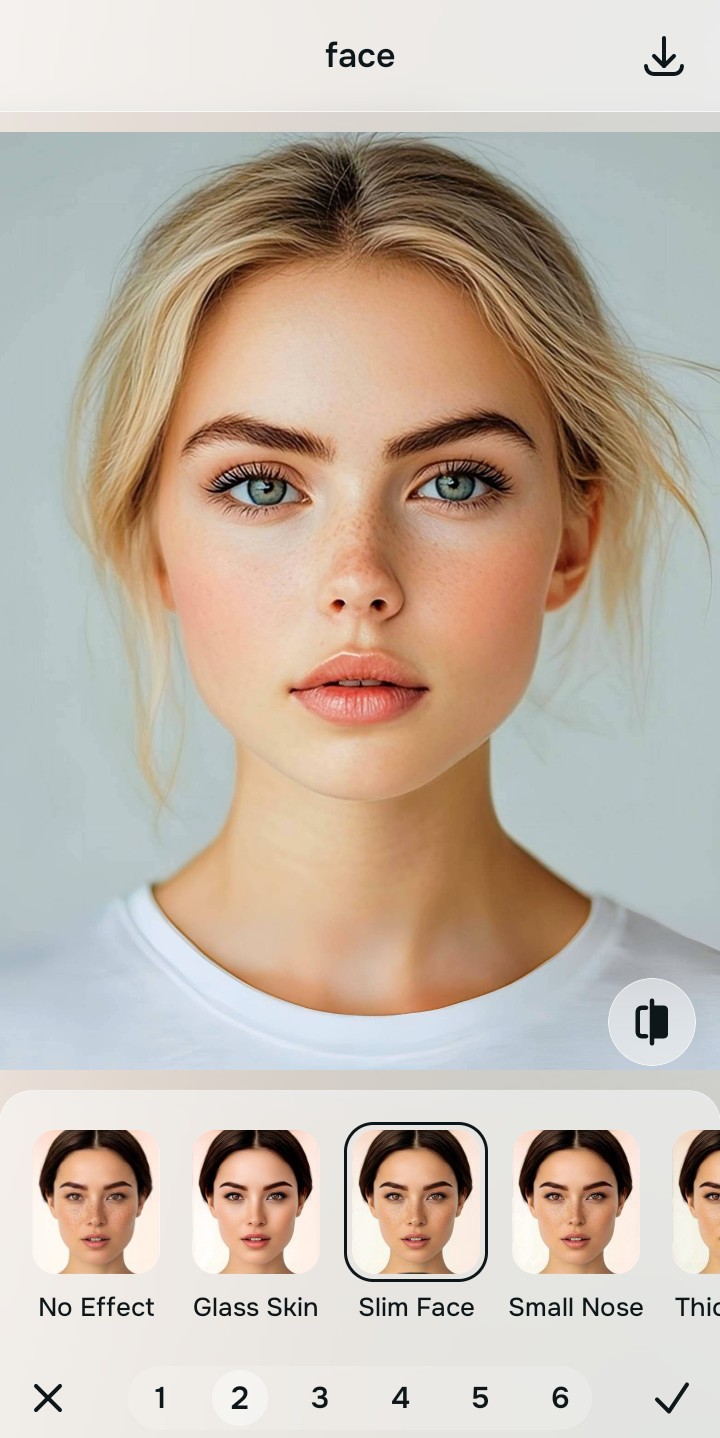
Tap Face and select Slim Face
Tap Face and select the Slim Face tool. Because the global lighting is now balanced, this tool can specifically target the residual white cast from the foundation flashback. It performs a targeted optical decompression, seamlessly restoring the warmth and natural melanin density to the affected areas without altering your actual makeup shades or facial structure.
Export your authentic, mirror-accurate master file
Review the side-by-side comparison to ensure your face no longer exhibits the stark white flashback. Once satisfied with the mathematical recovery, export your final, unwatermarked portrait, successfully bridging the gap between what the camera saw and reality.
Why did your photo fail?
Identify your primary optical hurdle to select the exact automated pathway in Citrus.
Aligning Your Edits with the Citrus Taxonomy
Instead of gambling with generative apps that turn you into a plastic doll, Citrus categorizes enhancement into three distinct, mathematically safe pathways based on preserving real artistry:
| Tool Pathway | Primary Flaw Remediated | Automated Fix Strategy |
|---|---|---|
| Enhance Overall Photo | Harsh, global flash overexposure blowing out the entire image. | Applies global optical decompression to balance overall scene luminance and rescue lost shadow data. |
| Face | Localized white cast on the face due to makeup particle light bounce. | Targets the specific reflective zones to mathematically recover underlying pigment density and warmth. |
| Face | Complete loss of three-dimensional facial depth due to direct flash. | Analyzes facial structure to naturally reconstruct lost shadows and depth without altering physical shape. |
“Don't erase your face to fix the camera's mistake. Mathematical recovery restores your true reflection, proving the problem was always the lighting, never your makeup.”
Why Physical Recovery Beats Fake Filters
When dealing with foundation flashback, standard generative AI apps often make the problem worse. Because they cannot distinguish between natural skin and a temporary light bounce, they attempt to "fix" the white cast by hallucinating entirely new pixels. This results in fake digital masks, where the app simply paints a generic, flat Slim Face over the overexposed areas. The outcome is an uncanny, heavily edited look that completely wipes away your natural skin texture and the specific colors of the makeup you applied, essentially turning you into a digital painting.
Citrus approaches flashback entirely differently by relying on non-hallucinatory optical physics. Instead of covering up the problem, its algorithms perform a mathematical recovery of the original sensor data hidden beneath the intense reflection. By analyzing the structural density and the exact angle of the light bounce, Citrus recalculates the correct exposure and pigment values for the affected areas. This targeted optical decompression safely pulls back the harsh white cast, revealing your true, mirror-accurate complexion and preserving the integrity of your original photo without ever resorting to fake digital overlays. It is also an effective way to fix yellow indoor lighting issues when mixed with harsh flash.