


October 9, 2026
How to Make a Photo Look Less Perfect on Purpose Without Making It Look Low Quality

How to Make a Photo Look Less Perfect on Purpose Without Making It Look Low Quality
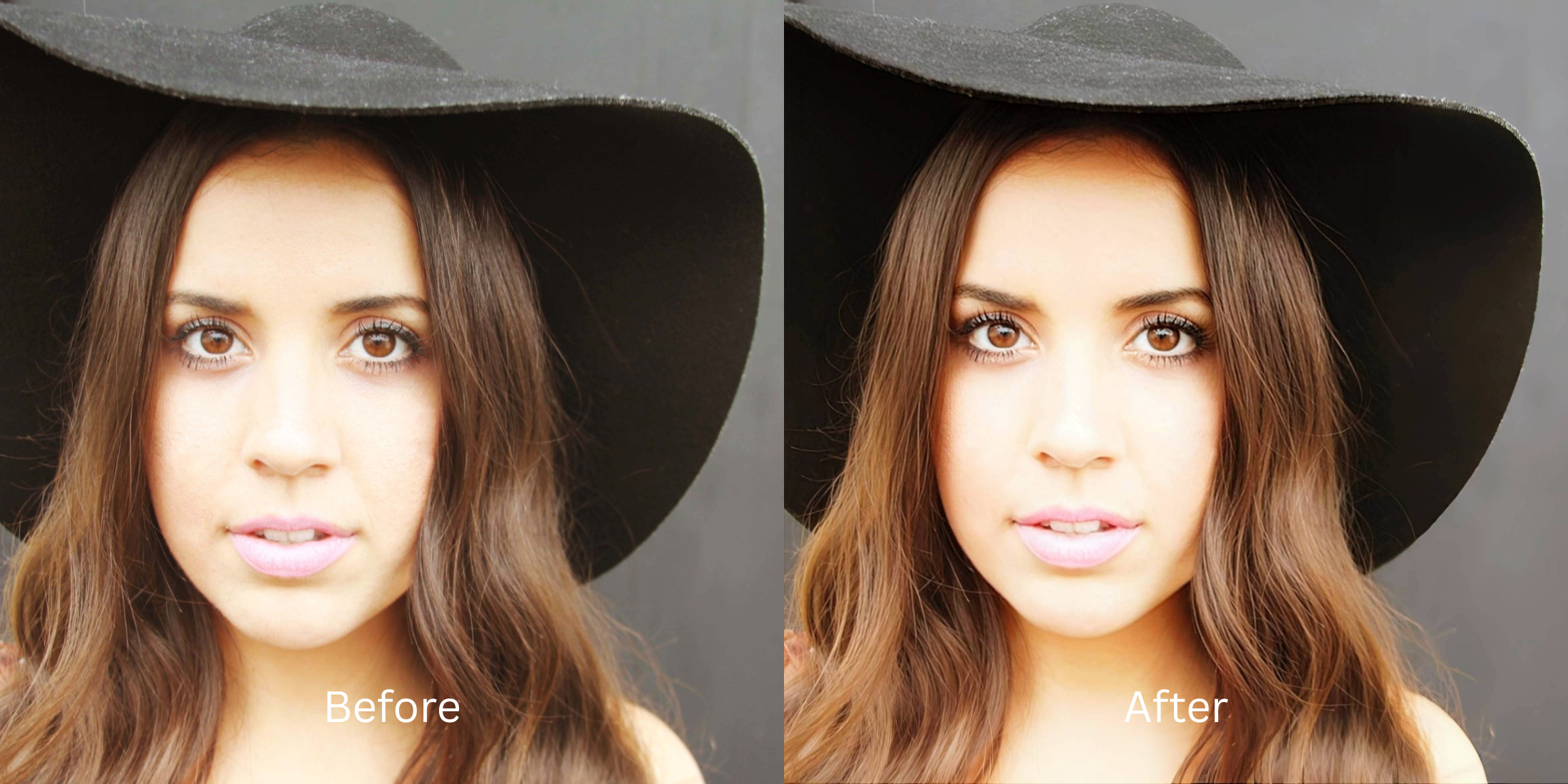
Modern smartphone cameras have a habit of over-processing images, leaving portraits looking overly sharp, artificially brightened, and stripped of their natural depth. This intense digital scrubbing creates an uncanny valley effect where the photo looks technically "perfect" but entirely fake. You've probably wondered why do i look worse when your phone applies these aggressive algorithms. Traditional editing apps try to fix this by applying fake digital makeup or alien stretching, which only worsens the synthetic look. Citrus takes a completely different approach. Using mathematical recovery and optical physics, it decompresses the heavy algorithmic processing. Instead of adding more fake layers, Citrus restructures the baseline data to bring back the natural, slightly imperfect realism of human sight, making your photos look authentic and high-quality without the plastic sheen.
Use optical decompression to strip away digital over-sharpening. Citrus uses mathematical recovery to gently reduce the aggressive contrast and artificial clarity applied by modern smartphone sensors. By recalculating the light and structural density, it restores natural skin texture and atmospheric depth, creating a beautifully cinematic yet realistic image.
Understanding the "Synthetic Perfection" Trap
Smartphone sensors are trained to maximize clarity and brightness at all costs. When you take a photo, the camera rapidly merges multiple exposures, artificially sharpening edges and smoothing out micro-textures. This brute-force processing destroys natural lighting gradients, leaving you with a hyper-detailed but entirely flat and unnatural portrait.
- Apply heavy Gaussian blur to hide over-sharpened details
- Add fake digital makeup that mismatches your natural tones
- Perform alien stretching to alter facial proportions
- Introduce artificial film grain that looks like sensor noise
- Mathematical recovery of original depth map data
- Optical decompression to soften harsh computational edges
- Restores natural atmospheric lighting gradients
- Preserves authentic structural density without distortion
If you want to make flat photos look alive, you need a tool that respects the physics of light rather than covering up the camera's mistakes with more artificial processing.
Restore your mirror-accurate look. Strip away the computational plastic look.
A 5-Step Test: Fixing Synthetic Perfection Naturally
Upload the raw, unedited photo
Always start by importing the raw, untouched original photo straight from your camera roll. Do not apply any pre-filters or basic edits, as Citrus needs the original sensor data to perform accurate mathematical recovery of the image's structural density.

Let the instant preview map baseline data
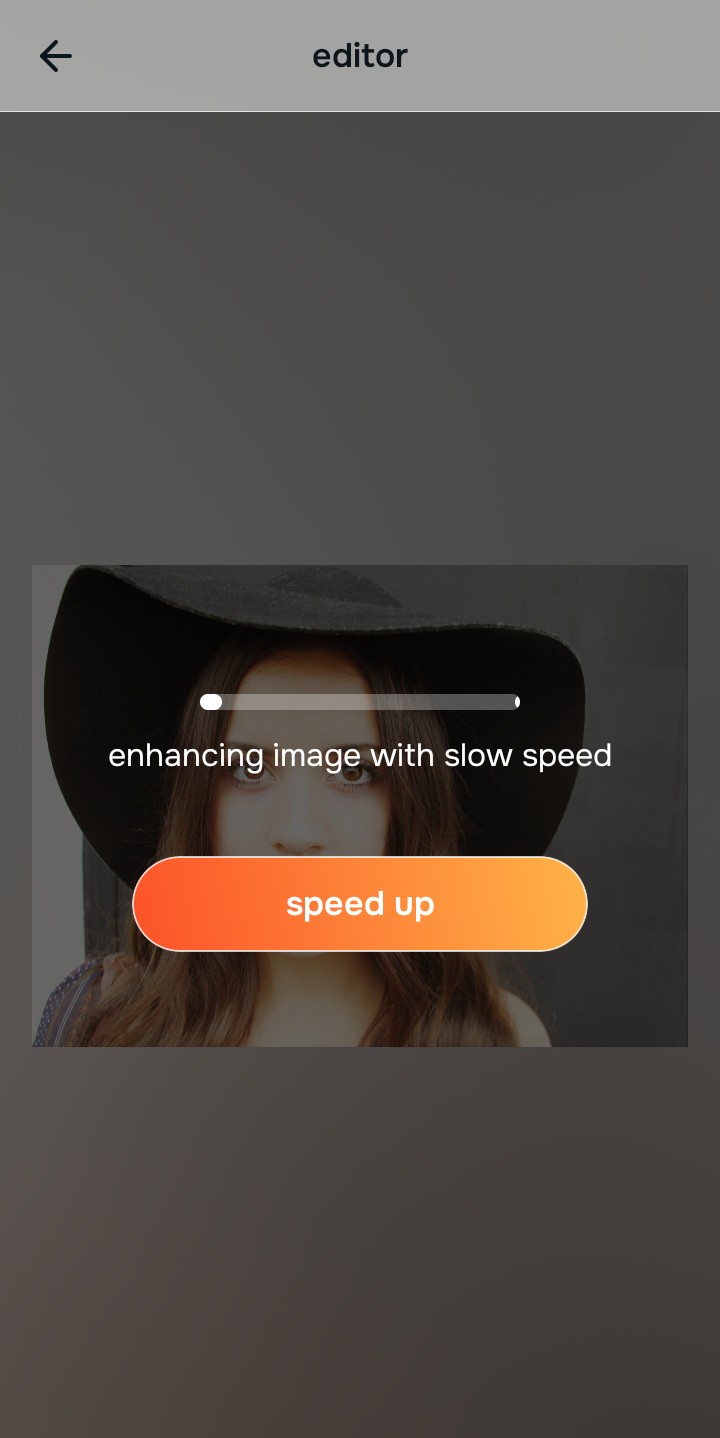
Citrus's optical engine will instantly map the baseline data of your image. Instead of hallucinating new pixels, it analyzes the structural density to understand where the camera over-processed the light and texture, preparing the photo for precise optical decompression.
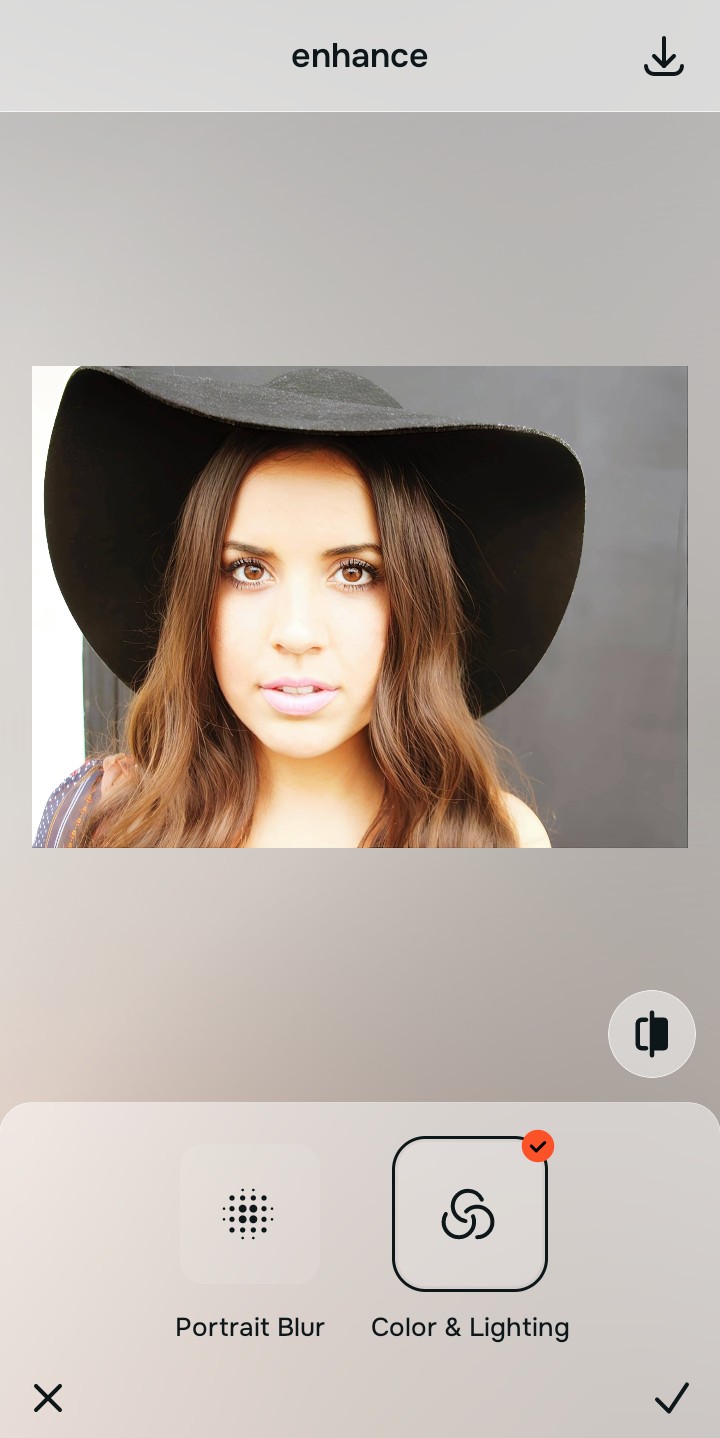
Tap Enhance and choose Colors & Lighting
Before adjusting details, you must correct the global lighting. Smartphone cameras artificially boost shadows and crush highlights. By rebalancing the baseline contrast, you provide a natural foundation, allowing the software to sharpen hair eyelashes and clothing accurately later on without amplifying harshness.

Establish the foundation first. Properly structuring the baseline density is crucial. Without correcting the core optical physics first, any further refinements will just build upon the camera's original synthetic distortion.
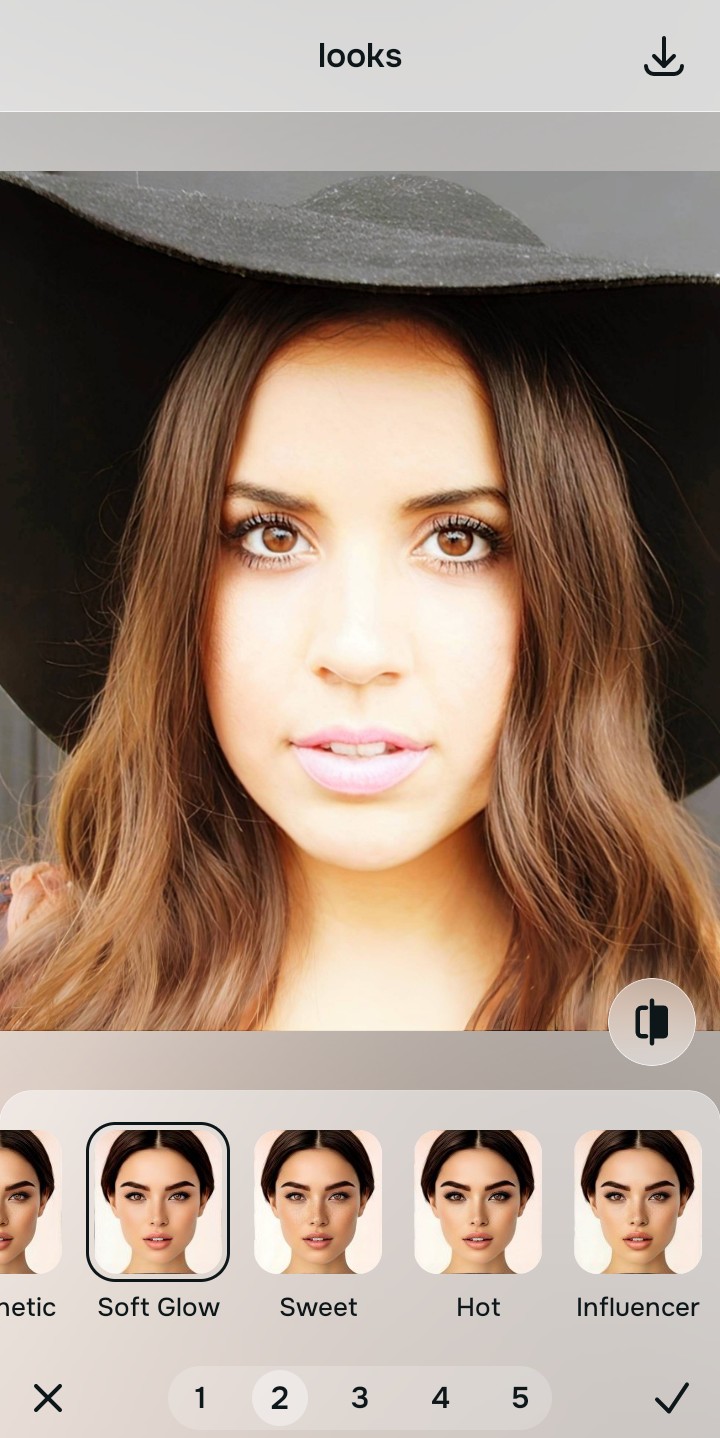
Tap Looks and select Soft Glow
Navigate to the Looks menu and select the Soft Glow tool. This tool applies targeted optical decompression to gently roll off the hyper-sharp computational edges created by your phone. It recalculates the highlight roll-off mathematically, creating a natural, slightly imperfect realism that feels organic rather than artificially low quality.
Export your authentic, mirror-accurate master file
Once the mathematical recovery is complete, export your image. You now have a master file that retains all its high-resolution quality but looks wonderfully human, natural, and free from the plastic perfection of modern computational photography.
Why did your photo fail?
Identify your primary optical hurdle to select the exact automated pathway in Citrus.
Aligning Your Edits with the Citrus Taxonomy
Instead of gambling with generative apps that turn you into a plastic doll, Citrus categorizes enhancement into three distinct, mathematically safe pathways based on preserving real artistry:
| Tool Pathway | Primary Flaw Remediated | Automated Fix Strategy |
|---|---|---|
| Enhance Overall Photo | Over-processed global contrast and artificial clarity that destroys atmospheric depth. | Mathematical recovery of the original lighting gradients and optical decompression of the focal plane. |
| Looks | A clinical, synthetic aesthetic caused by aggressive edge enhancement and digital noise reduction. | Recalibrates highlight roll-off and applies structural softening to restore an organic, lifelike visual texture. |
| Face | Plastic-looking skin and flattened facial volume due to the camera's built-in computational processing. | Uses structural density analysis to restore natural micro-contrast and accurate, un-distorted facial geometry. |
“We don't need to add fake filters to look good; we need mathematical recovery to strip away the camera's synthetic perfection and reveal our natural reality.”
Why Physical Recovery Beats Fake Filters
When trying to make a photo look more natural, most people turn to standard editing apps. However, these tools are built on generative AI that hallucinates new pixels. Instead of removing the smartphone's over-processing, they pile on fake digital makeup, artificial film grain, and heavy blurring. This doesn't make the photo look authentically imperfect; it just creates a low-quality, muddy image that feels completely disconnected from reality. It's no wonder people search for a free ai tool to fix these disastrous algorithmic edits.
Citrus bypasses these destructive methods by relying on non-hallucinatory optical physics. Rather than overlaying fake textures, Citrus performs a mathematical recovery of the image's original structural density. It analyzes where the smartphone aggressively sharpened edges and crushed natural shadows, and it uses optical decompression to carefully roll back those specific calculations. The result is a high-quality, mirror-accurate portrait that embraces the beautiful, natural imperfections of reality without ever looking low-res or synthetically altered.