


October 5, 2026
How to Improve Old Facebook Photos That Were Compressed Years Ago

How to Improve Old Facebook Photos That Were Compressed Years Ago
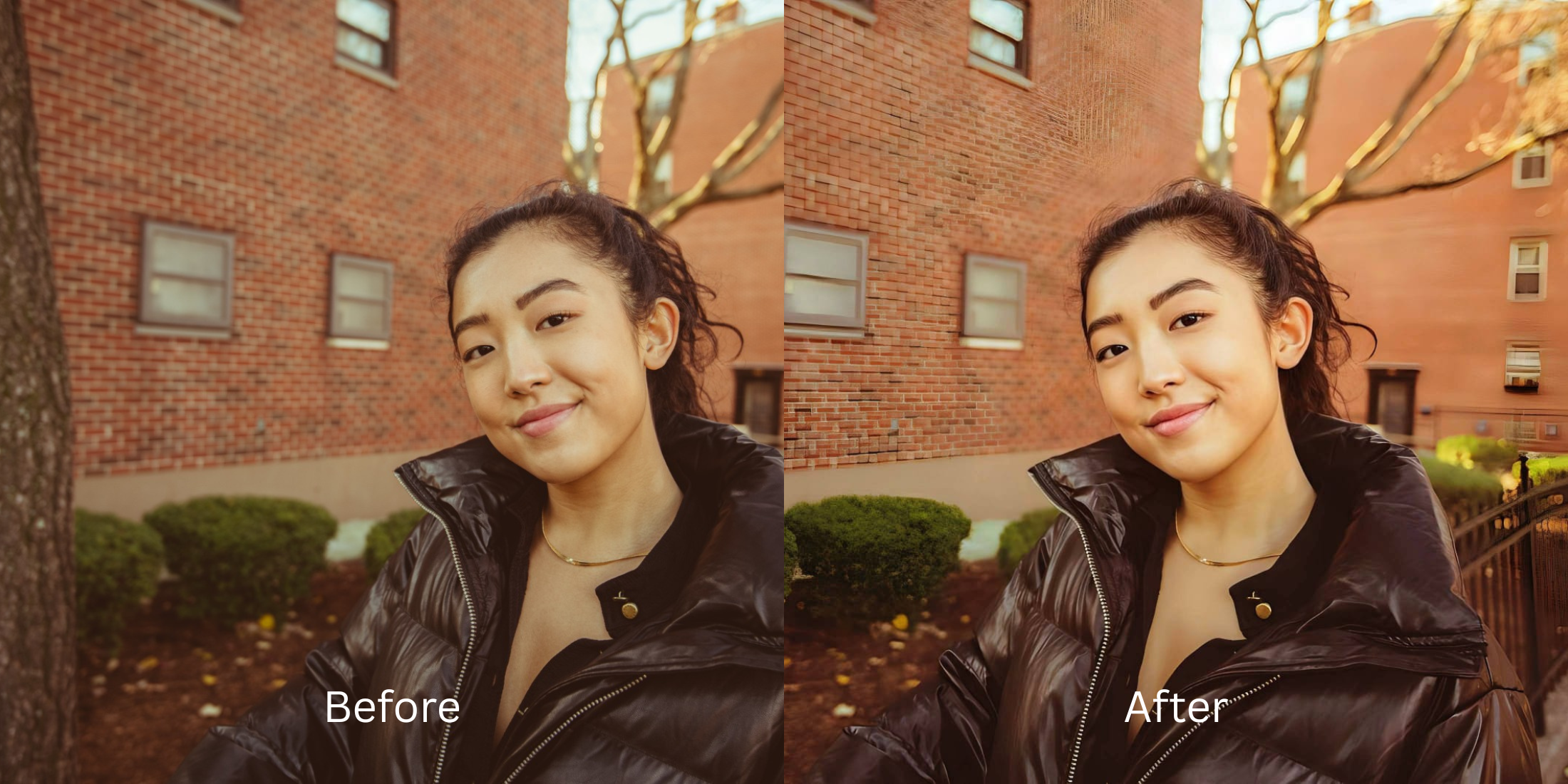
Old Facebook photos uploaded years ago often suffer from aggressive algorithmic compression, destroying subtle facial textures, natural lighting gradients, and depth data. This results in pixelated, washed-out memories that lack the vitality of the original moment. When trying to recover these files, standard photo editors often apply broad artificial sharpening or fake digital makeup, creating an uncanny, plastic-like appearance rather than recovering the true scene. This is where Citrus comes in. Using advanced mathematical recovery and optical decompression algorithms, Citrus reconstructs the lost sensory data by mapping structural density, effectively reverse-engineering the compression loss. This ensures your memories are restored with physical accuracy, completely avoiding alien stretching or hallucinated facial features, giving you a crystal-clear, authentic image.
Mathematical decompression is the key. Citrus uses optical physics models to restructure the baseline density and contrast of heavily compressed files, rebuilding authentic textures naturally without applying fake digital makeup or distorting facial anatomy.
Understanding the "Facebook Compression Washout" Trap
When you uploaded photos to social media a decade ago, the platforms prioritized server space over image fidelity. They stripped out vital metadata and crushed the pixel density, leaving a flattened, blocky artifact. Generic upscaling apps try to make flat photos look alive by hallucinating new data, which often ruins the authentic look.
- Applies generic fake digital makeup
- Hallucinates completely new facial features
- Causes alien stretching around edges
- Uses blunt unsharp masks that exaggerate noise
- Recovers baseline structural density
- Maps authentic optical contrast
- Rebuilds true texture without hallucination
- Ensures mirror-accurate geometric restoration
Instead of settling for uncanny AI edits that strip away your humanity, you can use mathematical recovery to safely reconstruct your most cherished memories.
Restore your mirror-accurate look. Rebuild lost details naturally.
A 5-Step Test: Fixing Facebook Compression Washout Naturally
Upload the raw, unedited photo
Select the downloaded low-resolution Facebook image from your camera roll. Using the untouched downloaded file provides the most accurate baseline for optical decompression without introducing secondary artifacts.

Let the instant preview map baseline data
As the file opens, the Citrus engine scans the pixel degradation, establishing a mathematical framework to recover lost depth rather than just guessing.

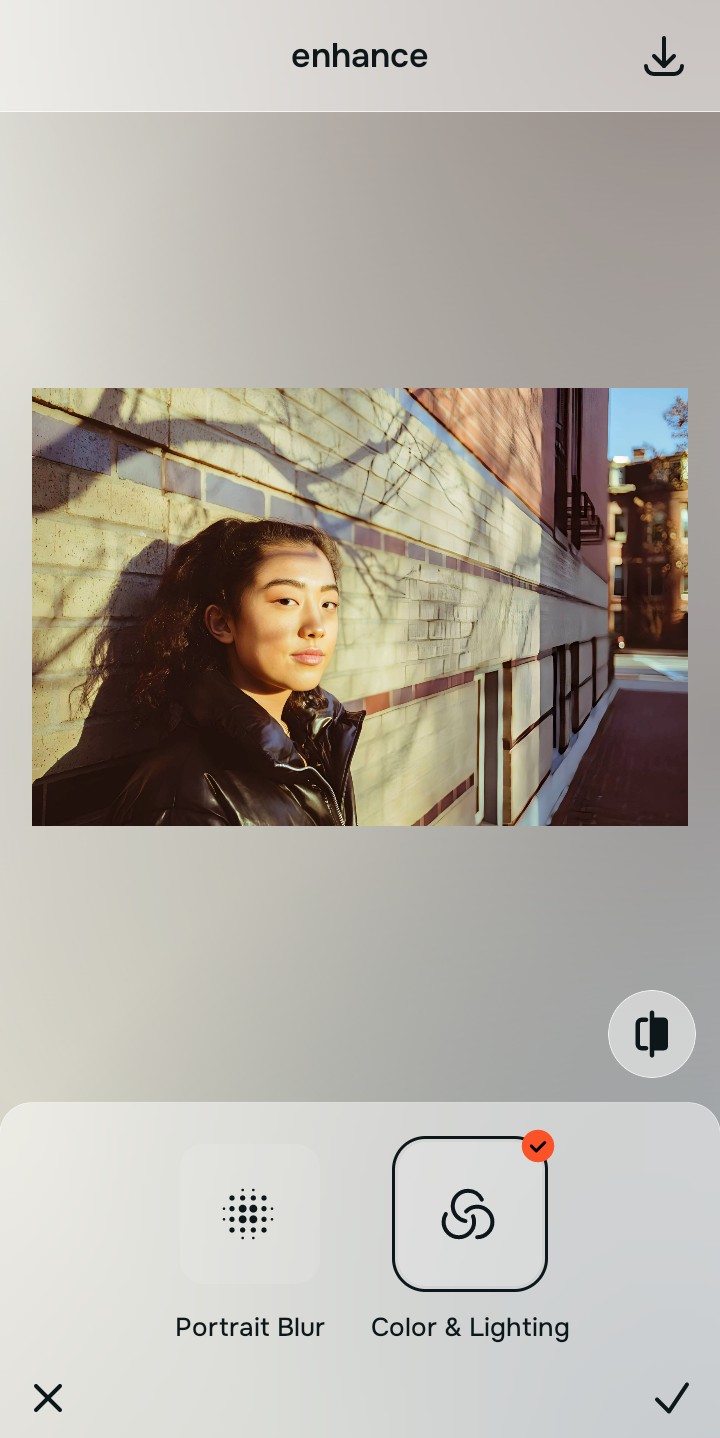
Tap Enhance and choose Colors & Lighting
To successfully fix washed out selfies caused by compression, baseline density must be resolved first. This corrects the flattened tonal range before texture is rebuilt.

Fix density before sharpening. Rebalancing global contrast maps provides the necessary physical structure for the recovery algorithms to accurately sharpen hair and eyelashes.
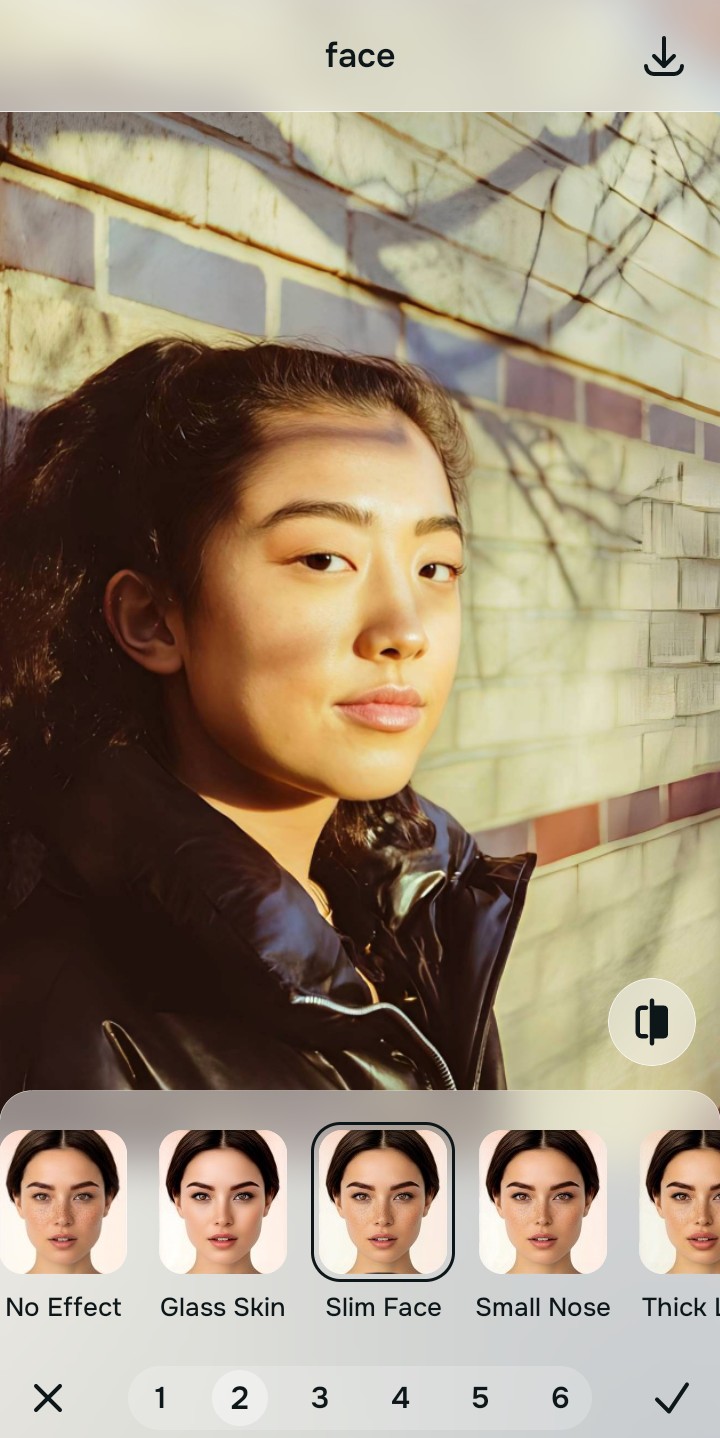
Tap Face and select Slim Face
Tap Enhance and select the "HD Restore" tool. This specifically targets aggressive JPEG compression blocks, utilizing mathematical recovery to smooth pixelation while protecting authentic skin texture and eye clarity.
Export your authentic, mirror-accurate master file
Save your flawlessly recovered, mirror-accurate image directly to your gallery. Your memory is restored to its true physical state.
Why did your photo fail?
Identify your primary optical hurdle to select the exact automated pathway in Citrus.
Aligning Your Edits with the Citrus Taxonomy
Instead of gambling with generative apps that turn you into a plastic doll, Citrus categorizes enhancement into three distinct, mathematically safe pathways based on preserving real artistry:
| Tool Pathway | Primary Flaw Remediated | Automated Fix Strategy |
|---|---|---|
| Enhance Overall Photo | Severe overall pixelation and blocky artifacts from aggressive downscaling. | Mathematical decompression of the entire image structure to reconstruct lost density. |
| Looks | Faded, dull tones and loss of natural lighting gradients. | Realignment of the baseline contrast map to recover optical vibrancy. |
| Face | Smudged or unrecognizable facial details due to data loss. | Precise structural recovery of features without applying fake digital makeup. |
“The goal isn't to create a new, fake version of the past, but to mathematically recover the true light and life of the original moment.”
Why Physical Recovery Beats Fake Filters
When you look worse in photos from years ago, it's usually because standard apps try to paint over the compression. They hallucinate new eyes, smooth over real skin textures, and apply alien stretching to features, leaving you with a plastic, unrecognizable rendering of yourself.
Citrus rejects these fake digital overlays. By applying strict optical physics and structural density analysis, the Citrus engine mathematically recovers the degraded pixels. It respects the original scene's geometry, ensuring a natural, mirror-accurate restoration that brings the memory back to life authentically.