


October 4, 2026
How to Improve a Photo Grabbed From a 1080p or 4K Video
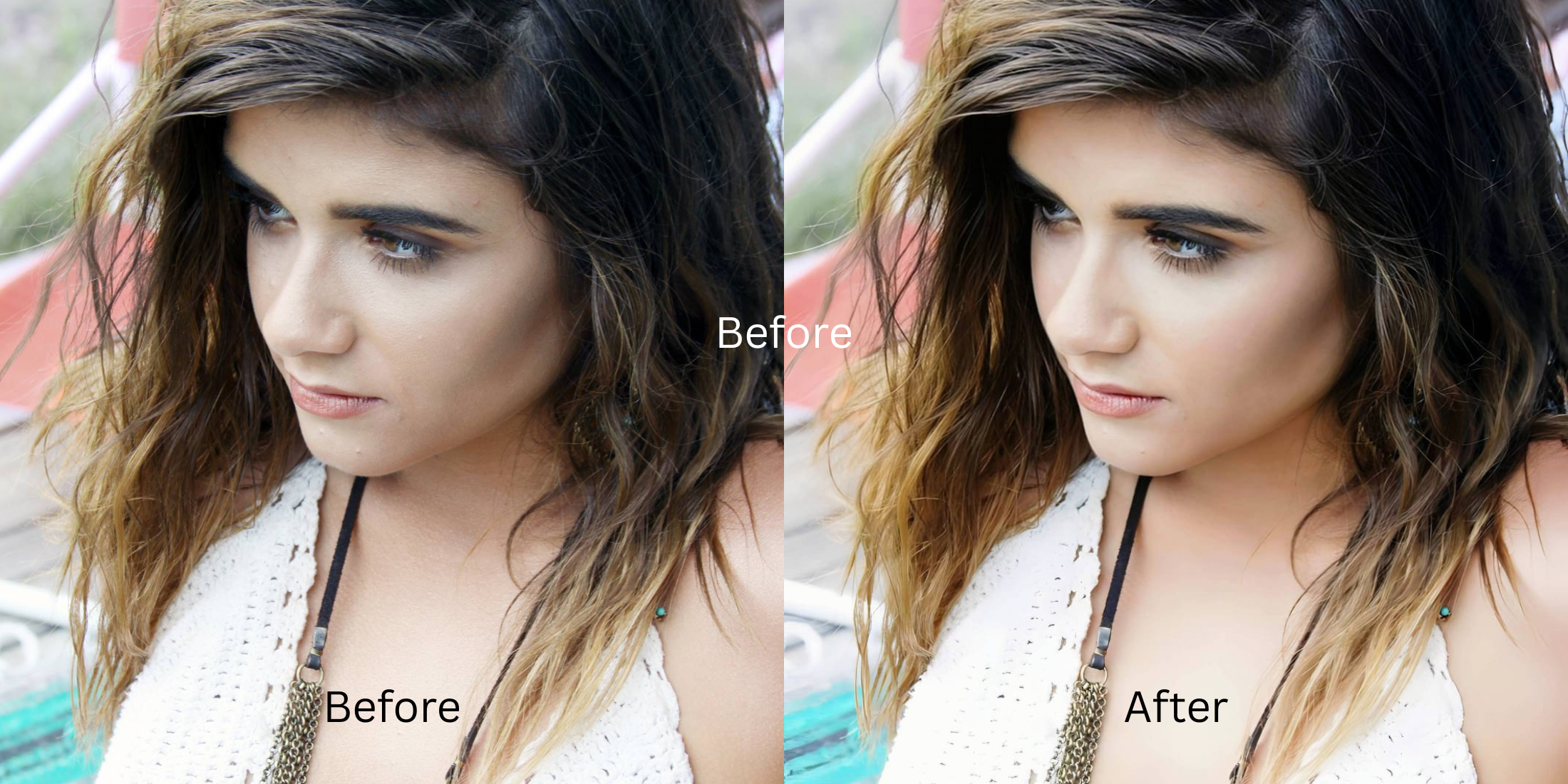

How to Improve a Photo Grabbed From a 1080p or 4K Video
Grabbing a still frame from a 1080p or 4K video often results in a disappointing image. Even high-resolution video compresses individual frames to save space, causing motion blur, sensor washout, and a severe loss of structural detail. When you pause and screenshot, you capture an optically compromised frame lacking the density of a true photograph. Standard editing apps try to mask these flaws with heavy-handed techniques, applying fake digital makeup or introducing alien stretching that destroys the subject's natural appearance. Citrus takes a different approach. Instead of hallucinating details, Citrus utilizes mathematical recovery and optical decompression to analyze the remaining pixel data. By reconstructing the baseline density and resolving the compressed visual information, Citrus naturally restores the true clarity and depth of your video grab.
Mathematical recovery restores frame clarity. Instead of painting fake textures over blurred pixels, Citrus uses optical decompression to rebuild the structural density of video screenshots. It analyzes the compressed sensor data and mathematically recovers lost details like hair and skin texture, ensuring your final image looks like a genuine high-quality photograph, not an over-processed frame grab.
Understanding the "Video Frame Washout" Trap
Video cameras prioritize fluid motion over individual frame sharpness. To maintain a smooth frame rate, sensors lower the shutter speed, introducing motion blur, and compress the color data. This compression algorithm strips away fine details, leaving you with a soft, noisy image that looks flat. If you make flat photos look alive with conventional contrast sliders, you simply amplify the compression artifacts.
- Over-sharpening that highlights compression noise
- Applying plastic textures over blurred skin
- Distorting facial features to simulate focus
- Crushing shadows and losing tonal depth
- Mathematical recovery of compressed edge details
- Optical decompression to restore volume
- Preserving authentic facial structure
- Harmonizing exposure across the frame
Rather than slapping generative filters over low-quality frames, you can structurally restore the image. Using intelligent optical physics, you can sharpen hair eyelashes and clothing naturally, bypassing the destructive habits of conventional editing software.
Restore your mirror-accurate look. Use optical decompression to fix video grabs.
A 5-Step Test: Fixing Video Frame Washout Naturally
Upload the raw, unedited photo
Always use the raw, unedited screenshot taken directly from the original video file. Do not crop or filter it beforehand, as this destroys the remaining compressed sensor data required for accurate optical decompression.

Let the instant preview map baseline data
Citrus's rendering engine instantly maps the baseline structural density of your screenshot. It calculates the motion blur and compression artifacts, establishing a mathematical foundation for recovery without hallucinating fake elements.

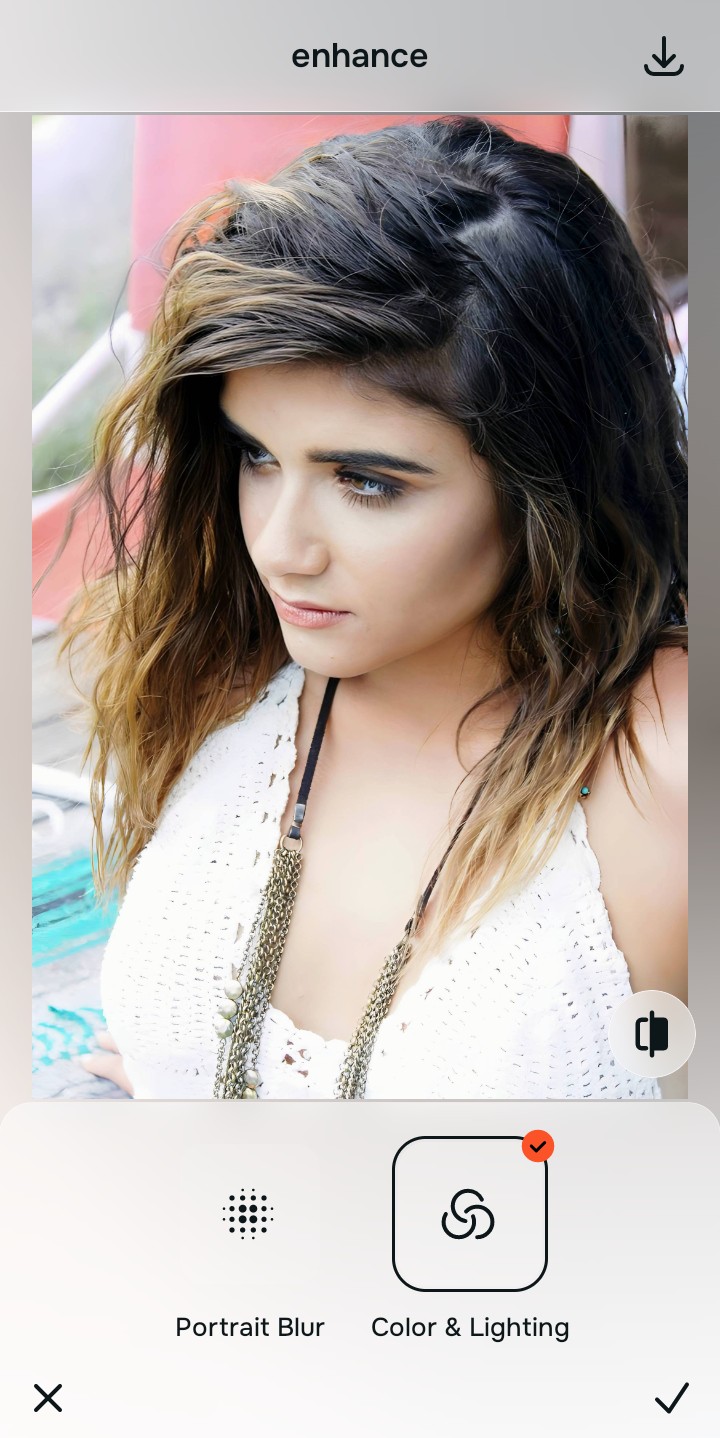
Tap Enhance and choose Colors & Lighting
Video compression heavily degrades contrast and color depth. Fixing the baseline contrast and lighting first is critical; it structures the global density layers, providing a solid optical base before resolving finer details.

Structure the Baseline Density First. Properly calibrating the core lighting allows the mathematical recovery process to differentiate between actual compression noise and true underlying texture.
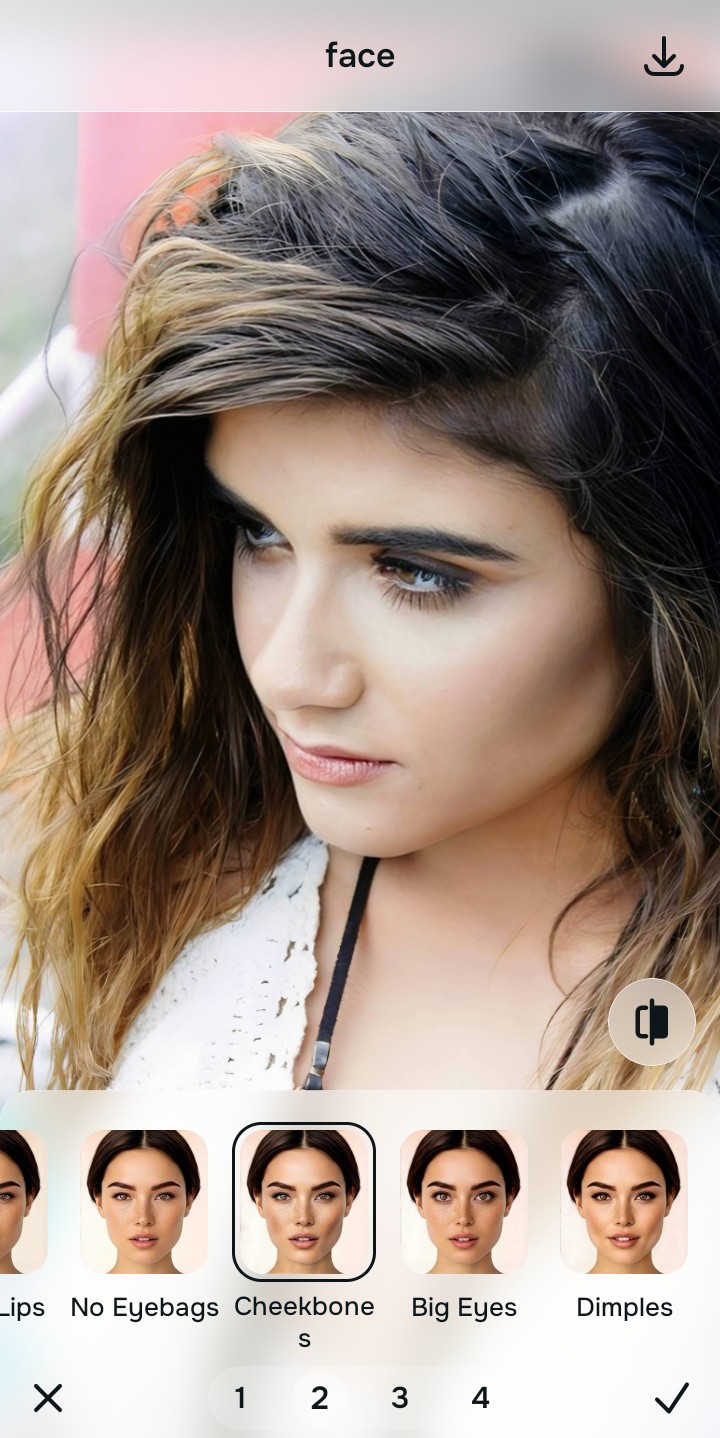
Tap Face and select Cheek Bones
Navigate to **Enhance** and select **HD Recovery**. This specific tool specializes in optical decompression. It recalculates the soft, compressed pixels of your video grab, mathematically restoring edge sharpness and recovering the structural integrity of the subject.
Export your authentic, mirror-accurate master file
Once the optical decompression is complete, save your image. You now have an authentic, mirror-accurate master file that looks like a dedicated photograph rather than a compromised video still.

Why did your photo fail?
Identify your primary optical hurdle to select the exact automated pathway in Citrus.
Aligning Your Edits with the Citrus Taxonomy
Instead of gambling with generative apps that turn you into a plastic doll, Citrus categorizes enhancement into three distinct, mathematically safe pathways based on preserving real artistry:
| Tool Pathway | Primary Flaw Remediated | Automated Fix Strategy |
|---|---|---|
| Enhance Overall Photo | Global compression artifacts and motion blur across the entire video frame. | Mathematical recovery calculates missing pixel data to restore overall structural density. |
| Looks | Flat, washed-out tones caused by video sensor limitations and low bitrates. | Optical decompression reorganizes tonal values to fix washed out selfies and restore natural contrast depth. |
| Face | Loss of distinct facial micro-texture due to rapid movement and frame blending. | Targeted structural mapping recovers specific edge details while maintaining genuine facial geometry. |
“Don't let video compression dictate your image. Use mathematical recovery to unveil the photograph hiding within the frame, rather than painting a fake reality over it.”
Why Physical Recovery Beats Fake Filters
When dealing with a low-quality video grab, many users turn to apps that they eventually realize they despise. If you hate how filters look, it's because generative AI attempts to solve compression by guessing. It overwrites your blurred skin with synthetic pores and sharpens edges by adding heavy black outlines. This creates a brittle, unnatural image that completely alters your actual appearance.
Citrus relies entirely on physical recovery. By interpreting the residual data in the compressed video frame, it applies optical decompression. This mathematical recovery process realigns the scattered pixel values, restoring the true structural density of the image. The result is a clean, mirror-accurate photograph that honors the original scene without ever relying on hallucinatory tricks.