


October 4, 2026
How to Improve a FaceTime or Video-Call Screenshot Without Creating a Fake Face

How to Improve a FaceTime or Video-Call Screenshot Without Creating a Fake Face
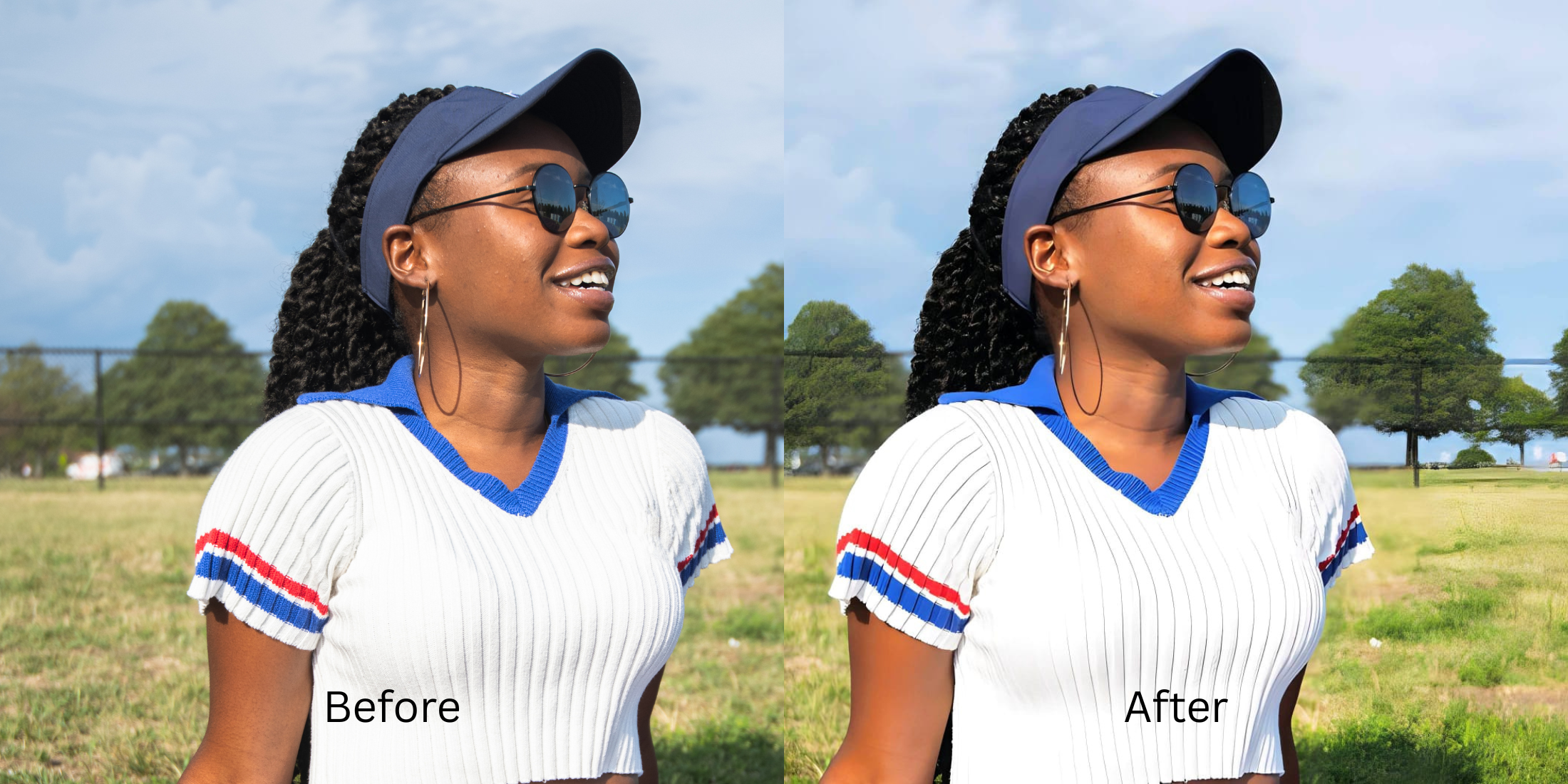
Have you ever snapped a quick FaceTime screenshot only to wonder why you look so different? This isn't your imagination. Video-call cameras often suffer from severe lens distortion and sensor washout, compressing your features and flattening your natural depth. Standard beauty apps try to fix this by slapping on fake digital makeup or alien stretching, which completely destroys the authenticity of the moment. Citrus approaches this problem differently. Instead of hallucinating details that were never there, Citrus uses mathematical recovery and optical physics to reverse the focal distortion. It restructures the structural density of the image, essentially decompressing what the webcam flattened. The result is a mirror-accurate representation that feels genuine, letting you look like yourself again rather than worse in photos than mirror.
Use optical decompression, not synthetic filters. Video calls compress focal data. Citrus calculates the structural density of your face to reverse lens distortion naturally, recovering your true appearance without adding fake makeup.
Understanding the "Webcam Washout" Trap
Front-facing cameras on laptops and phones rely on wide-angle lenses to capture more of the room, which inherently distorts facial proportions. Combined with poor indoor lighting and video compression, the sensor fails to register your true features, leaving you with flat, lifeless pixels that need mathematical recovery rather than synthetic overlays.
- Applies unnatural fake digital makeup
- Uses alien stretching to warp features
- Hallucinates skin textures and pores
- Destroys original lighting and depth
- Mathematical recovery of facial depth
- Reverses wide-angle lens distortion
- Optical decompression of flat pixels
- Preserves genuine expressions naturally
You don't have to settle for synthetic alterations. By approaching the problem as an optical correction rather than a cosmetic one, you can restore your true self.
Restore your mirror-accurate look. Experience mathematical recovery without the fake filters.
A 5-Step Test: Fixing FaceTime Distortion Naturally
Upload the raw, unedited photo
Start by uploading your original, untouched FaceTime screenshot directly into Citrus. Do not crop or apply any basic edits beforehand, as preserving the original sensor data is crucial for the mathematical recovery engine to work accurately.

Let the instant preview map baseline data
Once uploaded, the Citrus rendering engine immediately maps the baseline data of your screenshot. It analyzes structural density and lighting variations, preparing to perform optical decompression instead of hallucinating fake elements.
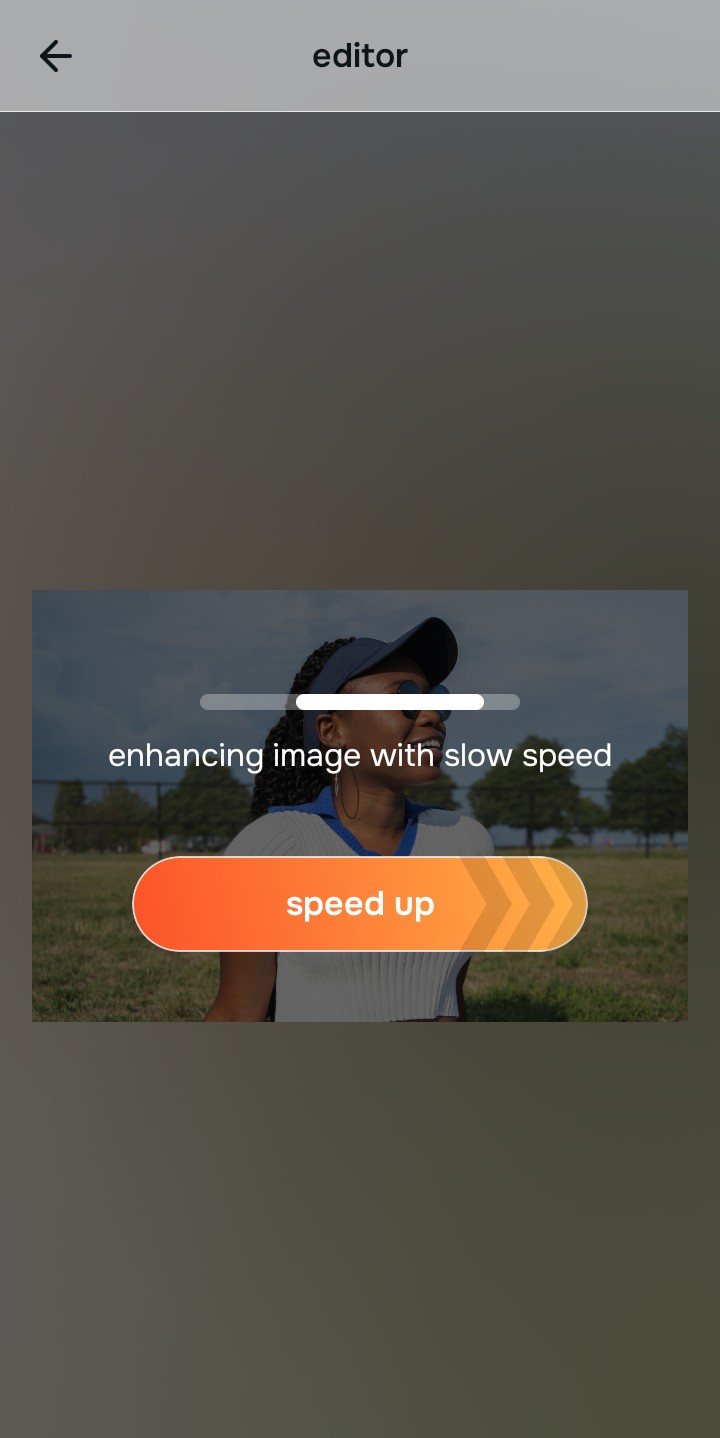
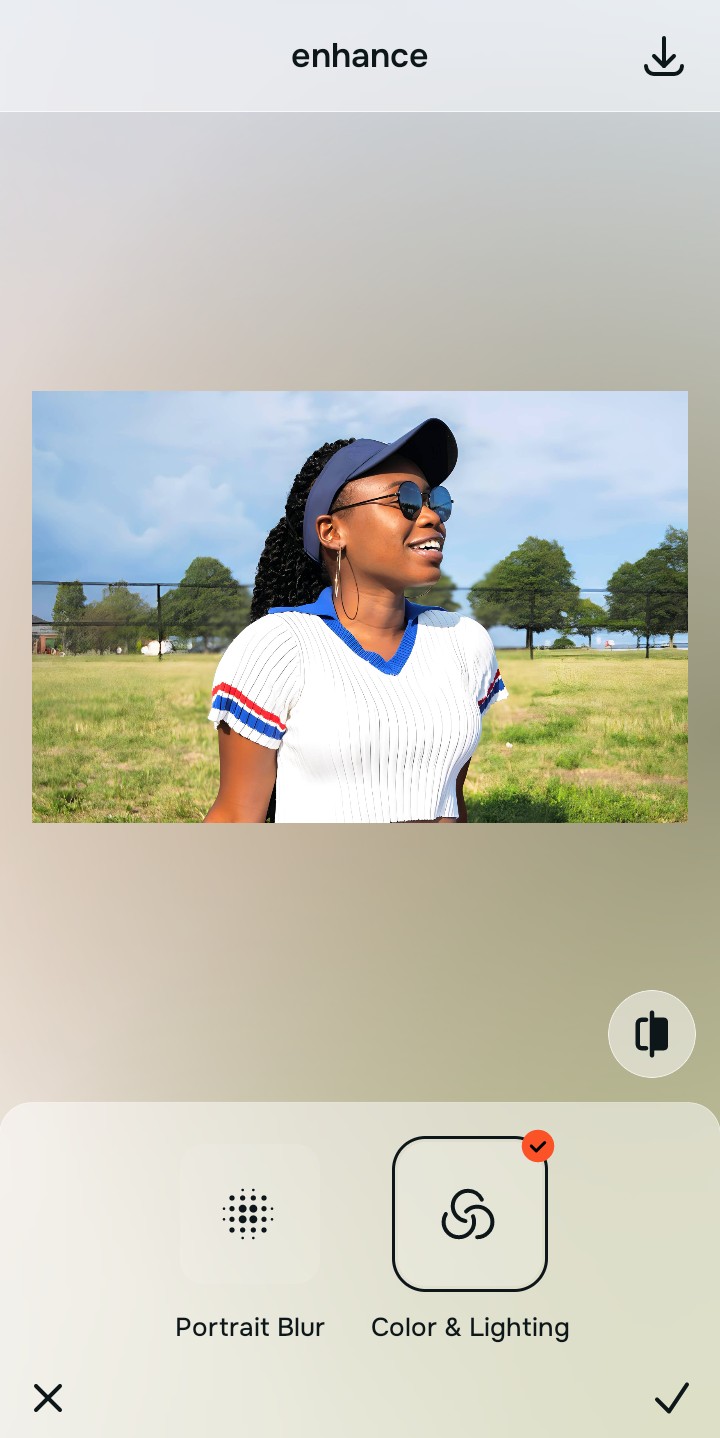
Tap Enhance and choose Colors & Lighting
Tap Enhance and navigate to Colors & Lighting. Video calls often suffer from poor exposure. Fixing the baseline contrast is essential before addressing depth, as it helps fix yellow indoor lighting and stabilizes the foundational pixels.

Baseline Density Matters Structuring baseline density ensures the optical decompression algorithm has a stable foundation to calculate true depth, bypassing the need for fake digital makeup.
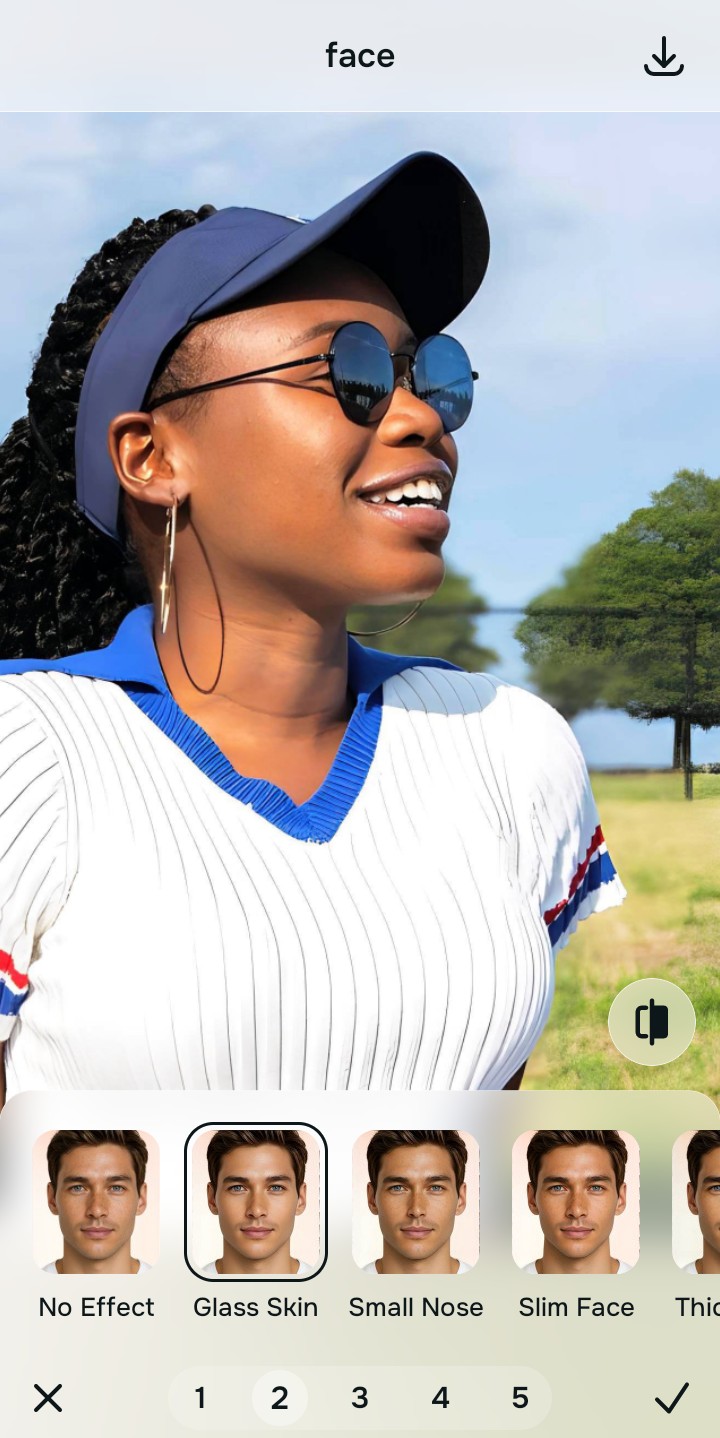
Tap Face and select Glass Skin
Tap Face and select Glass Skin to counteract the wide-angle lens widening. This isn't about alien stretching; it's a calculated mathematical recovery that reverses focal distortion, restoring your natural proportions securely. This also helps fix washed out selfies by adding dimension.
Export your authentic, mirror-accurate master file
Review the restored image and tap export. Your master file is now saved without any watermarks—an authentic, mirror-accurate portrait that truly looks like you.
Why did your photo fail?
Identify your primary optical hurdle to select the exact automated pathway in Citrus.
Aligning Your Edits with the Citrus Taxonomy
Instead of gambling with generative apps that turn you into a plastic doll, Citrus categorizes enhancement into three distinct, mathematically safe pathways based on preserving real artistry:
| Tool Pathway | Primary Flaw Remediated | Automated Fix Strategy |
|---|---|---|
| Enhance Overall Photo | Overall flat sensor washout and compressed depth | Global mathematical recovery of structural density and lighting |
| Looks | Harsh screen glare and uneven ambient shadows | Relighting algorithms based on optical physics to normalize tone |
| Face | Unnatural widening caused by close-up wide-angle lenses | Precise optical decompression to restore mirror-accurate proportions |
“True enhancement is about mathematical recovery of what the camera lost, not painting over reality with fake digital makeup.”
Why Physical Recovery Beats Fake Filters
Most generative AI tools handle video-call screenshots by simply guessing what you should look like. They analyze the flat, distorted image and apply fake digital makeup or engage in alien stretching to fit a generic beauty standard. This approach hallucinates data, completely overriding your unique facial structure and destroying the genuine emotion captured in the call.
Citrus, on the other hand, relies entirely on optical physics and non-hallucinatory processing. By calculating the focal length distortion and the specific structural density of the original screenshot, it performs a mathematical recovery of the lost data. This optical decompression ensures that the final result is a mirror-accurate representation, maintaining your natural appearance without any synthetic compromises.