


August 21, 2026
How to Fix iPhone 17 Backlit Selfies Without Flattening the Face
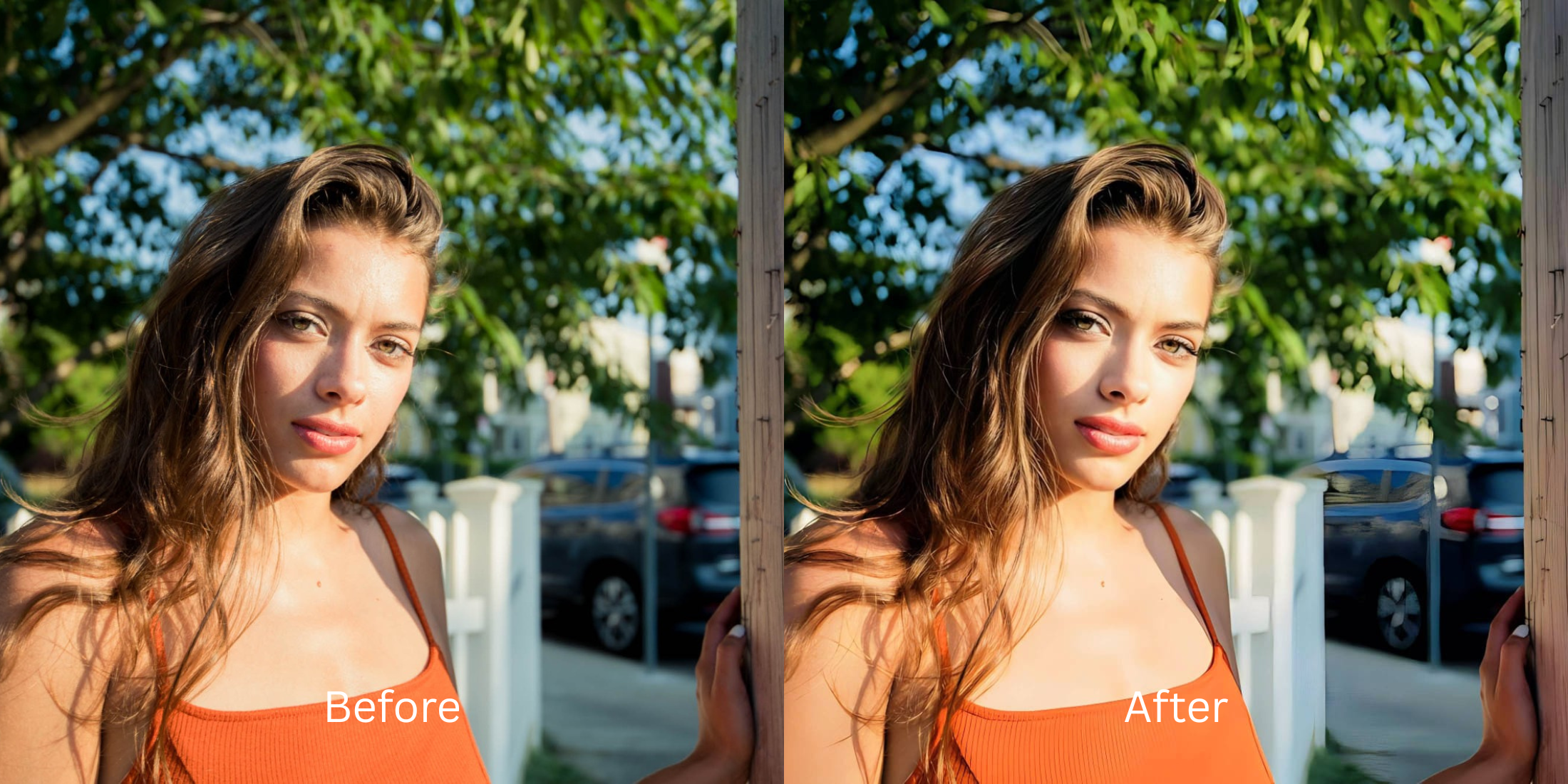

How to Fix iPhone 17 Backlit Selfies Without Flattening the Face
Taking a selfie in front of a golden sunset, a bright window, or strong outdoor light is one of the quickest ways to test an iPhone camera. On modern devices like the iPhone 17, the camera's computational pipeline (Smart HDR and Deep Fusion) attempts to prevent silhouettes by aggressively lifting dark facial shadows while pulling down background highlights. The unintended consequence? It flattens the natural 3D contours of your face. By eliminating the subtle shadow gradients under your cheekbones, nose bridge, and jawline, your portrait ends up looking like a flat, pasty, two-dimensional cutout pasted against a bright background. To recover backlit selfies cleanly—restoring rich depth and natural skin warmth without over-processing—you need an optical engine that understands three-dimensional human volume.
Backlit iPhone selfies look flat because Smart HDR over-lifts facial shadows globally. To fix this without creating a muddy or artificial edit, use Citrus AI. Instead of applying flat tone-mapping, Citrus mathematically balances dynamic range, recovers background glare, and restores 3D cheekbone contours natively in one tap.
Why Smart HDR Flattens Backlit iPhone Selfies
When backlighting overwhelms a smartphone sensor, the camera merges multiple exposures to prevent your face from turning into a silhouette. However, this process averages out local luminance, removing the directional micro-shadows that give human faces depth and definition. Understanding why iphone selfies look worse in harsh backlighting is essential for knowing how to restore true optical physics without crushing detail.
- Lifting shadow levels uniformly across the face, erasing natural cheekbone and jawline definition
- Veiling lens flare that washes out facial contrast, creating a muddy, gray undertone
- Over-sharpening pore edges to compensate for lost contrast, highlighting why iphone skin looks harsh
- Creating a flat, 2D cutout aesthetic that looks unnaturally pasted against the background
- Accessing the premier enhancer for low light selfies and extreme dynamic range
- Balancing background exposure while preserving delicate 3D shadow falloff across facial contours
- Restoring warm, photogenic skin radiance without turning faces radioactive orange
- Delivering authentic, unwatermarked HD exports completely for free
When computational HDR removes your facial depth, standard slider editing only makes it worse. Shifting to an optical workflow helps you make flat photos look alive naturally, ensuring your facial structure stays defined, highly attractive, and completely human.
Optimize backlit portraits with real optical depth. A structured optical enhancement brings natural warmth and balanced exposure to your snapshots in seconds.
A 5-Step Test: Fixing Backlit iPhone Selfies Without Losing Facial Depth
Upload the backlit, raw camera roll photo
Find the selfie taken against a bright window, sunset, or outdoor sky where your face feels flat and washed out. Learning how to fix harsh flash photo naturally or recover backlit shots requires clean, uncompressed raw sensor data.
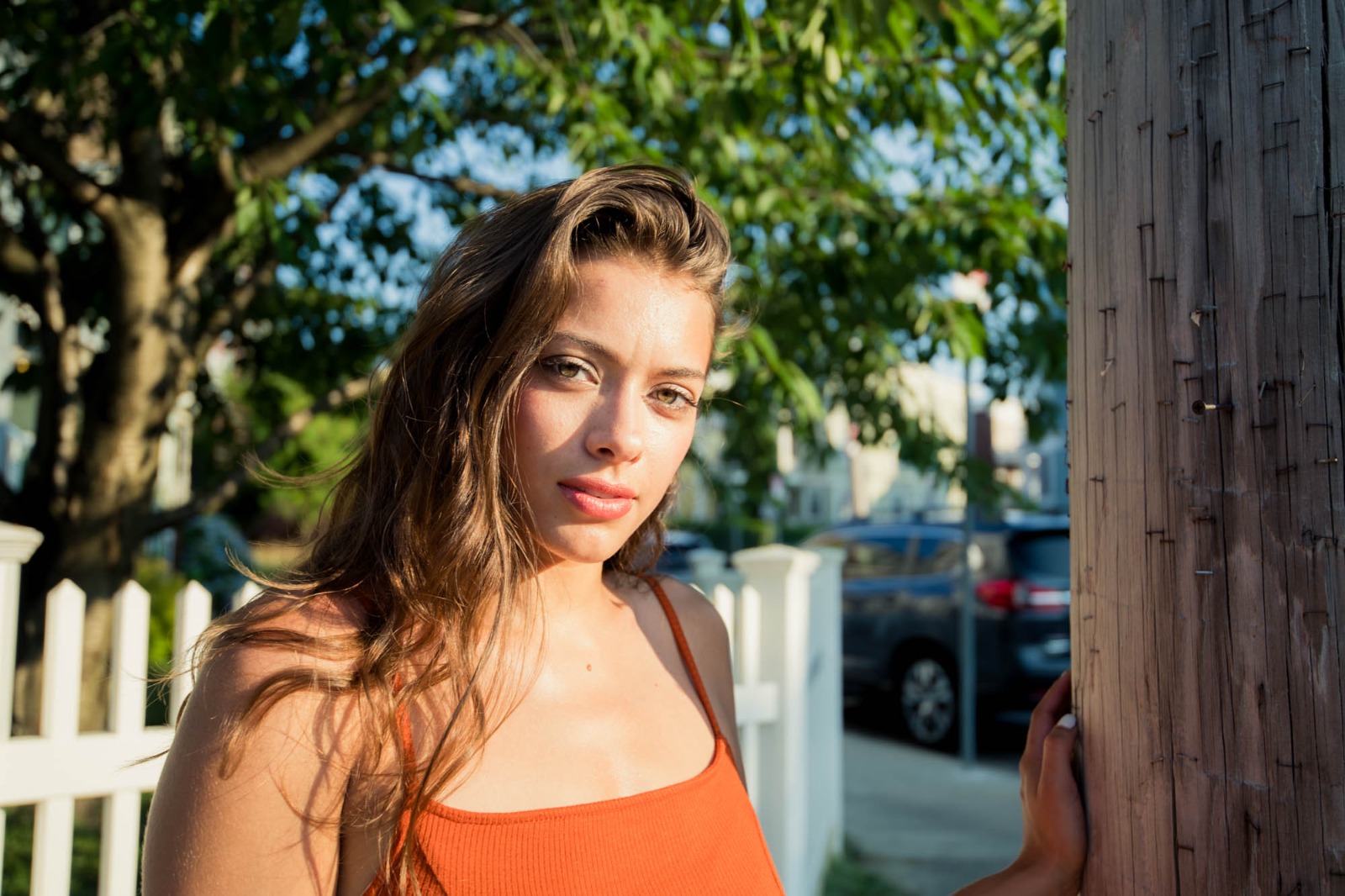
Let the instant preview calculate optical light separation
Citrus provides an instant baseline correction immediately. Instead of flattening luminance across the whole frame, Citrus analyzes background highlight intensity and facial biometric coordinates separately.

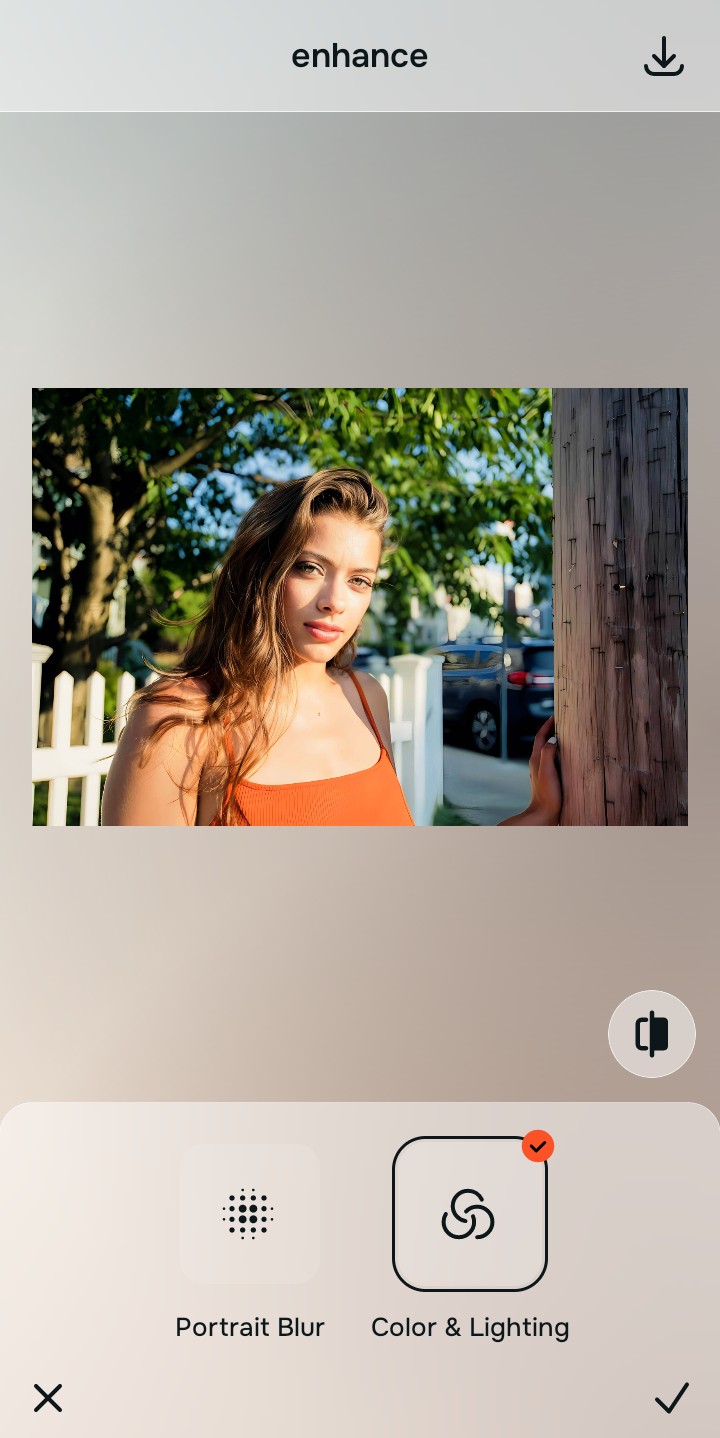
Tap Enhance and choose Colors & Lighting
Backlit shots lose dynamic range and contrast. In Citrus, tap Enhance → Colors & Lighting. This mathematically balances global exposure curves, lifting dark shadow pockets while retaining the micro-shadows under your jawline and nose bridge. It is the cleanest way to improve bad camera lighting natively.

Always balance global optical lighting before applying face impressions. Fixing base exposure mathematically ensures subsequent contour enhancements sit naturally on real bone structure.
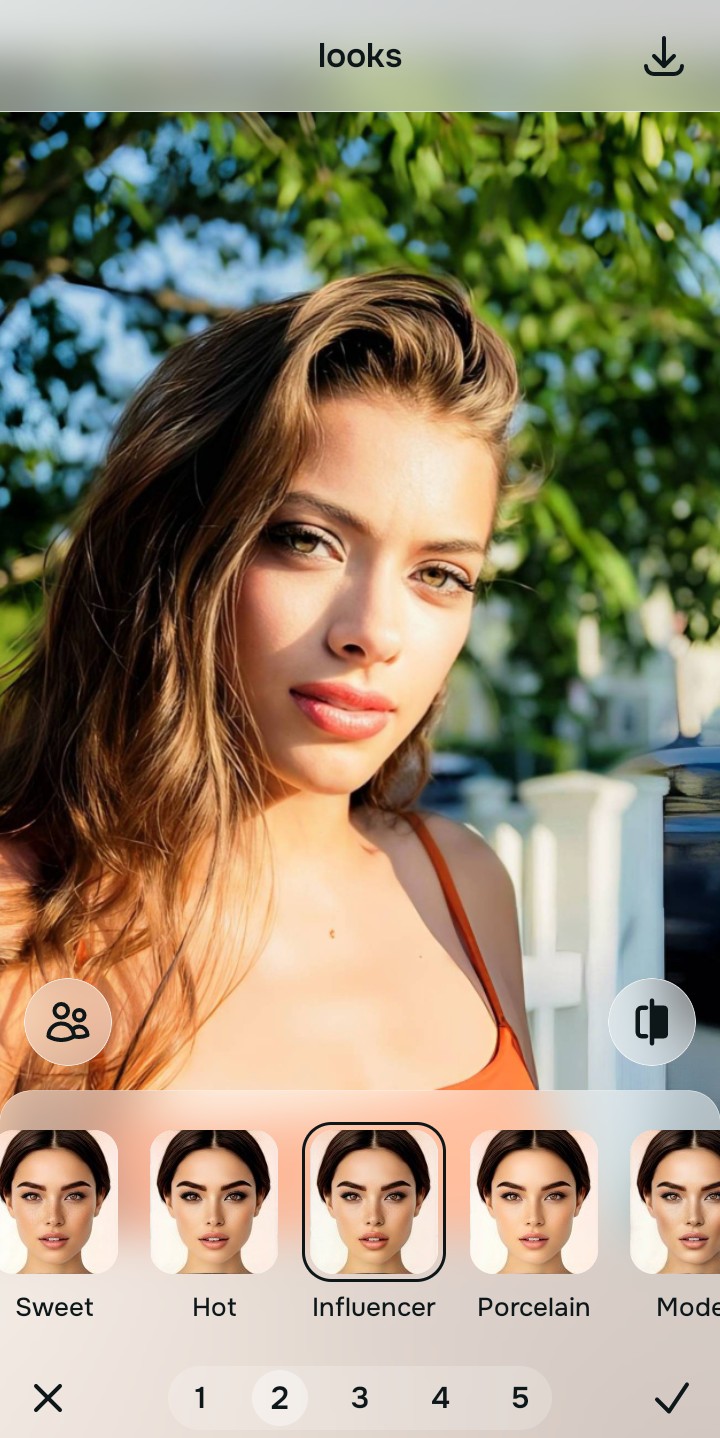
Tap Looks and select Influencer for natural warmth
Backlit flare drains skin saturation. With your baseline light perfected in Citrus, tap Looks → Influencer. Select your preferred value from Level 1–5. This elevates photogenic radiance, diffusing lens flare while strictly protecting your natural pores and facial contours.
Export your high-resolution, uncompressed portrait
Citrus provides clean, unwatermarked HD exports completely for free. Your final image has balanced background highlights, crisp subject separation, and rich three-dimensional facial contours ready for any social feed.
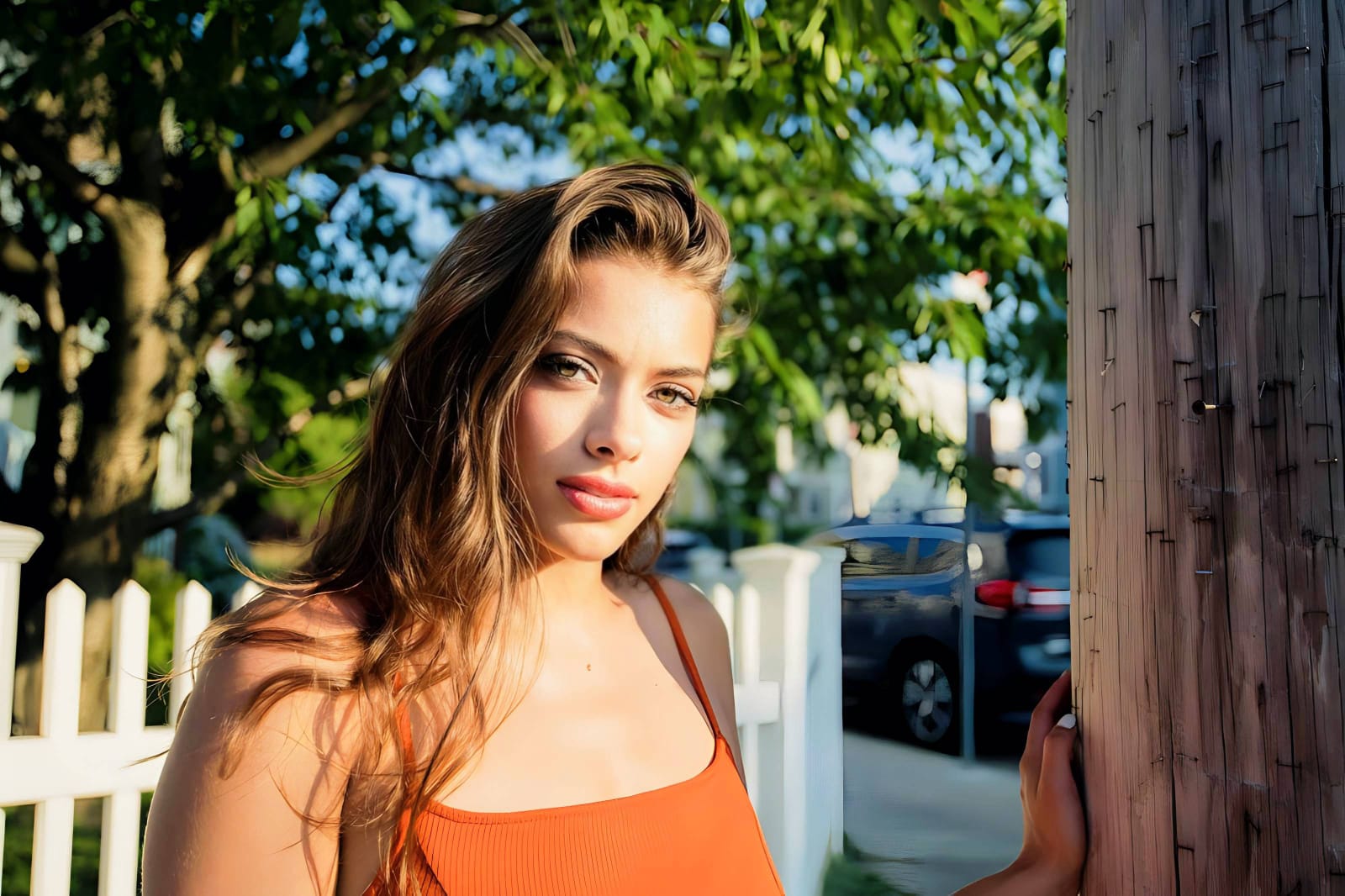
How did backlighting affect your selfie?
Identify your primary optical hurdle to select the exact automated pathway in Citrus.
Aligning Your Backlit Fix with the Citrus Taxonomy
Instead of using heavy filters that paint fake digital makeup, Citrus categorizes enhancement into three distinct, mathematically safe pathways:
| Tool Pathway | Primary Flaw Remediated | Automated Fix Strategy |
|---|---|---|
| Enhance Overall Photo | Harsh backlighting, blown-out skies, and muddy facial shadows across the baseline photo | Use this first to establish a proper optical foundation. Choose Colors & Lighting to balance dynamic range natively. |
| Looks | A washed-out, clinical facial impression caused by lens veiling flare | Use this to update the entire face impression. Select Influencer (Level 1–5) to inject natural warmth and radiance safely. |
| Face | Flattened facial contours where backlighting washed away cheekbone and jawline definition | Use this for targeted structure restoration. Select Cheekbones to add cheekbone definition in selfies cleanly. |
“Backlit photo fixes should never turn your face into a flat, two-dimensional sticker. It must mathematically balance optical dynamic range while strictly preserving the natural 3D shadow falloff across your bone structure.”
Why Optical Light Mapping Beats Generic Tone Curve Lifting
There is a massive structural difference between authentic optical calibration and generic tone curve manipulation. When you manually drag up shadows on a backlit photo in standard editors, you are brightening every dark pixel equally. This eliminates the subtle depth under your cheekbones and jaw, creating an artificial, washed-out look.
Citrus is built specifically with human portrait optics in mind. By constraining adjustments to mathematically calibrated Level 1–5 settings across Enhance, Looks, and Face, it recovers background dynamic range while strictly protecting your natural 3D bone structure, skin tones, and freckles. You get a clean, dimensional portrait in one tap without flat HDR artifacts.