


October 2, 2026
How to Fix a Hazy Phone Photo Caused by a Dirty or Smudged Camera Lens
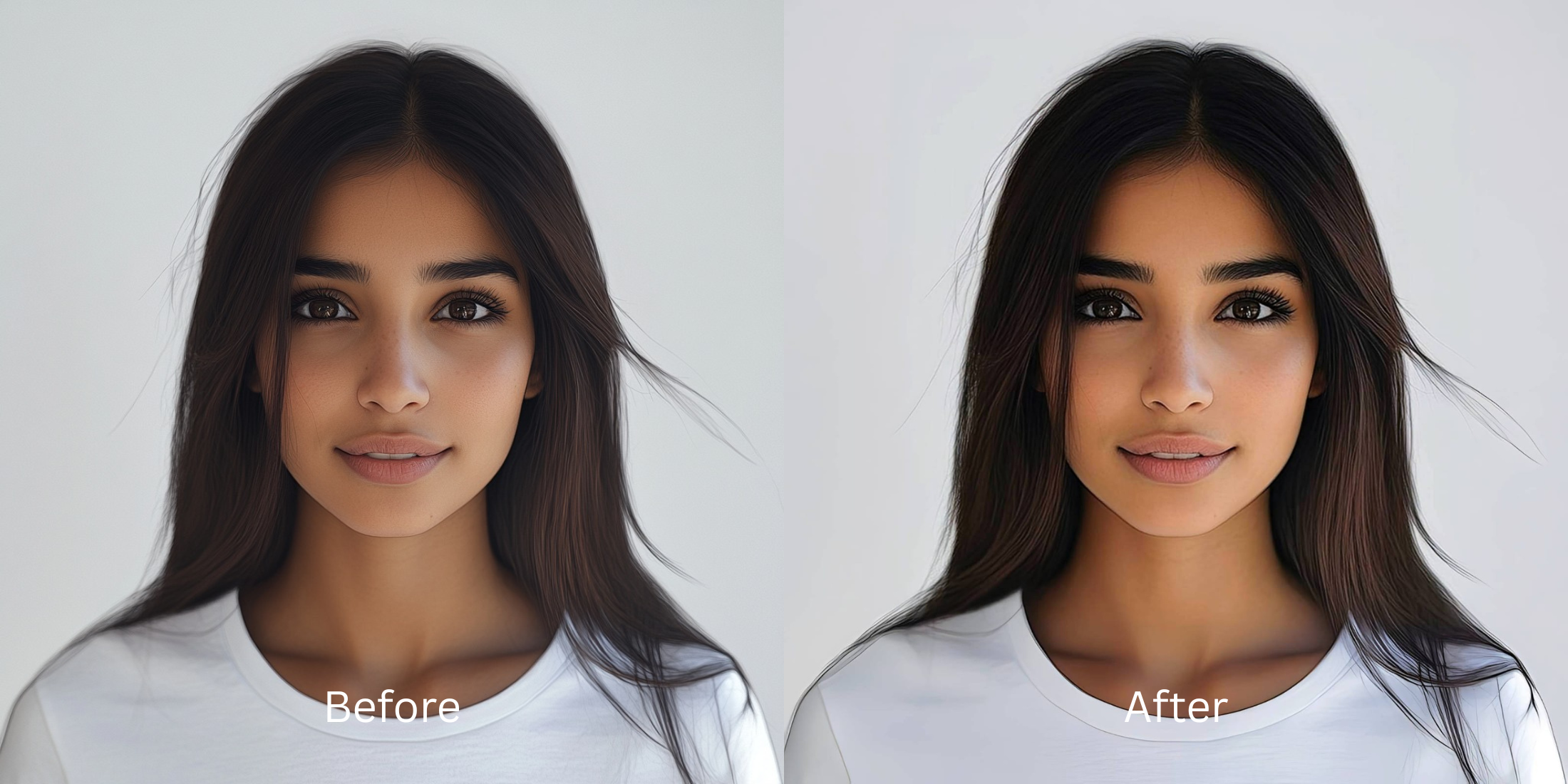

How to Fix a Hazy Phone Photo Caused by a Dirty or Smudged Camera Lens
A dirty or smudged camera lens spreads light unpredictably across your sensor, causing severe sensor washout and optical scattering. This greasy micro-film diffuses light before it hits the hardware, leaving your portraits looking hazy and glowing oddly. The instinct is to run the image through standard editing apps, but these platforms usually fail. Instead of calculating the scattered light, they apply generalized algorithms that make pores look gritty, or they slap on fake digital makeup to mask the missing contrast. Worse, some rely on alien stretching or hallucinated textures that look like plastic. Citrus bypasses these destructive hacks by utilizing mathematical recovery and optical physics. By recalculating the light distribution and reversing the optical decompression caused by the lens smear, Citrus restores your natural sharpness, retaining true-to-life contrast without injecting fake pixels.
Mathematical recovery restores smeared optical details. Citrus fixes a hazy photo naturally by analyzing the diffused sensor light. Rather than forcefully drawing fake lines, it reverses the optical decompression to bring back the crisp micro-contrast and accurate tonal depth exactly as they looked in real life.
Understanding the "Smudged Lens Haze" Trap
Your phone's image processor assumes light enters cleanly. When an oily fingerprint diffuses the light, the hardware’s algorithms panic. They try to artificially boost contrast or apply aggressive noise reduction, which flattens the depth. This leaves you wondering why do i look worse in photos when the real culprit is just scattered light misread by your phone's lens.
- Apply fake digital makeup
- Add plastic, alien stretching
- Hallucinate incorrect textures
- Increase aggressive artificial noise
- Optical decompression of light
- Mathematical recovery of contrast
- Preserves real structural density
- Fixes washout via physics
Fixing smudged lens haze isn't about covering up a bad photo with aggressive filters. It's about recovering the lost depth using a free ai tool to fix the underlying optical disruption naturally and seamlessly.
Restore your mirror-accurate look. Recover your sharpness without fake filters.
A 5-Step Test: Fixing Smudged Lens Haze Naturally
Upload the raw, unedited photo
Always upload the untouched, original photo straight from your camera roll. Using an image that has already been compressed or altered by another app destroys the foundational sensor data needed for mathematical recovery. Citrus relies on this raw optical state.

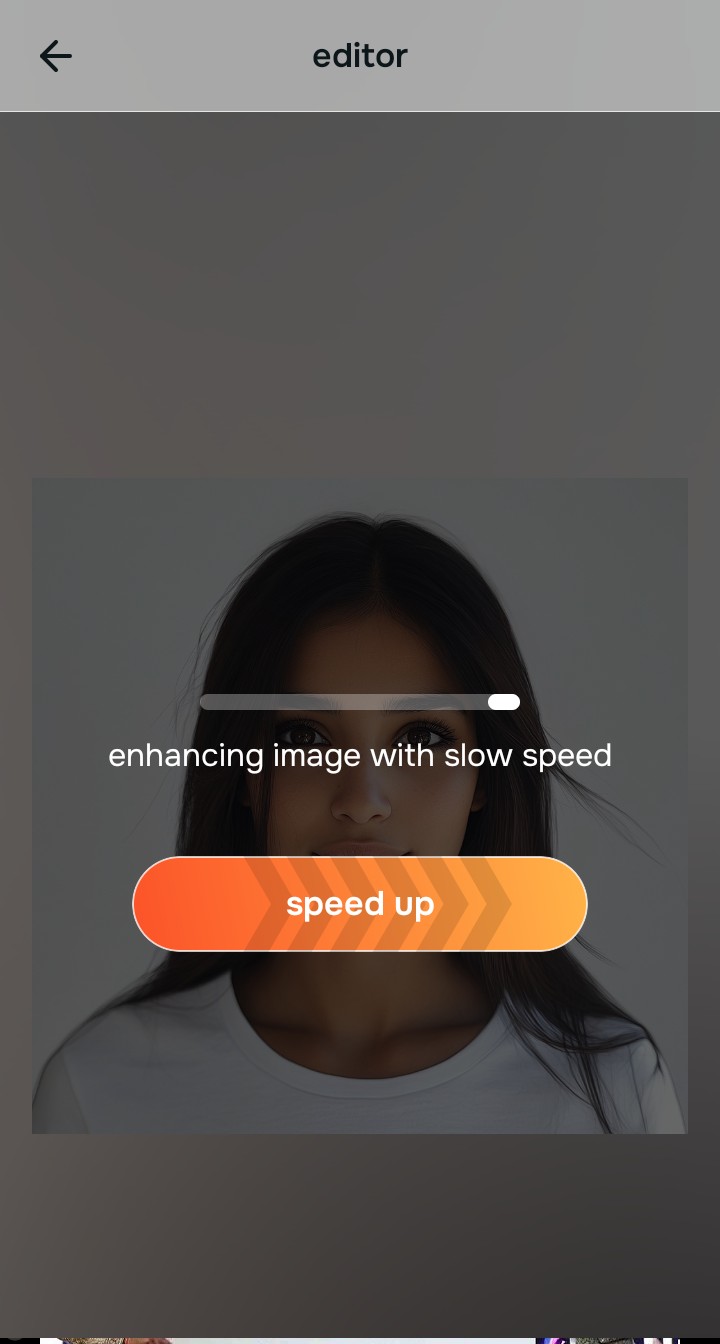
Let the instant preview map baseline data
Once uploaded, the Citrus rendering engine instantly maps the baseline data. It evaluates the structural density and identifies where the light scattering occurred. It doesn’t hallucinate missing details; it precisely calculates how the smear shifted your photo's depth.
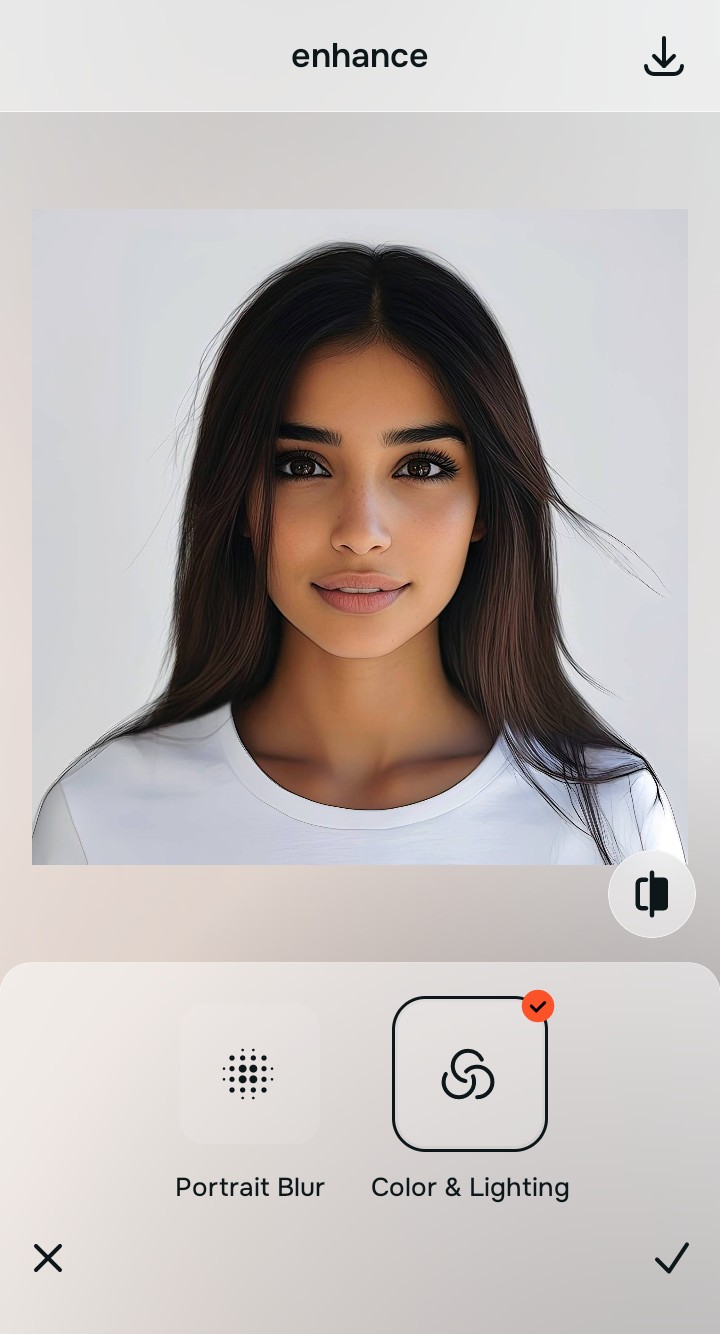
Tap Enhance and choose Colors & Lighting
Before refining specific features, you must stabilize the global environment. Tapping 'Colors & Lighting' allows the engine to rebuild the lost micro-contrast caused by the greasy lens. Balancing this first ensures we make flat photos more alive natively.

Baseline contrast restoration is mandatory. Correcting the foundational light scatter restores natural depth, preventing the system from overcompensating during the structural recovery phases.
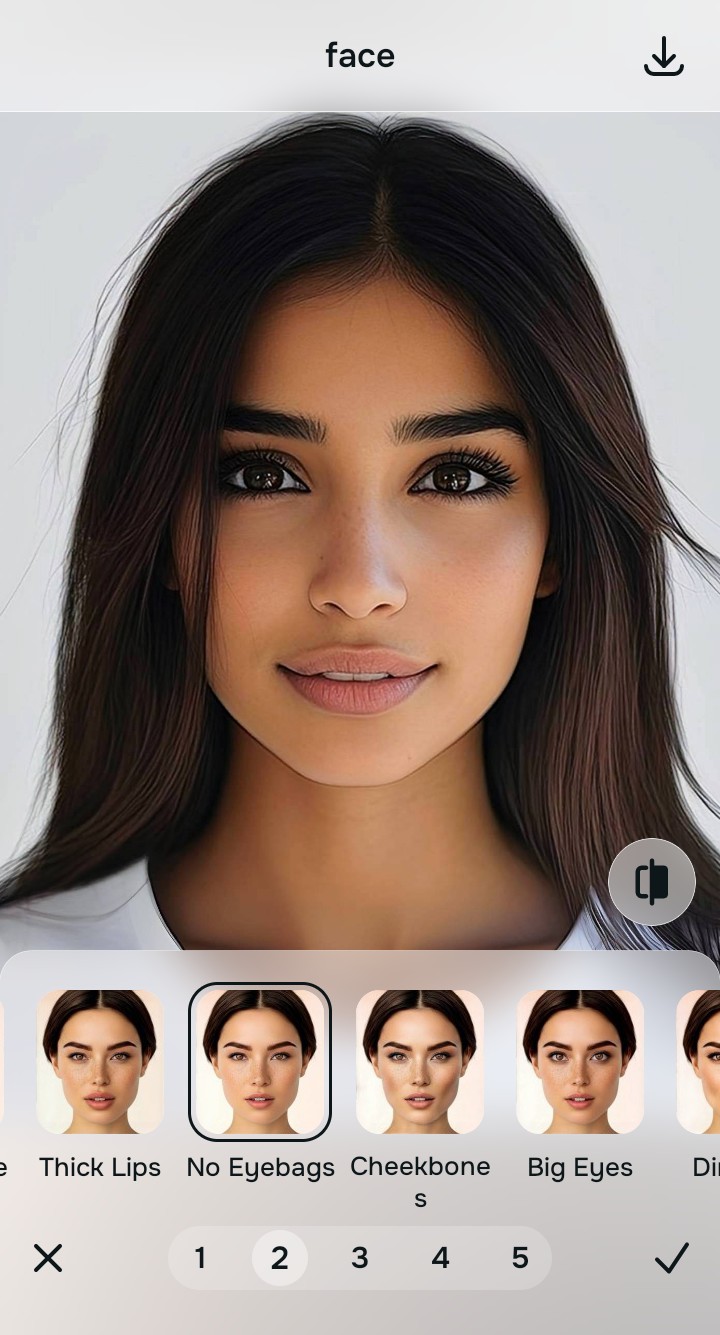
Tap Face and select No Eyebag
Tap 'Enhance' and select 'Clarity' depending on the severity of the smear. These tools use mathematical recovery to pull sharp details from the fog. They sharpen hair without worsening pores, reversing the optical decompression flawlessly.
Export your authentic, mirror-accurate master file
Save your restored portrait. You now have an authentic, mirror-accurate master file that reflects your real appearance, free of digital haze and completely devoid of destructive generative artifacts.

Why did your photo fail?
Identify your primary optical hurdle to select the exact automated pathway in Citrus.
Aligning Your Edits with the Citrus Taxonomy
Instead of gambling with generative apps that turn you into a plastic doll, Citrus categorizes enhancement into three distinct, mathematically safe pathways based on preserving real artistry:
| Tool Pathway | Primary Flaw Remediated | Automated Fix Strategy |
|---|---|---|
| Enhance Overall Photo | Global light scattering from a dirty lens. | Decompresses optical haze and restores micro-contrast. |
| Looks | Flat tonal depth due to diffused light. | Rebalances structural density and color saturation. |
| Face | Blurry or soft edges around eyes and lips. | Mathematical recovery of facial sharpness without plastic textures. |
“Don't let a smudged lens redefine your face—use optical physics to fix the camera's mistake, not your reality.”
Why Physical Recovery Beats Fake Filters
When confronted with hazy, smudged images, traditional generative AI tools panic because they lack the intelligence to understand optical diffusion. Instead of recovering what's there, they guess. They hallucinate fake digital makeup over your skin, apply aggressive alien stretching to sharpen edges, and replace your natural features with plastic, synthetic textures that destroy your true appearance.
Citrus operates on an entirely different paradigm based on non-hallucinatory optical physics. By analyzing the precise way the greasy lens scattered the incoming light, the engine uses mathematical recovery to reverse the optical decompression. It recalculates the underlying structural density, naturally restoring the true-to-life sharpness, contrast, and depth of your mirror-accurate look.