


September 28, 2026
Why Does My Beard Look Patchy or Over-Sharpened in Phone Photos?
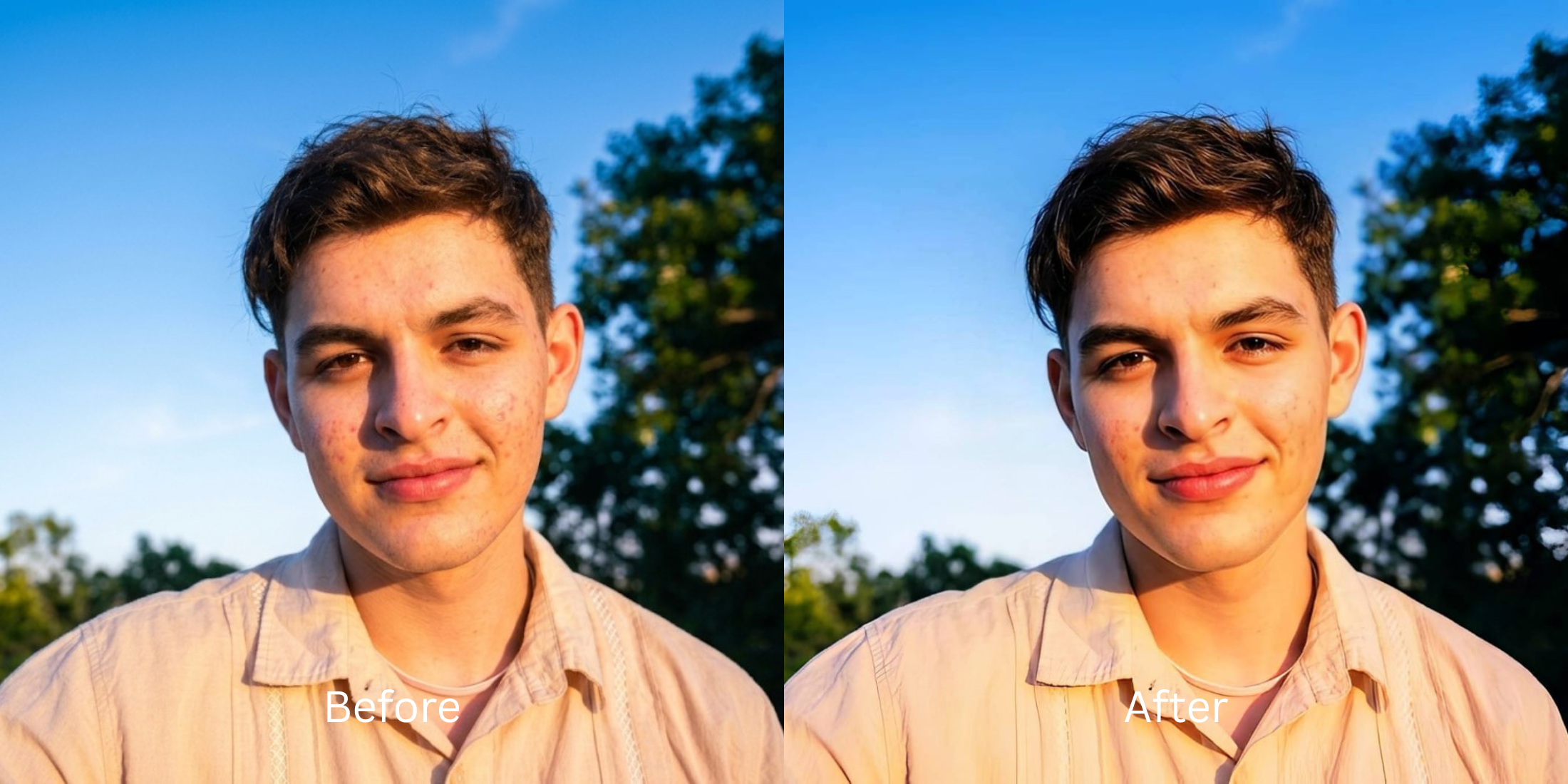

Why Does My Beard Look Patchy or Over-Sharpened in Phone Photos?
Have you ever looked in the mirror, admired a full, well-groomed beard, only to take a selfie and see a patchy, sparse, or over-textured mess? This is a common consequence of modern smartphone cameras relying on aggressive computational photography. When the camera sensor tries to process fine details like facial hair, it often over-sharpens high-contrast areas and incorrectly merges lower-contrast hairs with the skin beneath, resulting in sensor washout that visually deletes your beard density. Standard editing apps try to fix this with generative algorithms, applying fake makeup or alien stretching to draw artificial hairs, which leaves you looking like a cartoon. Citrus tackles this differently. By utilizing mathematical recovery and optical physics, Citrus rebuilds the structural density of the photograph without hallucinating fake pixels, keeping your beard as rich and natural as it Face in the mirror.
Mathematical Recovery for Facial Hair Modern smartphone cameras aggressively compress fine details, leading to patchy and overly crisp facial hair. Instead of generative blurring, Citrus applies optical decompression to recover baseline contrast, restoring your natural beard density and texture exactly as seen in reality.
Understanding the "Computational Thinning" Trap
Your phone camera has a small sensor, so it applies extreme digital sharpening to create the illusion of detail. For complex textures like a beard, this process drastically exaggerates the contrast between hair strands and skin, making the hair look coarse and wiry while washing out the softer hairs entirely. If you look worse in photos, it's because computational thinning ruins organic density.
- Airbrushes the skin, inadvertently erasing light beard hairs.
- Pastes a fake digital beard mask over your jawline.
- Oversharpens existing hairs into pixelated noise.
- Alters your natural facial structure and skin tones.
- Maps structural density to restore original hair volume.
- Uses optical decompression to reverse harsh phone sharpening.
- Balances lighting to rescue shadowed beard patches naturally.
- Preserves individual follicles without generative hallucination.
You don't have to accept algorithmic destruction of your facial hair. Let's walk through how to bypass aggressive phone processing and retrieve the organic density of your beard.
Restore your mirror-accurate look. Fix patchy beards with non-generative optical restoration.
A 5-Step Test: Fixing Beard Patchiness and Over-Sharpening Naturally
Upload the raw, unedited photo
Always upload the original, unedited photo directly from your camera roll. Using a photo that has already been passed through Instagram filters or other apps destroys the residual sensor data required to accurately reconstruct the fine details of your facial hair.

Let the instant preview map baseline data
Citrus scans your photo to understand the light and depth mapping. Instead of hallucinating fake beard hairs, the engine analyzes the structural density of the image, distinguishing between where real hair ends and the skin begins, preparing for mathematical recovery.

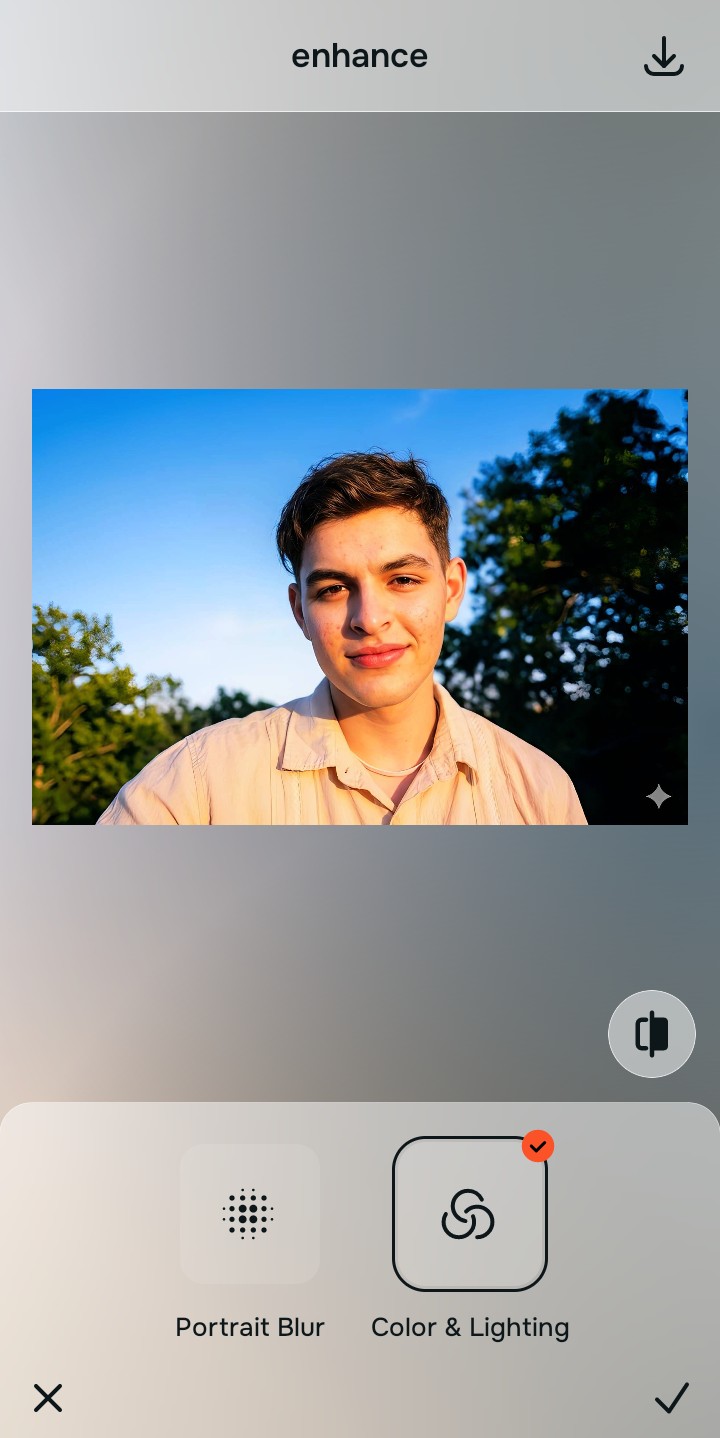
Tap Enhance and choose Colors & Lighting
Before addressing the beard texture, you must correct the foundational exposure. Tap Enhance and adjust Colors & Lighting to naturally lift shadows where your beard might look unnaturally sparse. This step ensures that the underlying facial contrast is physically accurate.

Foundation Over Filters Restoring baseline density through correct lighting is the most crucial step to make flat photos look alive.
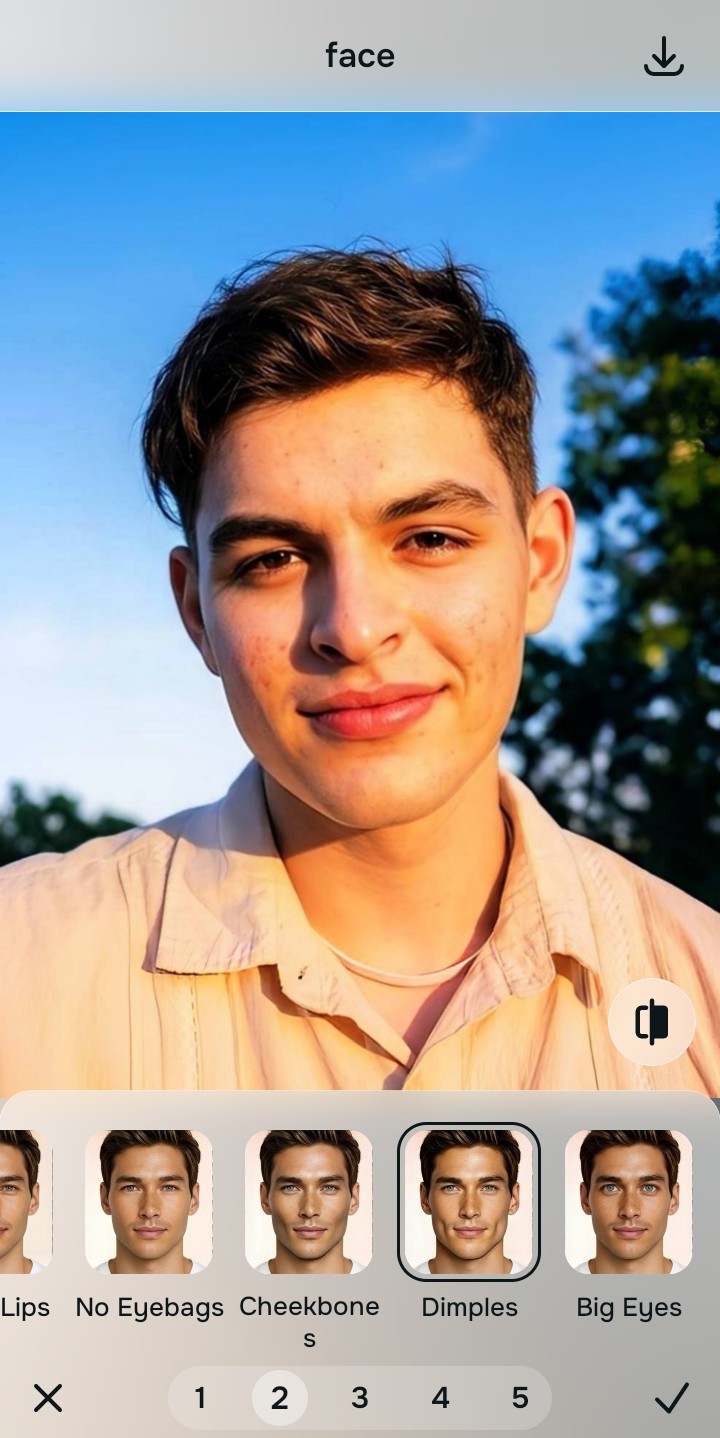
Tap Face and select Dimples
Navigate to Face and select Dimples. This tool gracefully counters the extreme artificial sharpening applied by your phone. It implements optical decompression to smooth the harsh, pixelated edges of your beard, integrating it naturally with your skin without the plastic look of traditional airbrushing. This is exactly how you sharpen hair eyelashes and clothing without looking edited.
Export your authentic, mirror-accurate master file
Once the natural texture of your beard is restored, hit export. You now have a flawless, mirror-accurate portrait. No artificial hairs added, and zero loss of quality. Citrus provides an unwatermarked, high-resolution master file of your authentic self.
Why did your photo fail?
Identify your primary optical hurdle to select the exact automated pathway in Citrus.
Aligning Your Edits with the Citrus Taxonomy
Instead of gambling with generative apps that turn you into a plastic doll, Citrus categorizes enhancement into three distinct, mathematically safe pathways based on preserving real artistry:
| Tool Pathway | Primary Flaw Remediated | Automated Fix Strategy |
|---|---|---|
| Enhance Overall Photo | Shadow clipping causing perceived patchiness. | Baseline exposure mapping to restore hidden hair density. |
| Face | Algorithmic over-sharpening making hair look wiry. | Optical decompression to naturally soften over-crisp follicles. |
| Face | Facial hair blurring causing jawline distortion. | Mathematical recovery of the original jaw and chin structure. |
“We believe in reversing the camera's computational errors, not deleting your natural texture. Authentic density over generative plastic.”
Why Physical Recovery Beats Fake Filters
Traditional editing apps fail miserably when it comes to facial hair. Because they rely on simple generative AI models trained to smooth skin and apply digital makeup, they often misinterpret beard hairs as imperfections. Consequently, they airbrush away the fine hairs that give a beard its fullness, or worse, paste a synthetic, perfectly opaque beard mask on top of your face. If you are looking for best apps who hate filters, you understand that these hallucinated results are jarring and immediately recognizable as fake.
Citrus operates on an entirely different paradigm. Instead of drawing fake pixels, Citrus applies non-hallucinatory optical physics to calculate what was lost when the camera sensor compressed the image. Through mathematical recovery, it separates the texture of the hair from the skin, safely reversing the over-sharpening and lifting the shadows to reveal the true thickness of your beard. The result is a mirror-accurate representation that honors your real-world appearance, maintaining your rugged features without a hint of artificiality.