


October 1, 2026
How to Improve a Rainy-Day Portrait That Looks Flat and Gray


How to Improve a Rainy-Day Portrait That Looks Flat and Gray
Rainy days offer soft, diffused lighting, but cameras often fail to capture this atmosphere accurately. Instead, the lack of directional sunlight confuses the image sensor, leading to sensor washout where colors turn muddy and contrast evaporates. The result is a portrait that looks flat, gray, and lifeless. Standard editing apps try to solve this by slapping on fake digital makeup or using aggressive color shifts that ruin your skin tone. At Citrus, we take a different approach. By applying mathematical recovery and optical decompression, Citrus mathematically restores the structural density of your image, giving you a true-to-life portrait without the artificiality.
Use optical decompression to restore baseline contrast. Citrus fixes flat, gray portraits by analyzing the real structural density of the image and performing a mathematical recovery of the lost shadows and highlights, letting you make flat photos more alive naturally without relying on fake digital makeup or cartoonish saturation boosts.
Understanding the "Sensor Washout on Overcast Days" Trap
Without harsh sunlight to define edges and create deep shadows, smartphone cameras struggle to calculate depth. The sensor averages out the exposure across the frame, leaving skin tones looking ashen and blending facial features into the background. This is why you often look worse in photos taken under a cloudy sky than you do in real life.
- Applying fake digital makeup
- Painting over real skin textures
- Artificially boosting saturation globally
- Flattening facial geometry
- Mathematical recovery of lost depth
- Optical decompression of flat contrast
- Restoring true color physics
- Enhancing structural density naturally
To fix a flat, gray portrait, you don't need to add fake elements. You just need to extract the hidden data already present in the raw pixels, especially if you hate how filters look.
Restore your mirror-accurate look. Let optical physics do the heavy lifting.
A 5-Step Test: Fixing Sensor Washout on Overcast Days Naturally
Upload the raw, unedited photo
Always start with the original photo straight from your camera roll. Applying native filters or third-party edits destroys the underlying pixel data, making it harder to perform an accurate mathematical recovery.

Let the instant preview map baseline data
Once uploaded, Citrus begins an immediate scan of the image's structural density. It maps the ambient light falloff rather than relying on generative hallucination, understanding exactly where the sensor washed out the depth.
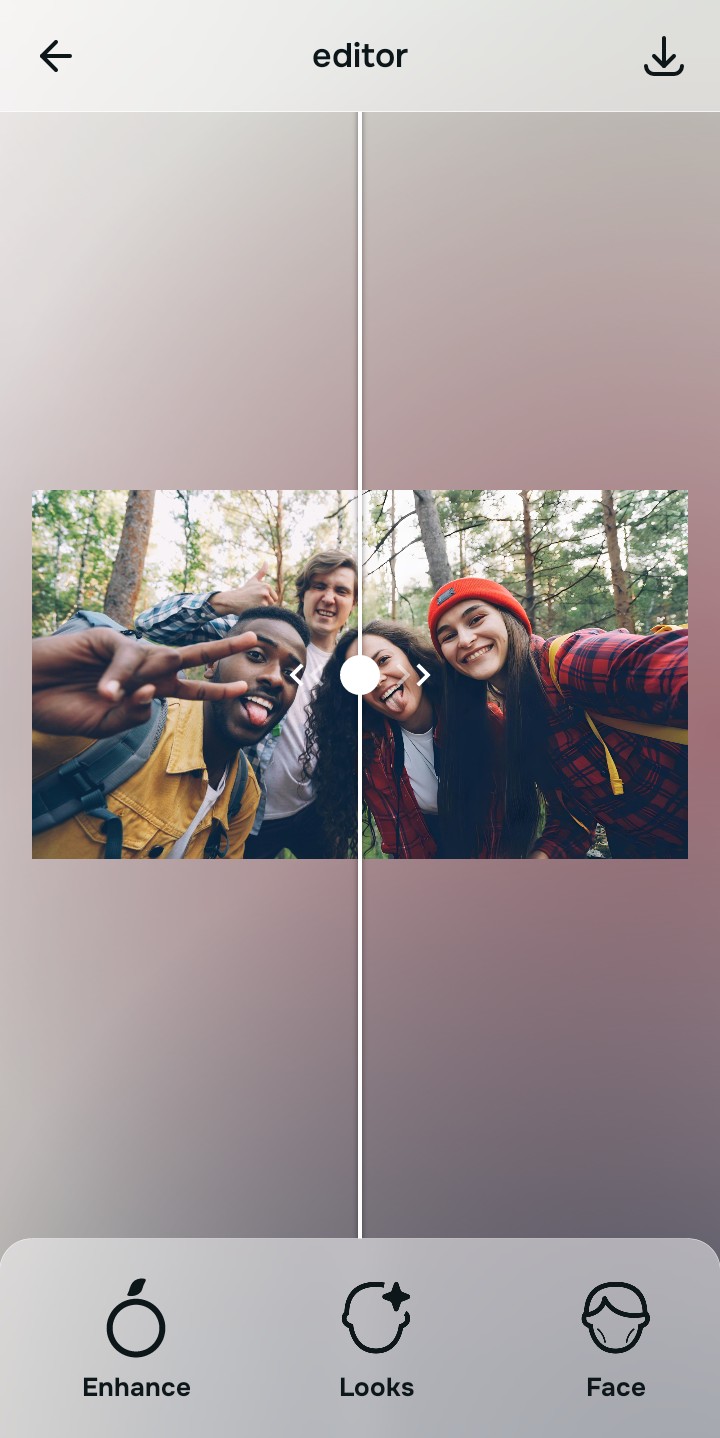
Tap Enhance and choose Colors & Lighting
Tap Enhance and select Colors & Lighting. You must rebuild the baseline contrast before adjusting skin or features because optical decompression relies on an accurate global exposure map to function.

Establish Baseline Density First. A proper mathematical recovery requires structuring the baseline density before making localized adjustments. This ensures your skin tones don't distort when you enhance specific features.

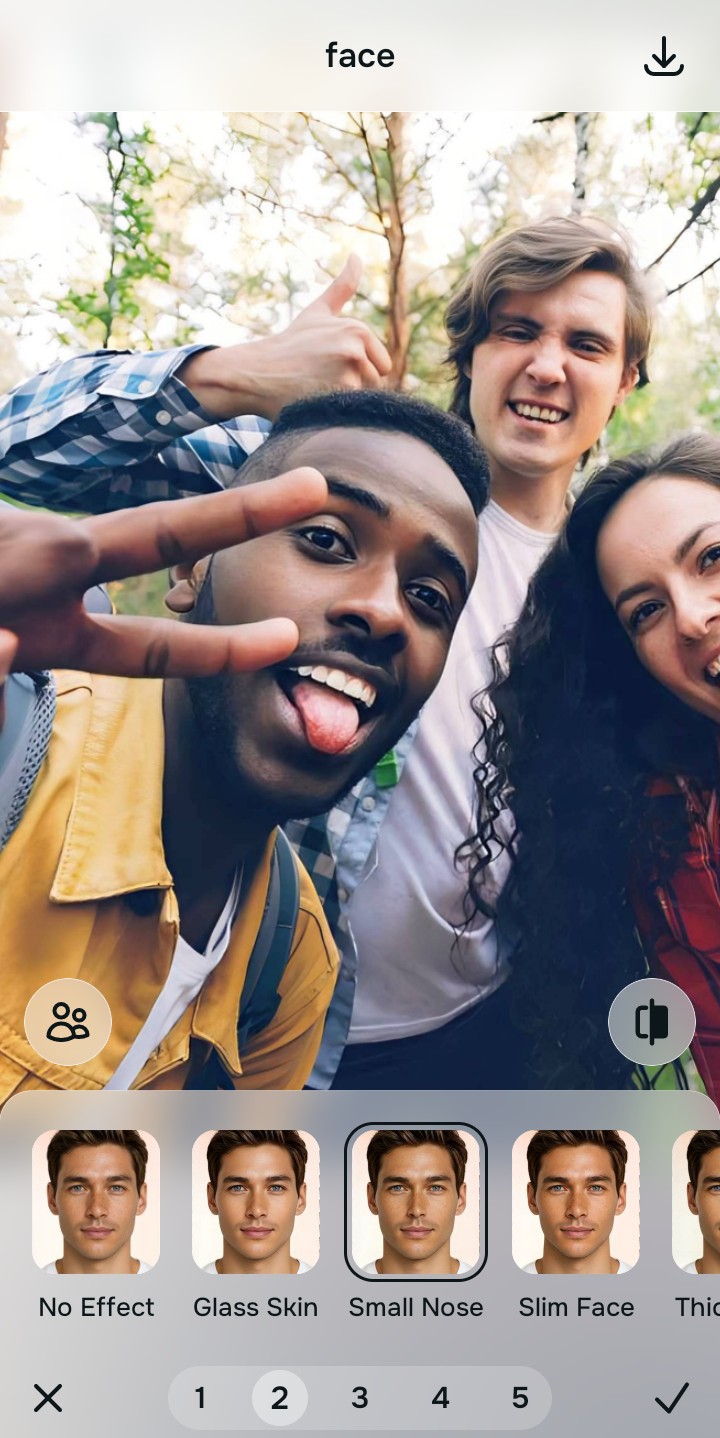
Tap Face and select Small Nose
Navigate to Enhance and choose the Vivid tool. This tool acts to safely fix washed out selfies by applying physical light recovery. Instead of painting fake colors, it decompresses the dynamic range to naturally restore the vibrant hues that the overcast sky muted.
Export your authentic, mirror-accurate master file
Save your structurally restored photo. The final result is a mirror-accurate representation of your face on that rainy day, with restored depth and color—no fake digital makeup required.

Why did your photo fail?
Identify your primary optical hurdle to select the exact automated pathway in Citrus.
Aligning Your Edits with the Citrus Taxonomy
Instead of gambling with generative apps that turn you into a plastic doll, Citrus categorizes enhancement into three distinct, mathematically safe pathways based on preserving real artistry:
| Tool Pathway | Primary Flaw Remediated | Automated Fix Strategy |
|---|---|---|
| Enhance Overall Photo | Global sensor washout and low dynamic range | Optical decompression to restore overall baseline contrast |
| Looks | Ashen, gray skin tones from diffused lighting | Mathematical recovery of localized skin vitality |
| Face | Loss of 3D facial definition due to flat light | Restoring facial geometry using structural density mapping |
“True enhancement isn't about covering you in fake pixels; it's about using optical physics to uncover the depth the camera failed to capture.”
Why Physical Recovery Beats Fake Filters
Standard generative AI apps struggle with flat, rainy-day lighting because they rely on adding non-existent data. When faced with a gray portrait, they often default to applying fake digital makeup, alien stretching, or cartoonish levels of saturation, which completely overrides your natural appearance and creates an uncanny result.
Citrus avoids this trap entirely. By utilizing non-hallucinatory optical physics, it performs a mathematical recovery of the lost shadow and highlight details already present in the raw image file. This precise optical decompression ensures that the resulting portrait remains authentic and mirror-accurate, simply correcting the camera's inability to handle diffused overcast lighting.