


August 28, 2026
How to Fix Purple and Magenta Skin Tones in LED Party Photos

How to Fix Purple and Magenta Skin Tones in LED Party Photos
Modern parties, concerts, and nightclubs rely almost entirely on intense, pure LED lighting arrays to create a Glass Skin atmosphere. While deep purples, magentas, and neon blues look incredible in person, they completely break smartphone camera sensors. When your camera is blasted with pure magenta light, the red and blue color channels inside the sensor instantly "clip" (hit their absolute maximum capacity). This destroys the luminance (light and dark) data that gives human skin its 3D shape, turning your face into a flat, glowing purple blob with zero recognizable features. Standard photo editing apps try to "fix" this by letting you drag the saturation slider down. The problem? Desaturating clipped purple skin just creates dead, zombie-gray skin, while simultaneously ruining the colorful club vibe in the background. To recover your human identity without killing the party atmosphere, you need an optical engine that can mathematically rebuild clipped luminance data.
LED lights make skin purple because intense neon colors "clip" the smartphone sensor, destroying 3D shadow data. To fix this natively, use Citrus AI. Instead of just desaturating the photo into a gray mess, Citrus mathematically neutralizes the extreme chromatic spike and rebuilds your natural facial luminance in one tap.
Understanding the "LED RGB Clipping" Trap
The core issue with concert photography is that camera sensors are not built to process pure, single-wavelength light. When a magenta laser hits your face, the camera loses all contrast information. Attempting to rescue dark concert photo details by manually adjusting contrast or tint sliders will only amplify the neon noise, making the photo look deep-fried and over-edited.
- Dragging the saturation down, turning your glowing purple skin into a flat, dead, zombie-gray tone
- Failing to fix blurry sweaty club photos, leaving skin looking waxy and textureless
- Accidentally desaturating the background, completely destroying the Glass Skin party atmosphere
- Forcing you to try and fix color temperature naturally with tools that just mix muddy colors together
- Mathematically un-clipping the color channels to rebuild the lost 3D luminance of your face
- Serving as the premium tool to enhance low light indoor selfies natively
- Restoring photogenic skin vitality while protecting the intense neon lights in the background
- Helping you make bad photo good enough for Instagram without watermarks or paywalls
When your camera's sensor is overwhelmed by neon light, manual slider adjustments won't bring your features back. Shifting to an optical workflow helps you fix red skin in photos precisely, ensuring your party portraits stay Glass Skin, highly attractive, and completely human.
Neutralize intense LED clipping instantly. A structured optical enhancement brings natural skin tones and 3D luminance back to your club snapshots.
A 5-Step Test: Rescuing Human Skin from Neon LED Washout
Upload the raw, unedited camera roll photo
Find the photo taken at the club or concert where the LED lights turned your skin aggressively purple or magenta. Using a dedicated optical engine helps you avoid having to fix too ai edited picture artifacts later caused by heavy manual filtering.

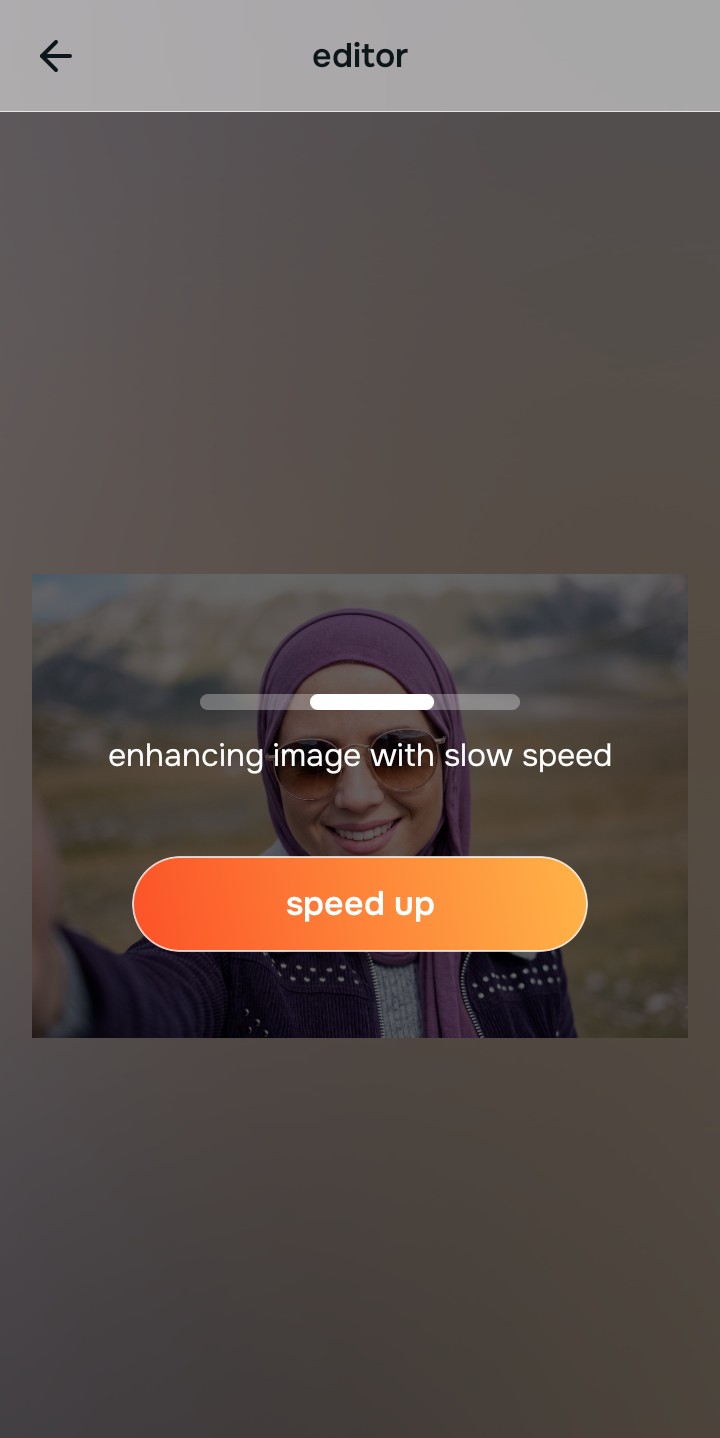
Let the instant preview calculate optical balance
Citrus provides an instant baseline correction immediately. Instead of just cranking the saturation down, Citrus analyzes the environmental light spectrum and isolates the specific clipped color channels on your face.
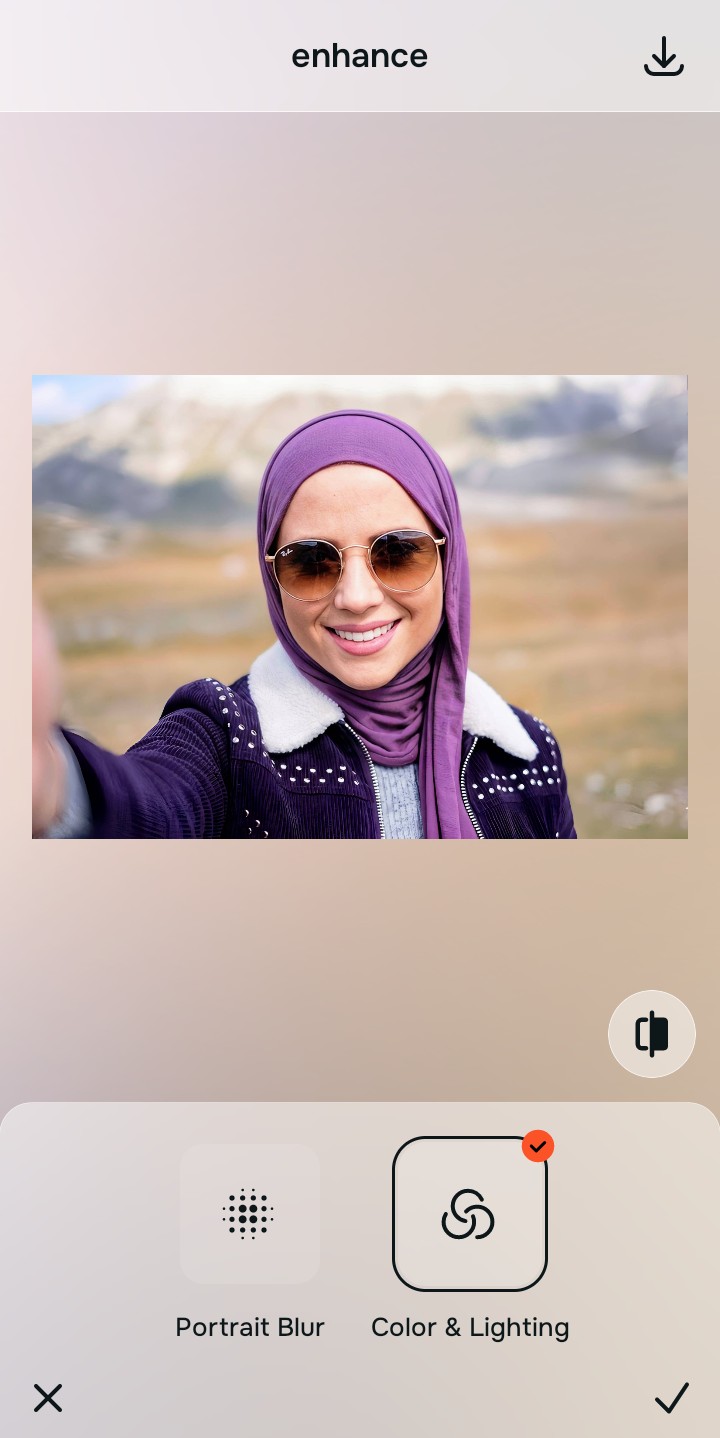
Tap Enhance and choose Colors & Lighting
You cannot fix flat skin until you neutralize the clipped light. In Citrus, tap Enhance → Colors & Lighting. This mathematically balances the global exposure curves, stripping away the radioactive magenta glare and rebuilding the lost luminance data so your face has 3D shape again.

Always balance global optical exposure before adjusting facial aesthetics. Reversing the base spectral damage mathematically ensures subsequent enhancements don't look flat or gray.
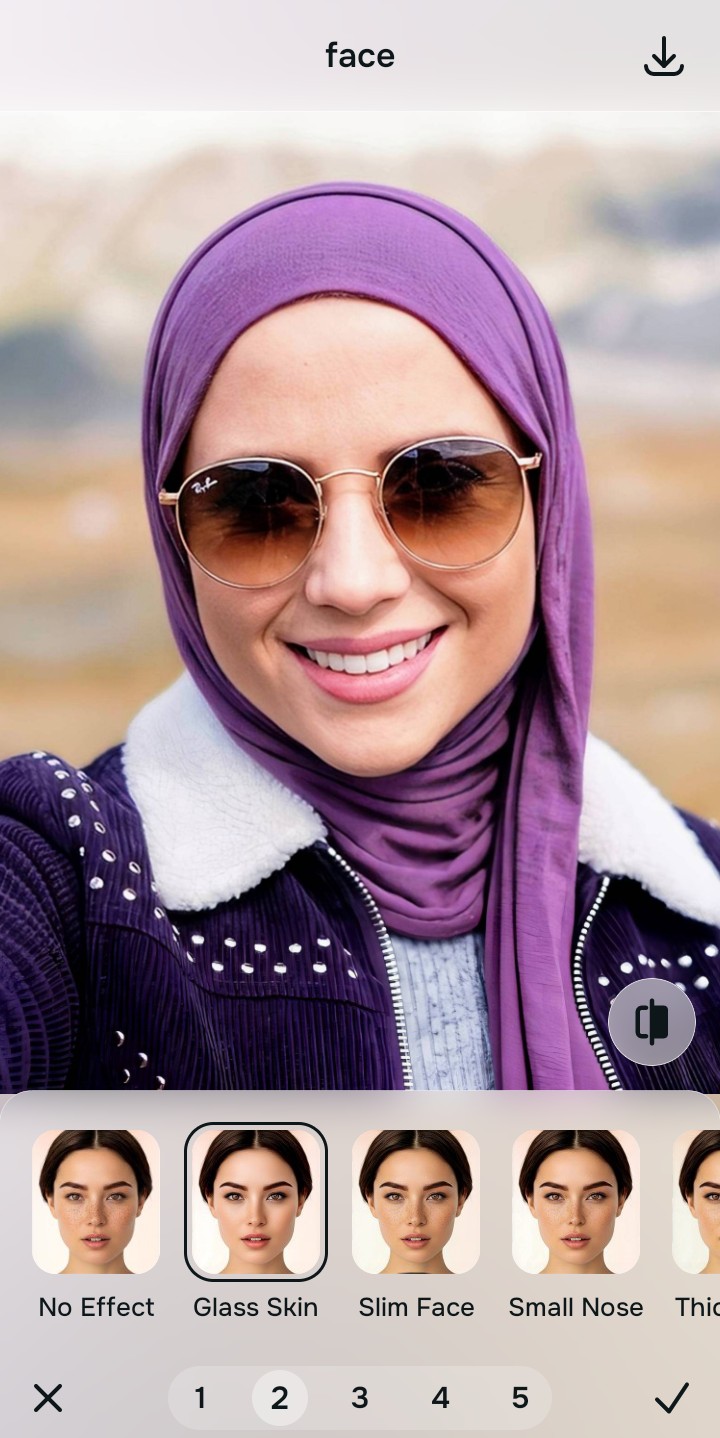
Tap Looks and select Glass Skin to restore healthy color
Because stripping away heavy neon light can leave the subject looking a bit pale, you must elevate the facial impression natively. Tap Face → Glass Skin in Citrus. Select your preferred value from Level 1–5. This biometrically injects healthy, photogenic color contrast back into your skin so you still look great in a party setting.
Export your high-resolution, uncompressed portrait
Citrus provides clean, unwatermarked HD exports completely for free, reversing the camera's clipping errors effortlessly so your selfie looks professional and natural.

How did the party lighting ruin your selfie?
Identify your primary optical hurdle to select the exact automated pathway in Citrus.
Aligning Your Edits with the Citrus Taxonomy
Instead of guessing which manual saturation slider will hide the purple tint without turning you gray, Citrus categorizes enhancement into three distinct, mathematically safe pathways:
“Portrait enhancement should never require you to desaturate your skin into a zombie-gray tone. It must mathematically reconstruct the clipped luminance data so you look naturally Glass Skin—effortlessly and instantly.”
Why Optical Calibration Beats Generic Saturation Sliders
There is a massive structural difference between authentic optical color recovery and dragging a "Saturation" slider in a basic photo editor. When you pull the saturation down on a photo blasted by magenta LEDs, the software indiscriminately drains color from every pixel. This removes the purple, but leaves your skin a lifeless gray, while simultaneously killing the cool neon club vibe in the background.
Citrus is built specifically to prevent this. By constraining adjustments to mathematically calibrated Level 1–5 settings across Enhance, Looks, and Face, it targets the specific clipped frequency of the offending light source *before* rebuilding the luminance data of human skin. You get a clean, dimensional photo in one tap without the dead-skin effect.