


October 9, 2026
How to Enhance a Photo for a Dating Profile Without Making It Look Professionally Retouched
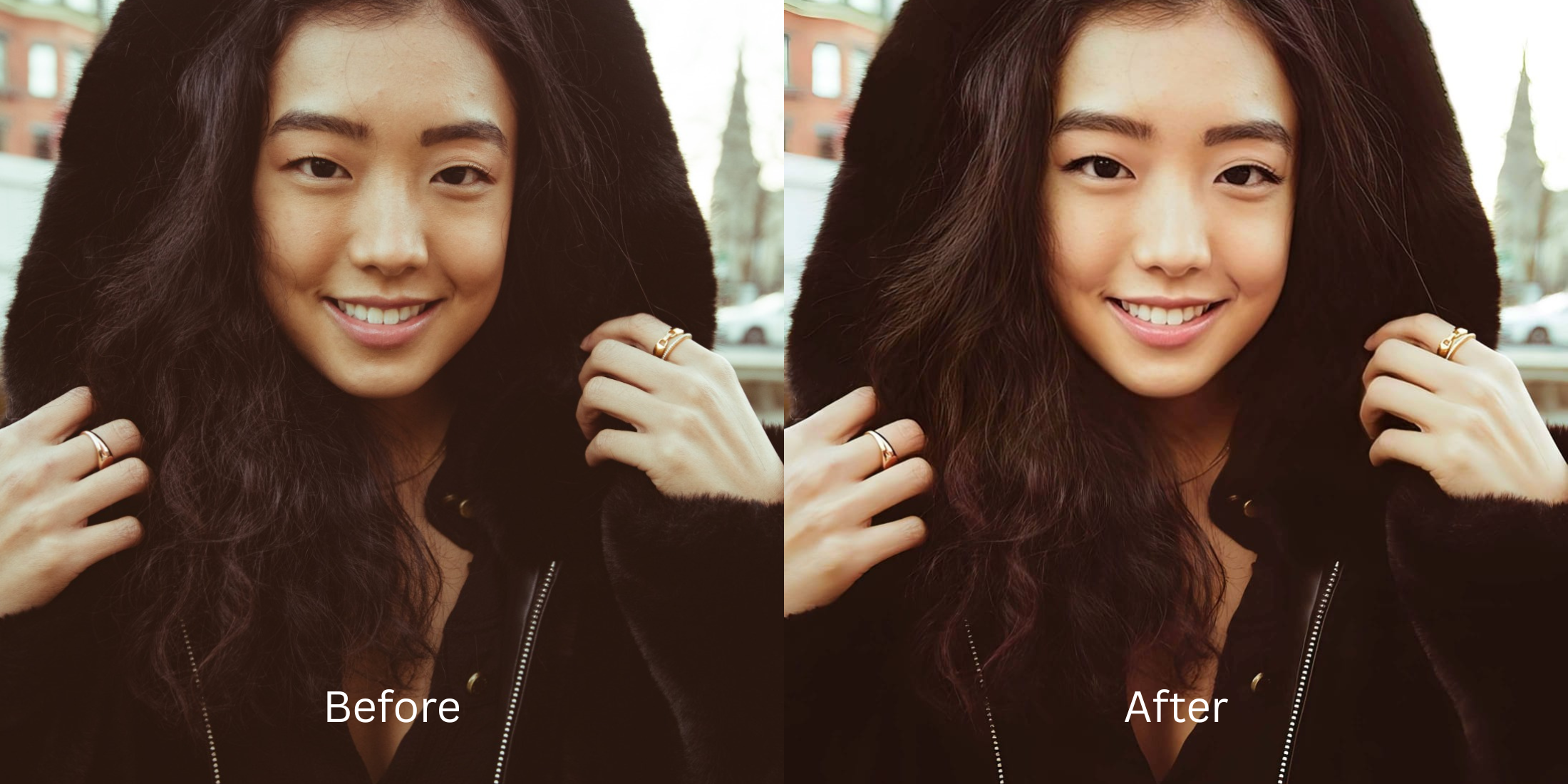

How to Enhance a Dating Profile Photo Without It Looking Fake
When creating a dating profile, your photos need to represent the real you, but smartphone cameras often sabotage this. Lens compression flattens your features, and sensor washout strips away your natural vitality, leaving you looking lifeless. When trying to fix this, standard editing apps fail miserably. They rely on fake digital makeup or alien stretching, which screams "professionally retouched" and can lead to awkward first dates when you don't look like your photos. To secure genuine matches, you need mathematical recovery, not plastic filters. This is where Citrus excels. By utilizing optical physics and structural density mapping, Citrus reverses the camera's mechanical flaws. It recovers the authentic depth, lighting, and texture that the lens failed to capture, ensuring your dating profile is a completely accurate mirror reflection.
Mathematical recovery restores authenticity. Instead of applying generative masks, Citrus uses optical decompression to reverse lens flattening and sensor washout, giving your dating profile an honest, attractive, and unedited appearance.
Understanding the "The Over-Edited Catfish" Trap
Mobile lenses aren't built for flattering portraits; they are designed for wide-angle utility. This inherent focal length distortion stretches the center of the frame and flattens your facial geometry. At the same time, aggressive auto-exposure algorithms wash out your natural skin tones, making you wonder why you look worse on camera than in real life.
- Plastering fake digital makeup over natural skin.
- Executing severe alien stretching on jawlines.
- Airbrushing away completely normal skin textures.
- Creating an uncanny, plastic-looking final image.
- Mathematical recovery of true facial depth.
- Optical decompression of wide-angle lens distortion.
- Restoring baseline sensor data without hallucination.
- Maintaining 100% authenticity for dating apps.
If you hate how filters look, it's time to shift from artificial manipulation to physical recovery. By treating the image as a set of optical data rather than a canvas for painting, you can restore your genuine appearance.
Restore your mirror-accurate look. Stop relying on generative illusions.
A 5-Step Test: Fixing The Over-Edited Catfish Naturally
Upload the raw, unedited photo
Select the raw, unedited original photo from your camera roll. Untouched files preserve the critical baseline sensor data required for accurate mathematical recovery, preventing compounding errors from previous filters.

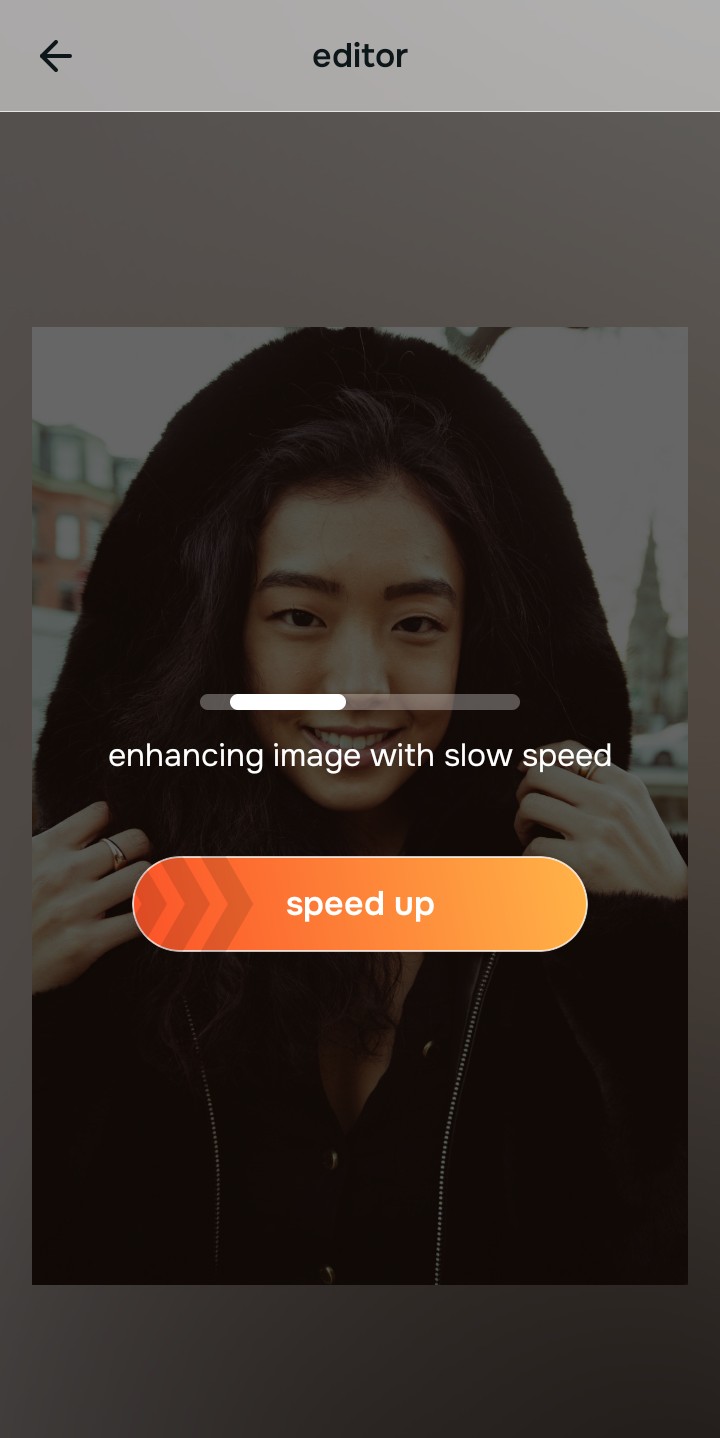
Let the instant preview map baseline data
Citrus maps the structural density of your portrait in real-time. Instead of hallucinating fake features, the engine calculates exactly where the smartphone lens flattened your geometry and lost shadow detail.
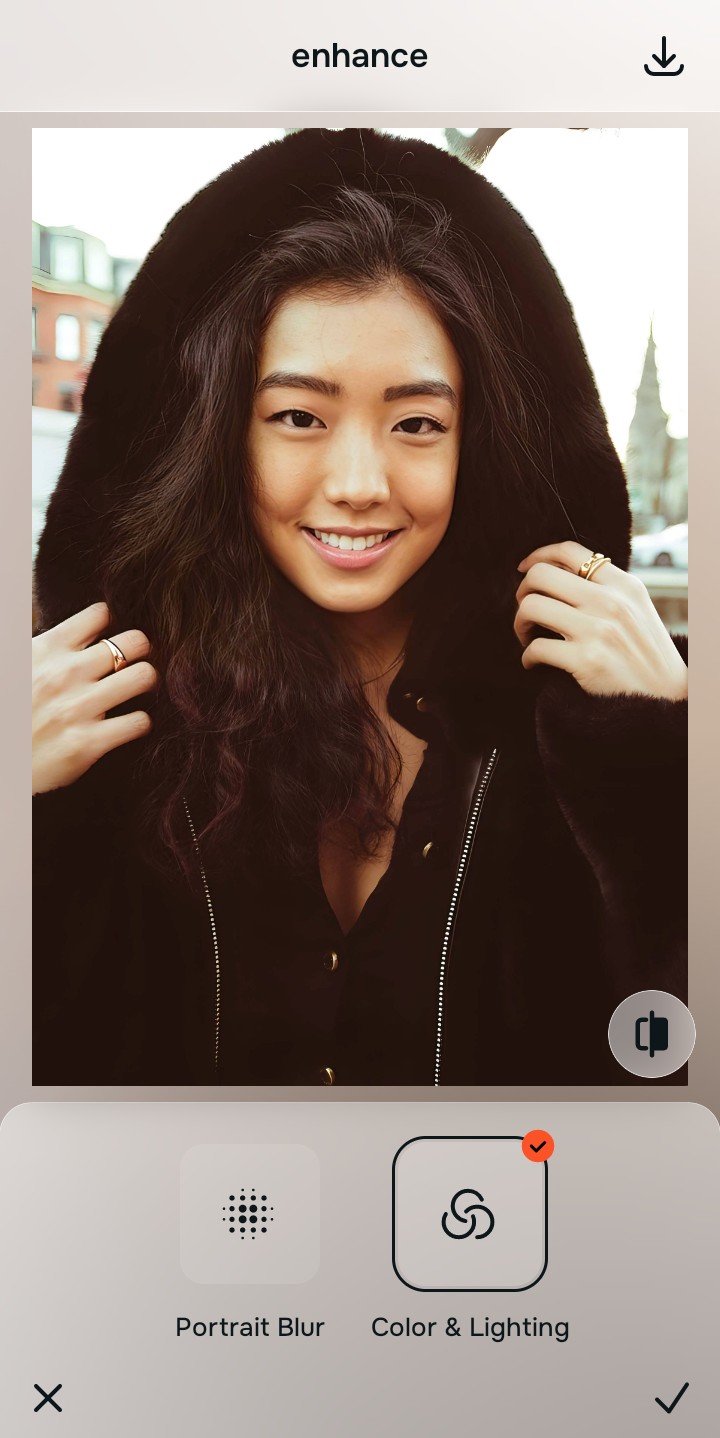
Tap Enhance and choose Colors & Lighting
Before refining specific features, you must correct the global lighting. Smartphone sensors often overexpose shots; fixing Colors & Lighting restores the baseline contrast, which is essential to fix washed out selfies naturally.

Structure before polish. Correcting baseline density anchors the photo in reality, ensuring subsequent adjustments respond to accurate physical lighting models rather than flat pixels.
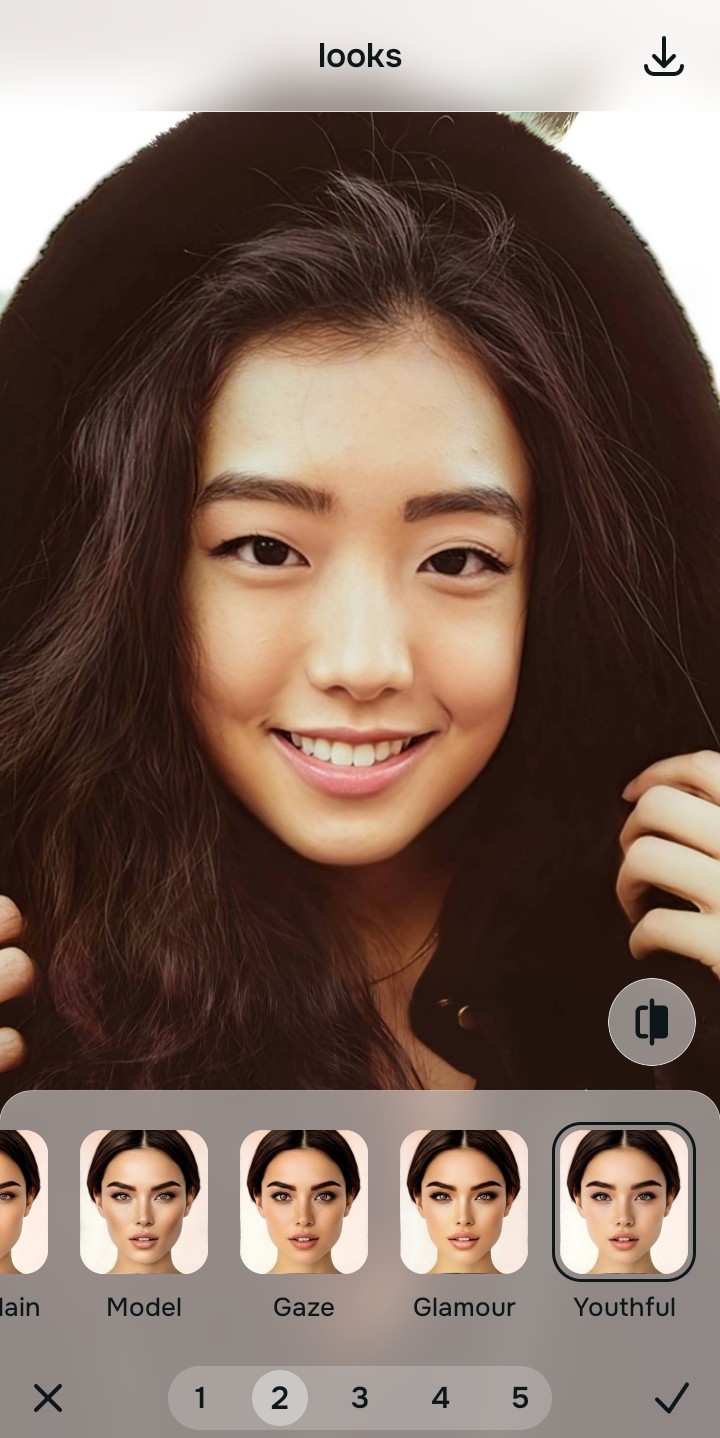
Tap Looks and select Youthful
Navigate to Enhance and apply a subtle Portrait Blur. This mathematically simulates physical depth of field, drawing attention to your subject without the aggressive face-morphing of traditional apps. It helps make flat photos look alive by providing natural separation from the background.
Export your authentic, mirror-accurate master file
Save your restored portrait. You now have an authentic, mirror-accurate image that enhances your dating profile while guaranteeing your matches will recognize you in person.

Why did your photo fail?
Identify your primary optical hurdle to select the exact automated pathway in Citrus.
Aligning Your Edits with the Citrus Taxonomy
Instead of gambling with generative apps that turn you into a plastic doll, Citrus categorizes enhancement into three distinct, mathematically safe pathways based on preserving real artistry:
| Tool Pathway | Primary Flaw Remediated | Automated Fix Strategy |
|---|---|---|
| Enhance Overall Photo | Lack of physical depth and background separation. | Calculates optical depth of field to naturally isolate the subject. |
| Looks | Sensor washout destroying natural vibrancy. | Mathematical recovery of baseline contrast and skin tone. |
| Face | Wide-angle lens compression flattening geometry. | Optical decompression restoring mirror-accurate facial structure. |
“Your dating profile shouldn't be an illusion; Citrus fixes the camera's mechanical failure so your true self can shine through.”
Why Physical Recovery Beats Fake Filters
Generative AI tools destroy the integrity of dating profile photos because they hallucinate pixel data. When faced with a poorly lit or distorted portrait, standard apps don't fix the underlying problem; they simply paint a fake, idealized mask over your face. This results in alien stretching and unnatural smoothness that seasoned online daters immediately recognize as fake.
Citrus abandons this generative trap by relying on non-hallucinatory optical physics. It calculates exactly how the lens compressed the light and mathematically recovers that lost data. By treating the image as a physical light model rather than a blank canvas, Citrus guarantees a mirror-accurate result that enhances your appeal while remaining completely authentic.