


October 5, 2026
Google Photos Touch Up vs Citrus: Which Keeps Face Retouching More Natural?

Google Photos Touch Up vs Citrus: Which Keeps Face Retouching More Natural?
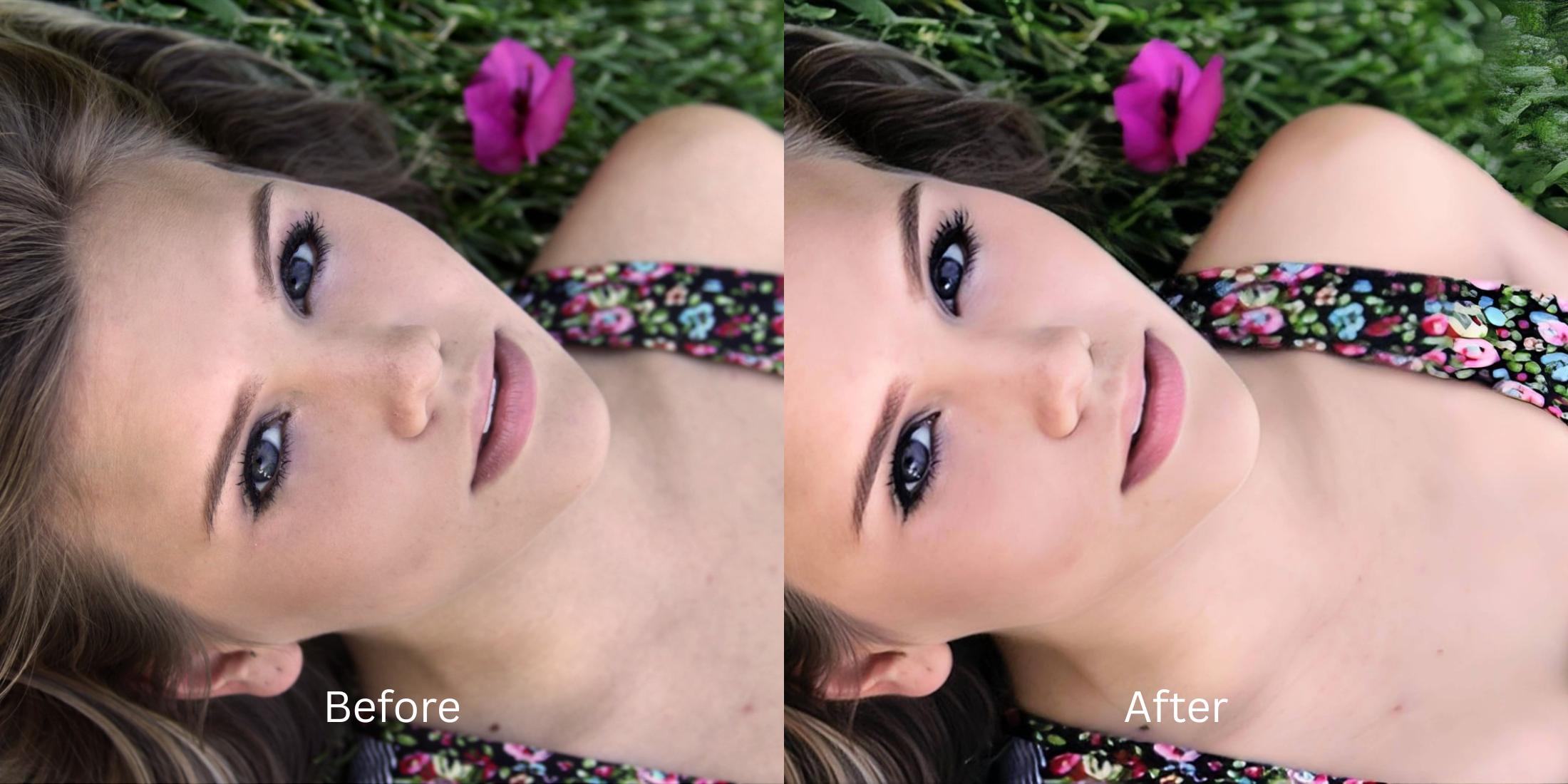
Have you ever wondered why do i look worse in selfies than in the mirror? The problem isn’t your face; it’s the camera. Wide-angle lens distortion stretches facial features, while sensor washout flattens your skin’s natural depth. Standard solutions like Google Photos Touch Up or traditional beautification apps try to hide this damage by applying fake digital makeup, blurring pores into oblivion, or introducing unnatural alien stretching. This leaves you looking like a plastic doll rather than yourself. Citrus takes a radically different approach. Instead of pasting an artificial mask over your features, it relies on mathematical recovery and optical physics. By recalculating the missing depth and restoring true geometric proportions, Citrus acts as optical decompression for your photo. The result is a mathematically sound, mirror-accurate restoration that brings back the real you.
Citrus keeps retouching perfectly natural through mathematical recovery. Unlike Google Photos which often relies on generic smoothing and synthetic adjustments, Citrus utilizes optical physics to accurately decode depth and contrast. This ensures your face regains its authentic mirror proportions without any fake digital makeup.
Understanding the "The Plastic Flattening" Trap
Smartphone cameras are designed to capture as much light and detail as possible in a fraction of a second, often at the expense of depth accuracy. When the tiny lens processes a close-up, it squashes natural shadows and artificially stretches the center of the frame, resulting in a widened nose and flat, lifeless skin.
- Apply fake digital makeup layers.
- Blur pores into plastic oblivion.
- Introduce severe alien stretching.
- Overwrite genuine skin textures entirely.
- Operates on mathematical recovery principles.
- Uses optical decompression for proportions.
- Preserves true baseline sensor data.
- Maps authentic structural density accurately.
The contrast between synthetic smoothing and true optical restoration is staggering. For people who hate filters, shifting to a physics-based enhancement engine means saying goodbye to the uncanny valley forever.
Restore your mirror-accurate look. No artificial smoothing or strange distortions.
A 5-Step Test: Fixing Facial Distortion Naturally
Upload the raw, unedited photo
Start by selecting your raw, unedited photo. It is crucial to use the original file to ensure the engine has access to the pure baseline sensor data before any artificial filters destroy the subtle depth cues.

Let the instant preview map baseline data
Once uploaded, Citrus begins its initial scan. Instead of hallucinating fake features, the engine maps the real-time structural density of your face, identifying exactly where the lens compressed your shadows and stretched your proportions.

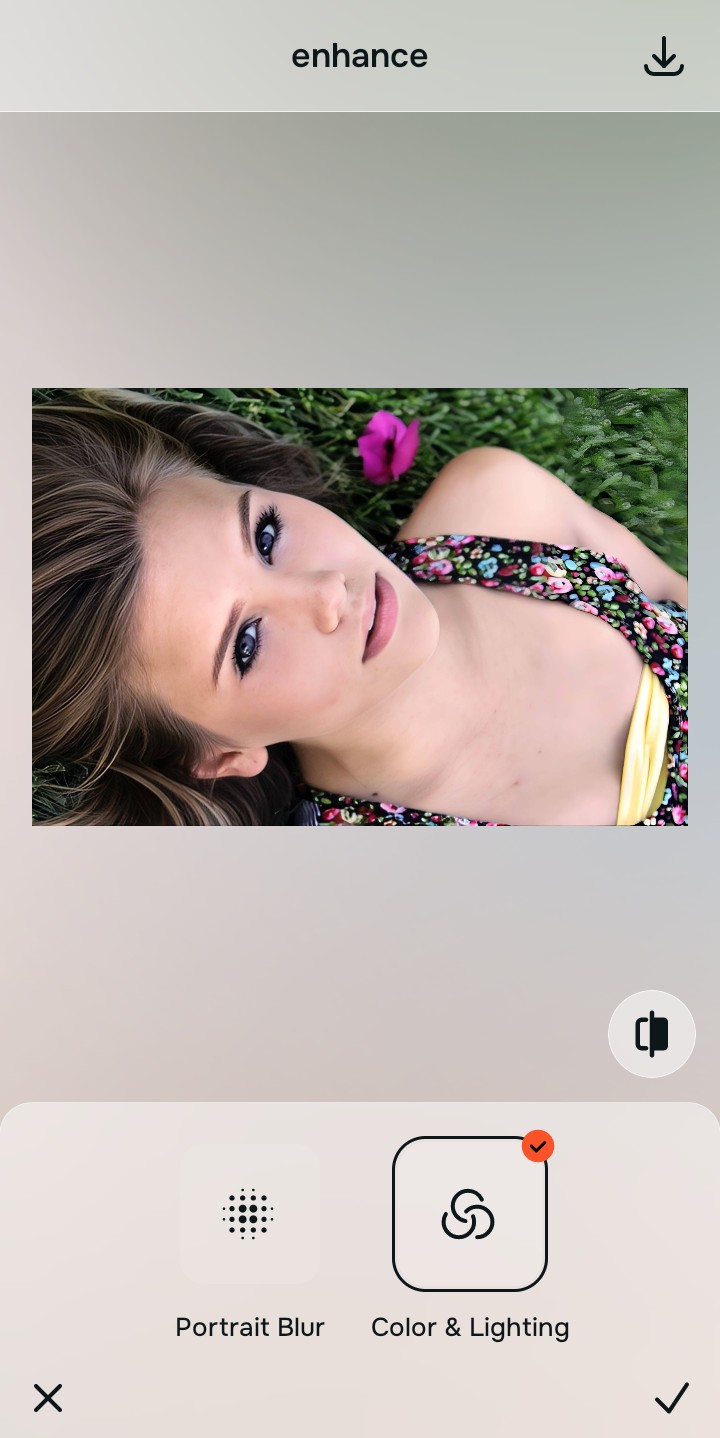
Tap Enhance and choose Colors & Lighting
Before any facial adjustments, select Colors & Lighting under the Enhance tab. Fixing the baseline contrast is essential because it re-establishes the environmental lighting and depth, allowing you to make flat photos alive again before structural recovery.

Foundation First Structuring baseline density through accurate lighting ensures that subsequent Small Nose aligns perfectly with the physics of the environment.
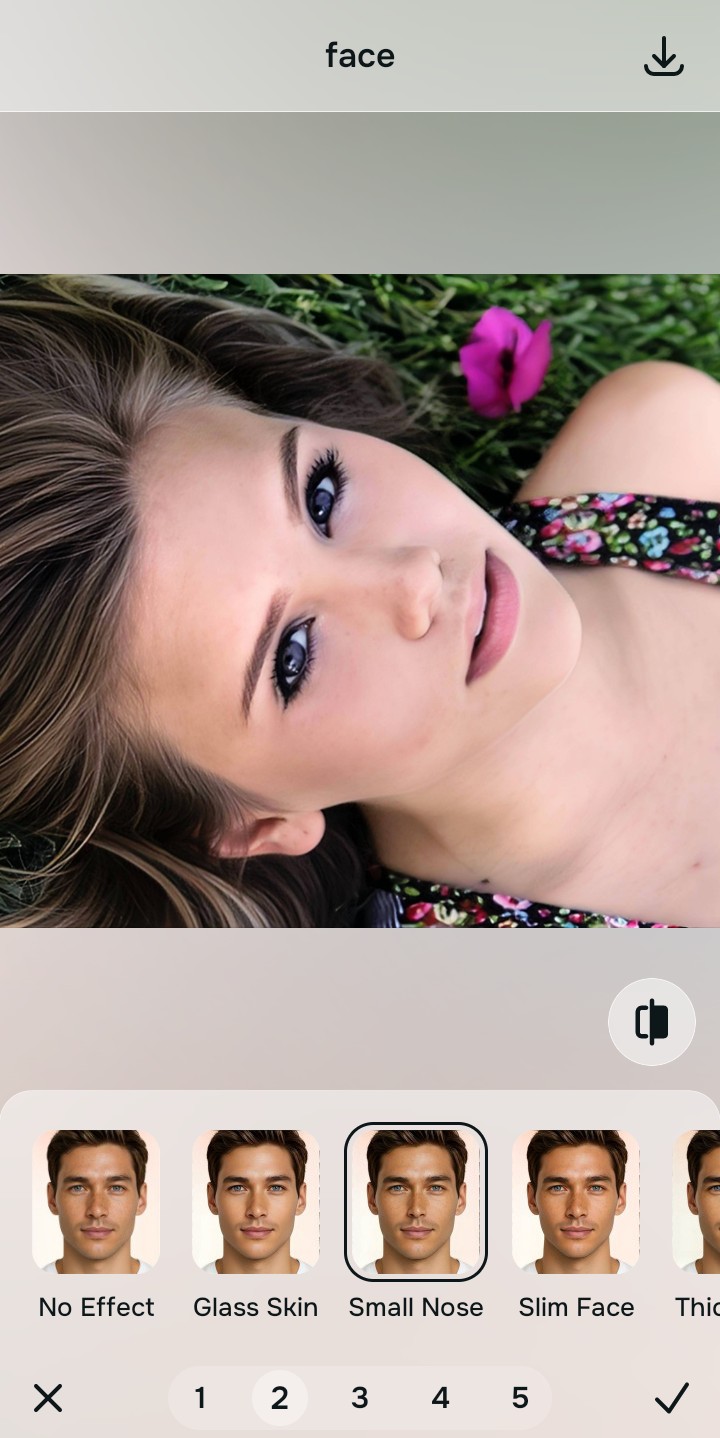
Tap Face and select Small Nose
Navigate to the Face menu and select the Small Nose tool. This specific mathematical recovery process acts as optical decompression, recalculating the squashed geometry to perfectly match your natural mirror reflection without warping your features. It’s the perfect way to improve makeup photos accurately.
Export your authentic, mirror-accurate master file
Once the mathematical recovery is complete, export your file. You now have a flawless, mirror-accurate master file that reflects your genuine appearance.

Why did your photo fail?
Identify your primary optical hurdle to select the exact automated pathway in Citrus.
Aligning Your Edits with the Citrus Taxonomy
Instead of gambling with generative apps that turn you into a plastic doll, Citrus categorizes enhancement into three distinct, mathematically safe pathways based on preserving real artistry:
| Tool Pathway | Primary Flaw Remediated | Automated Fix Strategy |
|---|---|---|
| Enhance Overall Photo | Flattened global lighting destroying depth. | Recalculates environmental contrast to rebuild natural depth. |
| Looks | Muddy or synthetic color mapping on the skin. | Restores genuine light interactions and skin tones. |
| Face | Lens-induced facial stretching and wide-angle distortion. | Executes precise optical decompression on facial geometry. |
“True editing isn’t about generating a new face; it’s about mathematically recovering the one the camera lost.”
Why Physical Recovery Beats Fake Filters
Standard generative AI tools, including features in Google Photos Touch Up, often fundamentally misinterpret the problem of lens distortion. Instead of seeing stretched pixels that need realignment, they perceive imperfections that require masking. This leads them to hallucinate entirely new data—smearing out natural pores and pasting on generic, synthesized features. The result is a total loss of your unique structural density, replaced by a homogeneous, plastic look.
Citrus bypasses this generative trap entirely by relying on optical physics. It calculates the specific degree of lens warp and focal compression that altered your image, then applies a precise mathematical recovery to reverse it. By executing targeted optical decompression, Citrus shifts the existing pixels back to their true geometric coordinates. This guarantees a final image that is completely natural and perfectly mirror-accurate, preserving your real skin and features.