


October 7, 2026
Galaxy S26 Photo Assist vs Citrus: Generative Editing or Natural Photo Enhancement?
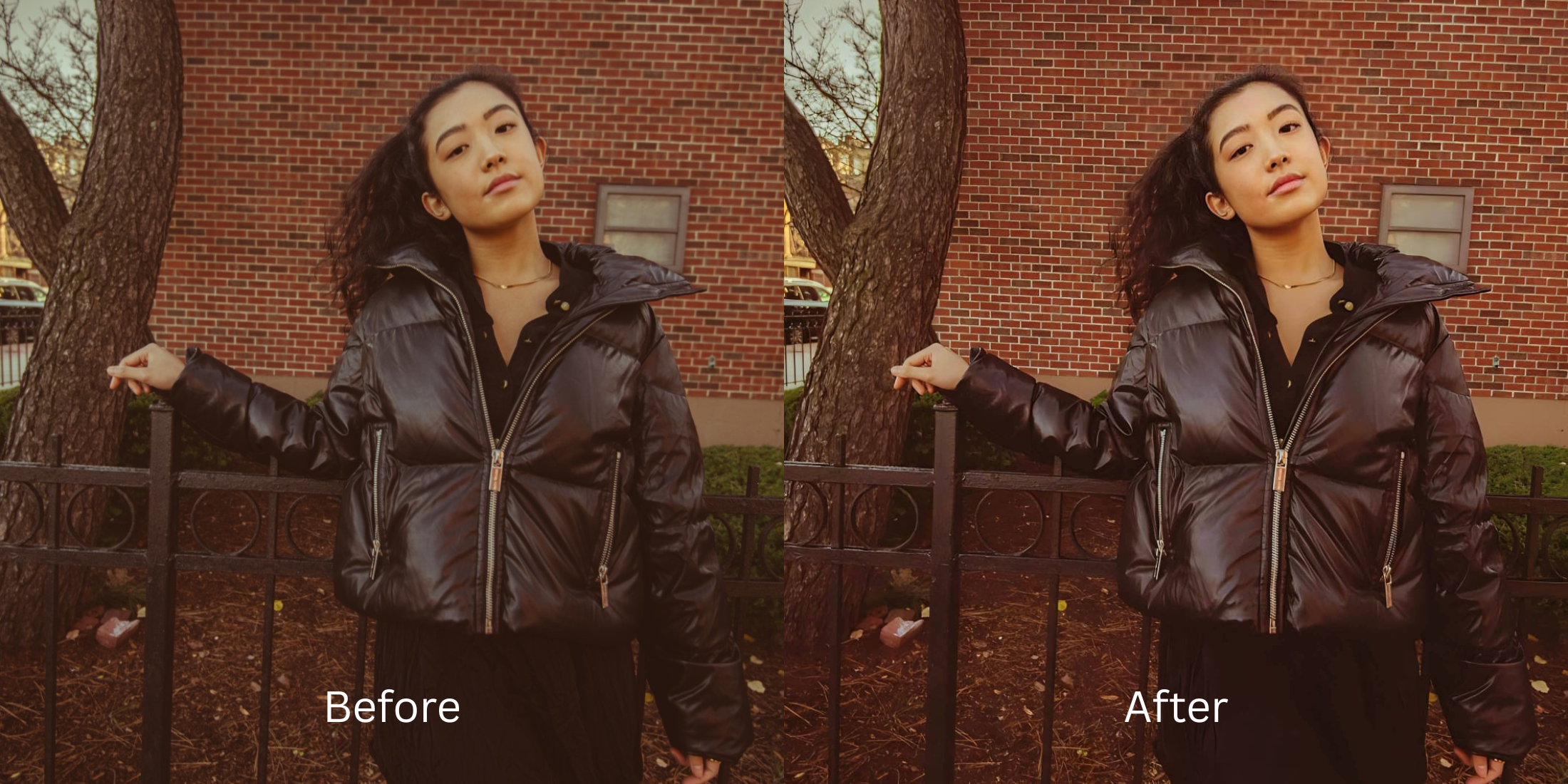

Galaxy S26 Photo Assist vs Citrus: Generative Editing or Natural Photo Enhancement?
With the release of the Galaxy S26, AI photo editing has taken center stage, particularly with the new generative Photo Assist features. But when you look closely at standard smartphone camera processing, a core problem remains: lens distortion and sensor washout. Default cameras often flatten your facial features and scramble real color data. When you try to fix this with generative tools like the S26 Photo Assist, they often resort to hallucinated pixels, which can look like fake digital makeup or cause alien stretching. If you are tired of wondering why do I look worse in photos, you need a different approach. Citrus completely bypasses generative guesswork by using mathematical recovery and optical physics to restore the raw structural density of your face without inventing details that aren't yours.
Generative AI invents pixels, while natural enhancement recovers them. The Galaxy S26 Photo Assist uses generative models to add artificial elements to your image, which can destroy authenticity. Citrus takes the opposite route, utilizing optical decompression and mathematical recovery to restore the real details captured by your lens, providing true-to-life results.
Understanding the "Generative Hallucination" Trap
Modern smartphone lenses, even those on flagship devices like the Galaxy S26, suffer from physical limitations. They compress depth and alter lighting dynamically, which leads to structural flattening. When a generative model tries to "fix" these limitations, it just paints over the problem instead of correcting the underlying optical physics. You end up needing to fix yellow indoor lighting or weird skin textures that aren't actually yours.
- Hallucinates fake skin textures and pores.
- Warps proportions using alien stretching.
- Applies fake digital makeup over natural features.
- Destroys the original optical depth of the image.
- Uses mathematical recovery for true facial structure.
- Relies on optical decompression to fix lens warp.
- Preserves exact skin tones and lighting data.
- Enhances natural sharpness without hallucination.
Instead of relying on AI to guess what you should look like, you need tools that respect the physics of light. You might search for the apps for filter haters, but true enhancement lies in mathematical recovery. By mapping the real baseline data, you can restore your image's integrity.
Restore your mirror-accurate look. Say goodbye to generative guesswork and hello to optical precision.
A 5-Step Test: Fixing Generative Distortion Naturally
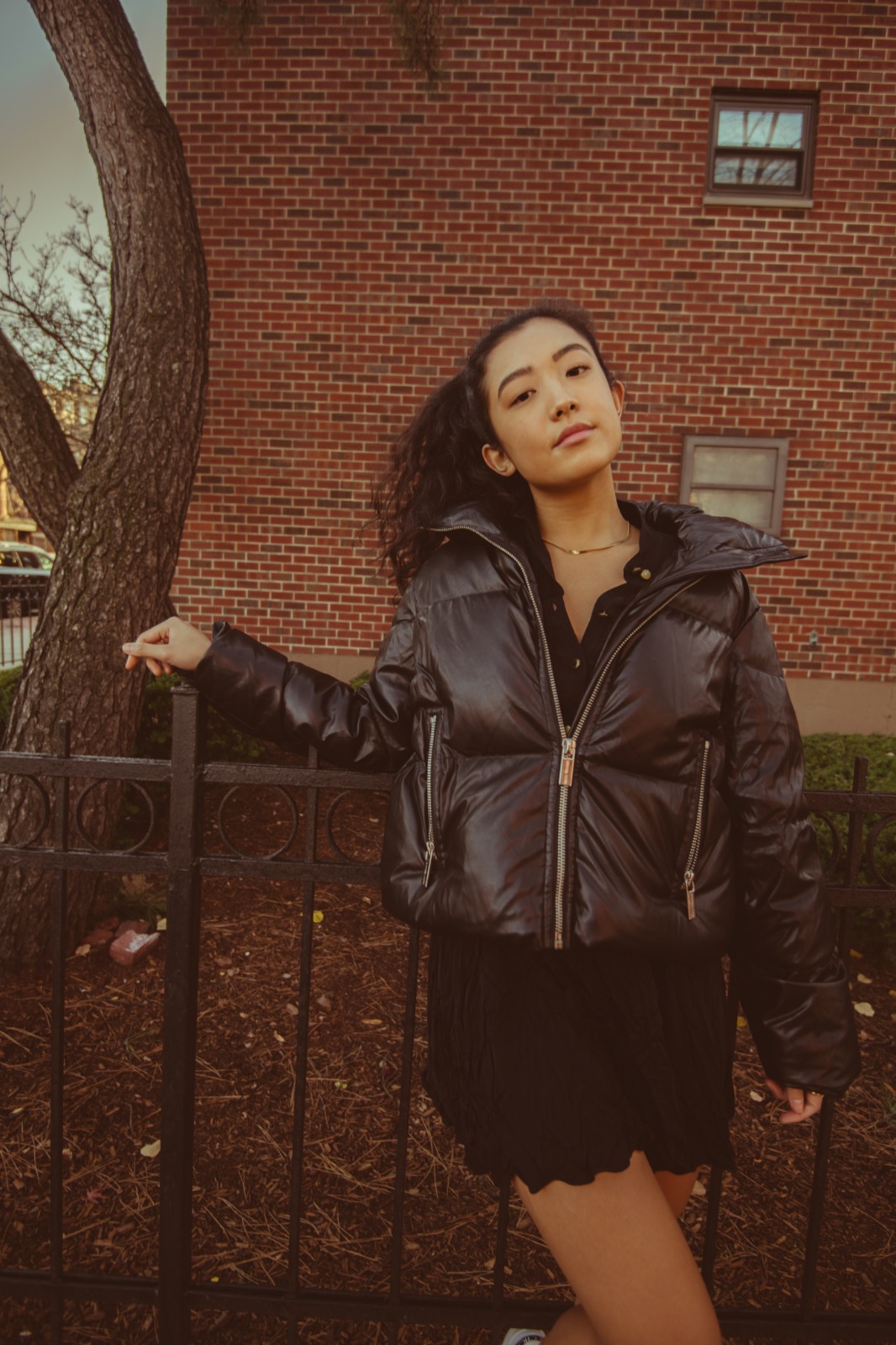
Upload the raw, unedited photo
Start by uploading your completely unedited photo straight from your camera roll. Do not apply any built-in filters or generative edits first, as this destroys the raw sensor data necessary for true mathematical recovery.
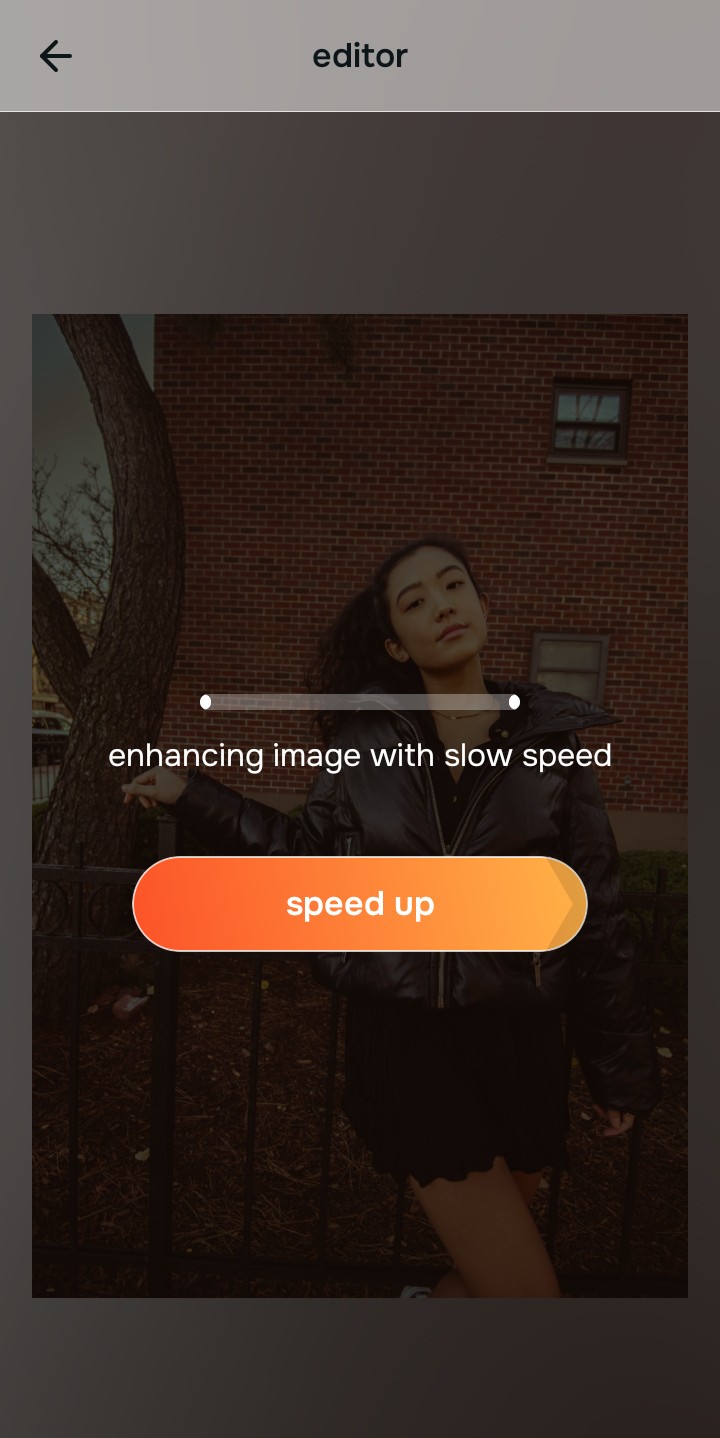
Let the instant preview map baseline data
Citrus instantly maps the baseline structural density of your image. Instead of hallucinating fake pixels, the optical engine calculates the exact light and depth lost during the camera's initial capture process.
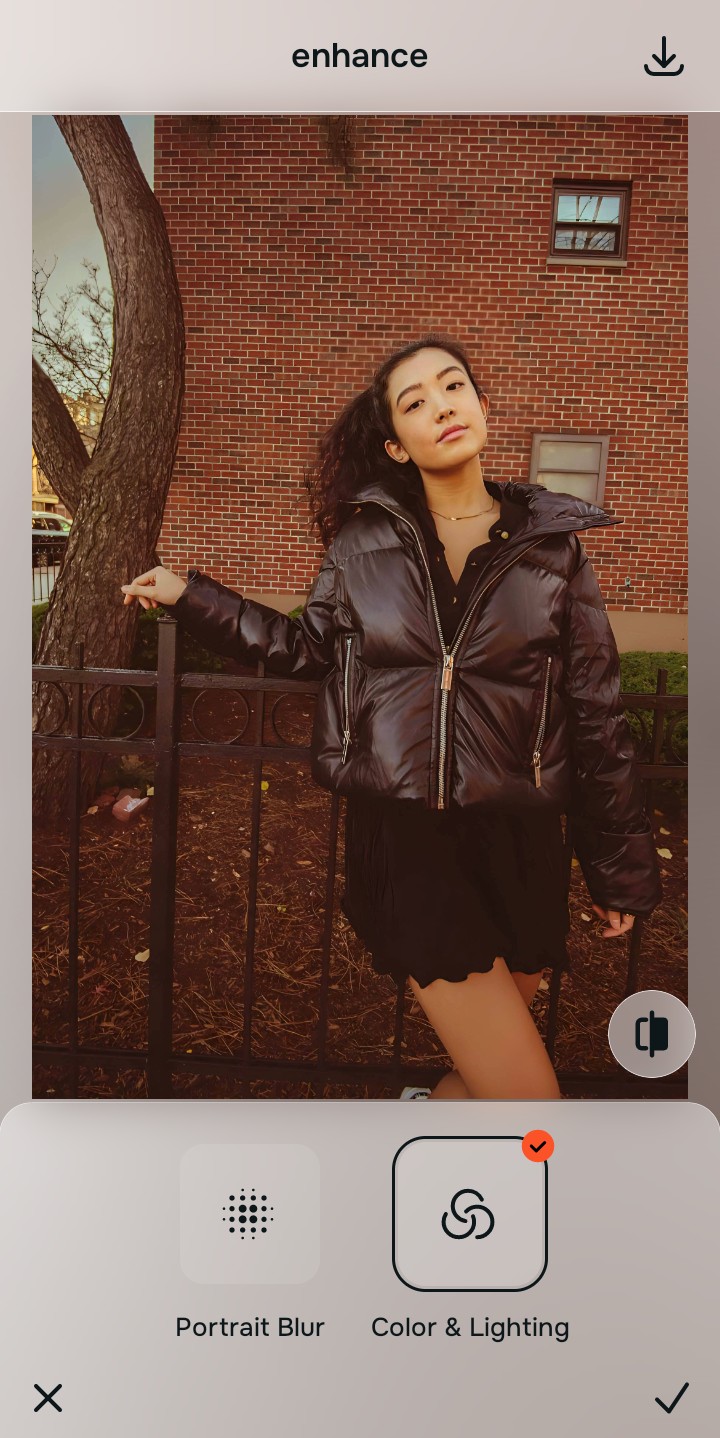
Tap Enhance and choose Colors & Lighting
Before any facial refinements, you must correct the foundational lighting and contrast. Fixing the baseline ensures that subsequent adjustments enhance the existing data rather than forcing artificial shadows or highlights onto the image. This helps to beautifully make flat photos alive.

Why Baseline Density Matters: Structuring baseline density anchors the mathematical recovery process. It ensures every pixel is mathematically aligned with real-world optics before any localized enhancements are applied.
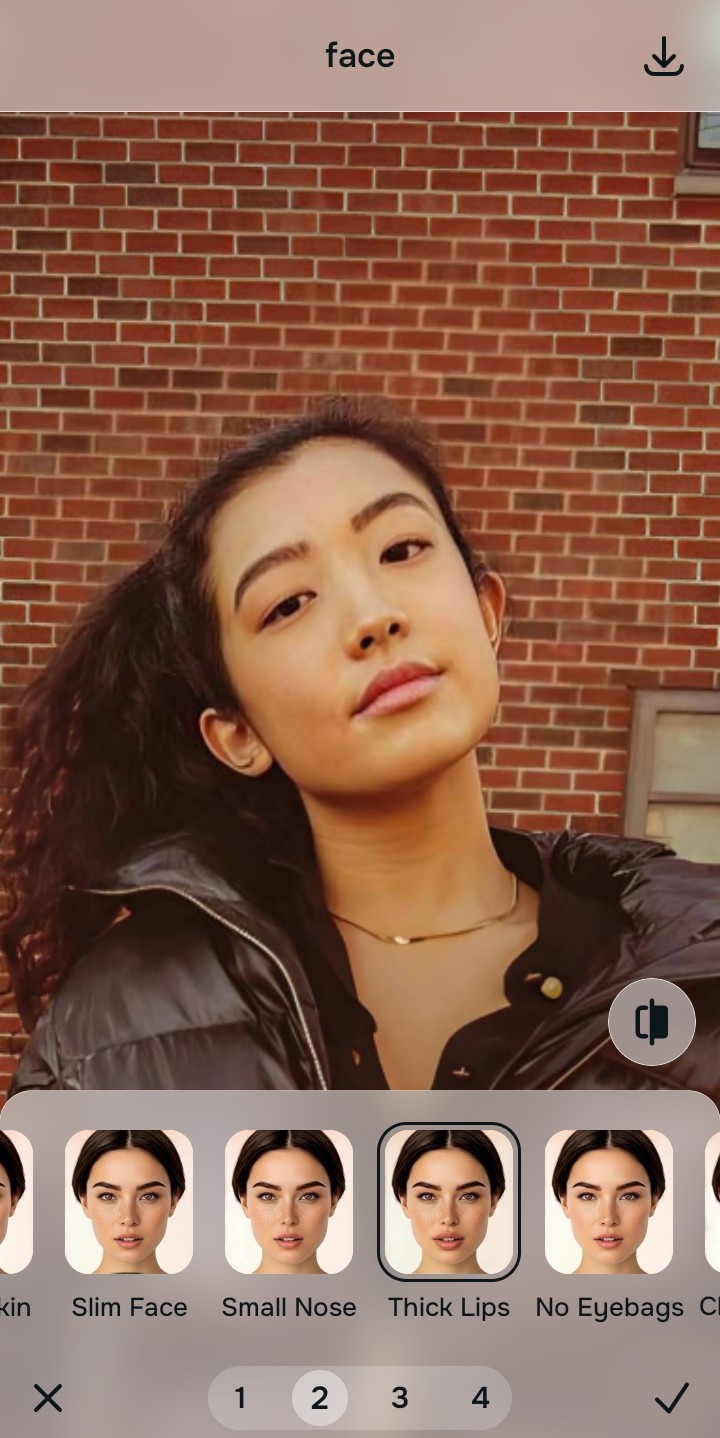
Tap Face and select Thick Lips
Navigate to **Enhance** and select **HD Refine**. This tool applies optical decompression to recover micro-details like hair and fabric textures without adding fake digital makeup or disrupting your natural facial geometry.
Export your authentic, mirror-accurate master file
Once the natural data is fully recovered, simply export your photo. You now have a high-resolution, mirror-accurate master file that reflects reality, not a generative AI's imagination.
Why did your photo fail?
Identify your primary optical hurdle to select the exact automated pathway in Citrus.
Aligning Your Edits with the Citrus Taxonomy
Instead of gambling with generative apps that turn you into a plastic doll, Citrus categorizes enhancement into three distinct, mathematically safe pathways based on preserving real artistry:
| Tool Pathway | Primary Flaw Remediated | Automated Fix Strategy |
|---|---|---|
| Enhance Overall Photo | Overly aggressive generative processing flattening the image. | Global mathematical recovery of lighting and structural depth. |
| Looks | Artificial smoothing and hallucinated skin textures. | Restoration of natural skin density and authentic tonal balance. |
| Face | Generative warping and alien stretching of features. | Precise optical decompression to correct lens-induced spatial distortion. |
“Don't let a generative AI guess your face. Mathematical recovery fixes the camera's mistakes, leaving your true identity perfectly intact.”
Why Physical Recovery Beats Fake Filters
Generative AI tools, like those found in the Galaxy S26 Photo Assist, are designed to create something new rather than fix what is already there. When faced with missing sensor data or lens distortion, they simply hallucinate pixels to fill the gaps. This often results in fake digital makeup, smoothed-over pores that look like plastic, and a general loss of authenticity.
Citrus fundamentally rejects the generative approach. Instead, it relies entirely on non-hallucinatory optical physics. By applying mathematical recovery to the existing sensor data, Citrus undoes the initial compression and distortion caused by the lens. This method guarantees a natural, mirror-accurate result that enhances your true features without inventing a single pixel.