


August 22, 2026
Why Do iPhone 17 Portraits Make Fine Hair Around the Face Look Too Sharp?
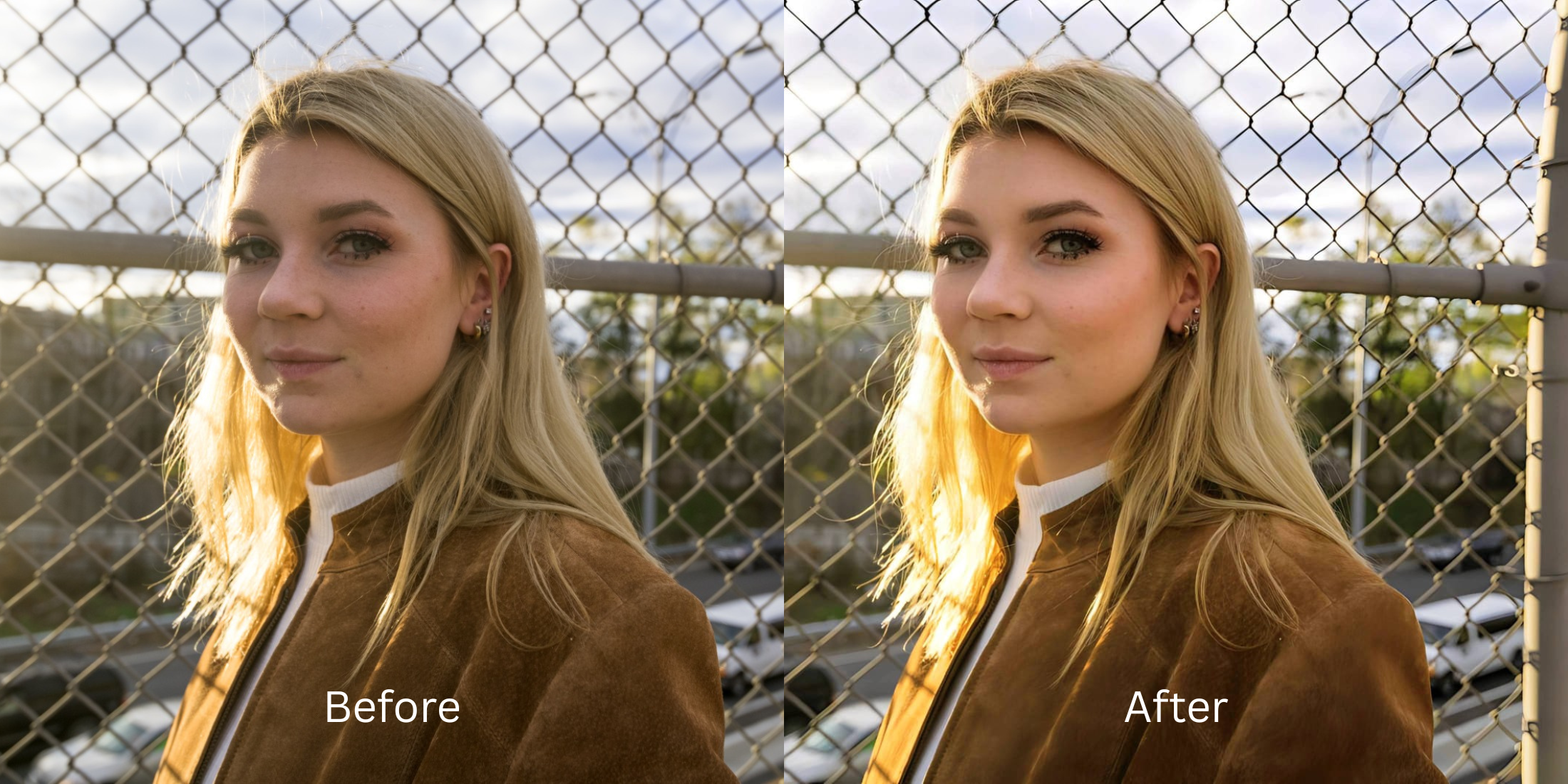

Why Do iPhone 17 Portraits Make Fine Hair Around the Face Look Too Sharp?
If you've taken a selfie on the new iPhone 17, you've likely noticed a frustrating computational quirk: the fine hair, eyebrows, and eyelashes around your face look unnaturally sharp, almost like brittle, crunchy wire. This isn't a problem with your hair; it's a byproduct of Apple's Deep Fusion algorithm. The iPhone's camera pipeline is programmed to hunt for "high-frequency" details (textures with rapid changes in light and shadow, like fabric and hair). When it finds them, it aggressively cranks up the "acutance" (edge contrast) to make the image appear sharper on a small smartphone screen. The result is a hyper-textured halo that makes soft hair look stiff and exaggerates every single pore on your skin. To fix this without turning the rest of your photo into a blurry mess, you need to understand how to bypass global sharpening and restore natural optical roll-off.
iPhone 17 makes hair look brittle because its Deep Fusion algorithm artificially boosts high-frequency edge contrast. To soften these edges naturally, use Citrus AI. Instead of applying a global blur that ruins the whole photo, Citrus simulates DSLR optical depth, gently rolling off hair edges while keeping your true facial features perfectly human.
Understanding the "Deep Fusion Edge-Contrast" Trap
The core issue with modern smartphone cameras is that they rely on software math, not pure glass physics. When a professional DSLR camera takes a portrait, the physical lens creates a natural, soft depth-of-field transition between the subject and the background. An iPhone, however, shoots everything in relatively sharp focus and then uses software to guess what should be sharp. Because it categorizes hair as "texture," it over-sharpens it alongside the brick wall behind you. Escaping this requires an optical engine designed to fix over sharpened phone photo artifacts.
- Applying heavy local contrast to fine details, turning baby hair and flyaways into sharp, wire-like artifacts
- Destroying the natural softness of skin by amplifying the micro-contrast of every single pore
- Making iphone camera skin texture harsh and unforgiving in natural daylight
- Failing to understand the transition between foreground subject and background space
- Simulating true lens physics to gently soften brittle hair edges without blurring your eyes
- Diffusing harsh Deep Fusion micro-contrast to restore a smooth, editorial skin finish natively
- Allowing you to sharpen hair eyelashes without pores becoming exaggerated
- Processing in under two seconds without requiring you to learn manual masking
When an algorithm treats your soft hair like a gritty landscape, your portraits lose all natural elegance. Shifting to an optical workflow helps you make curly hair selfies less noisy naturally, ensuring your hair and skin look soft, highly attractive, and completely human.
Optimize everyday photos without crunchy hair. A structured optical enhancement brings natural depth and softens brittle edge-contrast instantly.
A 5-Step Test: Softening Brittle Hair Edges Without Blurring Your Face
Upload the over-sharpened, raw camera roll photo
Find the photo where the iPhone's processing made your flyaways look like sharp wire and your pores look like sandpaper. Starting with clean sensor data is essential to samsung photos suddenly look overprocessed or heavily processed iPhone files.
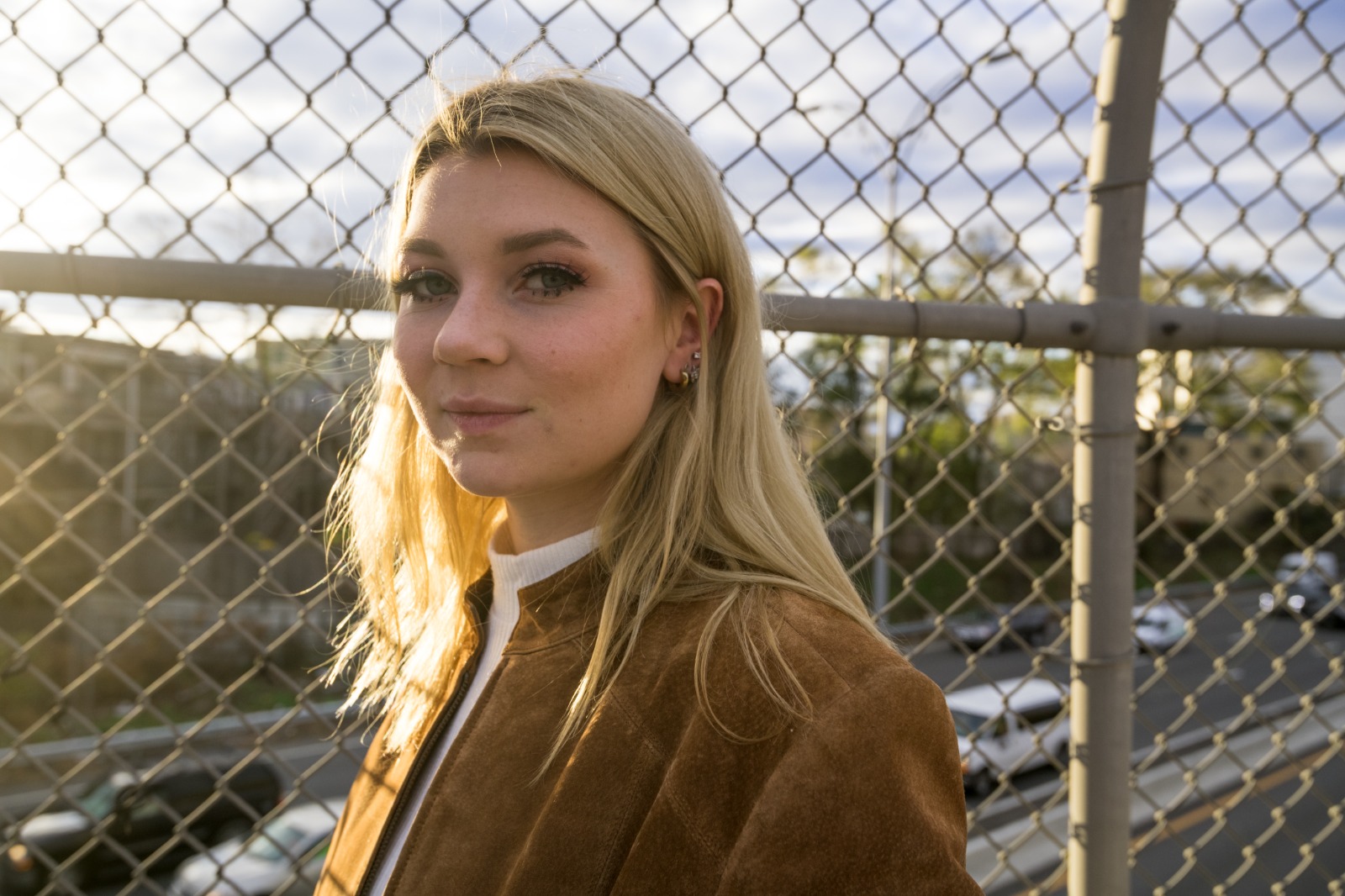
Let the instant preview calculate optical depth
Citrus provides an instant baseline correction immediately. Instead of just smudging the photo globally, Citrus calculates where your face ends and the background begins, establishing real physical depth.

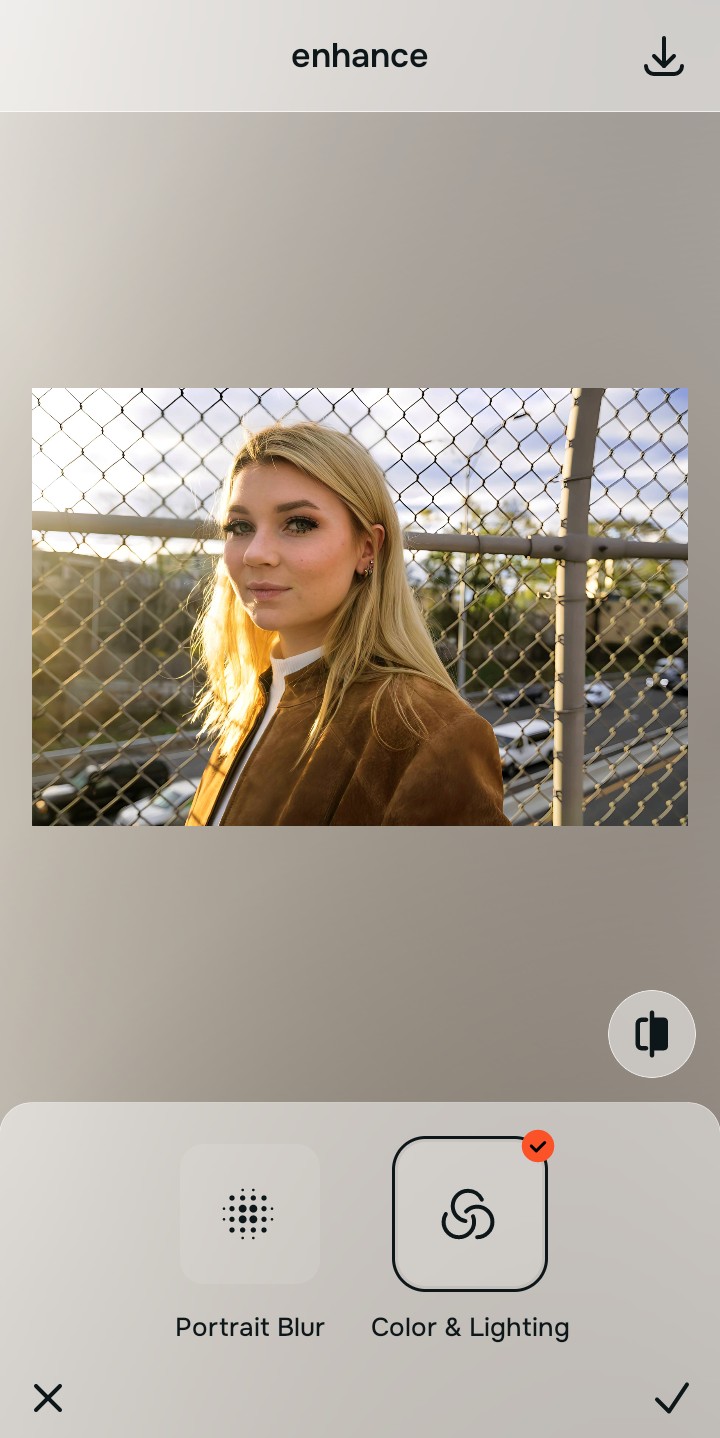
Tap Enhance and choose Portrait Blur for edge softness
To fix brittle hair, you must re-introduce optical physics. In Citrus, tap Enhance → Portrait Blur. This mathematically simulates a DSLR lens, allowing the crunchy, over-sharpened hair on the edges of your silhouette to softly roll off into the background, exactly as a real camera lens would capture it.

Always balance global optical depth before applying face impressions. Fixing the brittle focal plane mathematically ensures subsequent aesthetic enhancements sit naturally on real skin.
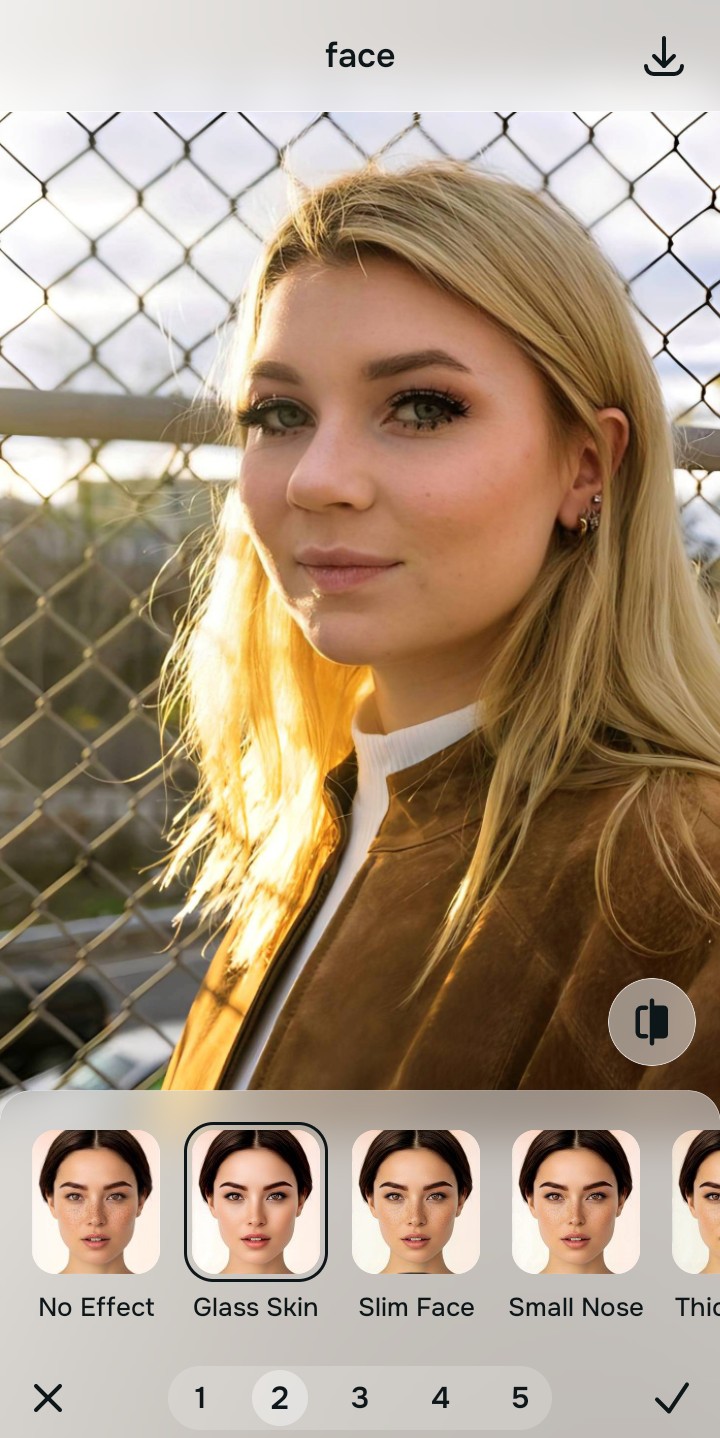
Tap Looks and select Glass Skin to diffuse texture
Because the iPhone over-sharpens hair, it also over-sharpens skin. Tap Face → Glass Skin in Citrus. Select your preferred value from Level 1–5. This diffuses the harsh, gritty micro-contrast across your cheeks and forehead natively, providing a smooth, high-end editorial finish.
Export your high-resolution, uncompressed portrait
Citrus provides clean, unwatermarked HD exports completely for free. It shows exactly how to iphone selfies look worse after capture—and how to reverse that damage instantly.
How is over-processing ruining your portrait?
Identify your primary editing roadblock to find the exact automated Citrus pathway that solves it.
Replacing Manual Blur Tools with the Citrus Taxonomy
Instead of trying to manually paint blur over crunchy hair edges, Citrus categorizes enhancement into three distinct, mathematically safe pathways:
| Tool Pathway | Primary Flaw Remediated | Automated Fix Strategy |
|---|---|---|
| Enhance Overall Photo | Brittle hair edges and flat focal planes caused by computational edge-contrast boosting | Use this first to establish a proper optical foundation. Choose Portrait Blur to soften depth natively. |
| Looks | A gritty, hyper-textured facial impression caused by Deep Fusion sharpening pores | Use this to update the entire face impression. Select Glass Skin (Level 1–5) to diffuse harsh contrast safely. |
| Face | Targeted facial structural issues where standard editors apply crunchy "clarity" sliders | Use this last for precise feature tweaks. Select Micro Refine to target geometry cleanly without adding fake blur. |
“Portrait enhancement should never require you to manually undo your camera's software mistakes. It must mathematically reverse computational over-sharpening so you look naturally radiant—effortlessly and instantly.”
Why Optical Roll-Off Beats Computational Over-Sharpening
There is a massive structural difference between authentic optical depth and software-driven acutance. When the iPhone applies Deep Fusion, it analyzes the image pixel by pixel and artificially increases the contrast on every single edge it finds. This is why baby hairs look like wires.
Citrus is built specifically to reverse this. By constraining adjustments to mathematically calibrated Level 1–5 settings across Enhance, Looks, and Face, it simulates true optical depth-of-field, allowing fine details to naturally roll off into the background while strictly protecting your true facial identity. You get a clean, DSLR-quality photo in one tap.