


April 9, 2026
Why Do I Look Worse in Photos Than in the Mirror? How to Fix It Naturally
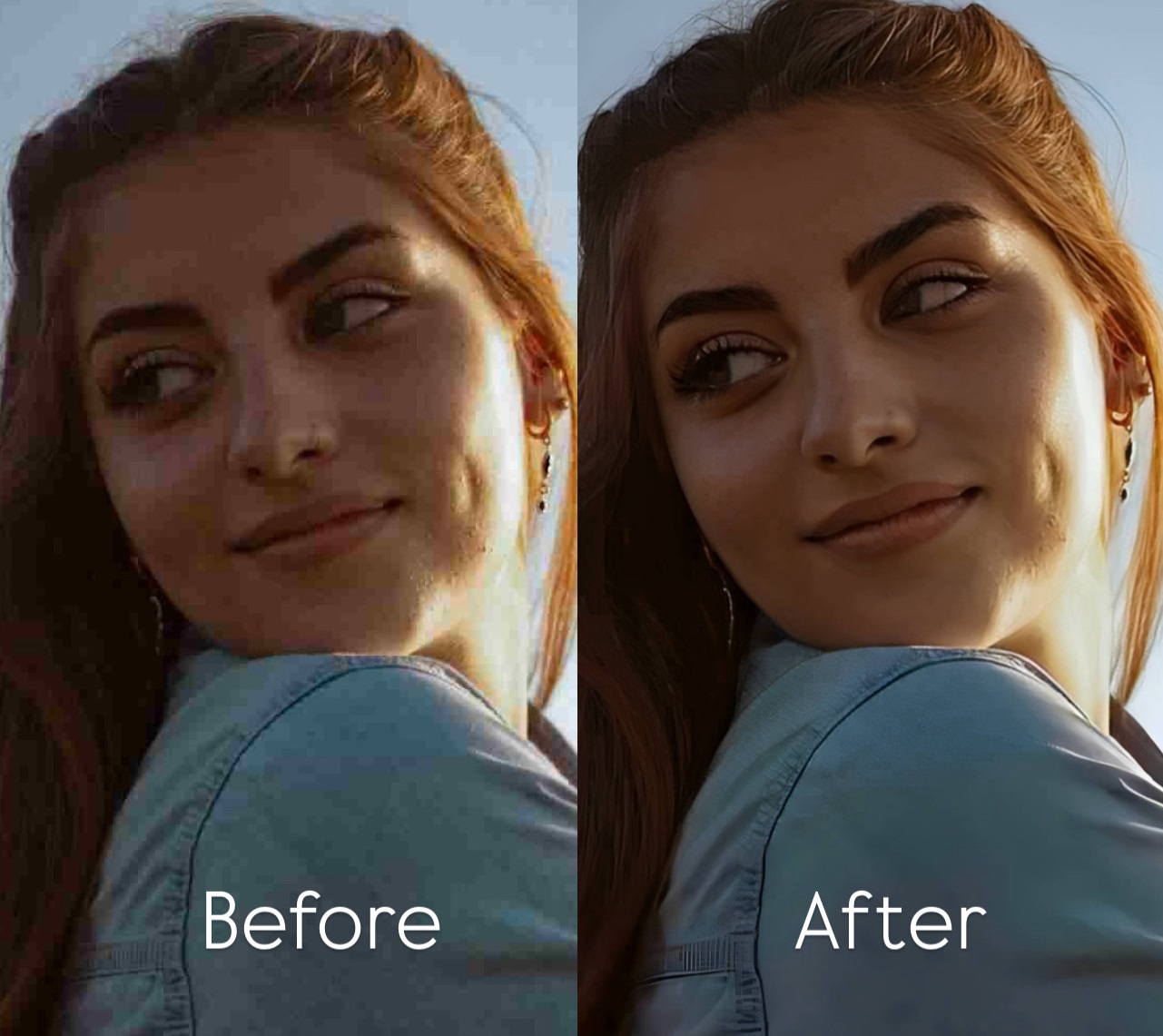

Why You Look Worse in Photos Than in the Mirror and How to Fix It Naturally
If you feel fine in the mirror but disappointed in photos, that does not mean your face looks bad. It usually means the photo was bad. Small phone lenses, harsh lighting, flat color, soft focus, and bad timing can all make you look less like yourself. Citrus helps fix that fast by bringing back clarity, balance, and a natural look in a few simple taps.
You look worse in photos than in the mirror for reasons that have more to do with the camera than with your face. A mirror shows you in motion, from familiar angles, with live depth and continuous feedback. A photo freezes one instant under a specific lens, distance, lighting setup, and phone-processing decision. That combination can make normal features look flatter, wider, harsher, or more tired than they did in real life. The natural fix is to correct what the photo got wrong, not to change your face into something else.
Most people do not need a new face. They need the photo to stop getting the face wrong.
That is the real issue behind the mirror-versus-photo frustration. The mirror gives you movement, better feedback, and a familiar version of your face. A phone photo gives you one frozen frame under whatever lens, angle, light, and processing happened in that moment.
When the image looks flat, tired, blurry, too harsh, or slightly unfamiliar, the smartest fix is not over-editing. It is a cleaner, more honest capture. That is where Citrus fits.
If you feel fine in the mirror, the problem is usually the photo
The real win is not making the image look edited. The real win is making it look more like a fair version of how you actually appeared. Here is what usually ruins a photo, and what actually helps.
- Close phone lenses that exaggerate distance and proportion
- Harsh or uneven lighting that makes the face look flatter or more tired
- Soft detail, weak color, and low-life phone processing
- One badly timed frame that catches tension, blur, or a half-expression
- Restoring clarity, balance, and believable light
- Correcting what the camera exaggerated instead of changing your face
- Using one strong natural fix before touching anything more specific
- Stopping when the result feels accurate, not “done”
That is why Citrus works well for this exact problem. It helps the image recover from bad capture without dragging it into fake beauty-filter territory.
Upload any photo and see the difference in one tap. No sign-up needed.
How to fix it in Citrus in 5 quick steps
Open Citrus and start with the photo that disappointed you
Open Citrus and start with the photo that made you stop and think, “Why do I look off here?” That is the right photo to fix.
You do not need a perfect shot. You need the real shot that got hurt by bad lighting, a weak angle, a bit of blur, soft detail, or dull color.
Citrus is built for exactly that kind of picture.

Tap Start Editing and choose the image from your gallery
This part is simple on purpose. You are not entering a complicated editor. You are picking the image and moving straight toward the fix.
That is part of what makes Citrus feel easy from the start. It removes the friction before the useful part even begins.
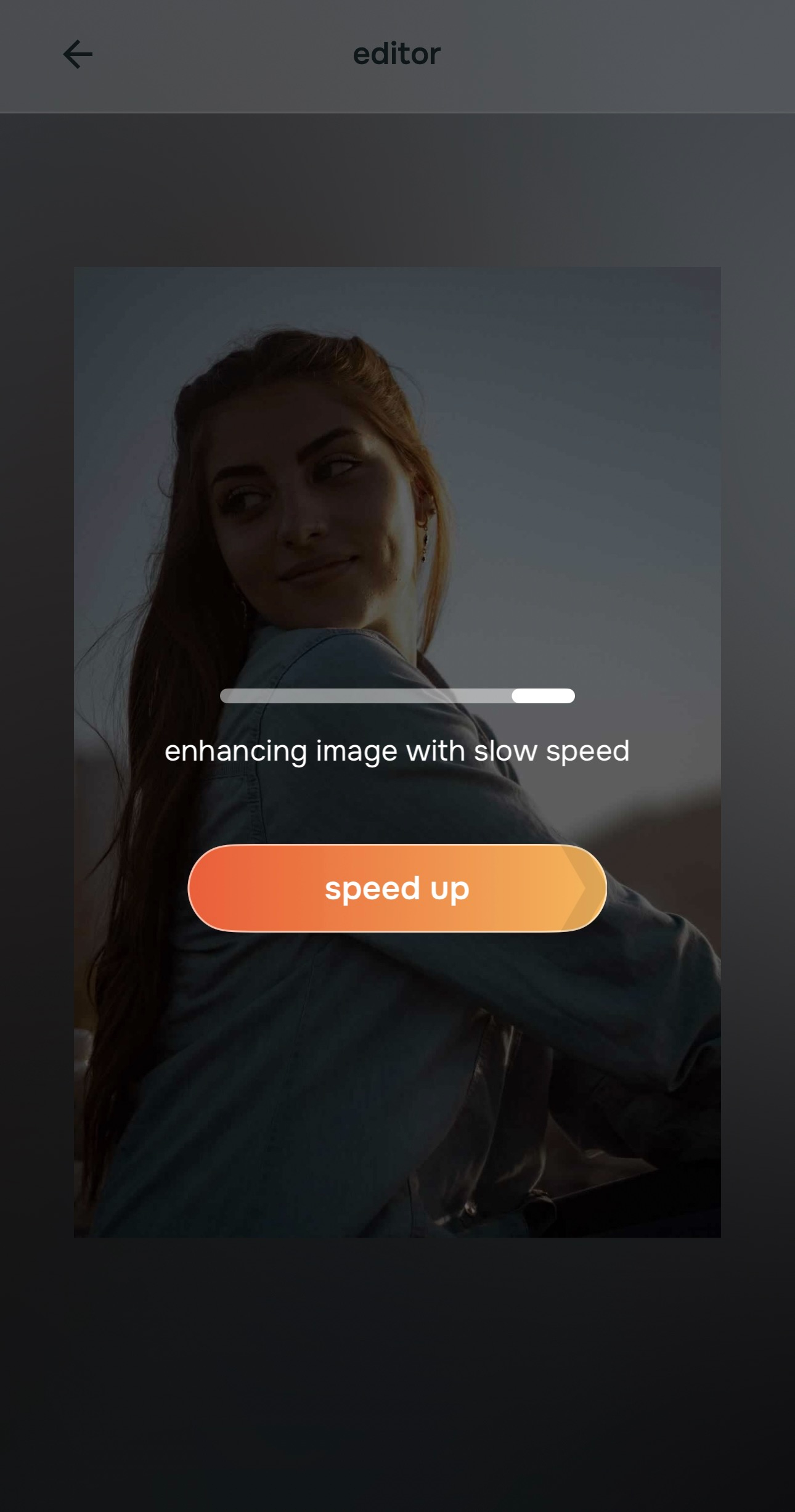
Let Citrus prepare the image, then move into the editor
Once the image is selected, Citrus begins processing it. The point here is speed. You get from upload to a stronger baseline fast.

Citrus is available on web, Google Play, and the App Store. Start with the easiest route, then move into the full app if you want more control.
The best part is that the app starts improving the image before you even begin making choices. That first preview usually shows the natural direction the photo needed all along.
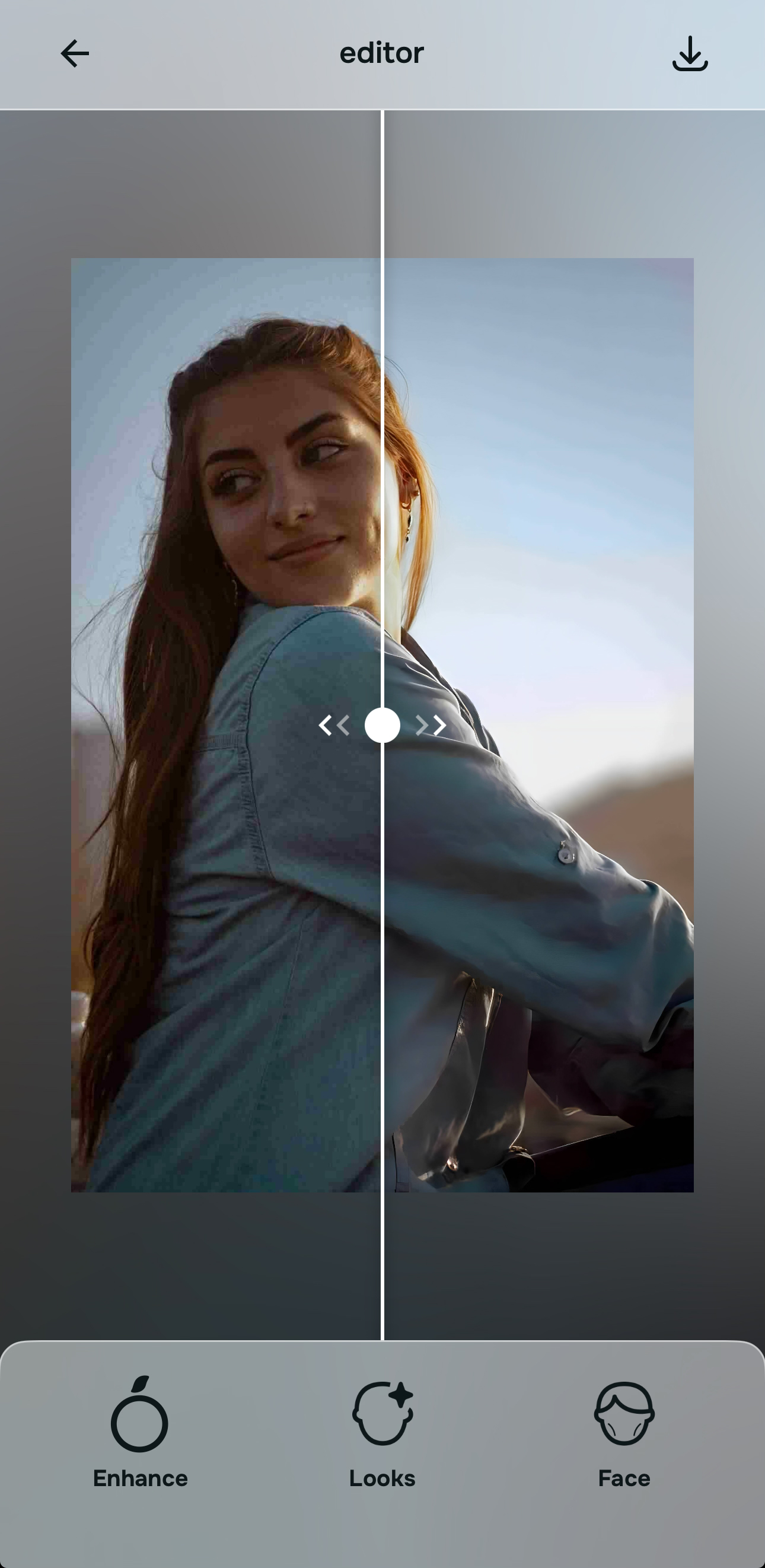
Choose the path that matches what the photo got wrong
Use Enhance when the photo looks flat, dark, dull, too warm, too weak, or simply less alive than real life. This is usually the strongest first move because it corrects the overall capture.
Use Looks when the photo needs a prettier finish, more softness, more glow, or a better overall vibe without feeling filtered.
Use Face when one specific facial detail is pulling the image down, like tired under-eyes, puffiness, or a sense that the camera widened something that does not normally look that way in person.
If you want the simplest and strongest place to start, Citrus auto enhancement is usually it.

Compare the result, keep what feels like you, and save it
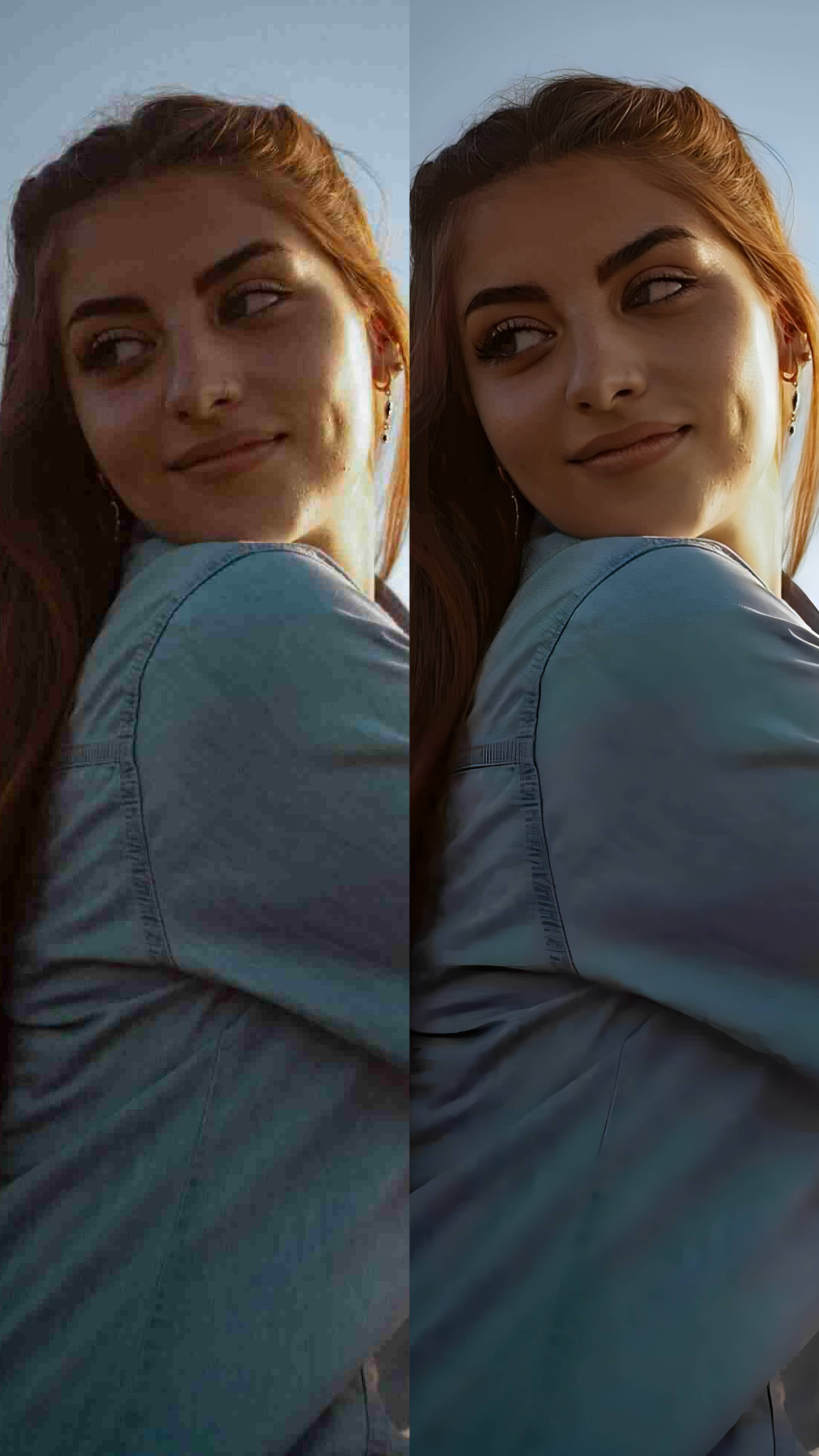
This is the part that matters most. Do not ask, “Does this look edited?” Ask, “Does this now look closer to how I actually looked?”
A good edit should not fight your face. It should remove what the camera got wrong. If the original made you look tired, flat, blurry, or slightly off, the best version is the one that feels cleaner, more balanced, and more like real life.
Once the photo reaches that point, stop there and save it.
Which Citrus tool does what
The easiest way to stay natural is to match the tool to the actual problem instead of throwing every edit at the picture.
| Tool | What it helps fix | When to use it |
|---|---|---|
| EnhanceStart here | Flat light, dull color, low energy, weak contrast, soft overall capture | Use this first in most cases. It is usually the best one-tap natural correction. |
| Looks | Overall vibe, softness, glow, prettier finish, more polished feel | Use it after Enhance when the photo needs a softer or more flattering finish without looking filtered. |
| Face | Tired eyes, puffiness, balance issues, one detail that is pulling everything down | Use this only when one specific facial detail is clearly the problem. Keep it targeted and light. |
“The best result is not the one that looks edited. It is the one that makes the photo finally feel like a fair version of you.”
Why you really can look worse in photos than in the mirror
This is real, and it happens to almost everyone.
The mirror gives you a live, moving, familiar version of your face. A photo gives you one frozen frame. That frame can catch the wrong blink, the wrong angle, the wrong light, and the wrong lens distortion all at once.
Phone cameras make this worse. Front cameras are close, often wide, and not especially forgiving. They can push the center of the face forward, flatten depth, and make a normal expression look slightly off.
There is also the mirror effect. You are used to seeing your face reversed. A photo shows the non-reversed version. To other people that version is normal. To you, it can feel unfamiliar.
That is why the right response is not shame. It is correction. If lighting, color, softness, timing, or lens behavior made the photo feel wrong, then the photo needs help. That is exactly where Citrus fits.