


March 30, 2026
Why Do I Look Worse in Photos Than in the Mirror? How to Fix It Naturally
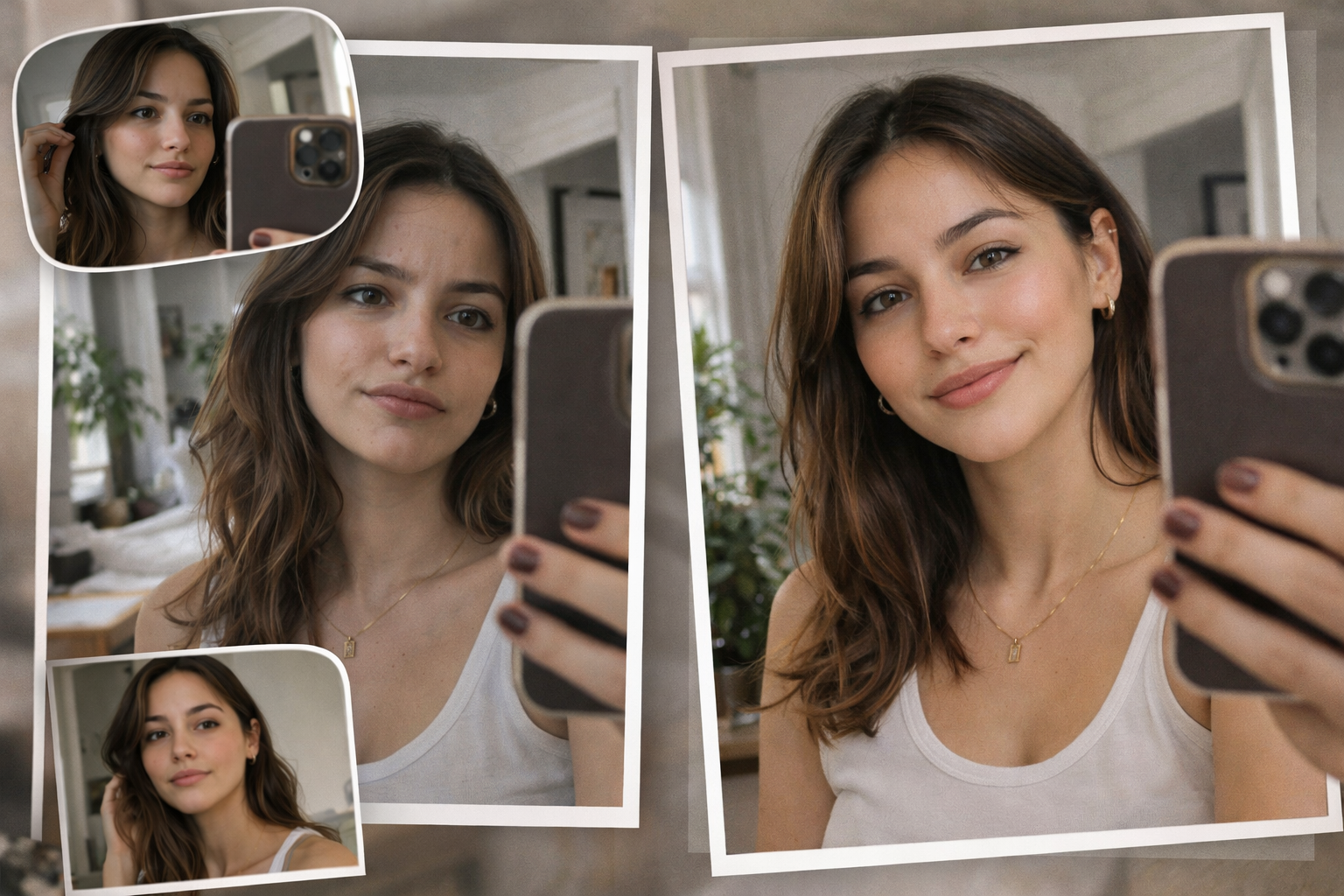

If you feel fine in the mirror but disappointed in photos, that does not mean your face looks bad. It usually means the photo was bad.
Small phone lenses, harsh lighting, flat color, soft focus, and bad timing can all make you look less like yourself.
Citrus helps fix that fast.
It brings back clarity, balance, and a natural look in a few simple taps.
➔ Just Citrus It - Web Version
➔ Just Citrus It - Google Play
➔ Just Citrus It - Appstore
How to Fix It in Citrus in 5 Quick Steps
Step 1: Open Citrus and start with the photo that disappointed you
Open Citrus.
Start with the photo that made you stop and think, “Why do I look off here?”
That is the right photo to fix.
You do not need a perfect shot.
You need the real shot that got hurt by bad lighting, a weak angle, a bit or bad blur, soft detail, or dull color.
Citrus is made for exactly that kind of picture.
➝ First screen you're going to see:
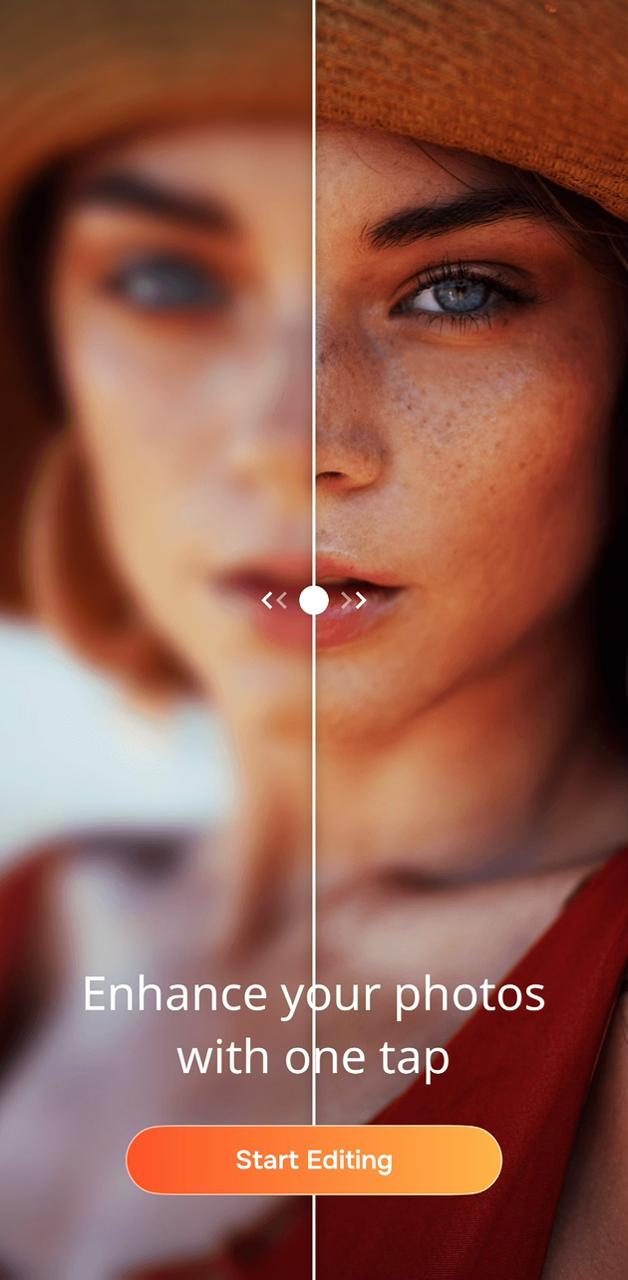
Step 2: Click on Start Editing and select the image from your gallery
➝ Go into your gallery and choose the photo you want to work on.
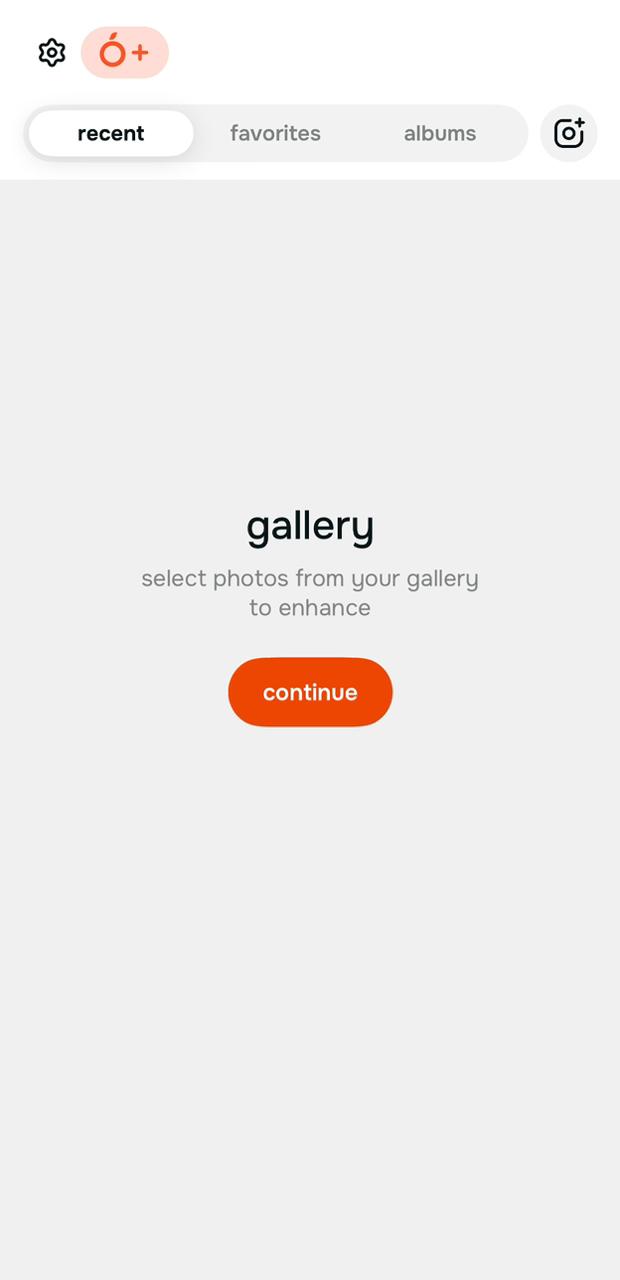
This part is simple on purpose.
You are not entering a complicated editor.
You are just picking the image and moving straight toward the fix.
That is what makes Citrus feel easy from the start.
➝ The picture we chose:

Step 3: Let Citrus prepare the image, then move into the editor
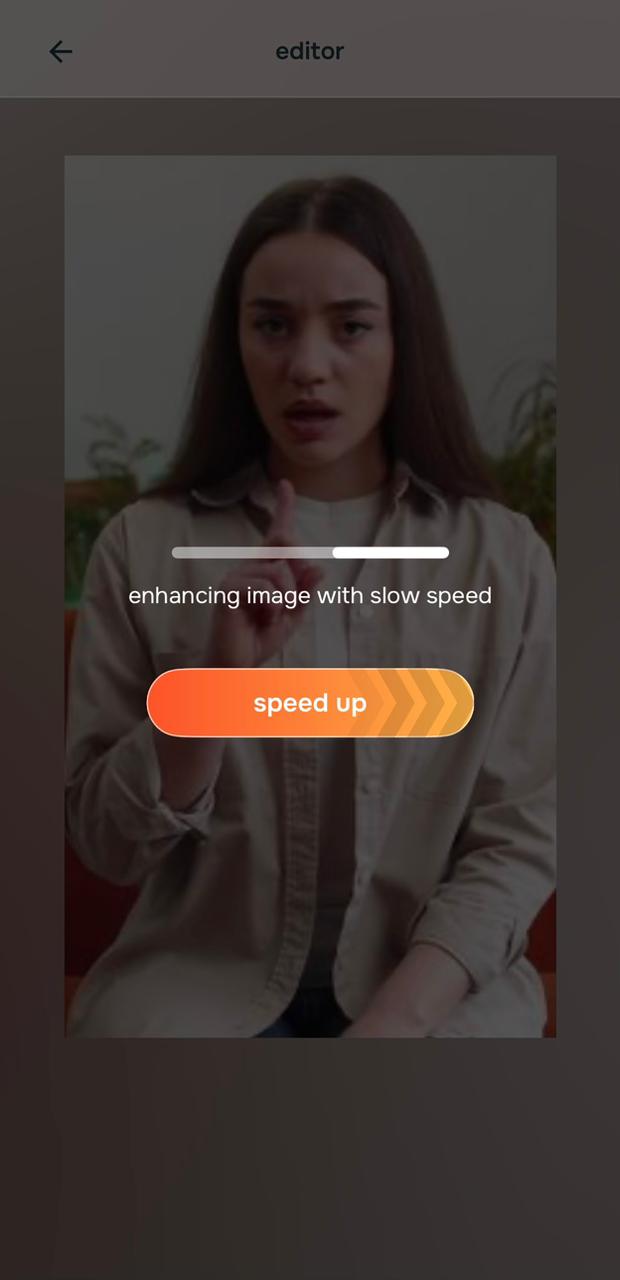
Once the image is selected, Citrus begins processing it.
You may also see the option to process faster or handle more images in batches.
That is useful if someone wants speed or wants to work on multiple photos at once.
But for this topic, the real point is simple: the app gets you from upload to editing fast.
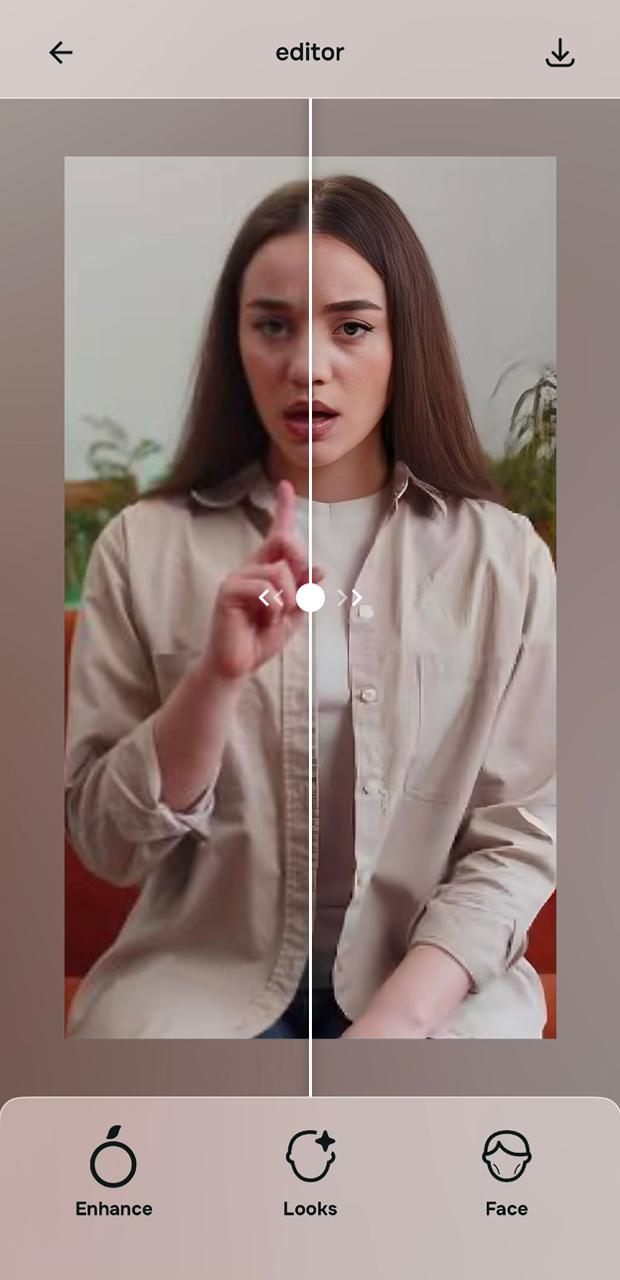
➝ Then Citrus takes you into the editor, where the real fix starts without you even prompting it to. (Yeah, it's that smart.)
➝ The before/after preview immediately shows you the best natural fix:
Step 4: Choose the path that matches what the photo got wrong
Now pick the fix that matches the real problem.
a) Use Enhance when the photo looks flat, dark, dull, too warm, too weak, or just less alive than real life, or simply when you want the best possible natural fix.
Most tools are bad at that.
Citrus rocks that part.
b) Use Looks when the photo needs a prettier finish, more glow, more softness, or a better overall vibe (helps fix any bad skin flaws that might be there, but lighting spotlights them in a way that they're not).
c) Use Face when one facial detail is pulling the whole image down, like tired eyes, puffiness, a wider nose, or facial balance (helps fix that itch where you feel your face or nose isn't really as wide as the camera is showing it).
If you want the simplest and strongest first move, Citrus auto enhancer is usually the best place to start.
If you want a more specific result, you can move into Face or Looks presets and choose the exact style or correction you want.
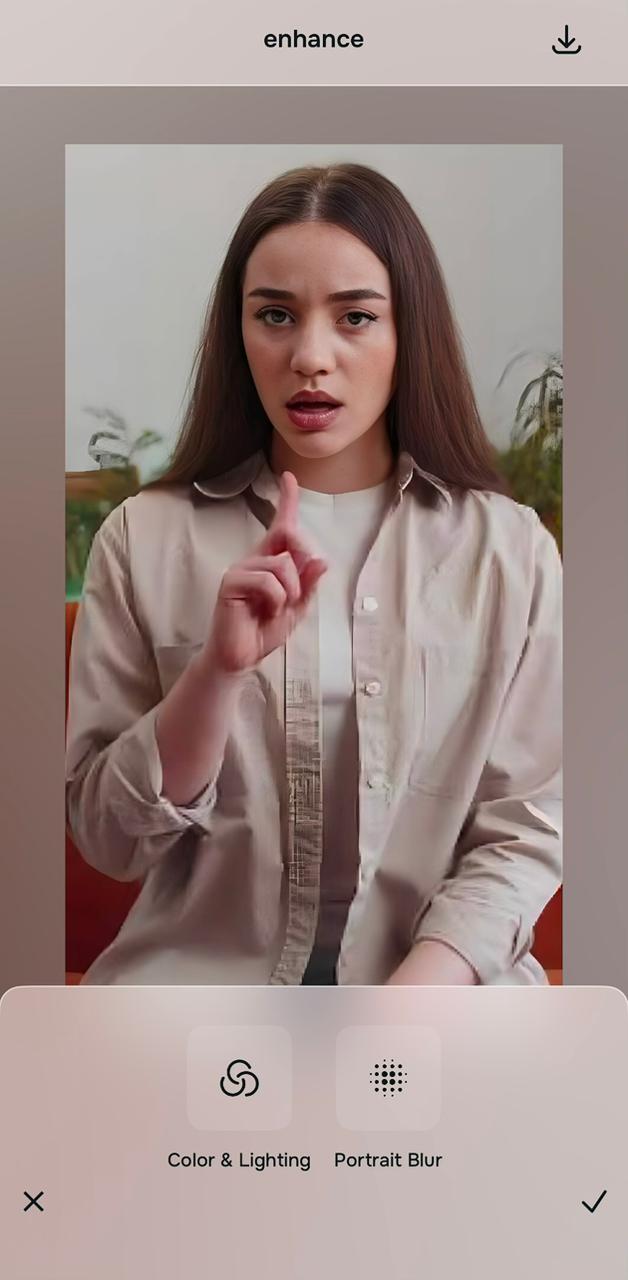
➝ We chose Enhance because it's the best AI-powered, one-tap natural fix to everything:
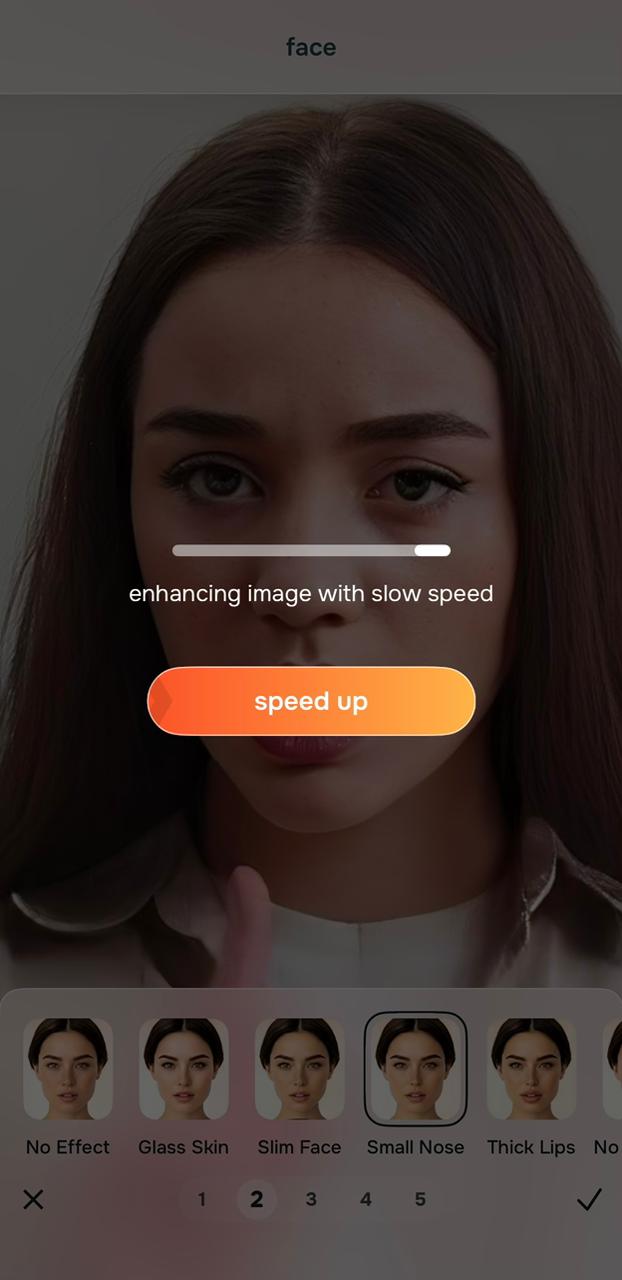
➝ If you'd like to jump into looks or face, though, here's what it'd look like:
Step 5: Compare the result, keep what feels like you, and save it
This is the part that matters most.
Do not ask, “Does this look edited?”
Ask, “Does this now look closer to how I actually looked?”
That is the standard.
A good edit should not fight your real face.
It should remove what the camera got wrong.
If the original photo made you look tired, flat, blurry, or slightly off, the best result is the one that feels cleaner, more balanced, and more like real life.
Then save it.
➝ Before:

➝ After (a simple, clean, one-tap fix, no overkill):

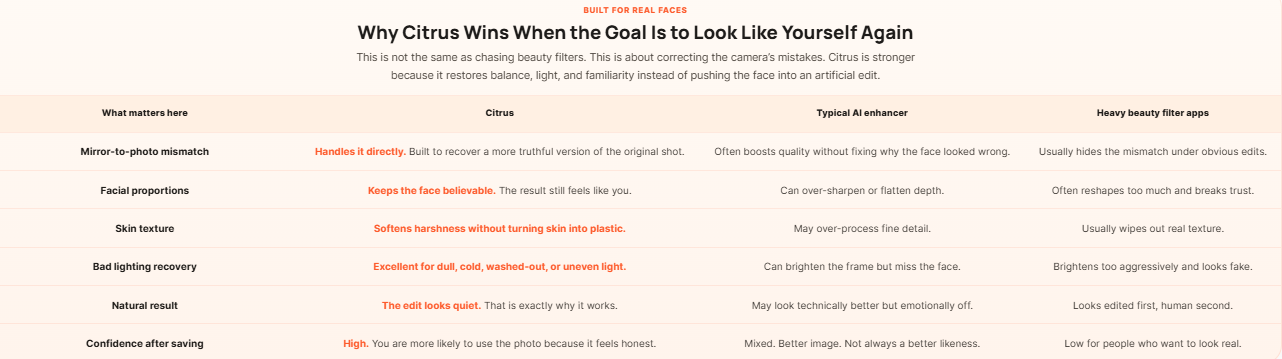
Why Citrus Beats Typical AI Photo Enhancer Apps for This Exact Problem
Most people do not need a dramatic makeover.
They need the photo to stop lying.
That is where a lot of AI photo apps fail.
They sharpen too hard.
Smooth too much.
Whiten too much.
Or push the face into a fake beauty-filter look.
Citrus works better for the “I look worse in photos than in the mirror” problem because the issue is rarely your face.
It is usually the camera’s translation of your face.
So the right app should correct the translation.
Not replace the person.
Why You Really Can Look Worse in Photos Than in the Mirror
This is real.
And it happens to almost everyone.
The mirror gives you a live, moving, well-lit version of your face.
A photo gives you one frozen frame.
That frame can catch the wrong blink, the wrong angle, the wrong light, and the wrong lens distortion all at once.
Phone cameras are a big reason.
Front cameras are close to your face.
They often use wide lenses.
That can make the center of the face look bigger.
It can make the nose look more forward.
It can make the edges of the face look different.
That does not mean your face changed.
Maybe your expression was between smiles.
Maybe the camera caught tension around the mouth.
Maybe your eyes had less brightness in that split second.
That is why a photo can look “off” even when nothing is actually wrong.
There is also the mirror effect.
You are used to seeing your face reversed.
That is the version your brain has memorized.
A photo shows the non-reversed version.
To other people, that version is normal.
To you, it can feel unfamiliar.
This is why the right fix is not shame.
It is correction.
If the problem came from lighting, color, softness, dullness, or a tired-looking frame, then a smart AI photo enhancer can help the image catch up to reality.
That is why Citrus works so well here.
You are not using it to invent a new face.
You are using it to remove what the camera got wrong.
That is the mental shift that matters.
When you look worse in a photo than in the mirror, the answer is not usually “I need to look different.”
The answer is usually “this photo needs help.”
And now that help takes only a few taps.
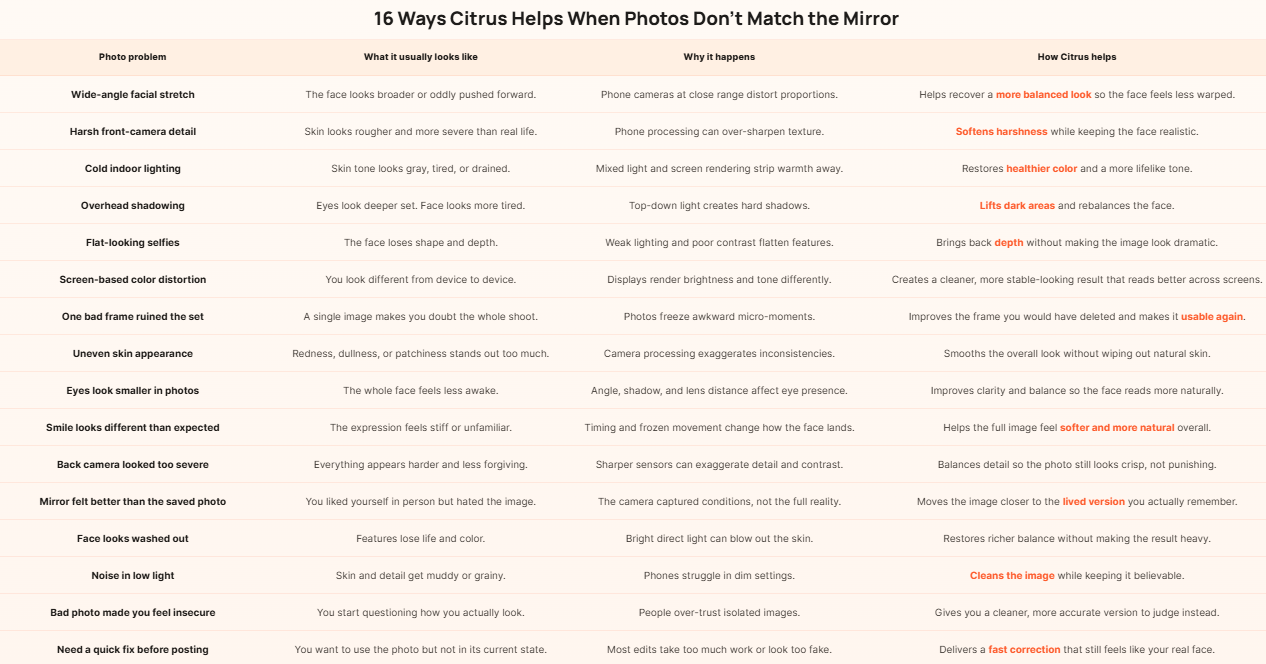
Frequently Asked Questions
Why do I look worse in photos than in the mirror?
You can look worse in photos than in the mirror because a camera captures a frozen frame under specific lens, lighting, angle, and processing conditions. A mirror is live. It moves with you. It shows familiar angles. A photo can catch an awkward micro-expression, a harsh shadow, a close lens distance, or a cold screen rendering that changes how your face reads. That does not mean the photo is more truthful. In many cases, it is less truthful. It is simply more rigid. That is why so many people feel fine in person and then feel shocked by one bad image. A tool like Citrus helps because it corrects the photo instead of asking you to accept the camera’s worst version of the moment.
Is the mirror more accurate than the camera?
Neither is perfect in every situation, but the mirror often feels more accurate because it matches how you usually experience your own face. You see yourself in motion. You adjust posture and expression in real time. Your brain is used to that reflected version. A camera does something else. It freezes one instant and turns it into a flat image. That image can exaggerate features depending on lens distance, focal length, lighting, and phone processing. So when people ask whether the mirror or camera is more accurate, the better answer is this: the camera is not automatically telling a deeper truth. It is just capturing one technical version. Citrus is useful here because it helps the photo move closer to how you actually appeared in real life.
Can phone cameras really distort your face?
Yes, phone cameras can absolutely distort your face, especially when the camera is too close. This is one of the biggest reasons people search for answers about looking bad in selfies or looking different in photos than in real life. A close phone lens can make the center of the face feel larger, shift proportions, and reduce the balance you see in the mirror. Then lighting and software processing add another layer of distortion. The result is a face that can look harsher, flatter, wider, or simply unfamiliar. That is why a bad phone photo should never become your final judgment of your appearance. Citrus helps by improving the visual balance of the image and restoring a more natural feel without pushing the edit into fake territory.
How can I fix bad photos naturally without looking edited?
The natural way to fix bad photos is to correct the technical problems instead of changing your identity. That means improving light balance, restoring warmth, reducing harsh detail, calming over-sharpening, and keeping your skin and face shape believable. Most people do not want a fantasy version of themselves. They want the photo to stop lying. That is why subtle editing works better than aggressive beauty filters for this topic. Citrus is strong because it helps the image feel more honest. The goal is not to make people say, “Wow, what an edit.” The goal is to make them stop noticing the edit at all. When the result simply looks like a better-captured version of you, the photo becomes something you can actually use with confidence.
Why do selfies sometimes make me look less attractive?
Selfies often make people look less attractive because they combine several difficult conditions at once. The phone is usually too close. The lens is usually wide. The angle is often slightly below or above ideal. The light may be indoor, uneven, or harsh. And the camera software may sharpen details in a way that skin and facial contours do not need. All of that can make the face feel unfamiliar. It does not mean your face is wrong. It means the capture method is weak. That is why so many selfie corrections fail when they rely on extreme filters. Citrus works better for this kind of problem because it focuses on making the image feel more like you, not less like you. That is the difference between a usable selfie and one you instantly delete.
Does Citrus make you look fake or does it keep the result natural?
Citrus is most useful when the goal is to keep the result natural. That is exactly why it fits this topic so well. People who feel worse in photos than in the mirror are usually not asking for glam edits. They are asking for relief. They want the image to match their real appearance better. A fake-looking result does not solve that problem. It often makes it worse. Citrus helps by restoring light, tone, softness, and overall balance in a way that still respects the original face. That means the photo can look cleaner, more flattering, and more usable without crossing into obvious filter territory. For people who are tired of looking “wrong” in pictures, that kind of quiet realism is far more valuable than dramatic editing.