


July 1, 2026
What Is the Harsh Flash Photo Trend? The Easy One-Tap Way to Get It

What Is the Harsh Flash Photo Trend? The Easy One-Tap Way to Get It
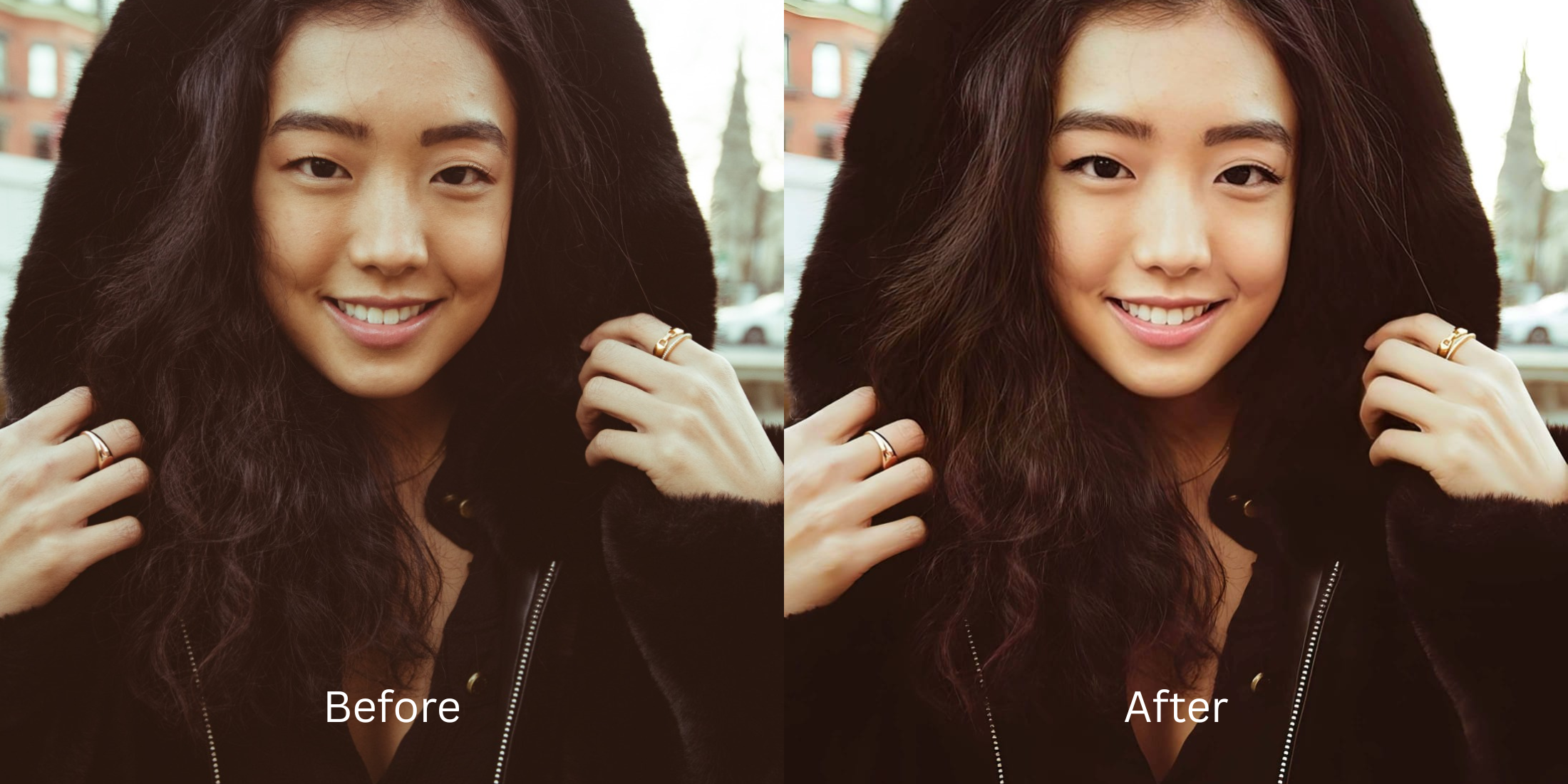
The "Harsh Flash" photo trend—often referred to as the paparazzi flash or the "indie sleaze" revival—is dominating social media feeds. This aesthetic uses direct, bright flash in low-light environments to create deep, stark shadows and a highly defined, striking subject. However, attempting to recreate this look using a standard smartphone flash usually backfires. Raw phone flash washes out your natural skin tones, highlights greasy pores, and often causes red-eye. To make matters worse, attempting to fix it with retro filters just adds destructive film grain. To achieve that sharp, high-fashion paparazzi pop without looking terrible, you must recalibrate the harsh exposure natively.
To get a crisp, striking harsh flash aesthetic without ruining your photo quality, prioritize raw shadow reconstruction over dirty film filters. Open your flash selfie in Citrus. First, tap Enhance → Colors & Lighting to automatically pull back the aggressive white-out glare from the phone flash. Next, navigate to Looks → Youthful and select a clean Level 1–5 configuration. This mathematically injects that sharp, high-contrast paparazzi pop natively while keeping your skin texture perfectly intact.
Why phone flashes and dirty retro filters ruin this trend
The core issue with executing the harsh flash trend is the reliance on bad hardware and outdated software. When you use your native phone flash in a dark room, it overexposes your face completely, clipping the white values and making you look sweaty. If you try to fix this inside Dazz Cam or Huji, they apply a dirty film grain that destroys your image resolution. Furthermore, legacy apps like Facetune gate their premium relighting tools behind steep paywalls, while AirBrush relies on manual blurs that turn your high-contrast face into flat plastic. Escaping this requires using an app to make photos look hotter natively through precision tap controls.
- Overexposing your facial features and causing red-eye by relying solely on the raw phone flash
- Crushing your photo resolution by pasting heavy, grainy vintage overlays via Dazz Cam
- Gating high-definition exposure recovery paths entirely behind Facetune paywalls
- Smearing your high-contrast skin details into flat clay using bilateral blurs in AirBrush
- Accessing powerful, high-resolution low-light workflows generously given for free
- Using mathematically calibrated Level 1–5 taps instead of destructive film grain filters
- Rebuilding vibrant, stark contrast natively without washing out your facial features
- Processing individual portraits in under 10 seconds with optional turbo batch speeds
When your content asset looks obviously degraded by fake grain or overexposed flash glare, your digital feed loses authority instantly. Bypassing these errors through an advanced tool to fix bad selfies naturally ensures your features stay crisp, dramatic, and highly attractive.
Optimize harsh light fields instantly. A structured level choice keeps your real skin texture completely intact.
How to automate a crisp paparazzi flash look natively in 5 steps
Upload a selfie taken with direct harsh lighting
Open your image library and select a portrait where direct flash or low-light exposure washed you out. If you are learning how to operate a fixer grainy night selfies pipeline, managing this raw baseline natively is crucial.

Let the real-time preview scan your profile map
Citrus initializes its tracking grid instantly with no paywalled onboarding loops. This provides an active preview window so you can evaluate how the system isolates ambient shadow fields safely before execution.
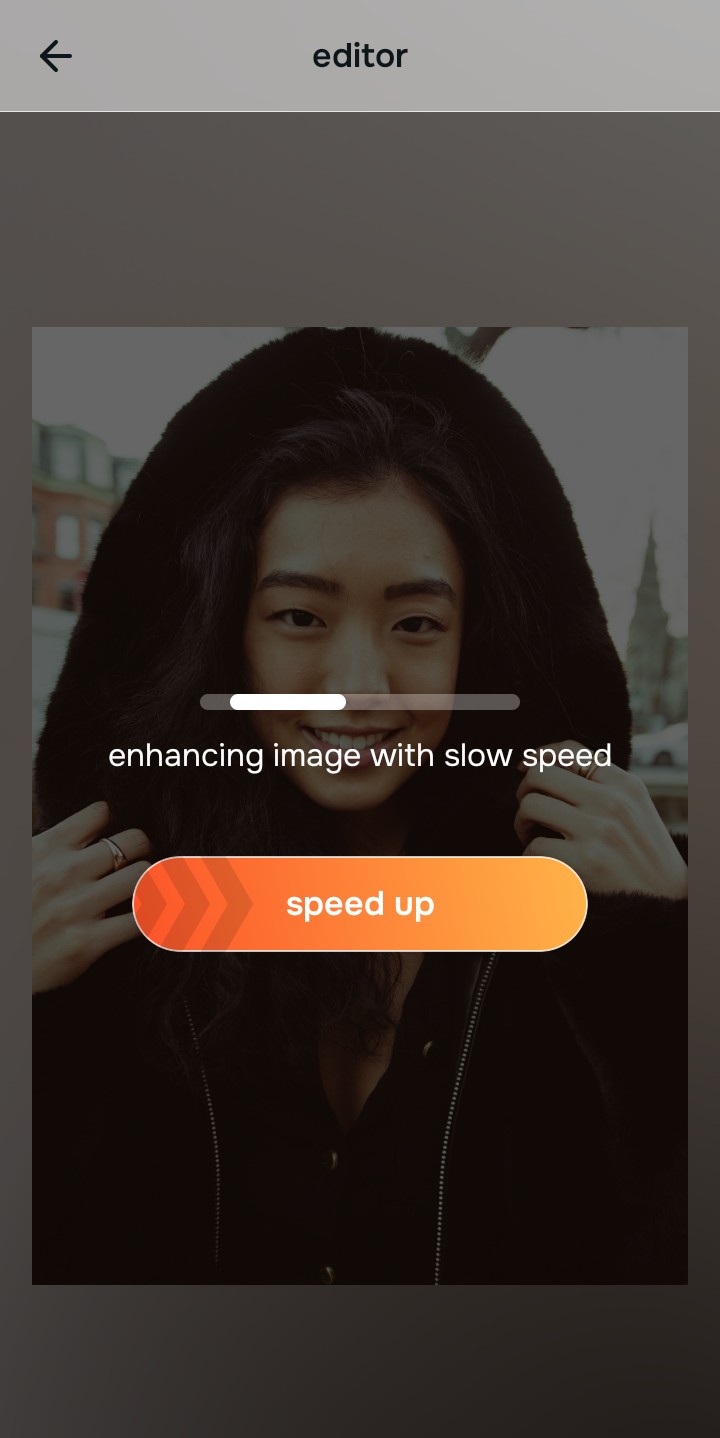
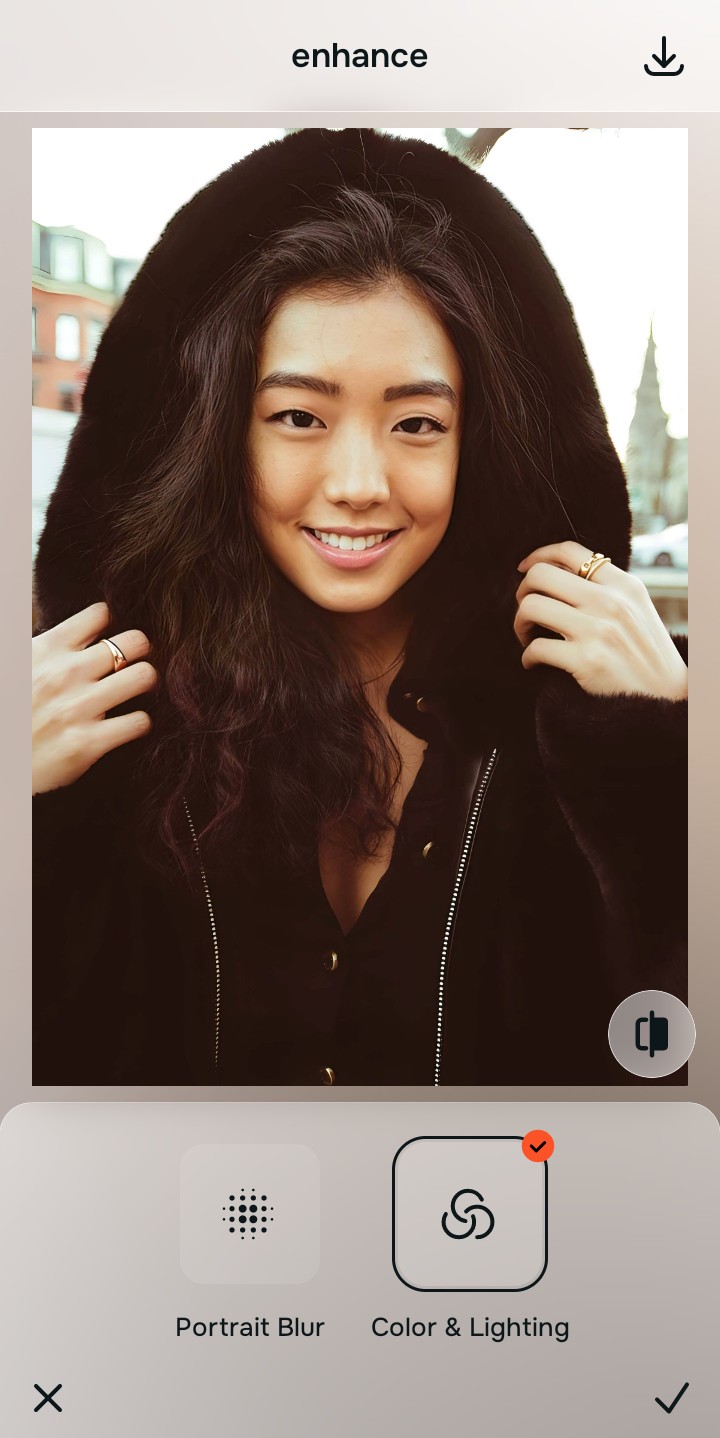
Tap Enhance and choose Colors & Lighting
Because harsh flash selfies are caused by severe glare and deep shadows, tap Enhance → Colors & Lighting. This pulls back the white-out distortion natively. Rebuilding this exposure layer first is the hidden secret to ensuring you fix pixelated face photos seamlessly.

Always repair overall lighting fields before applying aesthetic vibes. Stabilizing exposure curves ensures the subsequent high-contrast pop sits perfectly and invisibly.
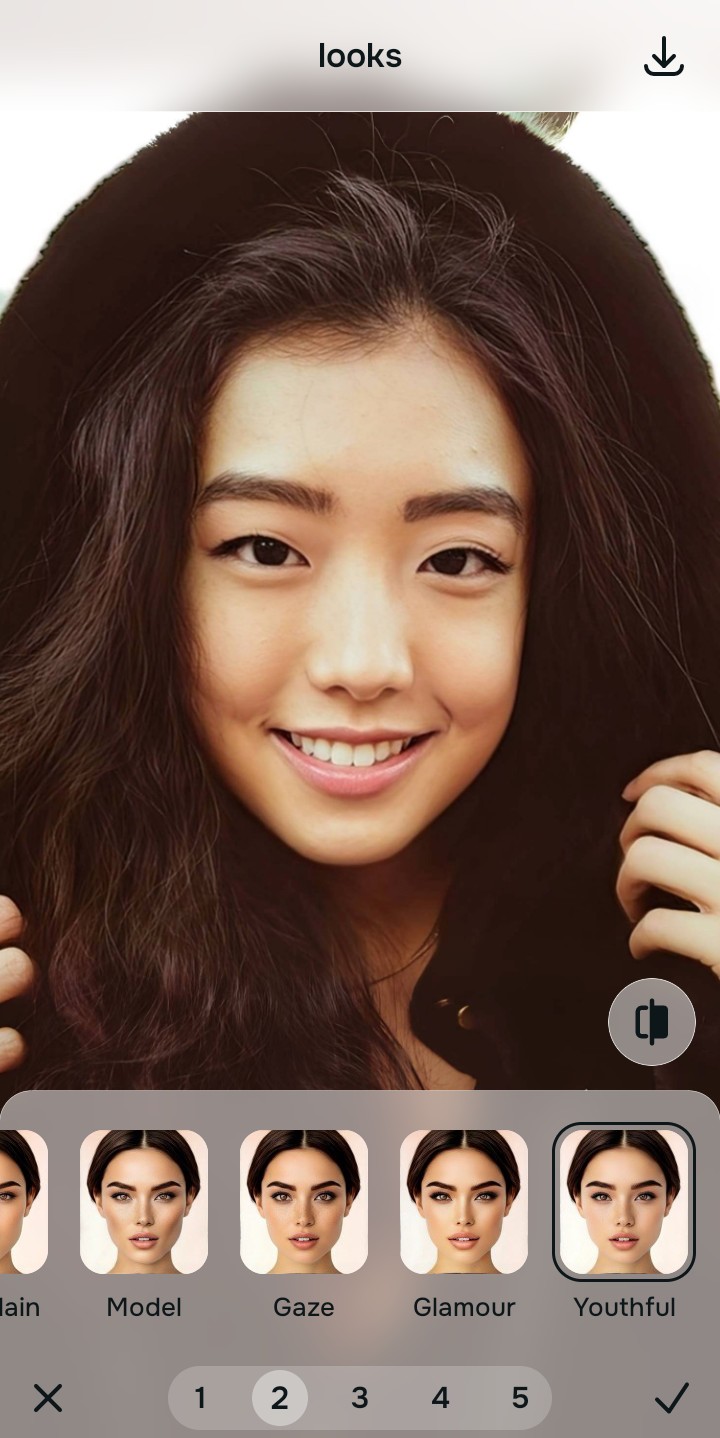
Tap Looks and select Youthful to boost the striking vibe
With your base light layers normalized, optimize your overall face impression. Tap Looks → Youthful. Select your preferred value from Level 1–5 to layer a crisp, sharp flash style. Utilizing a proper aesthetic tool to make casual portraits look professional preserves your authentic pore patterns.
Export your unwatermarked portrait instantly
Citrus generously offers clean high-definition exports entirely for free with no hidden premium pop-ups. For digital managers handling huge assets, an optional premium Turbo processing tier is available. You can rely on this method to get natural looking results photo enhancer quality confidently and cleanly.

Why does your flash photo look bad?
Isolate your image's core mechanical issue. Your automated pipeline changes depending on the source error.
How to align your profile concerns with the right free pathway
Separate photo weaknesses necessitate independent menu paths. Selecting structured Level 1–5 tap options instead of dirty retro filters is the only way to lock in visual sharpness without generating AI slop.
| Tool Pathway | Primary Flaw Remediated | Automated Fix Strategy |
|---|---|---|
| Enhance Start here | Washed-out facial illumination, low-light noise, and overexposed contrast fields | Use this first to establish a proper light foundation. Choose Colors & Lighting to balance layers for free. |
| Looks | Dull skin appearance, flat expressions, and tired overall image vibrancy | Use this to update the entire face impression. Select Youthful (Level 1–5) to coat your portrait in a striking polish. |
| Face | Targeted anatomical washouts like deep eye bags or dark shadow pockets | Use this last for precise feature tweaks. Select No Eyebags to safely fix dark circles in photos natively. |
“Professional trend styling should never rewrite your skin details. It must simply normalize the exposure bugs so your native topography looks striking, clean, and authentic.”
Why precise level taps protect human skin texture better than dirty retro filters
There is a massive structural difference between balancing camera exposure natively and masking your face behind heavy vintage filters or generative AI slop. When you use manual color tints or thick grain overlays inside legacy platforms, the algorithm compresses your pixel data, turning facial highlights muddy or pale. This instantly breaks the realism of your content asset.
Citrus is built from the ground up to be the most natural enhancer ever created. By relying exclusively on mathematically precise Level 1–5 tap settings instead of destructive retro filters, the engine maps your face securely, optimizing highlight tracking without changing your real face shapes. Implementing an algorithmic pipeline guarantees that your presentation remains sharp, trusted, and beautifully proportioned.