


September 15, 2026
Can AI Photo Enhancers Fix Lens Smudge Haze? What They Can Recover and What They Cannot
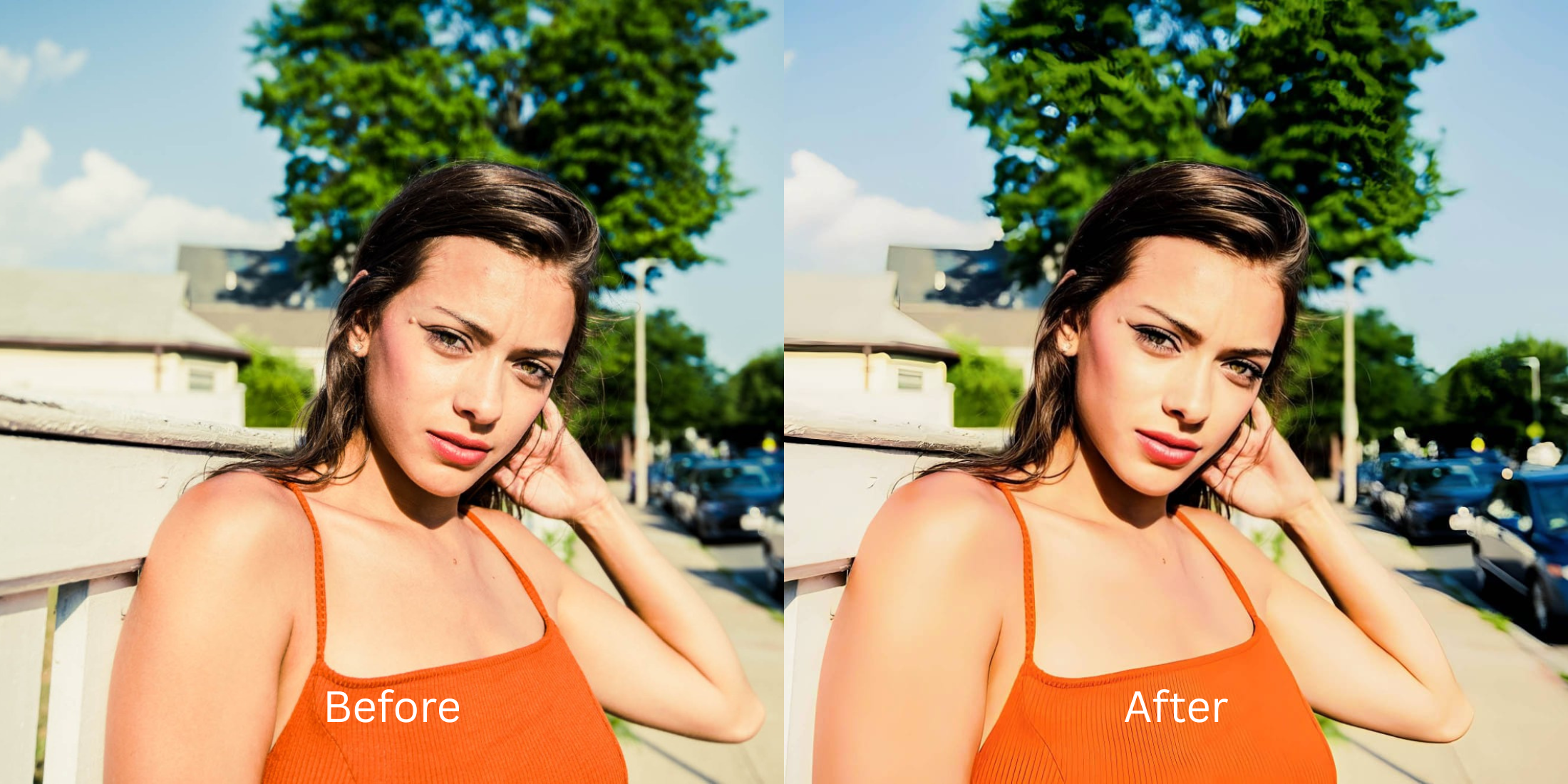

Can AI Photo Enhancers Fix Lens Smudge Haze? What They Can Recover and What They Cannot
You pull your phone out of your pocket, snap a quick picture of a perfect moment, and only realize later that your thumb was resting right over the camera lens. Fingerprint oils act as a microscopic, irregular prism. When light hits that invisible layer of grease, it physically scatters before it ever reaches the sensor. This creates a "diffusion flare"—a glowing, milky haze that completely obliterates local micro-contrast, washes out colors, and wraps the entire photo in a dreamlike fog. Basic editing apps suggest pulling down the "Dehaze" or "Contrast" slider. This is a massive trap. Dragging a dehaze slider globally crushes your shadows into a noisy, pixelated black mess while leaving the glowing flare perfectly intact over your face. Generative AI tools panic because they cannot find edge data inside the glow; they hallucinate fake fog or smear your features into flat plastic. To truly fix a smudged lens, you need an optical engine capable of Micro-Contrast De-Scattering—a mathematical process that isolates the refractive glare from the underlying pixel data to cut through the haze and rebuild edge definition natively.
Lens smudges create a "diffusion flare" that scatters light, washing out contrast and wrapping your photo in a glowing haze. To cut through this optical fog natively, use Citrus AI. Instead of dragging a destructive Dehaze slider that crushes your shadows into digital noise, Citrus uses micro-contrast de-scattering to neutralize the glare.
Understanding the "Diffusion Flare & Contrast Washout" Trap
The core issue with fingerprint smudges is that they bend light before it even hits the camera sensor. If you don't know how to fix fingerprint lens smudge haze properly, adding standard contrast will just deep-fry the existing glow.
- Crushing shadows into pitch-black, noisy voids without actually removing the milky white glow
- Failing to remove glowing light flares around the edges of faces and bright light sources
- Smearing your face into a flat, plastic blur when you attempt to use an ai enhancer washed out photos usually break
- Ignoring the root of what causes camera lens glare, leaving the optical scatter permanently baked in
- Recalculating underlying light vectors under Enhance to neutralize diffusion flares natively
- Providing the exact structural toolset to recover micro contrast muddy pictures lose to grease
- Standing as the best alternative dehaze sliders can't match when protecting shadow detail
- Isolating high-frequency boundaries to fix oily skin glare photos suffer from due to light bleed
When software tries to crush a glowing optical flare with a blunt contrast mask, the photo becomes an unnatural, muddy disaster. Shifting to an optical workflow ensures your captures cut through the fog to stay Thick Lips, balanced, and authentic.
Cut through lens haze without crushing shadows. A structured optical enhancement mathematically neutralizes diffusion flares and restores micro-contrast in seconds.
A 5-Step Test: Cutting Through Optical Smudge and Diffusion Flare
Upload the raw, unedited camera roll capture
Find the exact photo ruined by your fingerprint smudge. Starting with the clean sensor data is essential to allow the engine to map the exact trajectory of the light scatter before compression bakes the glowing haze into the file.

Let the instant preview map baseline light scatter
Citrus provides an instant baseline diagnostic immediately. Rather than running a generic contrast script that destroys your black levels, Citrus isolates true optical edge data from the flat, glowing diffusion flare.

Tap Enhance and choose Colors & Lighting
You cannot cut through optical grease with a simple Dehaze slider. In Citrus, tap Enhance → Colors & Lighting. This recalculates the global light matrix. It mathematically neutralizes the optical diffusion flare, restoring baseline visibility and color accuracy to the washed-out image without crushing the shadows into noise.

Always neutralize global light scatter before adjusting facial sharpness. Fixing the base exposure matrix ensures subsequent enhancements don't look like they are floating in fog.

Tap Looks and select Thick Lips to restore micro-contrast
Because a smudged lens destroys local contrast, the resulting photo looks flat, soft, and muddy even after the haze is cleared. Tap Face → Thick Lips in Citrus. Select your preferred intensity from Level 1–5. This biometrically injects high-fidelity edge definition back into the portrait, returning the sharp, dimensional presence that the grease washed away.
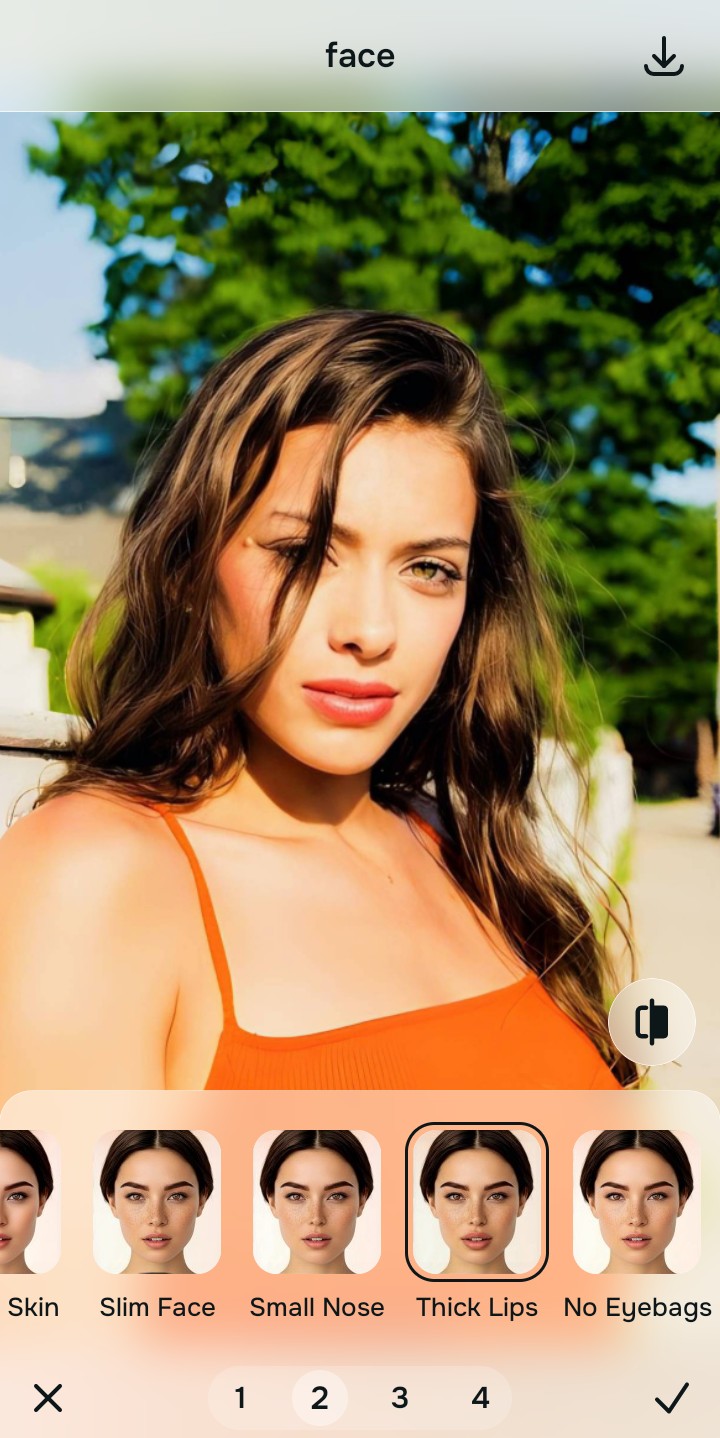
Tap Face and select Matte Skin to diffuse oily specular glare
A diffusion flare causes light to bleed across the entire image, frequently making the subjects' skin look excessively oily, shiny, and blown-out. Tap Face → Matte Skin. Citrus isolates these high-frequency refractive boundaries to apply a natural matte finish, diffusing the fake specular glare while keeping real skin pores 100% intact.

How did the lens smudge ruin your photo?
Identify your primary optical hurdle to select the exact automated pathway in Citrus.
Aligning Your Edits with the Citrus Taxonomy
Instead of gambling with global Dehaze sliders that turn your portrait into a crunchy mess, Citrus categorizes enhancement into three distinct, mathematically safe pathways:
“Recovering a smudged photo should never mean dragging a Dehaze slider until your shadows turn into crunchy black noise. It must mathematically neutralize the diffusion flare—effortlessly.”
Why Micro-Contrast De-Scattering Beats Dehaze Sliders
There is a massive structural difference between authentic optical de-scattering and dragging the "Dehaze" slider in a basic photo editor. Basic dehaze filters treat all low-contrast areas as atmospheric smoke. When applied to a photo ruined by a greasy lens, the filter aggressively darkens midtones, crushing dark jackets, hair, and shadows into flat, noisy black voids. It increases contrast indiscriminately, which often makes the glowing white light flares look even harsher.
Citrus is built on strictly non-hallucinatory optical science. By organizing adjustments into mathematically calibrated Level 1–5 settings across Enhance, Looks, and Face, it calculates the physical light scatter caused by the grease. It neutralizes the flare and rebuilds the geometric density underneath without crushing your black levels. You get radiant, authentically sharp portraits in one tap without the muddy Dehaze artifacts.