


March 30, 2026
Best App to Make Your Face Look Better in Pictures Without the Fake Facetune Look
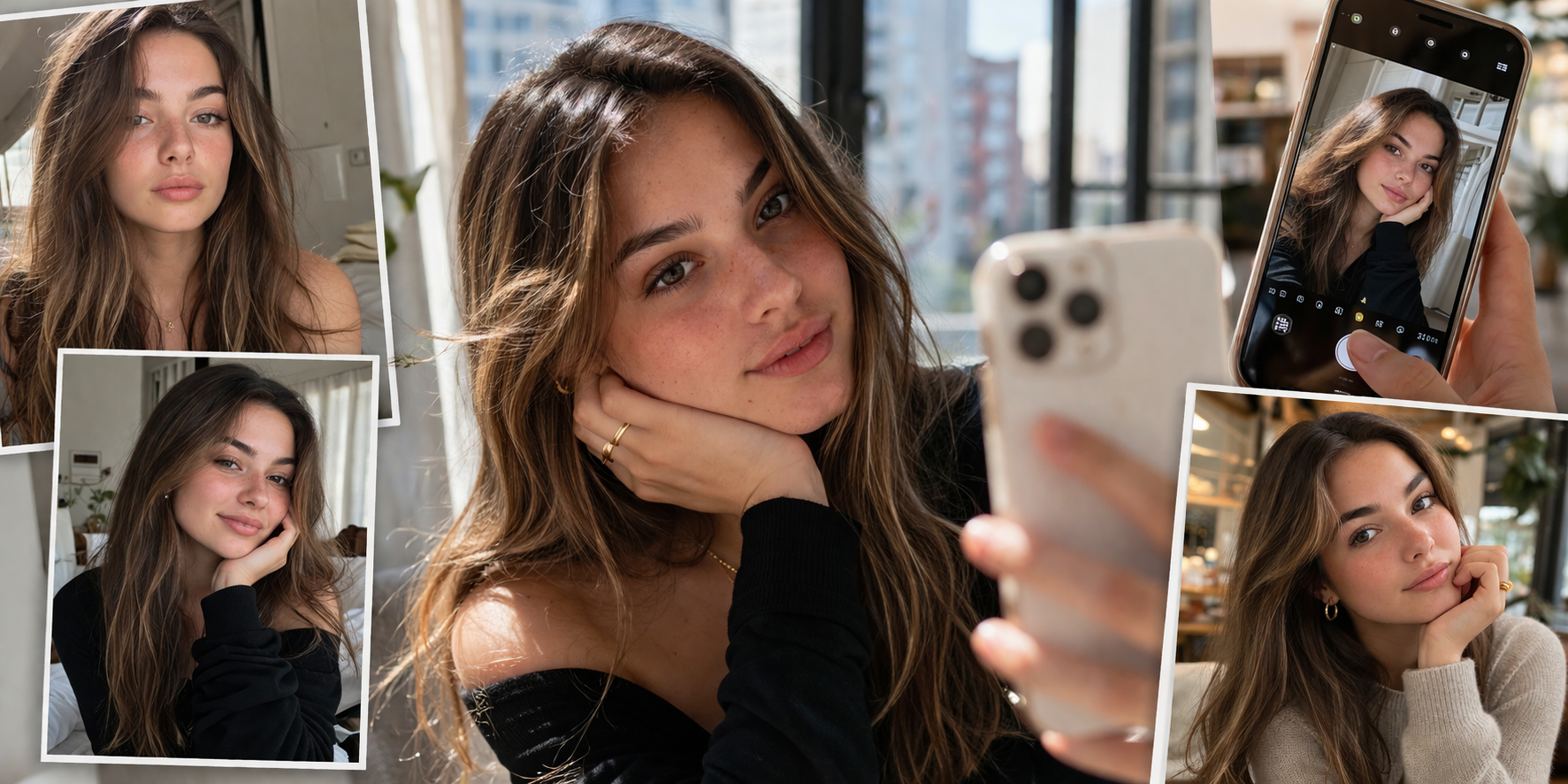

If you want your face to look better in pictures without looking filtered, plastic, or obviously edited, the real goal is not transformation.
It is natural correction.
Most people do not want a new face.
They want the photo to stop making them look dull, tired, flat, too harsh, or slightly off.
That is why Citrus stands out.
It is a natural AI photo enhancer that helps your face look better in photos without pushing you into the fake Facetune look so many people hate.
➔ Just Citrus It - Web Version
➔ Just Citrus It - Google Play
➔ Just Citrus It - Appstore
If You Want Better Photos, Not a Whole Different Face
The biggest problem with a lot of face editing apps is not that they edit.
It is that they edit too visibly.
They smooth too much.
They brighten too much.
They reshape too much.
They leave people with that obvious overedited selfie look where the skin turns strange, the features lose balance, and the final image stops feeling human.
That is exactly the gap Citrus fills.
It helps you make your face look better naturally.
Not fake.
Not airbrushed.
Not weirdly polished in a way that makes people immediately think an app did too much.
For people searching for the best app to make your face look better in pictures, that difference matters.
Because the real win is not making the photo look edited.
The real win is making the photo look well-captured.
How to Make Your Face Look Better in Citrus Without Overediting It
Step 1: Open Citrus and choose the photo that almost looked good enough
Open Citrus.
Tap Start Editing.
Choose the picture where your face looks close to right, but not quite.
Maybe the skin looks a little flat.
Maybe the eyes look more tired.
Maybe the face looks slightly heavier, harsher, or less alive than it did in real life.
That is the perfect kind of photo for Citrus.
You do not need the worst image in your camera roll.
You need the one that only needs a smart fix, not a full rescue.
➝ We chose this beautiful yet blurry family photo:

Step 2: Let Citrus build the first natural correction for you
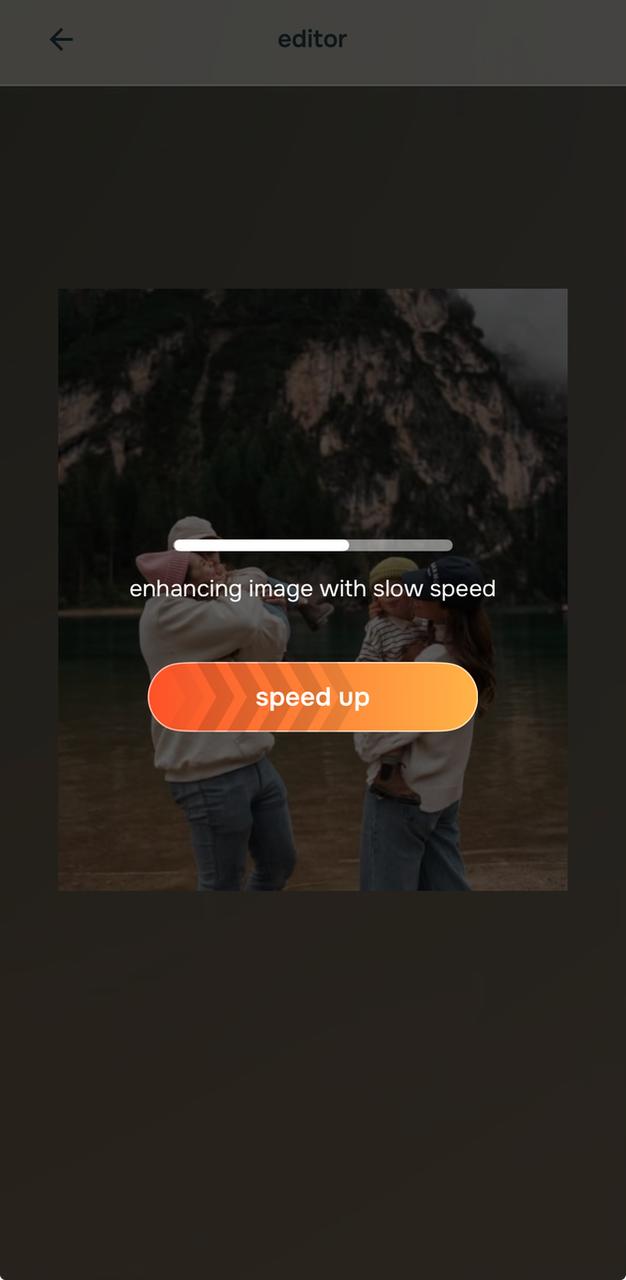
Once the image is selected, Citrus starts processing it.
This matters because the app does not force you to guess from zero.
It immediately gives you a natural starting point.
That is important for this topic.
If your goal is to make your face look better in pictures without the fake Facetune look, the best first move is usually not a dramatic preset.
It is a cleaner baseline.
Citrus gives you that fast.
It shows you that the image can look better and more natural before you even start making specific choices.
➝ It immediately starts processing:
Step 3: Start with Enhance, then use Looks or Face only where the photo actually needs it
For this topic, the smartest first move is usually Enhance.
If the picture looks flat, dull, too dark, too warm, too weak, or just less alive than real life, go to Enhance > Colors & Lighting.
That is one of the strongest natural fixes in the app.
If the portrait needs a softer overall finish or a more polished vibe without becoming fake, move into Looks.
For this topic, options like Soft Glow, Model, Youthful, or Porcelain can work well depending on the photo.
The key is to choose the one that adds soft polish, not obvious filter energy.
If one facial detail is pulling the whole image down, then go into Face.
Use No Eyebags if tired eyes are making the whole face look off.
Use Glass Skin if the photo needs cleaner skin finish without going full plastic.
Use Slim Face or Small Nose only when the camera clearly exaggerated those areas.
That is how you avoid the fake Facetune look.
You fix the exact issue.
You do not stack random beauty effects.
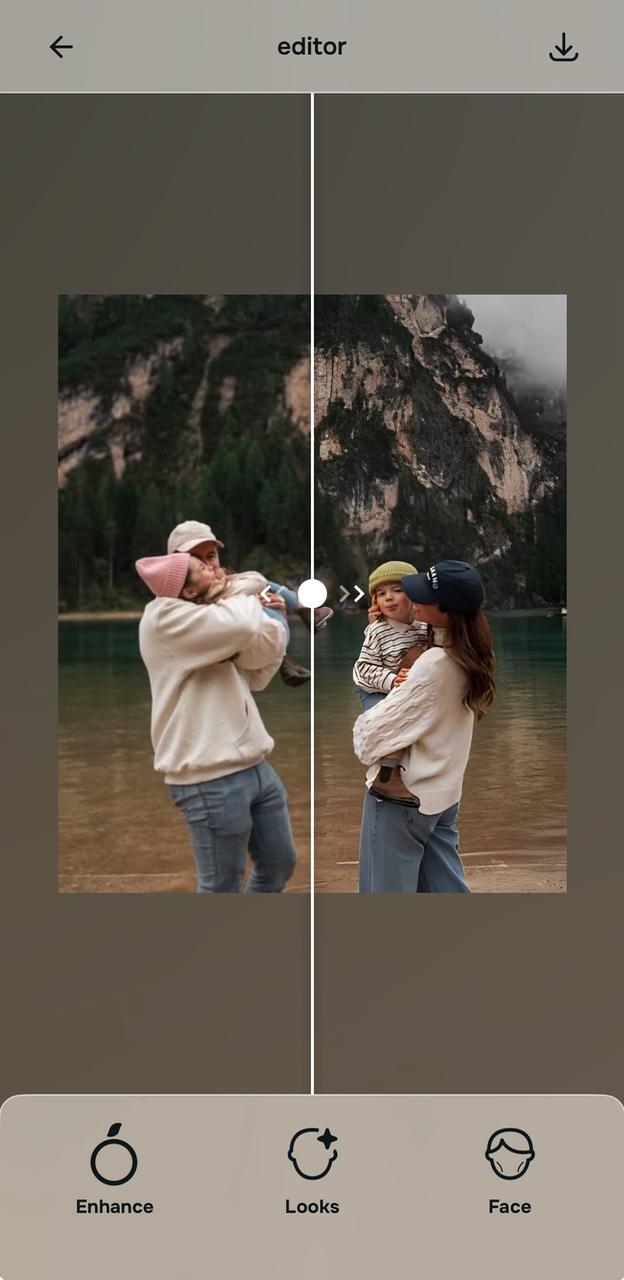
➝ We went with the default auto-enhance and got this after:
Step 4: Keep the version that looks quietly better, not obviously edited
This is where people usually get it wrong.
They chase the version that looks most “done.”
That is not the right standard.
The right question is simple.
Does this look more like me on a good day, in better light, with a better camera?
That is the version to keep.
A strong edit should make the face look cleaner, brighter, more balanced, or more photogenic.
It should not make the app visible.
That is why Citrus works so well here.
You can stop at the point where the face looks better in pictures but still believable.
Then save it.
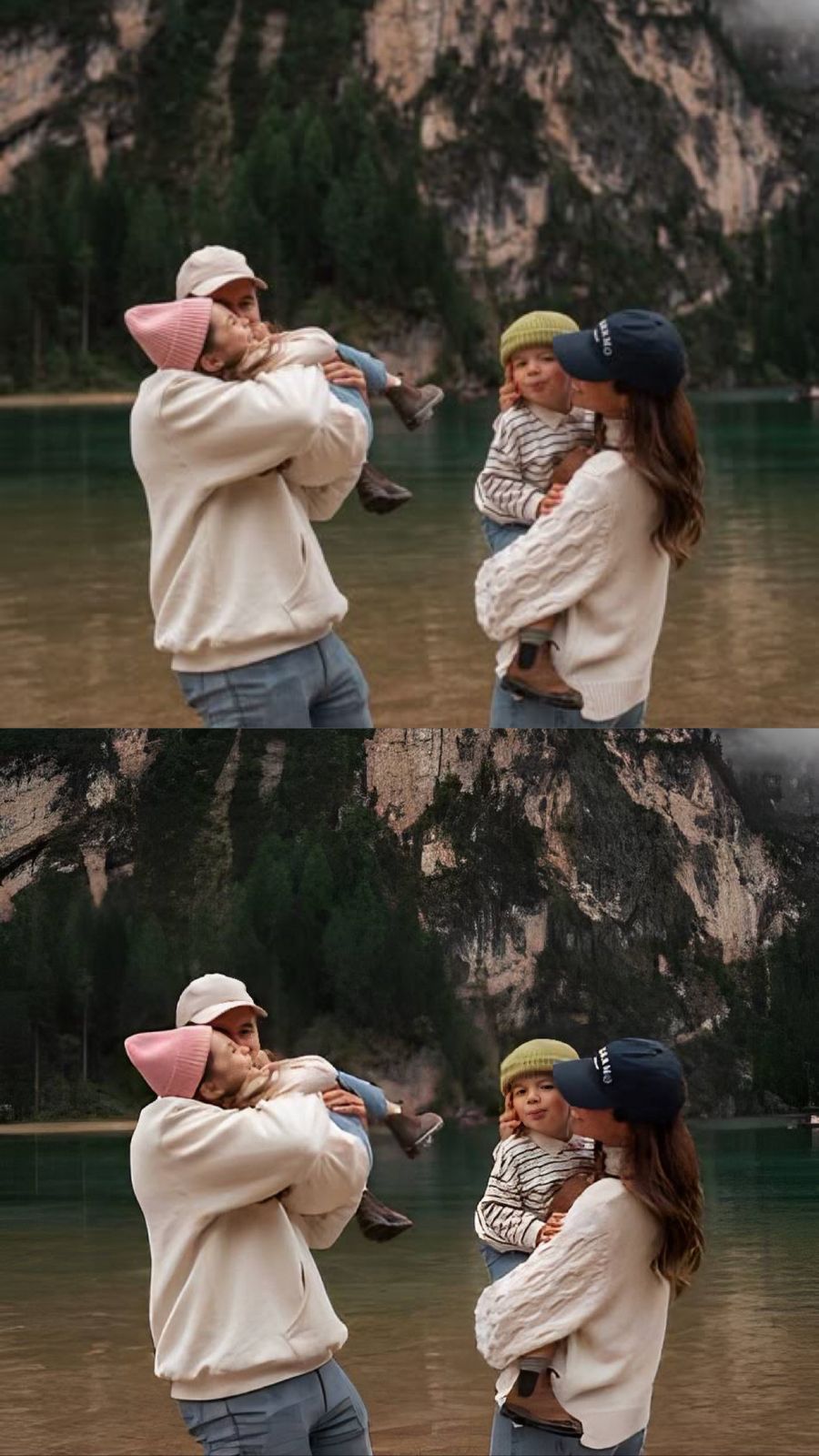
➝ Here's our final before/after closure:
Why Citrus Feels Better Than Facetune-Style Editing for Real People
A lot of people searching this topic already know what they do not want.
They do not want the Facetune look.
They do not want plastic skin.
They do not want a face that looks copied, stretched, or oddly artificial.
They do not want people to look at the photo and instantly know it was heavily edited.
That is why Citrus is such a strong fit.
It works better when the goal is quiet improvement.
It improves the translation of the face instead of trying to redesign it.
That matters because most disappointing photos do not happen because someone looked bad.
They happen because the camera captured the face badly.
The light was wrong.
The under-eyes got heavy.
The skin lost life.
The angle added harshness.
The face lost softness.
Citrus helps by correcting those things directly.
That is much more useful than pushing people toward a loud beauty-editor result they will regret later.
What Usually Creates the Fake Facetune Look in the First Place
Too much smoothing kills the face
One of the fastest ways a photo starts to look fake is over-smoothing.
Skin loses texture.
The face loses detail.
Everything starts looking waxy.
That is why so many edited selfies look less attractive after too much editing, not more.
Too much reshaping breaks trust
When apps reshape the face too aggressively, people notice.
The jaw looks strange.
The nose looks unnaturally narrow.
The eyes stop matching the rest of the face.
That is where the fake Facetune look really starts.
It is not just editing.
It is editing that becomes visible.
Too much brightness flattens the whole image
Another big problem is when apps brighten everything as if more light automatically means a better photo.
It does not.
Too much brightness can wash out the skin, weaken the face shape, and make the final result feel less grounded.
That is why the best photo enhancer app for faces is not the one that does the most.
It is the one that does the right amount.
Frequently Asked Questions
What is the best app to make your face look better in pictures without the fake Facetune look?
The best app for this is one that improves the photo quality and facial balance without making the edit obvious. That is why Citrus works so well. Instead of pushing everything into heavy smoothing, sharp reshaping, or artificial beauty-filter results, it gives you a more natural workflow. You can start with Enhance > Colors & Lighting for a cleaner base, move into Looks for softer polish, and only use Face when one detail clearly needs help. That makes Citrus a strong choice for people who want a natural-looking face editor, a photo enhancer for selfies, or an app that makes their face look better in pictures without the plastic Facetune effect.
How can I make my face look better in photos naturally?
The most natural way is to fix the camera problem, not attack your face. Most bad photos happen because of weak light, close lenses, dull color, tired under-eyes, or a stiff frozen frame. That means the smartest fix is usually to improve lighting, restore life, and correct only what the camera exaggerated. Citrus is strong for this because it lets you do exactly that. You can use Colors & Lighting to bring the photo back to life, then use No Eyebags or Glass Skin only if the image still needs targeted help. That creates a result that feels more like a better-captured version of you, which is the real goal behind searches like how to look better in pictures naturally.
Why do some face editing apps make people look fake?
They make people look fake because they push too hard in the wrong places. Over-smoothing removes skin texture. Over-whitening flattens the face. Over-reshaping breaks facial trust. Once those edits become visible, the photo stops feeling real. That is the core problem behind the fake Facetune look. It is not that editing itself is bad. It is that bad editing becomes obvious. Citrus avoids that better because it starts from a cleaner, more balanced baseline and lets you make smaller, smarter moves. That is why it fits people who want a realistic selfie editor or a natural AI photo enhancer instead of a dramatic beauty-filter app.
Should I use Enhance, Looks, or Face first if I want a natural result?
For most photos, Enhance is the smartest first move. If the picture looks flat, dark, dull, weak, or just less alive than it did in real life, Enhance > Colors & Lighting is usually the strongest starting point. After that, go into Looks only if the image needs a prettier finish or better vibe. Then use Face only if one problem clearly remains, like tired eyes or a rough skin finish. That order matters because it keeps the edit grounded in natural correction instead of jumping straight into beauty changes. If your goal is to avoid the fake Facetune look, this is the best way to do it.
What Citrus options work best when I want a polished face without overediting?
For a polished but believable result, the strongest starting point is usually Enhance > Colors & Lighting. After that, Looks options like Soft Glow, Model, Youthful, or Porcelain can work well when the photo needs more softness or cleaner finish. In Face, the safest targeted options are usually No Eyebags for tired eyes and Glass Skin for a cleaner skin finish. Slim Face and Small Nose should be used more carefully and only when the camera clearly exaggerated those areas. That is the key difference between a natural photo edit and a fake one. You are not using everything. You are using the few options that solve the exact visual problem.
Can Citrus make selfies and profile pictures look better without making them look edited?
Yes, and that is one of its biggest advantages. Selfies and profile pictures usually need cleaner light, better balance, and maybe one small correction around the eyes or skin. They do not need a full digital makeover. Citrus works well because it respects that. It helps the image look more photogenic, more flattering, and more finished without turning it into something artificial. That makes it useful for dating profile photos, Instagram selfies, everyday portraits, and even professional profile pictures where looking fake would hurt more than help. The result can look better very quickly while still feeling like the same person.
Why is natural-looking photo editing better for search, social, and real-life use?
Because people trust believable images more than obviously edited ones. On social platforms, natural-looking photos age better. In profile pictures, they create better first impressions. In everyday use, they feel more comfortable to post, save, and keep. That is why there is so much search demand around phrases like best app to make your face look better in pictures, photo enhancer without fake filters, and natural selfie editor. People want results that look quietly better, not loudly altered. Citrus fits that demand because it gives users a way to improve the image while keeping the face grounded in reality. That is exactly the kind of result most people actually want.